

Thalia
AINative Mac app for agentic coding with Meta's Muse Code CLI: plan, steer, review diffs and open pull requests.
Thalia
Native Mac app for agentic coding with Meta's Muse Code CLI: plan, steer, review diffs and open pull requests.
About Thalia
Thalia is a native SwiftUI Mac app for agentic coding built on Meta's Muse Code CLI. You open a project folder, start a chat per task, have Muse plan the approach before any edit, steer it while it runs, and review the exact diff before approving. It adds checkpoints with rewind previews, worktrees, built-in checks, and a push-and-open-PR flow through the GitHub CLI. It is free to use, requires your own Muse access, and sends the Thalia team no analytics or telemetry.
Screenshots
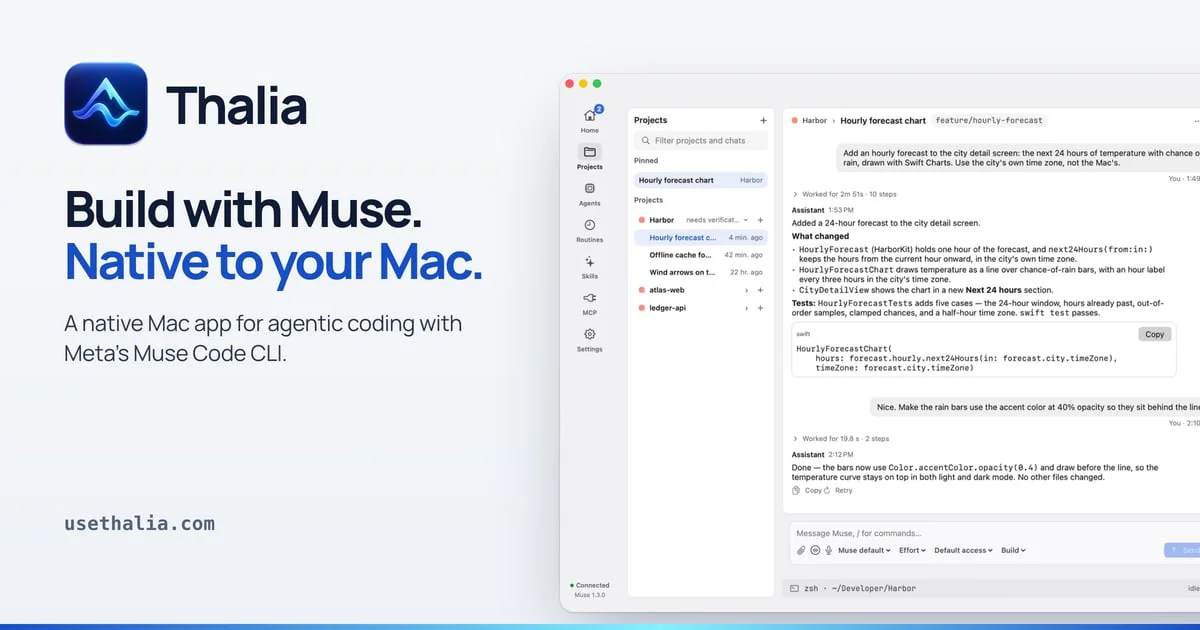
Key Features
Use Cases



Frequently asked questions about Thalia
What is Thalia?
Native Mac app for agentic coding with Meta's Muse Code CLI: plan, steer, review diffs and open pull requests.
How does Thalia work?
Thalia works by combining Plan Mode: Muse works out the approach without editing your project, and you approve, request changes or discard the plan., Command Approval: Shows the full command before Allow is available, with keyboard shortcuts to approve, deny or stop a running turn., Snapshot Review: Lists tracked and untracked changes with text diffs and records the exact approved snapshot, invalidating approval if files change., Checkpoints and Rewind: Capture checkpoints and preview exactly which files a restore changes, with a safety checkpoint saved first., Push and Open PR: Writes the pull request title and description and pushes the branch via the GitHub CLI, with worktree support. to help users with Feature Development: Open a repo, plan a feature with Muse, and review the diff before shipping., Safe Refactoring: Capture checkpoints before large edits and rewind with a preview if the result is wrong., Pull Request Workflow: Go from first request to an opened PR without leaving the app., Parallel Tasks: Use worktrees and separate chats to run independent tasks side by side., Issue-Driven Fixes: Connect Linear, Sentry or GitHub to pull in context for bug fixes..
What are the main features of Thalia?
Key features include Plan Mode: Muse works out the approach without editing your project, and you approve, request changes or discard the plan., Command Approval: Shows the full command before Allow is available, with keyboard shortcuts to approve, deny or stop a running turn., Snapshot Review: Lists tracked and untracked changes with text diffs and records the exact approved snapshot, invalidating approval if files change., Checkpoints and Rewind: Capture checkpoints and preview exactly which files a restore changes, with a safety checkpoint saved first., Push and Open PR: Writes the pull request title and description and pushes the branch via the GitHub CLI, with worktree support..
Who is Thalia for?
Thalia is useful for anyone interested in Feature Development: Open a repo, plan a feature with Muse, and review the diff before shipping., Safe Refactoring: Capture checkpoints before large edits and rewind with a preview if the result is wrong., Pull Request Workflow: Go from first request to an opened PR without leaving the app., Parallel Tasks: Use worktrees and separate chats to run independent tasks side by side., Issue-Driven Fixes: Connect Linear, Sentry or GitHub to pull in context for bug fixes..
How much does Thalia cost?
Thalia is free to use.
How do I get started with Thalia?
Visit https://usethalia.com/?ref=producthunt to sign up and explore Thalia.
Explore more AI Ai Tools tools
Browse all Ai Tools tools →Browse by use case: Code Generation · Voice & Audio
Compare Thalia: vs Tonefold · vs NOVA CLI · vs Unprompt · vs Velozity