

Praex
AIOpen-source AI coding copartner with its own Velox, Faber and Lucia models, available in terminal, mobile and web.
Praex
Open-source AI coding copartner with its own Velox, Faber and Lucia models, available in terminal, mobile and web.
About Praex
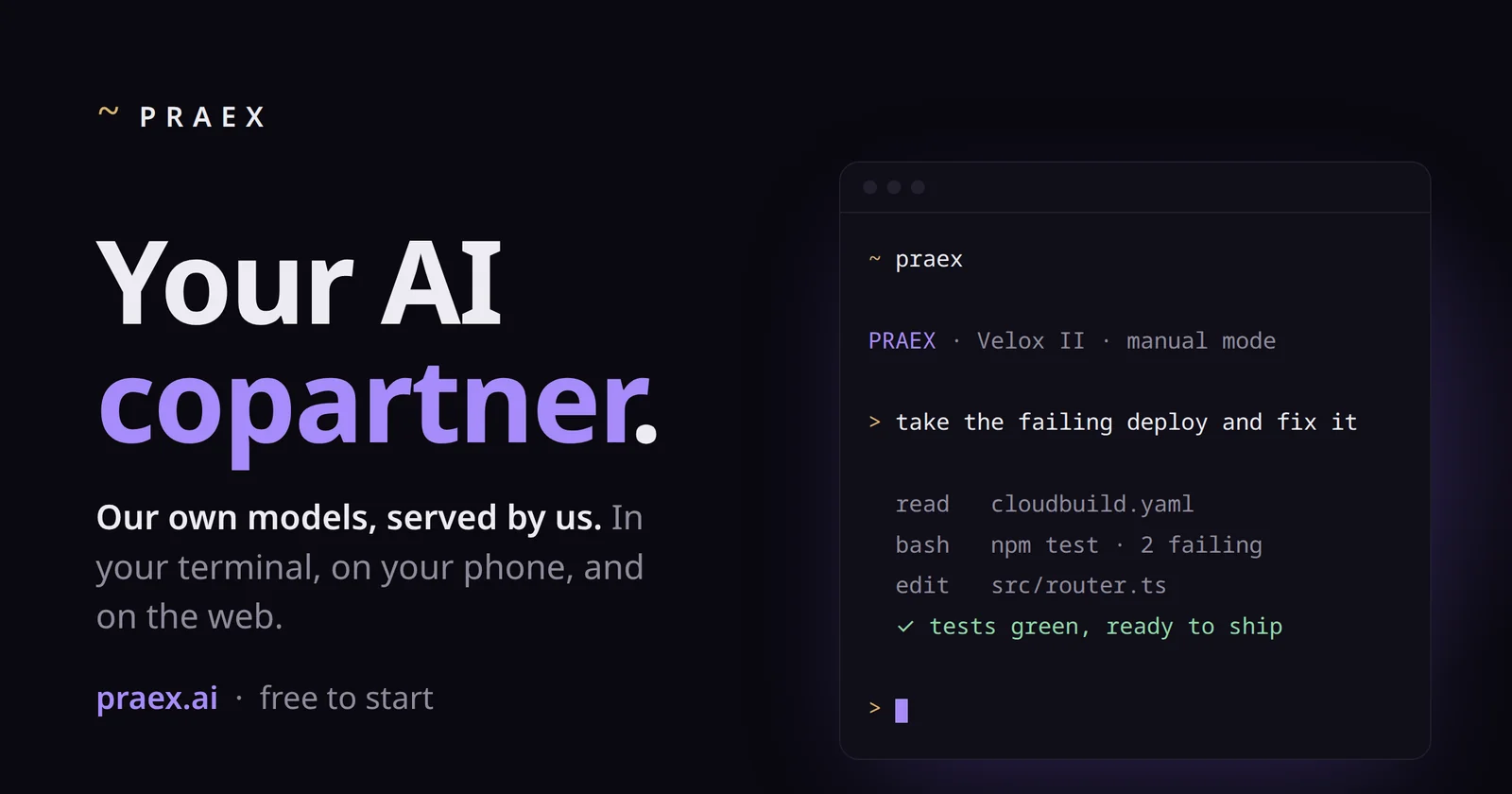
Praex is an AI copartner that runs on its own in-house models rather than a third-party API. It is available in the terminal through an installable CLI, on mobile, and on the web, with the same agent, memory and session shared across screens. The CLI is an MIT-licensed fork of opencode, and users can alternatively bring their own keys or hardware to run any model. Its model family includes Velox II for everyday tasks, Faber II for serious coding and reasoning, and Lucia II as a frontier model. The product emphasizes direct answers and privacy-by-design handling of user work.
Screenshots
Key Features
Use Cases



Frequently asked questions about Praex
What is Praex?
Open-source AI coding copartner with its own Velox, Faber and Lucia models, available in terminal, mobile and web.
How does Praex work?
Praex works by combining Own Model Family: Velox II, Faber II and Lucia II are tuned and served by Praex on its own infrastructure, sized from quick edits to frontier-scale problems., Terminal CLI: Install with a one-line script and let the agent read files, run commands, edit code and verify tests directly in your terminal., Cross-Device Sessions: Start a task in the terminal, steer it from your phone and review it on the web with the same agent, memory and session., Bring Your Own Keys: Run Praex on any model with your own API keys or hardware at no extra cost., Open-Source Core: The CLI is an MIT-licensed fork of opencode, so the agent harness can be inspected and modified. to help users with Fixing Failing Builds: Hand the agent a broken deploy and let it read configs, run tests and patch source until tests pass., Everyday Quick Edits: Use the free Velox II model for instant answers and small code changes in the terminal., Deep Reasoning Tasks: Escalate to Faber II on Pro for complex coding and multi-step reasoning., Mobile Task Steering: Kick off a refactor at your desk and monitor or redirect it from your phone., Self-Hosted Workflows: Point the CLI at your own models or keys to keep code on infrastructure you control..
What are the main features of Praex?
Key features include Own Model Family: Velox II, Faber II and Lucia II are tuned and served by Praex on its own infrastructure, sized from quick edits to frontier-scale problems., Terminal CLI: Install with a one-line script and let the agent read files, run commands, edit code and verify tests directly in your terminal., Cross-Device Sessions: Start a task in the terminal, steer it from your phone and review it on the web with the same agent, memory and session., Bring Your Own Keys: Run Praex on any model with your own API keys or hardware at no extra cost., Open-Source Core: The CLI is an MIT-licensed fork of opencode, so the agent harness can be inspected and modified..
Who is Praex for?
Praex is useful for anyone interested in Fixing Failing Builds: Hand the agent a broken deploy and let it read configs, run tests and patch source until tests pass., Everyday Quick Edits: Use the free Velox II model for instant answers and small code changes in the terminal., Deep Reasoning Tasks: Escalate to Faber II on Pro for complex coding and multi-step reasoning., Mobile Task Steering: Kick off a refactor at your desk and monitor or redirect it from your phone., Self-Hosted Workflows: Point the CLI at your own models or keys to keep code on infrastructure you control..
How much does Praex cost?
Praex offers a free tier with paid plans for advanced features.
How do I get started with Praex?
Visit https://praex.ai/ to sign up and explore Praex.
Explore more AI Ai Tools tools
Browse all Ai Tools tools →Browse by use case: Code Generation
Compare Praex: vs UseIt Studio · vs Woven Video · vs Sorcerer · vs Framefields