

SKI
AIA macOS and Windows voice assistant for AI coding agents. Talk to Claude Code, Cursor, Codex, Gemini CLI, or OpenClaw and hear them answer, fully on-device.
SKI
A macOS and Windows voice assistant for AI coding agents. Talk to Claude Code, Cursor, Codex, Gemini CLI, or OpenClaw and hear them answer, fully on-device.
About SKI
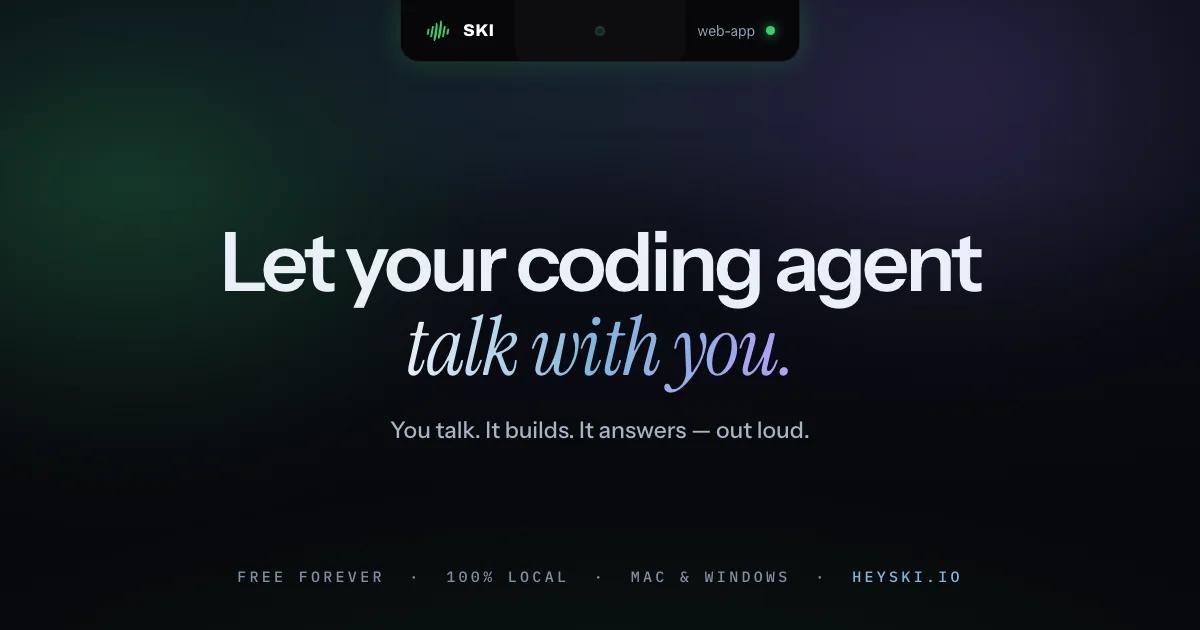
SKI is a voice interface layer for AI coding agents on macOS and Windows. It closes the loop between developer and agent: you talk, the agent builds, and it answers out loud in a natural neural voice, with speech-to-text and voice synthesis running fully on-device so nothing leaves your machine. It connects with one click to Claude Code, Cursor, Codex, Gemini CLI, and OpenClaw through a small skill each agent already understands, and communicates through plain files inside your own project rather than a hidden daemon or cloud service. Full-duplex echo cancellation lets you interrupt mid-sentence and be heard. On Mac it docks into the notch; on Windows it floats as a pill. SKI is free for life, with an approve-before-send review mode that lets you edit every transcript before it reaches the agent.
Screenshots
Key Features
Use Cases



Frequently asked questions about SKI
What is SKI?
SKI is a versatile voice assistant available for macOS and Windows, designed specifically for AI coding agents. It allows users to interact with coding tools like Claude Code, Cursor, Codex, Gemini CLI, and OpenClaw, facilitating a seamless coding experience with fully on-device responses.
Key Points
- Cross-Platform Compatibility: Available on both macOS and Windows.
- Voice Interaction: Engage with various AI coding tools using natural language.
- On-Device Processing: Enhances privacy and speeds up responses by processing locally.
Detailed Explanation
SKI stands for "Speech Knowledge Interface," and it revolutionizes the way developers interact with AI coding agents. By using voice commands, developers can access tools like Claude Code for natural language processing, Cursor for streamlined coding, Codex for code generation, Gemini CLI for command line interfaces, and OpenClaw for diverse coding tasks.
How SKI Works
- Installation: Download and install SKI from the official website or app store.
- Setup: Configure your voice settings and link your preferred coding tools.
- Voice Commands: Use natural language commands to ask questions, request code snippets, or debug errors.
For example, saying "Generate a Python function for sorting a list" prompts Codex to provide the corresponding code snippet instantly.
Use Cases
- Code Generation: Quickly generate boilerplate code or algorithms.
- Debugging: Ask SKI to identify and fix errors in your code.
- Learning: Use the assistant to understand coding concepts through verbal explanations.
Best Practices / Tips
- Clear Commands: Use specific and concise commands for better accuracy.
- Regular Updates: Keep SKI and its integrated tools updated for optimal performance.
- Voice Training: Spend time training the assistant to recognize your voice for improved interaction quality.
Additional Resources
How does SKI work?
SKI operates by utilizing on-device speech recognition for local audio processing, enabling seamless offline functionality. It features a neural voice for immediate replies, full-duplex echo cancellation for natural interactions, and multi-agent connectors for easy integration with various coding tools, ensuring a smooth voice-driven programming experience.
Key Points
- On-Device Processing: Ensures privacy and offline capabilities.
- Neural Voice Synthesis: Provides natural, immediate responses.
- Integration Flexibility: Connects with multiple coding agents effortlessly.
Detailed Explanation
SKI leverages cutting-edge technology to enhance the voice-driven programming experience. Here’s a deeper look at how it functions:
-
On-Device Speech-to-Text: By processing speech recognition locally, SKI keeps audio data private and secure. This means you can interact with your programming agent without worrying about sending sensitive information to the cloud. The system works effectively offline, making it ideal for environments with limited internet access.
-
Neural Voice On-Device: The replies generated by SKI are synthesized using a natural neural voice. This allows for in-line responses that feel conversational, as you can hear your agent replying immediately without delays caused by cloud processing. This feature significantly enhances workflow, especially during pair programming sessions.
-
Full-Duplex Echo Cancellation: With barge-in support, SKI allows users to interrupt the agent mid-sentence. This capability ensures that your voice input is captured even while the agent is speaking, making interactions smoother and more efficient.
-
Multi-Agent Connectors: SKI supports easy integration with numerous coding tools such as Claude Code, Cursor, Codex, Gemini CLI, and OpenClaw. This is achieved via simple skills that each agent understands, allowing developers to communicate seamlessly with their preferred tools.
-
Approve-Before-Send Review Mode: This feature provides an additional layer of security and accuracy. Each transcript appears in an editable format before being sent to the agent, allowing users to review and confirm information, which is particularly useful for maintaining code integrity.
-
Applications in Programming: SKI is particularly beneficial for voice-driven pair programming, debugging, and meetings. By allowing developers to command their agents without needing to type, it frees up hands for multitasking and enhances productivity.
Best Practices / Tips
- Optimize Your Environment: Ensure a quiet workspace to improve speech recognition accuracy.
- Familiarize with Commands: Understand the specific commands for each integrated agent to maximize efficiency.
- Regular Updates: Keep your SKI software updated for the latest features and improvements.
- Test Regularly: Conduct tests to ensure the voice recognition is functioning correctly, especially after updates.
Additional Resources
What are the main features of SKI?
SKI features advanced on-device speech recognition and synthesis, enabling local processing for enhanced privacy and offline capability. Key functionalities include full-duplex echo cancellation, easy integration with multiple AI agents, and an approve-before-send review mode that ensures user control over transcripts.
Key Points
- On-Device Speech-To-Text: Local speech recognition for privacy.
- Neural Voice Synthesis: Natural responses generated without cloud dependency.
- Multi-Agent Connectors: Seamless integration with various AI tools.
Detailed Explanation
SKI stands out with its robust on-device speech recognition, which ensures that all audio processing occurs locally, maintaining user privacy and enabling offline functionality. This means your conversations are not sent to the cloud, significantly enhancing security.
On-Device Speech-To-Text
The speech recognition technology operates directly on your machine, allowing for quick and efficient processing without internet reliance. This feature is particularly beneficial for users in areas with poor connectivity or for those concerned about data privacy.
Neural Voice On-Device
The neural voice synthesis feature provides natural and fluid responses, facilitating a more engaging conversation. Since the synthesis occurs locally, there's no delay typically associated with cloud computing, resulting in a smoother user experience.
Full-Duplex Echo Cancellation
SKI employs full-duplex echo cancellation, allowing users to interrupt the AI agent mid-sentence without losing clarity. This feature is particularly useful in dynamic conversations where immediate feedback is essential, enhancing user interaction.
Multi-Agent Connectors
SKI simplifies integrations with other AI tools through its multi-agent connectors. Users can easily connect with Claude Code, Cursor, Codex, Gemini CLI, and OpenClaw using a straightforward skill that each agent understands, streamlining workflows and increasing productivity.
Approve-Before-Send Review Mode
This unique feature ensures that every transcript is presented in an editable format before being sent to the agent. Users can review and confirm what they want to share, providing an additional layer of control over their data.
Best Practices / Tips
- Utilize Offline Functionality: Make the most of SKI's offline capabilities by using it in environments with limited internet access.
- Explore Integrations: Take advantage of the multi-agent connectors to enhance your productivity by integrating with tools you already use.
- Review Transcripts: Always utilize the approve-before-send feature to maintain control over your conversations and ensure accuracy.
Additional Resources
Who is SKI for?
SKI is designed for developers who benefit from voice-driven coding assistance. It caters to voice-driven pair programming, hands-busy debugging, accessibility needs, private on-device coding, and transcribing meetings, making it an ideal tool for anyone seeking to enhance their coding experience without traditional keyboard reliance.
Key Points
- Voice-Driven Pair Programming: Ideal for collaborative coding.
- Hands-Busy Debugging: Streamlines debugging processes.
- Accessibility for Developers: Supports non-keyboard workflows.
Detailed Explanation
SKI offers a range of functionalities that enhance the coding experience for various user scenarios:
-
Voice-Driven Pair Programming: This feature allows developers to communicate with AI models like Claude Code, Cursor, or Codex while keeping their hands away from the keyboard. This is particularly useful for collaborative projects, enabling pairs to discuss code changes, share ideas, and write code seamlessly.
-
Hands-Busy Debugging: Developers often face situations where they need to debug while their hands are occupied. With SKI, users can instruct their AI agent to run tests and read back any failures aloud. This eliminates the need to switch between windows or interrupt workflow, thus enhancing productivity.
-
Accessibility for Developers: SKI is particularly beneficial for developers who require or prefer non-keyboard workflows. By enabling voice input and audio output, it ensures that those with disabilities or those who simply prefer a hands-free approach can efficiently write and debug code.
-
Private On-Device Coding: For developers working with sensitive or confidential codebases, SKI provides a secure solution. It operates entirely on-device, ensuring that nothing spoken is sent to cloud-based speech-to-text services. This feature is crucial for maintaining the confidentiality of proprietary code.
-
Meeting + Coding Overlap: During team stand-ups or design meetings, SKI can simultaneously transcribe discussions while allowing developers to interact with their coding agent. This dual functionality ensures that important information is captured without losing focus on coding tasks.
Best Practices / Tips
- Test Your Setup: Before diving into voice-driven coding, ensure that your microphone and audio settings are properly configured to avoid interruptions.
- Use Clear Commands: When interacting with your AI assistant, use clear and concise commands for optimal recognition and response.
- Practice Regularly: The more you use voice commands, the better your AI will understand your speech patterns, improving efficiency over time.
- Stay Updated: Keep an eye on updates and new features that can enhance your experience with SKI.
Additional Resources
How much does SKI cost?
SKI is completely free to use, providing users with a robust suite of features without any cost. This accessibility makes it an attractive option for individuals and businesses looking to leverage its capabilities without financial commitment.
Key Points
- SKI is a free tool with no hidden costs.
- It offers a variety of features beneficial for users.
- Accessibility encourages widespread adoption across different user demographics.
Detailed Explanation
SKI, or "Simple Knowledge Integration," is designed to streamline data management and enhance productivity. Its completely free model allows users to access a wide range of functionalities, including data analysis, project management, and collaboration tools.
For example, small businesses and freelancers can utilize SKI for task tracking and team collaboration without worrying about subscription fees. This can significantly reduce operational costs while still providing powerful tools that improve efficiency. Additionally, educational institutions can benefit from SKI by integrating it into their curriculum for free, enhancing learning experiences without financial barriers.
Moreover, the platform often integrates with other applications, allowing users to enhance their existing workflows seamlessly. This means that whether you’re a developer, project manager, or educator, SKI can adapt to your needs without any financial strain.
Best Practices / Tips
- Explore All Features: Take advantage of all the functionalities SKI offers to maximize its benefits. Familiarize yourself with its interface and tools to fully leverage its capabilities.
- Community Engagement: Join SKI user forums and communities to share experiences and gain insights. This can enhance your understanding and usage of the tool.
- Regular Updates: Stay informed about any updates or new features released by SKI. This not only keeps your usage relevant but also helps you utilize the platform to its fullest potential.
Additional Resources
How do I get started with SKI?
To get started with SKI, visit heyski.io to sign up for an account. Once registered, you can explore SKI’s features and functionalities, tailoring them to meet your specific needs for enhanced workflow and productivity.
Key Points
- Sign Up Process: Create your SKI account easily online.
- Explore Features: Familiarize yourself with the platform's tools and functionalities.
- Customization Options: Tailor SKI to suit your personal or business needs.
Detailed Explanation
To begin using SKI, head over to heyski.io and click on the "Sign Up" button. You’ll need to provide basic information, such as your name, email address, and a secure password. After confirming your email, you can log in to your new account.
Once logged in, take some time to explore the various features offered by SKI. This platform may include project management tools, collaboration features, and analytics capabilities that help streamline your workflow. For example, you can set up task lists, assign responsibilities to team members, and track progress in real-time.
Customization is key when using SKI. You can adjust the settings according to your preferences, integrating other tools you might already be using for a seamless experience. This could involve syncing with calendar applications or linking to file storage services like Google Drive or Dropbox.
Best Practices / Tips
- Complete Your Profile: Fill in your profile details to enhance network connections and collaboration opportunities.
- Use Tutorials: Take advantage of any tutorial resources provided by SKI to understand advanced functionalities.
- Regular Updates: Keep your SKI platform updated to benefit from the latest features and security enhancements.
- Feedback: Don’t hesitate to provide feedback to the SKI team to improve your user experience.
Additional Resources
- SKI Official Documentation for in-depth guides and FAQs.
- SKI Community Forum to connect with other users and share insights.
- Webinars and Training Sessions for live demonstrations and tips from experts.
Explore more AI Ai Tools tools
Browse all Ai Tools tools →Browse by use case: Voice & Audio
Compare SKI: vs CleanSlop · vs Kalender Sync · vs UseIt Studio · vs Woven Video