

OpenCode Superapp
AIOpenCode Superapp is a native, local-first Mac workspace that gives the OpenCode runtime browser, computer-use, voice, and extensible widgets.
OpenCode Superapp
OpenCode Superapp is a native, local-first Mac workspace that gives the OpenCode runtime browser, computer-use, voice, and extensible widgets.
About OpenCode Superapp
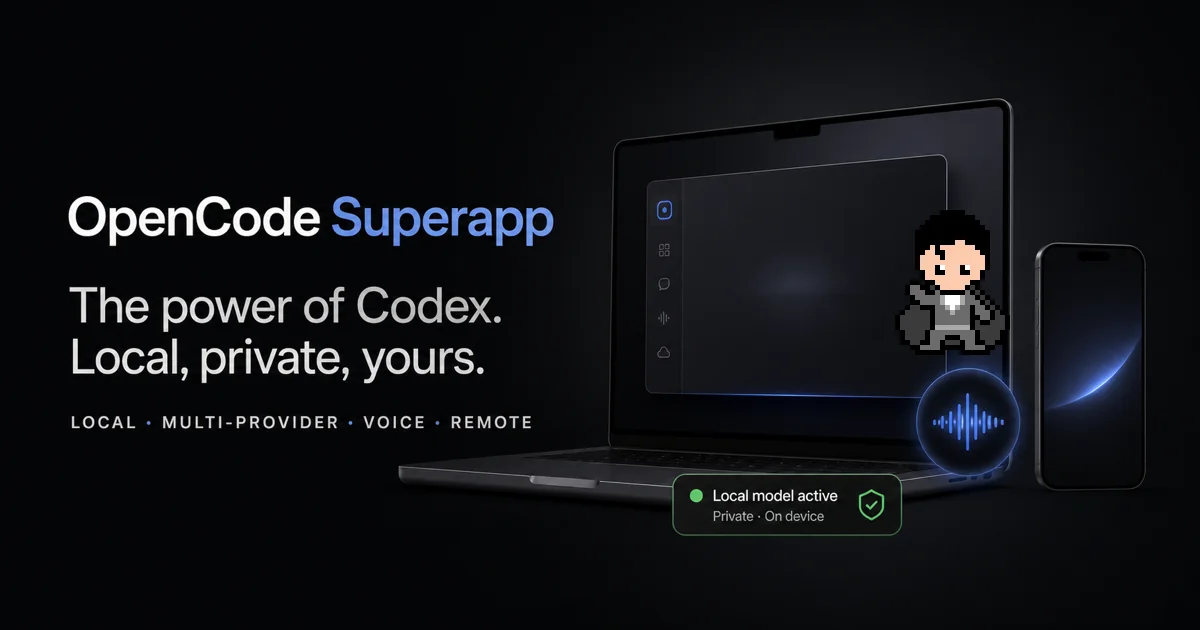
OpenCode Superapp is a Codex-inspired desktop workspace for macOS that wraps the OpenCode runtime and lets you drive it with cloud, self-hosted, or fully local models under a single native shell. It bundles the app-managed Ollama engine for private on-device inference, keeps your provider credentials in your local OpenCode configuration, and surfaces projects, parallel sessions, Files, Git, worktrees, terminals, and search in one workspace. On top of the free base, one-time Superpowers unlock native capabilities: in-app Browser automation, guarded native Computer Use for macOS apps, private local dictation, a paired mobile/remote endpoint over an encrypted relay, and Supe Realtime Voice for creating and monitoring OpenCode tasks by voice. Users can extend the app with commands, right-panel apps, Skills, MCP services, and local resource packages, or ask the built-in agent to generate, preview, and publish project-aware Home widgets with isolated storage.
Screenshots
Key Features
Use Cases



Frequently asked questions about OpenCode Superapp
What is OpenCode Superapp?
OpenCode Superapp is a native, local-first Mac workspace designed to enhance productivity by integrating the OpenCode runtime browser, computer features, voice commands, and customizable widgets. It offers a seamless environment for developers and users to create and manage applications efficiently.
Key Points
- Native Mac Experience: Built specifically for Mac, ensuring optimal performance and user experience.
- Local-First Architecture: Prioritizes local data storage, enhancing speed and privacy.
- Extensible Widgets: Users can customize their workspace with various widgets to suit their workflow.
Detailed Explanation
OpenCode Superapp functions as a comprehensive development environment that combines multiple tools into one interface. It enables users to write code, test applications, and manage resources all within a single workspace. Here are some features worth noting:
-
Native Mac Experience: The app is built to utilize MacOS capabilities fully, ensuring a smooth and responsive user interface. Users can expect high performance, particularly when handling resource-heavy applications.
-
Local-First Architecture: By focusing on a local-first approach, OpenCode Superapp minimizes reliance on external servers, which results in faster access times and greater user control over data. This feature is particularly appealing for developers concerned about data privacy and security.
-
Extensible Widgets: The Superapp includes a range of customizable widgets, allowing users to tailor their workspace according to their specific development needs. For example, users can integrate tools for debugging, version control, and task management, all accessible within the same environment.
-
Voice Commands: Users can leverage voice commands to navigate the app, making it easier to execute tasks hands-free, which is particularly useful during coding sessions or when multitasking.
-
Integrated OpenCode Runtime: This feature allows developers to run and test their applications directly within the workspace, reducing the need for switching between different tools or platforms.
Best Practices / Tips
- Customize Your Workspace: Take advantage of the extensible widgets to create a workspace that aligns with your workflow. Regularly update your widgets to keep them relevant to your tasks.
- Utilize Voice Features: Familiarize yourself with the voice commands available in OpenCode Superapp to enhance productivity, especially when working on complex coding tasks.
- Backup Your Local Data: While local-first architecture offers speed and privacy, it’s crucial to implement a backup strategy to prevent data loss.
Additional Resources
How does OpenCode Superapp work?
OpenCode Superapp integrates multiple AI models and tools to streamline workflows on macOS. It combines local and remote capabilities, allowing users to manage projects, automate web tasks, and control applications through voice commands, all within a single workspace.
Key Points
- Integration of Multiple Providers: Use various AI models seamlessly.
- Native macOS Workflows: Consolidate tasks in one environment.
- Voice Control and Automation: Enhance productivity through hands-free management.
Detailed Explanation
OpenCode Superapp is designed to enhance productivity by integrating various AI tools and workflows into a unified platform. Here’s how it operates:
-
Integration of Any OpenCode Provider: Users can connect to multiple AI models, such as OpenAI, Anthropic, xAI, and Ollama, using their own credentials and billing. This flexibility allows for tailored use cases and access to the latest AI advancements.
-
Integrated Local Ollama: By installing the app-managed Ollama engine, users can access models stored locally. This is particularly useful for sensitive projects, ensuring that data remains secure on-device through a private loopback endpoint.
-
Native Desktop Workflows: OpenCode consolidates various project management features—like files, Git repositories, and terminals—into one workspace. This prevents the chaos of switching between different applications and enhances focus.
-
In-app Browser Automation: Users can automate interactions within an embedded browser, performing web tasks while ensuring that actions are permission-gated for security.
-
Guarded Native Computer Use: The Superapp allows for the operation of macOS applications through guarded tools, making it visible which actions are being taken. This is especially beneficial for sensitive coding tasks that must remain local.
-
Voice-driven Task Control: With the Super Realtime Voice feature, users can manage their OpenCode tasks hands-free. This capability supports multitasking, allowing developers to focus on coding while controlling their environment through voice commands.
-
Web-flow Automation: OpenCode can inspect and manage web tasks directly in the browser, returning results to the workspace. This feature is essential for developers needing to interact with web APIs or perform data scrapes.
-
Native App Manipulation: Users can automate workflows that require interaction with multiple applications, making file transfers or app navigation seamless.
-
Remote Control from Mobile: Users can continue their OpenCode sessions on a mobile device, maintaining an encrypted connection, which allows for flexibility when away from the main workstation.
Best Practices / Tips
- Utilize Voice Commands: Take advantage of voice-driven features to increase efficiency, especially during intensive coding sessions.
- Keep Software Updated: Regularly check for updates to OpenCode Superapp to access the latest features and security improvements.
- Organize Workspaces: Structure your projects within OpenCode to ensure easy navigation and management of tasks, files, and sessions.
- Test Automation Scripts: Regularly test your automation scripts in a controlled environment to minimize errors during critical tasks.
Additional Resources
What are the main features of OpenCode Superapp?
OpenCode Superapp features a versatile integration of multiple AI models, including OpenAI and Anthropic, allowing users to manage credentials and billing seamlessly. It also includes local model access, native desktop workflows, in-app browser automation, and secure interaction with macOS applications.
Key Points
- Any OpenCode Provider: Utilize a wide range of AI models and providers.
- Integrated Local Ollama: Access local models through a private loopback endpoint.
- Native Desktop Workflows: Consolidate all project-related tools into one workspace.
Detailed Explanation
OpenCode Superapp is designed to enhance productivity and streamline workflows for users working with various AI models. Below are the main features in detail:
Any OpenCode Provider
OpenCode Superapp supports a diverse range of AI models, allowing users to connect with their preferred providers such as OpenAI, Anthropic, xAI, and Ollama. Users can manage their own credentials and billing, creating a customized and flexible environment tailored to their needs.
Integrated Local Ollama
With the Integrated Local Ollama feature, users can install the app-managed Ollama engine, granting access to models already stored in their local library. This feature operates over a private loopback endpoint, ensuring secure and fast access to local resources without compromising performance.
Native Desktop Workflows
OpenCode Superapp facilitates seamless project management by integrating various tools into one workspace. Users can handle projects, run parallel sessions, manage files, utilize Git, and access terminals without toggling between different applications. This consolidation enhances productivity and simplifies workflow management.
In-app Browser Automation
This feature empowers users to automate browser tasks directly within the OpenCode environment. By embedding a browser that can inspect and operate web experiences, users can perform complex actions under permission-gated scenarios, enhancing their capability to interact with web applications efficiently.
Guarded Native Computer Use
OpenCode Superapp includes a unique capability to operate native macOS applications safely. By utilizing guarded tools, users can execute consequential actions while keeping all activities visible, ensuring transparency and security in their workflow.
Best Practices / Tips
- Maximize Integration: Take full advantage of the integration capabilities by connecting all relevant AI models and tools for a streamlined experience.
- Utilize Sessions: Use parallel sessions to work on multiple projects concurrently, which can significantly boost productivity.
- Stay Updated: Regularly check for updates to the OpenCode Superapp to ensure you are using the latest features and security enhancements.
Additional Resources
Who is OpenCode Superapp for?
OpenCode Superapp is designed for developers, tech enthusiasts, and anyone needing secure coding solutions. It’s particularly useful for those working with sensitive code, requiring voice-driven task control, web automation, native app manipulation, and remote access from mobile devices while ensuring data privacy and efficiency in their workflows.
Key Points
- Private local coding for sensitive projects.
- Voice-driven task control for hands-free operation.
- Web-flow automation and native app manipulation.
Detailed Explanation
OpenCode Superapp caters to a diverse audience, including software developers, project managers, and tech-savvy individuals seeking enhanced productivity and security in their coding tasks.
-
Private Local Coding: Developers working on sensitive or proprietary code can utilize OpenCode to route sessions directly to on-device Qwen or other Ollama models. This ensures that critical information does not leave the user's Mac, maintaining confidentiality.
-
Voice-Driven Task Control: The Superapp integrates with Supe Realtime Voice, allowing users to manage tasks through voice commands. This feature is especially beneficial for multitaskers who need to open, monitor, and execute OpenCode tasks without interrupting their workflow.
-
Web-Flow Automation: OpenCode provides capabilities to inspect and manage in-app browsers, automating real web tasks. This can save time and streamline processes by allowing users to gather information and return results directly to their workspace.
-
Native App Manipulation: Users can give Computer Use permissions to workflows that require interaction with macOS applications. This feature facilitates tasks like moving files or executing clicks programmatically, enhancing operational efficiency.
-
Remote Control from Mobile: OpenCode enables users to continue their sessions from a paired mobile device or browser via an encrypted relay. This allows for seamless transitions between devices, ensuring that work can continue even when away from the Mac.
Best Practices / Tips
- Utilize Voice Commands: Familiarize yourself with the voice command features to maximize hands-free productivity. Practice using common commands to streamline your workflow.
- Secure Sensitive Code: Always ensure that private coding sessions are routed correctly to prevent data leaks. Regularly check your settings for optimal security.
- Integrate with Existing Workflows: Consider how OpenCode can fit into your current project management tools and practices for better efficiency.
Additional Resources
How much does OpenCode Superapp cost?
OpenCode Superapp offers a free tier that allows users to access basic features at no cost. For advanced capabilities, paid plans are available, typically ranging from $10 to $50 per month, depending on the specific features and services needed.
Key Points
- OpenCode Superapp has a free tier for basic usage.
- Paid plans are available for advanced features.
- Pricing typically ranges from $10 to $50 per month.
Detailed Explanation
OpenCode Superapp is designed to cater to a wide range of users, from individuals to businesses. The free tier provides essential functionalities, which is ideal for those who want to explore the app without any financial commitment. Users can perform basic tasks such as messaging, task management, and data sharing.
For more advanced features, such as extended storage, premium support, or additional integrations, users can opt for one of the paid plans. These plans usually include tiered pricing, such as:
- Basic Plan: $10/month - offers enhanced storage and priority support.
- Pro Plan: $25/month - includes advanced analytics and collaboration tools.
- Enterprise Plan: $50/month - provides tailored solutions for large teams, including custom integrations and dedicated support.
Choosing the right plan depends on your specific needs, such as the number of users, required features, and budget.
Best Practices / Tips
- Evaluate Your Needs: Before choosing a plan, assess your requirements. If you are a small team, the free tier may be sufficient initially.
- Take Advantage of Free Trials: If available, utilize free trials of paid plans to test advanced features before committing financially.
- Monitor Usage: Keep track of your usage to determine if you need to upgrade or can stay on the free tier longer.
Additional Resources
How do I get started with OpenCode Superapp?
To get started with OpenCode Superapp, visit opencodesuper.app to sign up for an account. After signing up, you can explore its features, including project management, collaboration tools, and integrations that enhance productivity.
Key Points
- Easy sign-up process
- Explore various features
- Integration capabilities with other tools
Detailed Explanation
OpenCode Superapp is designed to streamline your workflow by combining various functionalities into one platform. To sign up, follow these steps:
- Visit the Website: Go to opencodesuper.app.
- Sign Up: Click on the "Sign Up" button and enter your email, name, and a secure password.
- Verify Your Account: Check your email for a verification link and click it to activate your account.
- Explore Features: Once logged in, navigate through the dashboard to access project management tools, collaboration features, and third-party integrations.
Some key features you will find include:
- Project Management: Organize tasks, set deadlines, and assign team members to streamline project execution.
- Collaboration Tools: Use chat, file sharing, and video conferencing to enhance team communication.
- Integrations: Connect with other tools like Slack, Google Drive, and Trello to enhance functionality.
Best Practices / Tips
- Take Advantage of Tutorials: OpenCode Superapp offers tutorials and documentation. Utilize these resources to familiarize yourself with the platform’s features.
- Customize Your Dashboard: Tailor the dashboard to fit your needs by adding widgets that highlight your most-used features.
- Engage with the Community: Join forums or social media groups related to OpenCode Superapp for insights and best practices from other users.
Additional Resources
- OpenCode Superapp Documentation for in-depth guides.
- Community Forum to connect with other users and get support.
- Feature Updates for the latest news and enhancements.
Explore more AI Ai Tools tools
Browse all Ai Tools tools →Browse by use case: Voice & Audio
Compare OpenCode Superapp: vs CleanSlop · vs Kalender Sync · vs UseIt Studio · vs Woven Video