
NexaSDK for Mobile
AIA cross-platform SDK to run and ship LLMs, multimodal, ASR and TTS models on mobile, PC, automotive and IoT with NPU/GPU/CPU acceleration.
NexaSDK for Mobile
A cross-platform SDK to run and ship LLMs, multimodal, ASR and TTS models on mobile, PC, automotive and IoT with NPU/GPU/CPU acceleration.
About NexaSDK for Mobile
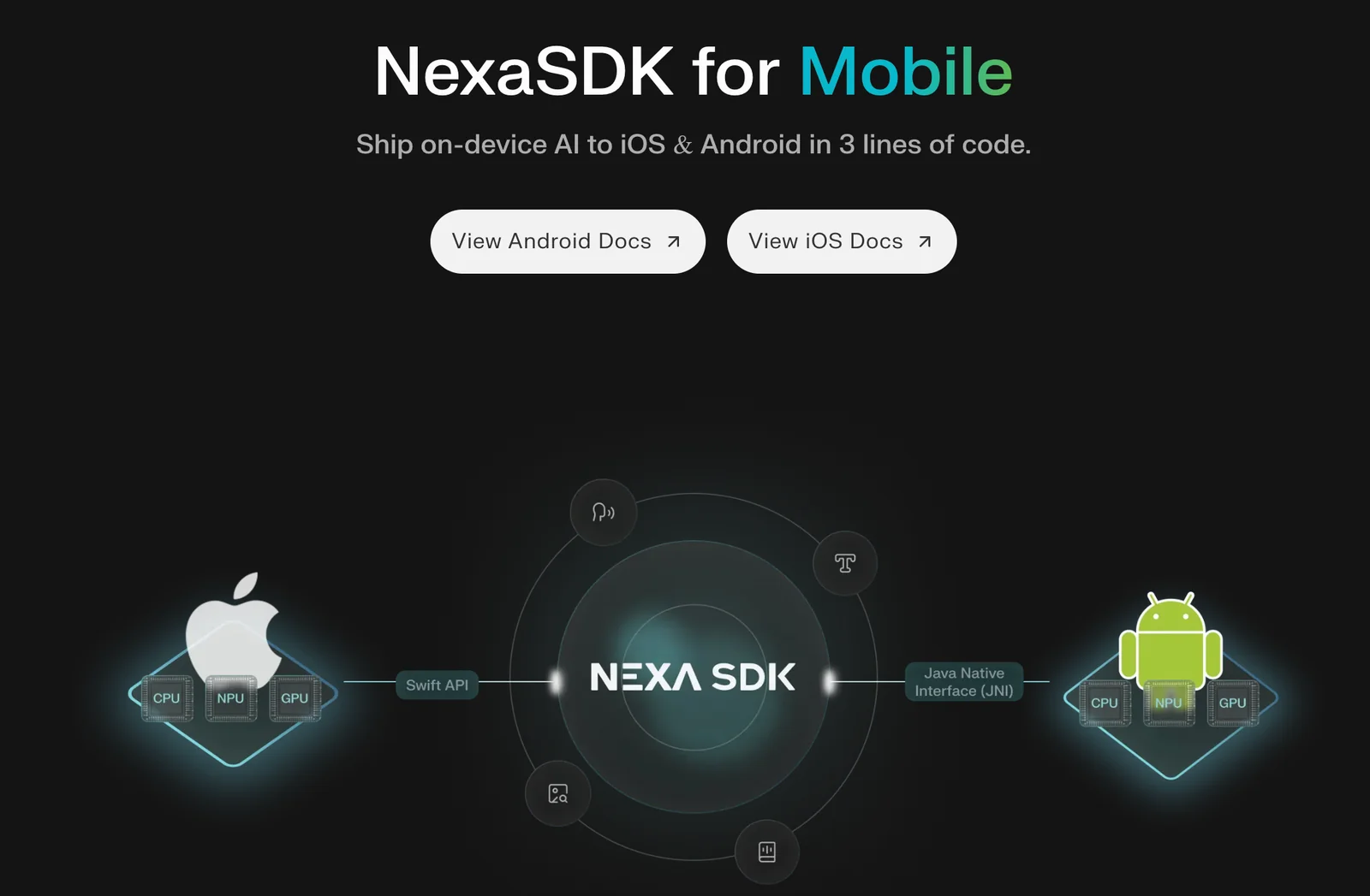
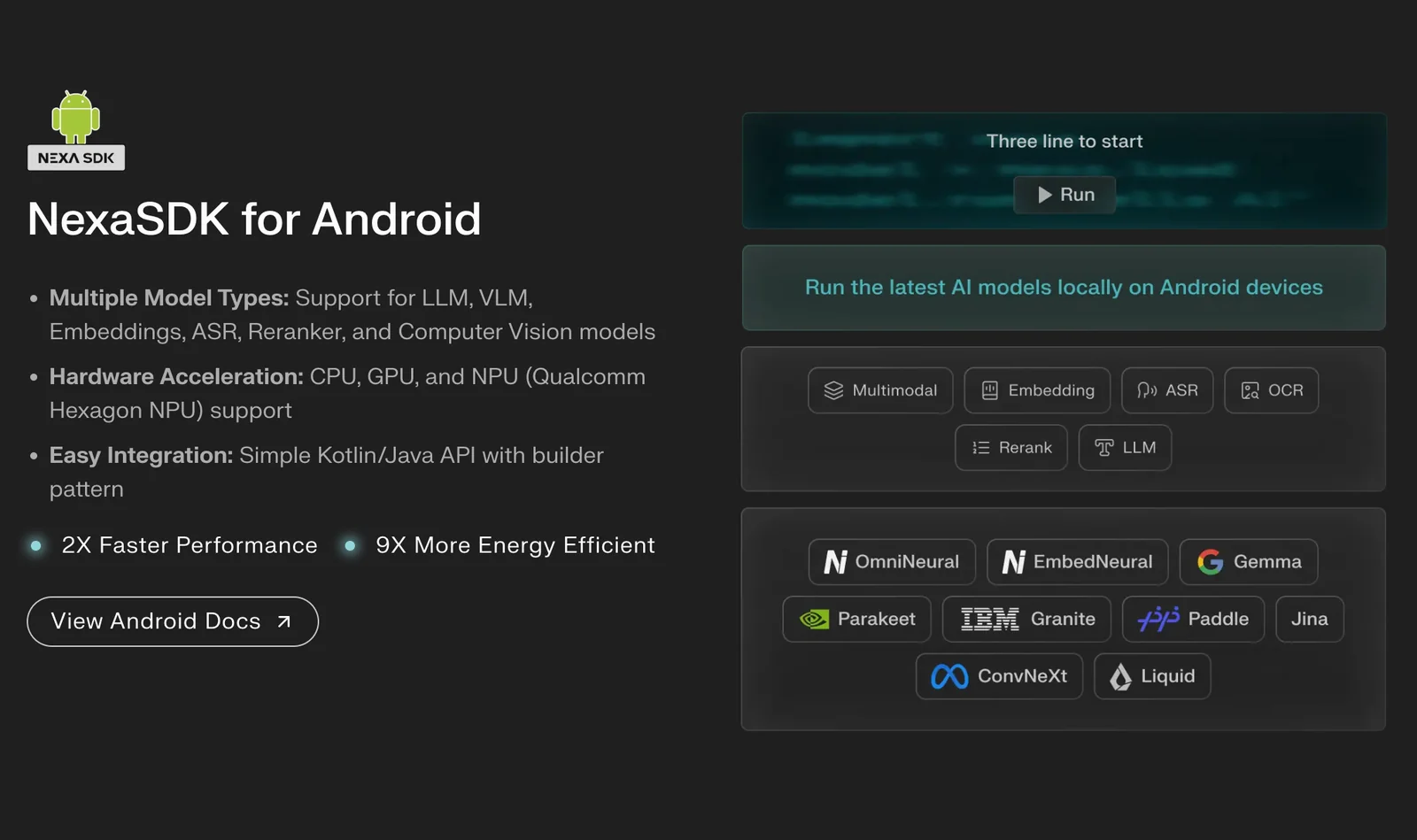
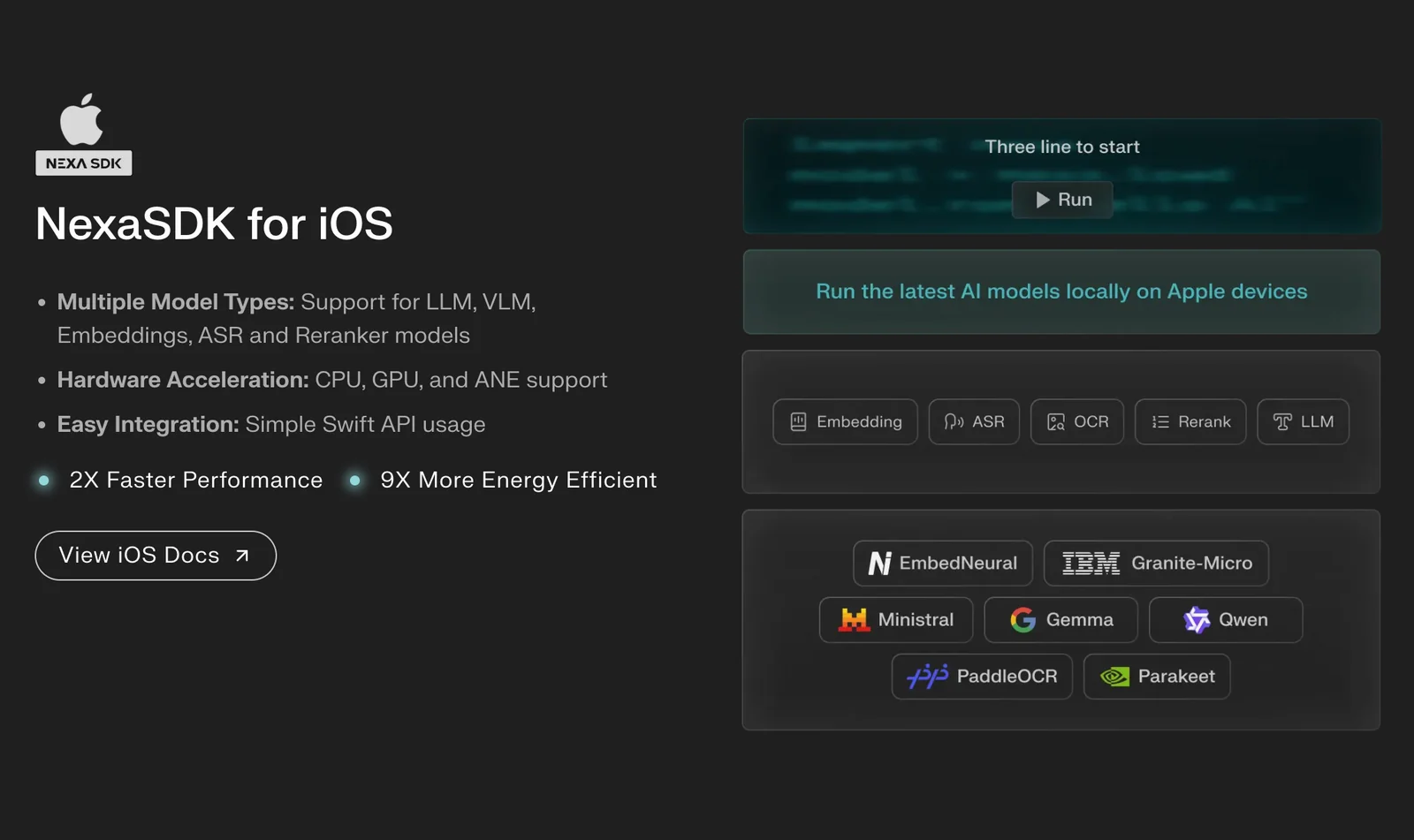
NexaSDK for Mobile is a developer toolkit that enables running and deploying large language models, multimodal models, automatic speech recognition (ASR), and text-to-speech (TTS) directly on-device across iOS and Android (and broader device classes). It provides runtimes and tooling powered by the NexaML engine to run workloads on NPUs (including Apple Neural Engine), GPUs and CPUs, delivering low-latency, private, and production-ready inference. The SDK includes platform-specific bindings (Android, CLI/Python integrations and Linux support), model conversion and optimization utilities, and runtime acceleration to minimize resource use and latency while maintaining on-device privacy and reduced cloud costs.
Screenshots
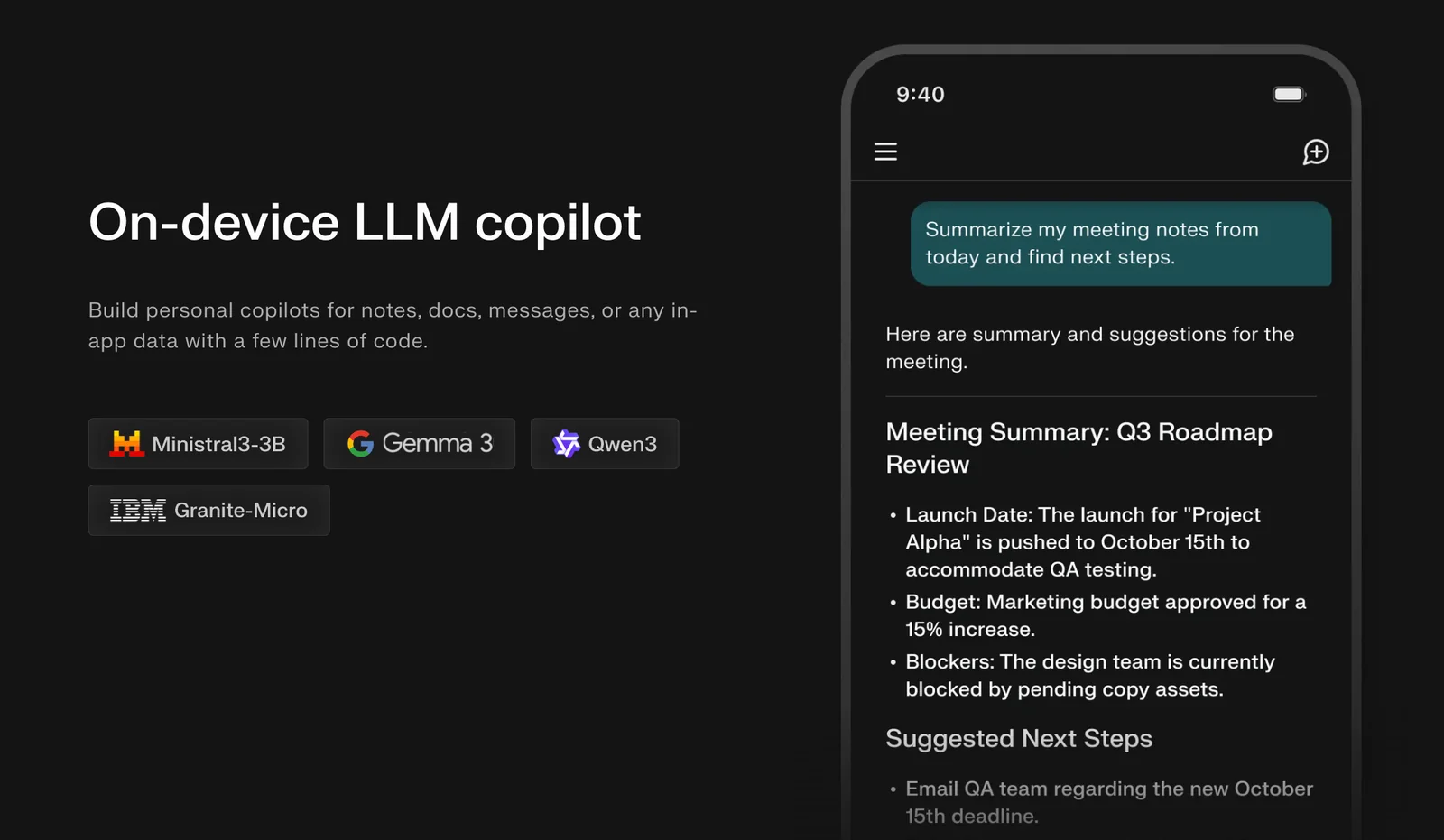
Key Features
Use Cases



Frequently asked questions about NexaSDK for Mobile
What are the pricing options for NexaSDK for Mobile?
NexaSDK for Mobile features a FREEMIUM pricing model, offering a Free / Developer tier at $0 for local development. For businesses requiring advanced features, custom Enterprise pricing is available, which includes commercial licensing and dedicated support tailored to specific needs.
Key Points
- Freemium Model: Provides access to essential features for free.
- Free / Developer Tier: Ideal for individuals and small projects.
- Custom Enterprise Pricing: Designed for businesses with specific requirements.
Detailed Explanation
NexaSDK for Mobile's pricing structure is designed to cater to a wide range of users, from individual developers to large enterprises.
- Freemium Model: The Freemium model allows developers to access basic functionalities without any cost. This tier is perfect for experimentation, learning, and developing small-scale applications.
- Free / Developer Tier: This tier, priced at $0, is specifically tailored for local development. Users can test features, build prototypes, and enhance their skills without financial commitment. It is an excellent option for hobbyists and students.
- Custom Enterprise Pricing: For organizations needing advanced capabilities, NexaSDK offers a tailored pricing plan. This option includes commercial licenses, premium support, and additional features that are not available in the free tier. Businesses can negotiate pricing based on their size, needs, and usage patterns.
Use Cases
- Startups: Utilize the Free tier to develop MVPs (Minimum Viable Products) without upfront costs.
- Established Companies: Transition to the custom Enterprise pricing for scalable solutions and professional support.
Best Practices / Tips
- Evaluate Your Needs: Before selecting a tier, assess your project's scale and requirements.
- Leverage the Free Tier: Take full advantage of the Free / Developer tier to explore all features before committing to a paid plan.
- Contact Sales for Custom Needs: If considering the Enterprise option, reach out to NexaSDK's sales team to discuss your specific requirements and negotiate the best pricing.
Additional Resources
By understanding these pricing options and leveraging the right tier, you can effectively utilize NexaSDK for your mobile development projects.
How does NexaSDK for Mobile support hardware acceleration?
NexaSDK for Mobile supports hardware acceleration by optimizing execution across various processing units, including NPUs, GPUs, and CPUs. It specifically leverages Apple's Neural Engine to deliver low-latency inference and efficient power usage, enhancing performance for mobile applications.
Key Points
- Multi-Processor Optimization: NexaSDK utilizes NPUs, GPUs, and CPUs.
- Apple’s Neural Engine: Specifically supports low-latency tasks.
- Power Efficiency: Ensures optimal battery usage during processing.
Detailed Explanation
NexaSDK for Mobile is designed to enhance the performance of applications by intelligently distributing workloads across different hardware components. This multi-processor optimization is crucial for developers looking to create high-performance mobile applications that require real-time data processing.
1. Multi-Processor Optimization
NexaSDK seamlessly integrates with various hardware accelerators:
- Neural Processing Units (NPUs): Specialized for machine learning tasks, NPUs significantly speed up model inference.
- Graphics Processing Units (GPUs): Ideal for parallel processing tasks, GPUs enhance the rendering of graphics and complex computations.
- Central Processing Units (CPUs): Handle general-purpose tasks and ensure that non-accelerated operations run smoothly.
2. Leveraging Apple’s Neural Engine
The inclusion of support for Apple's Neural Engine enables developers to maximize performance on iOS devices:
- Low-Latency Inference: Tasks such as image recognition and natural language processing can be executed swiftly, with minimal delay.
- Optimized Algorithms: NexaSDK includes algorithms specifically designed to take advantage of the architecture of Apple's hardware.
3. Power Efficiency
By optimizing the workload distribution across the hardware, NexaSDK minimizes energy consumption:
- Efficient Power Usage: Applications can run longer on battery without sacrificing performance, which is critical for mobile users.
- Dynamic Resource Allocation: The SDK dynamically allocates resources based on the task requirement, further enhancing battery life.
Best Practices / Tips
- Profile Your Application: Use performance profiling tools to identify bottlenecks and optimize hardware utilization.
- Test on Multiple Devices: Ensure that your application performs well across different hardware configurations, particularly focusing on devices with Apple’s Neural Engine.
- Stay Updated: Regularly update to the latest version of NexaSDK to benefit from enhancements and new features, especially regarding hardware acceleration.
Additional Resources
How can I get started with NexaSDK for Mobile?
To get started with NexaSDK for Mobile, visit the official NexaSDK website to access comprehensive documentation and community resources. Download the SDK for your preferred platform, such as Android or iOS, and follow the setup instructions provided for seamless integration into your mobile application.
Key Points
- Access official documentation for guidance.
- Choose the appropriate SDK for your platform.
- Engage with the community for support and insights.
Detailed Explanation
NexaSDK offers a robust framework for mobile app development, enabling seamless integration of advanced features like AI capabilities and cloud services. To start, follow these steps:
-
Visit the Official Website: Go to the NexaSDK official website where you can find all necessary resources.
-
Access Documentation: Navigate to the Documentation section to find detailed guides, API references, and tutorial videos that walk you through various functionalities of NexaSDK.
-
Download the SDK: Choose the SDK version compatible with your mobile platform. For Android, the SDK is available as a .zip file, while iOS users can access a .framework package. Ensure you download the latest version to benefit from new features and bug fixes.
-
Set Up Your Development Environment: Follow the specific setup instructions for your development environment. For Android, this may involve importing the SDK into Android Studio, while iOS users will integrate it into Xcode.
-
Explore Sample Projects: NexaSDK provides sample projects that demonstrate its capabilities. Explore these projects to understand how to implement various features in your own app.
-
Engage with the Community: Join forums and community discussions on platforms like GitHub or Stack Overflow. This is an excellent way to share experiences and get help with specific issues.
Best Practices / Tips
- Keep Up with Updates: Regularly check for SDK updates to ensure you have the latest features and security patches.
- Utilize Community Resources: Engage with the NexaSDK community through forums and social media groups for troubleshooting and innovative ideas.
- Test Thoroughly: Always conduct extensive testing on both Android and iOS to identify platform-specific issues early in your development process.
Additional Resources
By following these steps and utilizing the provided resources, you will be well-equipped to start developing innovative mobile applications using NexaSDK.
What technical requirements does NexaSDK for Mobile have?
NexaSDK for Mobile requires a compatible device equipped with a Neural Processing Unit (NPU), Graphics Processing Unit (GPU), or Central Processing Unit (CPU). It supports multiple platforms, including Android, iOS, Linux, and Python, facilitating seamless integration for various mobile and web applications.
Key Points
- Device Compatibility: Requires NPU, GPU, or CPU capabilities.
- Platform Support: Compatible with Android, iOS, Linux, and Python.
- Integration Flexibility: Allows for diverse application development.
Detailed Explanation
NexaSDK for Mobile is designed to maximize performance by leveraging advanced hardware capabilities. The technical requirements ensure that developers can implement AI features efficiently in their applications.
-
Device Compatibility: The SDK is optimized for devices that have specialized processing units. The NPU is particularly important for handling AI tasks, while GPUs are beneficial for graphic-intensive applications. CPUs also provide a general-purpose processing option, ensuring broad compatibility.
-
Platform Support: NexaSDK supports Android and iOS, the two most widely used mobile operating systems, allowing developers to reach a larger audience. Additionally, Linux support opens avenues for custom applications on various devices. Python integration facilitates easy scripting and automation for backend processes, making it a versatile choice for developers.
-
Integration Flexibility: The SDK's architecture allows for straightforward integration with existing applications. Developers can utilize APIs provided by NexaSDK to incorporate AI functionalities, such as image recognition or natural language processing, into their mobile apps rapidly.
Best Practices / Tips
- Check Hardware Specifications: Before integrating NexaSDK, ensure the target devices meet the necessary hardware requirements for optimal performance.
- Test Across Platforms: Conduct thorough testing on all supported platforms—Android, iOS, Linux—to identify any compatibility issues early in development.
- Utilize Documentation: Always refer to the official NexaSDK documentation for the latest updates, best practices, and examples to enhance your integration process.
Additional Resources
What makes NexaSDK for Mobile stand out from other AI SDKs?
NexaSDK for Mobile stands out from other AI SDKs due to its privacy-first local inference, support for multimodal models, and extensive hardware acceleration. These features combine to enhance performance, ensure data security, and provide developers with versatile tools for building advanced AI applications.
Key Points
- Privacy-First Local Inference: Processes data on-device to protect user privacy.
- Multimodal Model Support: Integrates various data types, like text and images, for richer AI experiences.
- Extensive Hardware Acceleration: Utilizes device capabilities for improved performance and efficiency.
Detailed Explanation
NexaSDK for Mobile is designed with a focus on user privacy and performance. Here’s how its standout features work:
-
Privacy-First Local Inference: NexaSDK processes data locally on the device rather than sending it to the cloud. This means sensitive information remains secure, addressing growing concerns over data privacy. For instance, an application that recognizes user voice commands can operate seamlessly without transmitting audio clips to servers.
-
Multimodal Model Support: Unlike many SDKs that focus on a single data type, NexaSDK supports multimodal models. This capability allows developers to create applications that leverage both text and image data simultaneously. For example, an augmented reality app could interpret visual cues while responding to user questions, enhancing the overall user experience.
-
Extensive Hardware Acceleration: By leveraging the processing power of modern mobile devices, NexaSDK ensures that AI tasks are performed quickly and efficiently. This includes utilizing GPU and DSP resources for demanding tasks, such as real-time video analysis or image recognition, resulting in faster response times and smoother performances.
Best Practices / Tips
- Utilize On-Device Capabilities: Always prioritize local processing to maximize user trust and minimize latency.
- Experiment with Multimodal Features: Design applications that take advantage of multiple input types for richer interactions.
- Test Across Devices: Ensure the SDK performs optimally on various hardware configurations to cater to a wider audience.
Additional Resources
Explore more AI Ai Tools tools
Browse all Ai Tools tools →Browse by use case: Voice & Audio
Compare NexaSDK for Mobile: vs CleanSlop · vs Kalender Sync · vs UseIt Studio · vs Woven Video