

Kaily
AIAn AI teammate for helpdesk, website chat, voice calls and collaborative document Q&A that automates support and team workflows.
Kaily
An AI teammate for helpdesk, website chat, voice calls and collaborative document Q&A that automates support and team workflows.
About Kaily
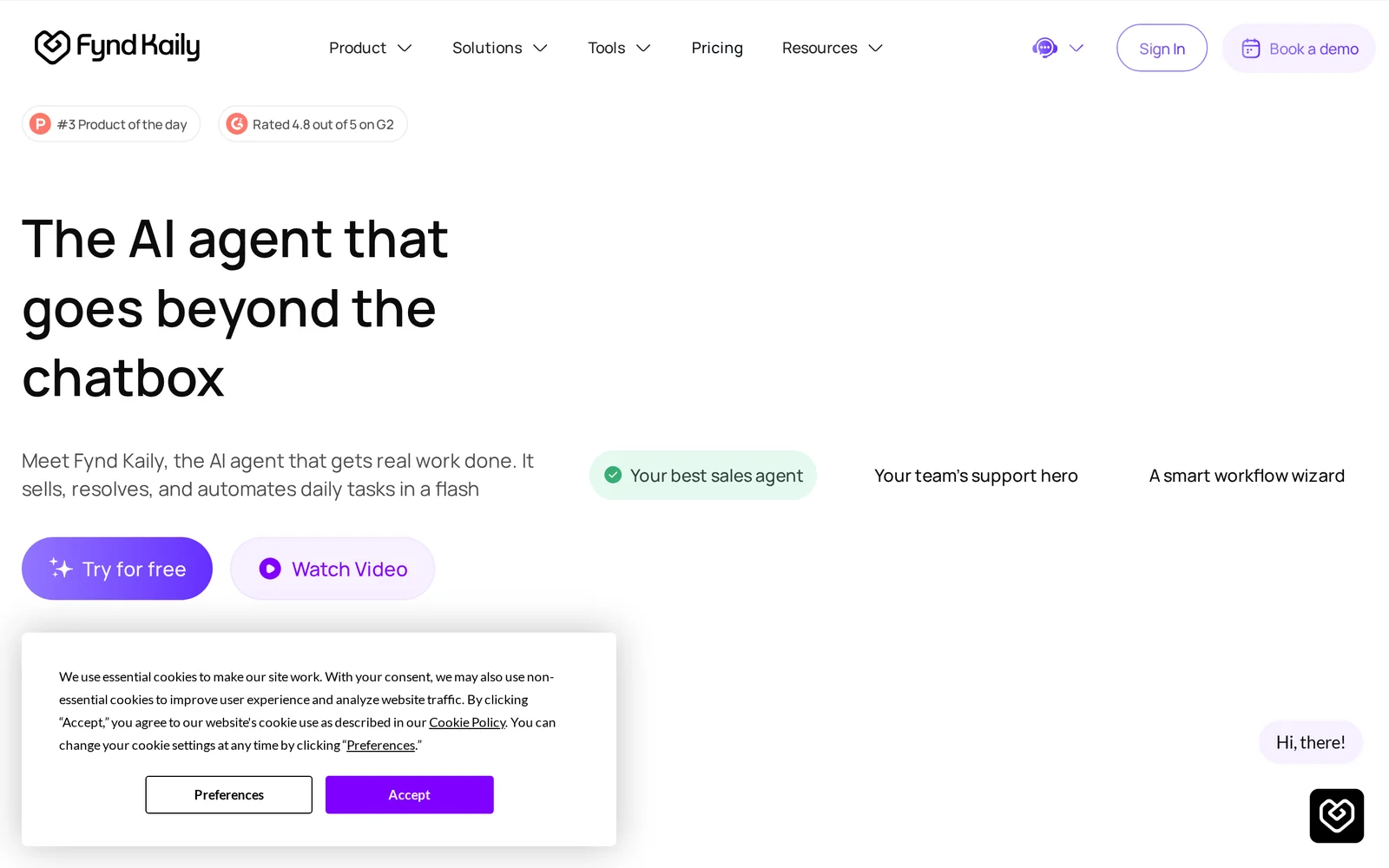
Kaily (formerly Copilot.live) is an AI-powered platform focused on customer-facing and enterprise workflows including helpdesk, website chatbots, AI voice calls, and collaborative document intelligence. It enables teams to ingest PDFs and other document sources, run shared multi-user conversations on a document, and surface answers annotated with exact page and section citations. Kaily integrates with common workplace tools to embed chat on websites, connect to Slack, Chrome, and Google Drive, and supports customizable enterprise deployments and pricing tailored to team size and needs. Its value lies in combining multi-channel customer support (chat + voice) with team collaboration on documents and traceable, source-cited answers to speed resolution and knowledge work.
Screenshots
Key Features
Use Cases



Frequently asked questions about Kaily
What is Kaily?
Kaily is an AI-powered teammate designed to enhance support workflows across helpdesk operations, website chat, voice calls, and collaborative document Q&A. It automates routine tasks, streamlining communication and improving efficiency for both teams and customers.
Key Points
- AI-Powered Support: Kaily automates customer interactions and team communications.
- Multifunctional Tool: It integrates various communication methods, including chat and voice calls.
- Enhanced Collaboration: Facilitates collaborative document management and Q&A sessions.
Detailed Explanation
Kaily serves as an intelligent assistant that can significantly improve customer support and team collaboration. Here’s how it operates:
-
Helpdesk Automation: Kaily can handle common customer inquiries, allowing support teams to focus on more complex issues. For instance, Kaily can automatically respond to FAQs, reducing response times and improving customer satisfaction.
-
Website Chat Integration: It can be integrated into websites to provide instant chat support. This feature ensures that visitors receive immediate assistance, potentially increasing conversion rates. Kaily’s chat functionalities can also learn from past interactions to provide more personalized responses over time.
-
Voice Call Capabilities: Kaily can manage voice calls, acting as a virtual assistant that can route calls, answer standard queries, and even gather information from customers before handing over to a human agent, thus optimizing the workflow.
-
Collaborative Document Q&A: Kaily allows team members to query shared documents seamlessly. For example, if a team member needs information from a project brief, they can ask Kaily, which will pull the relevant data. This feature enhances productivity and reduces time spent searching for information.
Best Practices / Tips
-
Define Clear Processes: Establish clear guidelines for Kaily’s use in your organization to maximize its effectiveness. This includes setting up common queries it should handle.
-
Regular Updates: Continuously update Kaily’s knowledge base with new information and frequently asked questions to ensure it provides accurate responses.
-
Monitor Performance: Utilize analytics to track Kaily’s performance. Analyze metrics such as response time, customer satisfaction ratings, and resolution rates to identify areas for improvement.
-
User Training: Ensure team members are trained to interact effectively with Kaily. This includes understanding how to utilize its features fully and knowing when to escalate issues to human agents.
Additional Resources
How does Kaily work?
Kaily operates by leveraging advanced AI technologies to streamline and enhance daily workflows for users. It integrates multiple AI capabilities to automate tasks, manage information, and improve productivity, making it an essential tool for both individuals and teams.
Key Points
- AI Workflow Automation: Kaily automates repetitive tasks, saving time and effort.
- Integration of Tools: It combines various AI applications to create a seamless workflow.
- User-Centric Design: Kaily is designed for easy use, focusing on user experience.
Detailed Explanation
Kaily is designed to simplify everyday tasks by integrating various AI technologies. Here’s how it works:
-
Task Automation: Kaily uses machine learning algorithms to automate routine tasks, such as scheduling meetings or managing emails. For example, it can automatically set reminders based on your calendar events, allowing you to focus on more critical work.
-
Information Management: The platform organizes and categorizes data, making it easily accessible. Users can input queries in natural language, and Kaily retrieves relevant information quickly. This feature is particularly useful for project management, where quick access to project data is essential.
-
Seamless Integration: Kaily connects with other tools and applications, such as CRM systems, email clients, and task management software. This integration allows users to work across platforms without switching contexts, significantly improving efficiency.
-
Real-Time Collaboration: Kaily enhances teamwork by supporting real-time collaboration features. Team members can share updates, assign tasks, and track progress within the platform, ensuring everyone is on the same page.
-
User-Friendly Interface: Kaily’s interface is designed for ease of use. It provides intuitive navigation, clear instructions, and customizable settings to cater to individual user preferences.
Best Practices / Tips
- Customize Workflows: Take advantage of Kaily's customization options to tailor workflows to your specific needs. This can improve efficiency and make the tool more effective for your tasks.
- Regular Training: Engage in regular training sessions to keep up with Kaily's latest features and updates, ensuring you maximize its capabilities.
- Feedback Loop: Use the feedback feature within Kaily to report any issues or suggest improvements. This helps the developers enhance the tool based on user experience.
- Stay Connected: Integrate Kaily with other tools you frequently use to ensure a smooth workflow across platforms.
Additional Resources
What are the main features of Kaily?
Kaily offers a range of features including advanced natural language processing, machine learning integration, and customizable AI workflows. These capabilities enable businesses to automate tasks, enhance customer interactions, and improve decision-making processes, making Kaily a powerful tool for organizations seeking to leverage AI technology effectively.
Key Points
- Advanced Natural Language Processing: Enables understanding and generation of human language.
- Machine Learning Integration: Facilitates data-driven decision-making through predictive analytics.
- Customizable AI Workflows: Allows users to tailor processes to specific business needs.
Detailed Explanation
Kaily stands out in the AI landscape due to its comprehensive feature set designed to enhance business operations.
-
Advanced Natural Language Processing (NLP): Kaily's NLP capabilities allow it to process and understand human language, which is crucial for applications such as chatbots and virtual assistants. For example, businesses can utilize Kaily to create chatbots that provide customer support, answering queries and resolving issues in real-time.
-
Machine Learning Integration: Kaily’s machine learning features enable organizations to analyze large datasets and extract valuable insights. These insights can inform strategic decisions and improve operational efficiency. For instance, retailers can use Kaily to predict customer purchasing behavior, tailoring marketing efforts accordingly.
-
Customizable AI Workflows: With Kaily, businesses can design workflows that fit their specific needs. This flexibility allows companies in various industries—such as finance, healthcare, and e-commerce—to implement AI solutions that align with their operational goals. Users can create automated processes for tasks like data entry, lead generation, and customer follow-up.
Best Practices / Tips
- Define Clear Objectives: Before implementing Kaily, outline specific goals you want to achieve with AI integration, such as improving customer service response time or increasing sales through targeted marketing.
- Regularly Update and Train the Model: Machine learning models require continuous training with new data to stay relevant. Ensure that your data inputs are updated regularly to improve accuracy.
- Monitor Performance Metrics: Utilize Kaily’s analytics to track the performance of AI-driven tasks. Regularly assess metrics like customer satisfaction scores and conversion rates to refine processes.
Additional Resources
Who is Kaily for?
Kaily is designed for anyone looking to streamline their daily tasks using artificial intelligence. This includes professionals, students, and entrepreneurs who want to enhance productivity, automate repetitive workflows, and leverage AI tools to improve efficiency in their day-to-day activities.
Key Points
- Target Audience: Professionals, students, and entrepreneurs.
- Productivity Enhancement: Automates repetitive tasks to save time.
- AI Integration: Seamlessly integrates with various AI tools for improved workflows.
Detailed Explanation
Kaily caters to a diverse audience, including professionals who want to optimize their work processes, students seeking to manage assignments more effectively, and entrepreneurs striving to automate business operations. Here are some specific use cases:
-
Professionals: Kaily can assist in automating scheduling, email responses, and data management, allowing professionals to focus on high-value tasks. For example, a marketing manager can use Kaily to analyze customer data and generate reports automatically.
-
Students: With Kaily, students can streamline their study habits by organizing notes, managing deadlines, and even generating summaries of their readings. This helps in efficient time management and improves academic performance.
-
Entrepreneurs: Small business owners can leverage Kaily to handle customer inquiries, manage social media content, and optimize inventory management, which can significantly reduce operational costs and enhance customer experience.
Kaily's versatility makes it a valuable tool for anyone seeking to harness the power of AI to improve their daily workflows.
Best Practices / Tips
- Identify Repetitive Tasks: Start by listing tasks that take up a significant amount of your time and could benefit from automation.
- Explore Integrations: Take advantage of Kaily's compatibility with other AI tools to create a more extensive workflow ecosystem.
- Regularly Update Your Processes: As your needs evolve, continuously adapt Kaily's features to align with your changing workflow requirements.
Additional Resources
How much does Kaily cost?
Kaily is a subscription-based AI tool, and its pricing varies based on the selected plan and features. For the most accurate and up-to-date pricing information, it's best to visit the official Kaily website directly.
Key Points
- Kaily offers multiple subscription tiers.
- Pricing can vary based on selected features and usage levels.
- Current promotions or discounts may be available.
Detailed Explanation
Kaily provides various subscription plans tailored to different user needs, ranging from individual users to teams and enterprises. As of the latest updates, the pricing structure typically includes:
- Basic Plan: Ideal for solo users, often starting at approximately $15 per month. This plan usually includes basic features and limited access to advanced tools.
- Pro Plan: Aimed at small teams, typically around $30 per month. This plan includes additional features such as enhanced analytics and multiple user accounts.
- Enterprise Plan: For larger organizations, pricing can vary significantly, often requiring a custom quote. This plan includes all features, priority support, and advanced integrations.
Kaily frequently updates its pricing and offers seasonal promotions. To ensure you are getting the best deal, check the official website for any limited-time discounts or bundled offers that may apply.
Best Practices / Tips
- Evaluate Your Needs: Before choosing a plan, assess your requirements. If you’re just starting, the basic plan may suffice.
- Trial Periods: Look for any free trial options Kaily might offer to test the platform before committing financially.
- Stay Updated: Sign up for newsletters or alerts on pricing changes to take advantage of promotional offers.
- Avoid Overpaying: Regularly review your subscription to ensure you're using the features you need; downgrade if necessary.
Additional Resources
How do I get started with Kaily?
To get started with Kaily, visit kaily.ai to sign up for an account. Once registered, you can explore Kaily's features, including AI-driven content generation, project management tools, and user-friendly dashboards tailored to enhance productivity and collaboration.
Key Points
- Easy sign-up process via the Kaily website
- Access to AI-driven features for improved productivity
- User-friendly interface for seamless navigation
Detailed Explanation
Kaily is an innovative AI tool designed to streamline your workflow and enhance productivity. To get started, simply head over to kaily.ai and follow these steps:
-
Create an Account: Click on the "Sign Up" button on the homepage. Fill in your details like name, email, and password. You may also have the option to sign up using social media accounts for quicker access.
-
Choose a Plan: After registration, you might need to select a pricing plan that suits your needs. Kaily usually offers different tiers, including a free trial that allows you to explore basic features without any commitment.
-
Explore Features: Once signed in, take a guided tour of the platform. Key features include AI content generation, project management tools, and collaboration features that help teams work together more effectively.
-
Customize Settings: Personalize your dashboard and settings to match your workflow preferences. Kaily allows you to adjust notifications, integrate with other tools, and set up project templates.
-
Start Using Kaily: Begin creating content, managing tasks, and utilizing AI suggestions to boost your productivity. Use the tutorials and help resources available within the platform for additional support.
Best Practices / Tips
- Take Advantage of Free Trials: If available, utilize free trials to test all features before committing to a paid plan. This helps you understand what works best for your needs.
- Engage with Tutorials: Don’t skip the onboarding tutorials. They provide valuable insights into maximizing Kaily's functionalities.
- Utilize Integrations: If you use other tools like Slack or Google Drive, explore Kaily’s integration options to streamline your workflow further.
- Regularly Check for Updates: Kaily may roll out new features and improvements. Keep an eye on updates to leverage the latest capabilities.
Additional Resources
- Kaily Official Documentation for in-depth guides and FAQs.
- Kaily Blog for tips, updates, and best practices from the Kaily team.
- Kaily Community Forum for peer support and discussions on usage experiences.
Explore more AI Ai Tools tools
Browse all Ai Tools tools →Browse by use case: Chatbots & Assistants · Voice & Audio · Automation & Productivity
Compare Kaily: vs CleanSlop · vs Kalender Sync · vs UseIt Studio · vs Woven Video