
HeartMuLa AI Music Generator
AIOpen-source music foundation models and generator that create full songs (melody, vocals, and lyrics) from text prompts and tags.
HeartMuLa AI Music Generator
Open-source music foundation models and generator that create full songs (melody, vocals, and lyrics) from text prompts and tags.
About HeartMuLa AI Music Generator
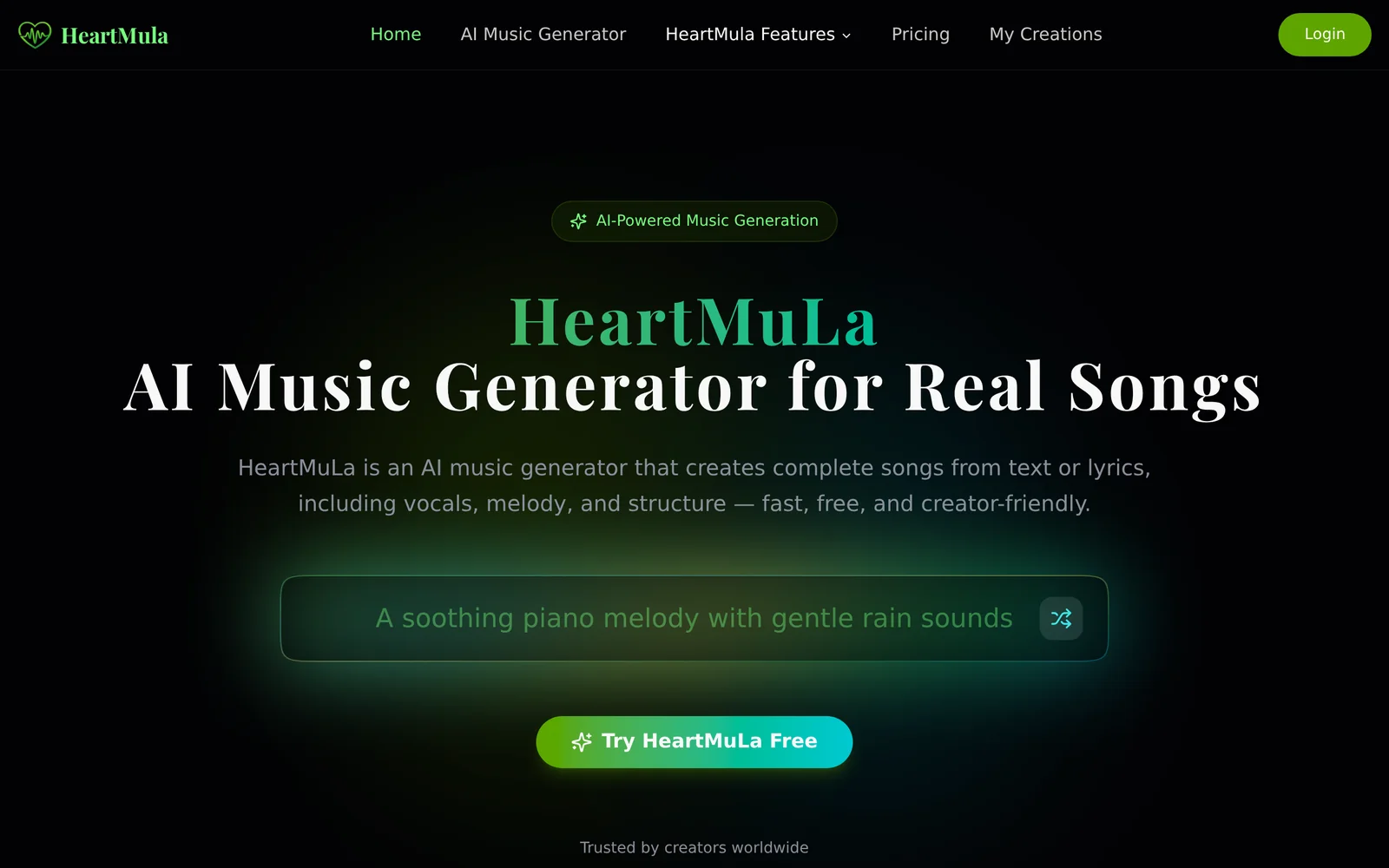
HeartMuLa is a family of open-source music foundation models and tooling that generate complete songs from text or lyrics, producing melody, instrumental arrangement, and synthesized vocals. The system separates a transformer-based generation backbone (HeartMuLa) from an audio codec (HeartCodec) and includes a transcription model (HeartTranscriptor) for lyrics extraction. It supports prompt conditioning via lyrics and tags, section-level control, and multiple model variants (including 3B and RL-tuned versions) for different fidelity and performance trade-offs. HeartMuLa is designed for local inference and integration with UI projects (Gradio, ComfyUI, Next.js studios), and can download model weights from HuggingFace/ModelScope for offline use.
Screenshots
Key Features
Use Cases



Frequently asked questions about HeartMuLa AI Music Generator
What is HeartMuLa AI Music Generator?
HeartMuLa is an open-source AI music generator that creates complete songs, including melody, vocals, and lyrics, based on user-provided text prompts and tags. This innovative tool leverages advanced music foundation models to enable users to generate personalized music effortlessly.
Key Points
- Open-source platform: HeartMuLa is freely available, allowing for customization and community contributions.
- Full song generation: It produces complete musical compositions with melodies, vocals, and lyrics.
- User-friendly prompts: Users can input simple text prompts and tags to guide the music creation process.
Detailed Explanation
HeartMuLa utilizes sophisticated AI algorithms to analyze user inputs and generate music across various genres. The process begins with the user providing a text prompt, which can include emotional themes, stylistic preferences, or specific keywords relevant to the desired song. For instance, a prompt like "uplifting pop song about friendship" will guide the AI to produce a song that embodies those characteristics.
Once the prompt is set, HeartMuLa's underlying models interpret the instructions and create a melody that fits the specified mood. The system then layers in vocal tracks and generates lyrics that resonate with the chosen theme. This multi-faceted approach allows for rich, expressive music creation that can cater to both amateur and professional musicians.
Use Cases
- Music Composition: Ideal for songwriters looking for inspiration or a starting point for their compositions.
- Content Creation: Useful for content creators needing background music or jingles for videos and podcasts.
- Educational Tool: A great resource for music students to explore songwriting techniques and musical structure.
Best Practices / Tips
- Be Specific with Prompts: The more detailed your input, the better the output. Include emotions, genres, and specific instruments if desired.
- Experiment with Tags: Use various tags to see how different elements affect the generated music.
- Review and Edit: While HeartMuLa generates complete songs, always review the lyrics and melodies for any personal adjustments or enhancements.
Additional Resources
- HeartMuLa GitHub Repository - Access the source code and documentation.
- AI Music Generation Techniques - Explore techniques and algorithms used in AI music creation.
- User Community - Join discussions, share your music, and collaborate with other users.
How does HeartMuLa AI Music Generator work?
HeartMuLa AI Music Generator utilizes advanced artificial intelligence algorithms to create original music compositions. By analyzing user inputs and preferences, it combines various musical elements to produce tailored tracks, making it an ideal tool for content creators, filmmakers, and musicians seeking unique audio solutions.
Key Points
- AI-Driven Composition: HeartMuLa employs machine learning to analyze and generate music.
- User Customization: Users can input specific genres, moods, and themes for personalized tracks.
- Seamless Integration: Compatible with various platforms for easy incorporation into projects.
Detailed Explanation
HeartMuLa AI Music Generator functions through a multi-step process that begins with user interaction. Users provide inputs such as desired genre (e.g., pop, classical, electronic), mood (happy, sad, energetic), and themes (romantic, adventure). The AI then analyzes these parameters against a vast database of musical patterns and styles.
Example Workflow:
- User Input: A filmmaker needs a dramatic soundtrack for a scene.
- Customization: The user selects "orchestral" as the genre and "suspense" as the mood.
- AI Processing: HeartMuLa processes this information, drawing from its library to blend orchestral elements with suspenseful rhythms.
- Output: The generator produces a unique composition, which the user can further edit or download.
This innovative approach not only saves time but also allows users to explore musical creativity without needing extensive music theory knowledge.
Best Practices / Tips
- Be Specific: The more detailed your input, the better the AI can tailor the music to your needs.
- Experiment with Genres: Try mixing different genres and moods to discover unique soundscapes.
- Utilize Preview Features: Always listen to previews before finalizing your track to ensure it meets your expectations.
- Keep an Open Mind: AI-generated music can surprise you; embrace unexpected results for innovative projects.
Additional Resources
By understanding how HeartMuLa AI Music Generator works, users can effectively harness its capabilities for creating customized music that elevates their projects.
What are the main features of HeartMuLa AI Music Generator?
HeartMuLa AI Music Generator offers advanced features such as customizable music styles, real-time collaboration, and user-friendly interfaces for both beginners and professionals. Its core AI capabilities enable seamless music creation, making it an ideal tool for artists, producers, and content creators looking to enhance their projects.
Key Points
- Customizable Music Styles: Users can create tracks in various genres.
- Real-Time Collaboration: Collaborate with other musicians or producers instantly.
- User-Friendly Interface: Accessible to both novices and experienced users.
Detailed Explanation
HeartMuLa AI Music Generator stands out with its innovative approach to music creation. Here’s a closer look at its core features:
-
Customizable Music Styles: The platform allows users to generate music across a wide array of genres including pop, rock, jazz, and classical. You can adjust tempo, instrumentation, and mood to fit your project perfectly. For example, a filmmaker can create a suspenseful score for a thriller by selecting darker tones and slower tempos.
-
Real-Time Collaboration: One of the standout features is the ability to collaborate in real-time with other musicians and producers. This means you can invite team members to edit and refine tracks simultaneously, enhancing creativity and productivity. This feature is particularly beneficial for music producers working on tight deadlines.
-
User-Friendly Interface: HeartMuLa's intuitive design makes it easy for anyone to start creating music, regardless of their technical background. The drag-and-drop functionality and clear navigation allow users to focus on creativity rather than getting bogged down by complex software.
Best Practices / Tips
- Experiment with Styles: Don’t hesitate to explore different genres to discover unique sounds that resonate with your audience.
- Utilize Collaboration Features: Make the most of real-time collaboration to leverage diverse musical ideas.
- Regularly Save Your Work: Frequent saving can prevent loss of data, especially during collaborative sessions.
Additional Resources
Who is HeartMuLa AI Music Generator for?
HeartMuLa AI Music Generator is designed for musicians, content creators, and anyone interested in incorporating AI-driven music into their projects. It caters to hobbyists and professionals alike, providing tools to enhance creativity, save time, and generate unique soundscapes for various applications.
Key Points
- Target Audience: Musicians, content creators, and hobbyists.
- Functional Benefits: Enhances creativity and saves time.
- Use Cases: Ideal for video producers, game developers, and marketers.
Detailed Explanation
HeartMuLa AI Music Generator serves a diverse range of users, from professional musicians looking to experiment with new sounds to content creators needing background music for videos or podcasts.
Use Cases:
- Musicians: Use HeartMuLa to create unique melodies or beats, helping overcome creative blocks.
- Content Creators: Ideal for filmmakers and YouTubers seeking royalty-free music that fits their narratives without the hassle of licensing issues.
- Game Developers: Generate ambient tracks or character themes to enrich gaming experiences, enhancing player engagement.
The tool utilizes advanced AI algorithms to analyze existing music trends and generate compositions that meet user-defined parameters, such as mood, tempo, and genre. For instance, a user can input “uplifting orchestral music” and receive multiple tracks tailored to that description.
Best Practices / Tips
- Explore Features: Take advantage of the application's various features, such as customization options and genre settings, to maximize your music output.
- Iterate and Experiment: Don't hesitate to generate multiple versions of a track to find the perfect fit for your project.
- Stay Updated: Regularly check for updates or new features that could enhance your music generation experience.
Common Pitfalls:
- Relying too heavily on AI-generated music without adding personal touches can lead to generic soundscapes. Always infuse your unique style.
- Overlooking the licensing terms may result in unintended copyright issues, so ensure you understand how your generated music can be used.
Additional Resources
How much does HeartMuLa AI Music Generator cost?
HeartMuLa AI Music Generator is completely free to use, allowing users to create unique music tracks without any cost. This makes it an accessible option for musicians, content creators, and hobbyists looking to experiment with AI-generated music.
Key Points
- Cost: HeartMuLa is free to use.
- Accessibility: No subscription or payment required.
- User-Friendly: Suitable for all skill levels, from beginners to professionals.
Detailed Explanation
HeartMuLa AI Music Generator offers users a platform to produce music without incurring any fees. This tool harnesses advanced AI algorithms to generate music across various genres. Users can easily create tracks by choosing styles, adjusting parameters like tempo and instruments, and even customizing melodies to their liking.
For instance, a content creator looking to add soundtracks to videos can use HeartMuLa to generate background music tailored to the mood of their content. Musicians can use it to brainstorm new ideas or explore unfamiliar genres. The intuitive interface ensures that even those new to music production can navigate the tool with ease.
HeartMuLa does not impose any limitations on the number of tracks users can generate, providing a wide array of possibilities for creativity. Users can export their compositions in different audio formats, making it easy to integrate the music into various projects.
Best Practices / Tips
- Experiment with Genres: Try out different musical styles to discover unique sounds that fit your project.
- Adjust Parameters: Modify tempo, instrumentation, and other settings to refine your tracks and achieve the desired effect.
- Utilize Export Options: Make sure to save your creations in the appropriate format for your intended use, whether it's for video, podcasts, or personal enjoyment.
- Stay Updated: Follow HeartMuLa's updates for new features and improvements that enhance your music creation experience.
Additional Resources
How do I get started with HeartMuLa AI Music Generator?
To get started with HeartMuLa AI Music Generator, visit HeartMuLa's official website to sign up for an account. Once registered, you can explore the platform's features, create music, and experiment with AI-generated compositions tailored to your preferences.
Key Points
- User-Friendly Interface: HeartMuLa offers an intuitive design for easy navigation.
- AI-Powered Music Creation: Leverage advanced algorithms to generate music across various genres.
- Customization Options: Tailor the music creation process to suit your specific needs.
Detailed Explanation
HeartMuLa AI Music Generator is a cutting-edge platform that uses artificial intelligence to create original music compositions. Here's how to get started:
-
Sign Up: Navigate to HeartMuLa's website and create a free account by providing your email and setting a password. This step is essential to access all the features of the platform.
-
Explore the Dashboard: After signing up, log in to your dashboard. You'll find various options, including music genres, styles, and the ability to customize your music preferences.
-
Choose Your Genre: HeartMuLa supports multiple genres, from classical to electronic. Select a genre that resonates with your project or mood.
-
Generate Music: Use the AI tools to create music. You can choose from pre-set prompts or input specific keywords to guide the AI in generating unique tracks.
-
Edit and Customize: Once the music is generated, you can edit it further, adjusting elements like tempo, instrumentation, and mood to suit your vision.
-
Download and Share: After finalizing your piece, download it in high-quality formats. You can share your creations directly to social media or use them in your projects.
For example, if you're a content creator, you might generate a serene background track for a meditation video or an upbeat tune for a vlog, showcasing the versatility of HeartMuLa.
Best Practices / Tips
- Experiment with Prompts: The more specific your input, the better the AI can tailor the music to your needs.
- Leverage Community Features: Connect with other users for feedback and inspiration.
- Regularly Update Your Account: Stay informed about new features and updates to enhance your music creation experience.
- Avoid Overly Complex Inputs: Start simple; elaborate prompts may confuse the AI and yield less desirable results.
Additional Resources
- HeartMuLa Official Documentation for in-depth guidance.
- User Community Forum for sharing ideas and troubleshooting.
- Explore tutorials on platforms like YouTube to see HeartMuLa in action and learn advanced techniques.
Explore more AI Ai Tools tools
Browse all Ai Tools tools →Browse by use case: Voice & Audio
Compare HeartMuLa AI Music Generator: vs CleanSlop · vs Kalender Sync · vs UseIt Studio · vs Woven Video