
Halo by Scam AI
AIAI trust platform that detects deepfakes, voice clones, and GenAI content across images, video, audio, IDs, and live video calls.
Halo by Scam AI
AI trust platform that detects deepfakes, voice clones, and GenAI content across images, video, audio, IDs, and live video calls.
About Halo by Scam AI
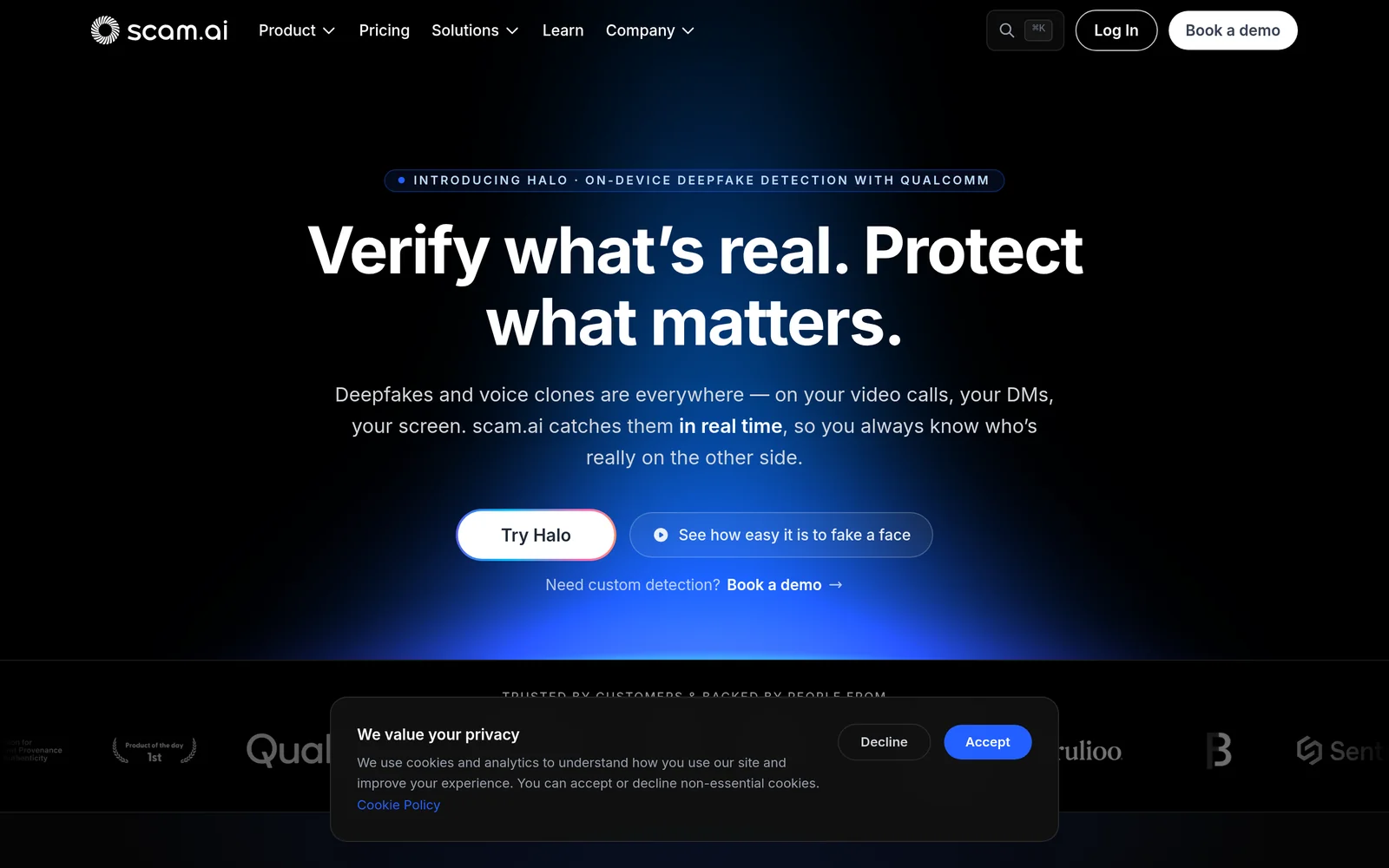
Scam AI is an all-in-one AI trust platform built to catch both threats coming out of generative AI: manipulated real people (deepfakes, face swaps, lip-sync, cloned voices) and fully synthetic content generated from scratch by models like Stable Diffusion, DALL·E, Midjourney, Sora, and ElevenLabs. Its Eva-v1-Fast and Eva-v1-Pro models return a verdict with confidence score via a single REST API in under 2–4 seconds, covering JPG, PNG, MP4, WAV, and other common image, video, and audio formats. Halo, a companion product built with Qualcomm, runs entirely on-device to flag synthetic faces and face swaps live on Zoom, Teams, and Meet calls before a bad wire transfer or hire happens. The platform is GDPR compliant and SOC 2 Type II attested, does not retain media by default, and serves financial services, contact centers, hiring, insurance, KYC/onboarding, and marketplace use cases.
Screenshots
Key Features
Use Cases



Frequently asked questions about Halo by Scam AI
What is Halo by Scam AI?
Halo by Scam AI is an advanced AI trust platform designed to detect deepfakes, voice clones, and generative AI content across various media, including images, videos, audio, IDs, and live video calls. It enhances digital security by verifying authenticity and combating misinformation effectively.
Key Points
- Deepfake Detection: Identifies manipulated videos and images.
- Voice Cloning Recognition: Analyzes audio for synthetic speech.
- Comprehensive Coverage: Monitors both static and live content.
Detailed Explanation
Halo by Scam AI leverages cutting-edge artificial intelligence technology to identify and mitigate risks associated with digital content manipulation. It uses machine learning algorithms to analyze various types of media and detect anomalies that indicate tampering.
How Halo Works:
- Deepfake Detection: It examines video frames for inconsistencies in facial movements or audio-visual sync issues, which are common indicators of deepfake creation.
- Voice Cloning Recognition: Halo analyzes audio clips to discern whether the voice is genuine or generated by AI, comparing it against a database of known voices.
- Content Verification: The platform can scan both static content (images, audio) and dynamic content (live video calls) to ensure authenticity, making it a versatile tool for organizations and individuals alike.
Use Cases:
- Corporate Security: Businesses can use Halo to verify the identities of individuals in video calls, protecting against impersonation.
- Media Integrity: Journalists and content creators can ensure the authenticity of visual and audio materials before publication.
- Legal Applications: Law enforcement agencies may utilize Halo to authenticate evidence in investigations.
Best Practices / Tips
- Regular Updates: Keep the software updated to ensure it can recognize the latest deepfake technologies.
- Cross-Verification: Use Halo in conjunction with other security tools for enhanced protection.
- User Training: Educate users on recognizing potential threats and the importance of media verification.
Additional Resources
How does Halo by Scam AI work?
Halo by Scam AI is an advanced detection tool that identifies deepfakes and generative AI content across images, videos, and audio. It operates on-device for real-time protection during calls and integrations, ensuring essential security measures for financial services, hiring processes, and content moderation.
Key Points
- Deepfake Detection: Identifies face swaps and cloned voices.
- GenAI Content Detection: Recognizes synthetic media from various AI models.
- On-Device Protection: Ensures privacy without data uploads.
Detailed Explanation
Halo by Scam AI leverages sophisticated technologies to combat the growing threat of deepfakes and generative AI content. Here’s a breakdown of its core functionalities:
-
Deepfake Detection: Halo uses advanced algorithms to catch manipulations in images, videos, and audio. It can detect:
- Face swaps: Identifying altered faces in videos.
- Lip-syncing: Recognizing mismatches between spoken words and lip movements.
- Voice cloning: Identifying cloned voices that impersonate real individuals.
-
GenAI Content Detection: This feature detects fully synthetic media created by AI models like Stable Diffusion, DALL·E, Midjourney, Sora, and ElevenLabs. It helps platforms ensure that users do not upload AI-generated content that could mislead others.
-
Halo On-Device Call Protection: This unique feature runs 100% on-device, allowing users to flag synthetic faces and voice swaps during live calls on platforms like Zoom, Teams, and Google Meet without recording or uploading any data. This ensures user privacy while maintaining security.
-
Eva-v1 Model Family: Halo employs different models for varying needs:
- Eva-v1-Fast: Provides rapid verdicts on images in under 2 seconds.
- Eva-v1-Pro: Offers forensic-grade accuracy for more in-depth analysis in less than 4 seconds.
-
Unified REST API: Developers can integrate both deepfake and GenAI detection capabilities through a single REST API, simplifying the process for businesses.
Use Cases
- KYC & Onboarding: Financial institutions can prevent account openings with AI-generated selfies or forged IDs.
- Contact Center Fraud Prevention: Real-time detection of voice clones helps safeguard call-center authenticity.
- Executive Call Protection: Alerts staff to potential impersonation during critical video calls.
- Hiring & Remote Interviews: Recruiters can identify deepfake candidates posing as qualified individuals during interviews.
- Content Moderation: Media platforms can scan and flag questionable uploads before they reach end-users.
Best Practices / Tips
- Regular Updates: Ensure that Halo is updated regularly to keep up with the latest deepfake and GenAI techniques.
- User Training: Educate staff on identifying potential deepfake signs, enhancing the tool's effectiveness.
- Integration Testing: When implementing the REST API, conduct thorough testing to ensure seamless functionality across platforms.
Additional Resources
What are the main features of Halo by Scam AI?
Halo by Scam AI offers advanced features like deepfake detection, GenAI content identification, on-device call protection, high-speed verdicts with the Eva-v1 model family, and a unified REST API for integrated detection across media formats. These tools help combat misinformation and enhance digital security.
Key Points
- Deepfake Detection: Identifies face swaps and cloned voices in media.
- GenAI Content Detection: Detects synthetic content from popular AI generators.
- On-Device Call Protection: Provides real-time protection during video calls without data upload.
Detailed Explanation
Halo by Scam AI is designed to address the growing concerns around digital misinformation and synthetic content. Here’s a closer look at its main features:
-
Deepfake Detection: Halo effectively identifies instances of deepfake technology, which can manipulate images, videos, and audio. It recognizes face swaps, lip-sync alterations, and even cloned voices that imitate real individuals, ensuring users can trust the authenticity of the media they encounter.
-
GenAI Content Detection: With the rise of generative AI tools like Stable Diffusion, DALL·E, and Midjourney, Halo can distinguish fully synthetic images, videos, and audio. This capability is crucial for organizations needing to establish the legitimacy of media in advertising, journalism, and social media.
-
Halo On-Device Call Protection: One of Halo’s standout features is its ability to operate entirely on-device. This means it can flag synthetic faces and face swaps in real-time during video calls on platforms like Zoom, Microsoft Teams, and Google Meet, without the need for recording or uploading any content, thus preserving user privacy.
-
Eva-v1 Model Family: The Eva-v1 model family offers two versions: Eva-v1-Fast, which provides image verdicts in under 2 seconds, and Eva-v1-Pro, which delivers forensic-grade accuracy in under 4 seconds. This speed and precision are vital for industries that require immediate verification of media authenticity.
-
Unified REST API: Halo’s API allows developers to seamlessly integrate both deepfake and GenAI detection capabilities into their applications. This single authenticated endpoint simplifies the process of ensuring media integrity across multiple formats—image, video, and audio.
Best Practices / Tips
- Regular Updates: Ensure that Halo’s software is updated regularly to benefit from the latest detection algorithms and security enhancements.
- Integration Testing: When using the unified REST API, conduct thorough tests to ensure smooth integration with existing systems and applications.
- User Training: Educate team members on how to use Halo effectively, including recognizing the signs of synthetic content and understanding the importance of media verification.
Additional Resources
Who is Halo by Scam AI for?
Halo by Scam AI is designed for diverse users including financial institutions, marketplaces, contact centers, recruiters, and content moderators. It prevents fraud through KYC and onboarding processes, detects synthetic voice calls, protects against impersonation during video calls, and moderates user-generated content for AI-generated media.
Key Points
- Financial Services and Marketplaces: Enhances security during account creation.
- Contact Center Fraud Prevention: Identifies and stops synthetic voice attacks.
- Executive Call Protection: Safeguards against video call impersonation.
Detailed Explanation
Halo by Scam AI serves various sectors by leveraging advanced AI technology to combat fraud effectively.
-
KYC & Onboarding: Financial services and online marketplaces utilize Halo to block AI-generated selfies and forged IDs before account approval. This ensures that only verified users gain access to sensitive financial systems, reducing the risk of identity theft and fraud.
-
Contact Center Fraud Prevention: For contact centers, Halo detects voice clones in real-time, thwarting synthetic caller attacks. By analyzing voice patterns and comparing them against known databases, organizations can prevent unauthorized access to customer accounts, ensuring a secure client experience.
-
Executive Call Protection: In the realm of remote work, video calls are commonplace. Halo alerts staff about potential face-swap impersonations during critical video calls. This proactive measure helps prevent fraudulent activities, such as unauthorized wire transfers, which can have substantial financial repercussions.
-
Hiring & Remote Interviews: Recruiters can also benefit from Halo by identifying deepfake candidates—individuals using AI-generated images or videos to impersonate real professionals. This ensures that hiring processes remain trustworthy and that companies select genuine talent.
-
Content Moderation: Media platforms can utilize Halo to scan user uploads at scale. By flagging AI-generated images, videos, and audio, platforms can maintain a safe environment for users and ensure the integrity of shared content.
Best Practices / Tips
- Implement Early: Integrate Halo during the onboarding process to catch fraud before accounts are opened.
- Monitor Regularly: Utilize the real-time detection features consistently to stay ahead of evolving fraud tactics.
- Educate Staff: Regular training on identifying deepfakes and voice spoofing can enhance your organization's security posture.
- Combine Tools: Use Halo alongside other security measures for a multi-layered defense strategy.
Additional Resources
How much does Halo by Scam AI cost?
Halo by Scam AI provides a free tier for users to explore its basic features, while paid plans start at $15 per month, offering advanced functionalities and enhanced support. Users can choose a plan that best fits their needs based on the level of features required.
Key Points
- Free Tier Availability: Users can access basic features without any cost.
- Paid Plans: Pricing starts at $15 per month for advanced features.
- Feature Variability: Different plans offer varying levels of functionality and support.
Detailed Explanation
Halo by Scam AI is designed to cater to a broad range of users, from novices to seasoned professionals. The free tier allows users to explore basic functionalities such as initial data analysis and limited AI-generated insights. This is an excellent way for individuals or small businesses to assess the tool's potential without financial commitment.
For those seeking more robust capabilities, paid plans become essential. Starting at $15 per month, these plans offer enhanced features like advanced analytics, priority customer support, and access to exclusive tools that can significantly boost productivity. For instance, users can utilize comprehensive reporting features and automated alerts to stay ahead of scams.
Moreover, Halo offers tiered pricing options that can scale with your needs. Businesses requiring extensive data processing or enterprise-level features can opt for higher-tier plans, which may include customized solutions and dedicated account management. Understanding the specifics of each plan can help users maximize the value of their investment.
Best Practices / Tips
- Assess Your Needs: Before selecting a plan, evaluate your requirements. If you’re just starting, the free tier may suffice.
- Utilize Free Trials: Take advantage of any trial periods offered to test premium features before committing financially.
- Stay Updated: Regularly check for updates on features and pricing, as these can change based on user feedback and market trends.
Additional Resources
- Halo by Scam AI Official Website - Explore detailed pricing and features.
- User Guide for Halo - Access comprehensive documentation for better usage.
- Comparison of AI Tools - Review other AI tools in the market for a more informed decision.
How do I get started with Halo by Scam AI?
To get started with Halo by Scam AI, visit https://www.scam.ai/ to sign up. After registration, you can explore its features, customize your settings, and utilize AI-driven tools designed to enhance your productivity and streamline your projects.
Key Points
- Easy Sign-Up: Quickly create an account on the Scam AI website.
- Feature Exploration: Discover various tools and functionalities offered by Halo.
- Customization Options: Tailor the platform to fit your specific needs and preferences.
Detailed Explanation
Halo by Scam AI is a powerful AI tool designed to assist users in various tasks, from content creation to data analysis. Here’s how to get started:
-
Visit the Website: Go to https://www.scam.ai/ and look for the 'Sign Up' button prominently displayed on the homepage.
-
Create Your Account: Fill in the required information, including your email address and a secure password. You may need to confirm your email address to activate your account.
-
Explore Features: Once logged in, take a tour of the platform. Halo offers features such as:
- AI Content Generation: Create blog posts, social media content, and more with minimal effort.
- Data Analytics: Leverage AI to interpret data trends and insights that can inform your business decisions.
- Automation Tools: Automate repetitive tasks, enhancing your productivity.
-
Customize Your Experience: Use the settings menu to adjust preferences, such as notification settings and display options.
-
Access Tutorials and Support: Utilize the help section for tutorials and FAQs to maximize your use of Halo.
Best Practices / Tips
- Regularly Update Your Profile: Ensure your account information is current to receive relevant updates and features.
- Explore Community Forums: Engage with other users for tips and shared experiences, which can enhance your understanding of Halo.
- Use AI Responsibly: Always verify content generated by AI tools to maintain accuracy and relevance.
Additional Resources
- Halo User Guide
- Scam AI Blog for updates and tips
- Community Forum to connect with other users
Explore more AI Ai Tools tools
Browse all Ai Tools tools →Browse by use case: Voice & Audio
Compare Halo by Scam AI: vs CleanSlop · vs Kalender Sync · vs UseIt Studio · vs Woven Video