

Epilude
AIVoice productivity suite for Mac: press a key, speak naturally, and formatted text appears in any app; includes dictation and text-to-speech.
Epilude
Voice productivity suite for Mac: press a key, speak naturally, and formatted text appears in any app; includes dictation and text-to-speech.
About Epilude
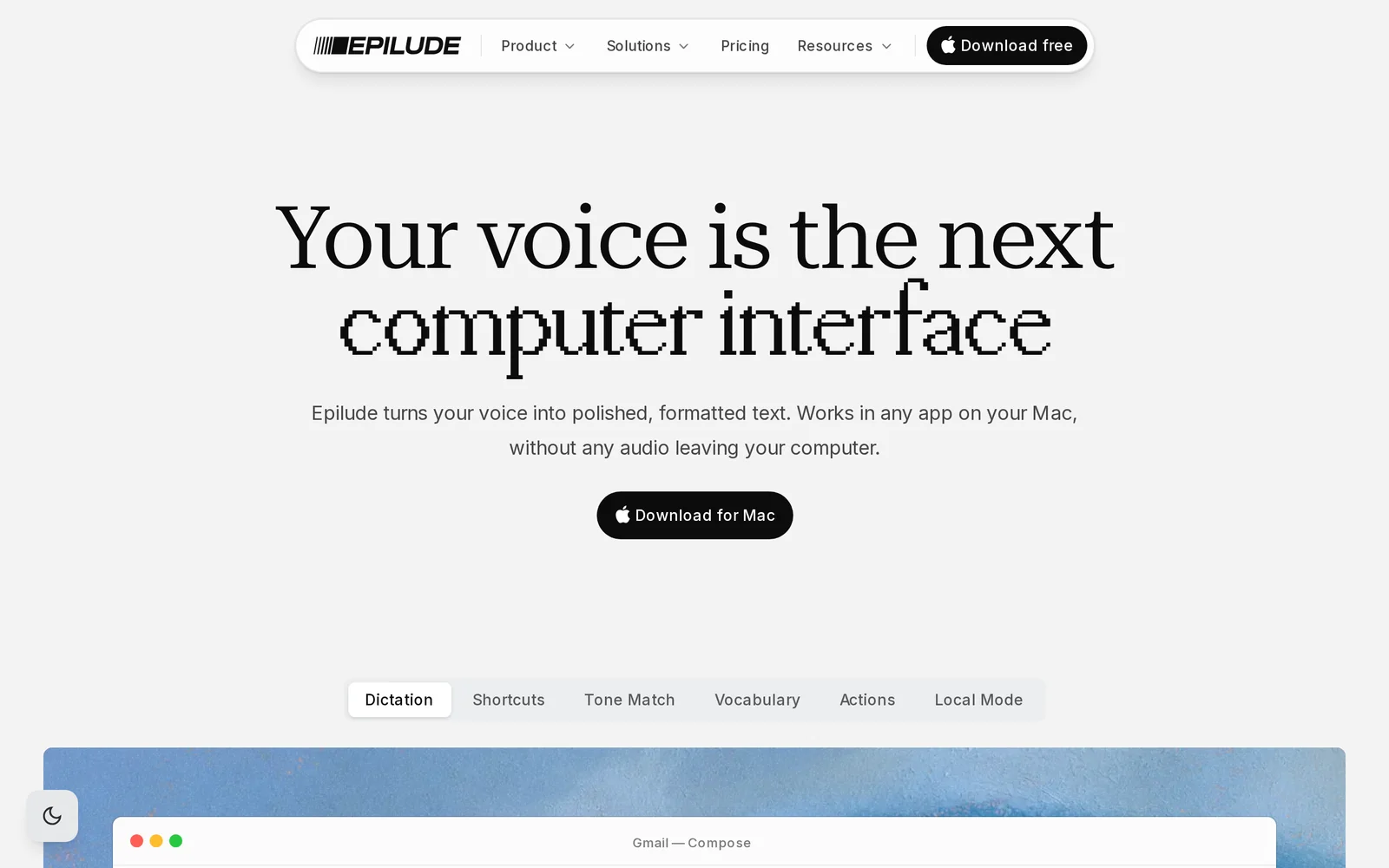
Epilude is a macOS voice productivity app that turns spoken input into formatted text and provides text-to-speech playback. Using a configurable push-to-speak workflow, users press a hotkey, speak naturally, and on release Epilude converts the audio to text and inserts the result into the active application. It is designed for system-wide operation so dictation and TTS work across mail clients, editors, browsers and other native apps, reducing friction for drafting, note-taking, and accessibility workflows.
Screenshots
Key Features
Use Cases



Frequently asked questions about Epilude
What is Epilude?
Epilude is an innovative voice productivity suite designed for Mac users, transforming dictation into polished, tone-matched text across any application. This tool enhances productivity by allowing users to create high-quality written content quickly and accurately through voice commands.
Key Points
- Voice Dictation: Converts spoken words into text seamlessly.
- Tone Matching: Adjusts the writing style to fit the desired tone.
- Multi-Application Support: Works with various apps on Mac for versatility.
Detailed Explanation
Epilude leverages advanced speech recognition technology to facilitate voice dictation, allowing users to create documents, emails, and notes without typing. The software is particularly beneficial for professionals who need to generate text quickly, such as writers, journalists, and content creators.
How It Works
- Installation: Download and install Epilude from the official website.
- Setup: Configure your microphone settings for optimal speech recognition accuracy.
- Start Dictating: Open any application (e.g., Word, Google Docs) and start speaking. Epilude will transcribe your words in real-time.
- Tone Adjustment: Use built-in features to adjust the tone of the text, whether you require a formal, casual, or persuasive style.
- Editing: After dictation, users can refine the text directly in the application.
Use Cases
- Content Creation: Bloggers can draft articles quickly.
- Business Communication: Professionals can compose emails or reports without the hassle of typing.
- Accessibility: Supports users with disabilities by providing an efficient writing alternative.
Best Practices / Tips
- Clear Articulation: Speak clearly and at a moderate pace to improve transcription accuracy.
- Use Commands: Familiarize yourself with voice commands to format text (e.g., “new paragraph,” “bold text”).
- Regular Updates: Keep Epilude updated to benefit from the latest features and improvements.
Additional Resources
By adopting Epilude, Mac users can significantly enhance their writing efficiency through powerful voice dictation and tone-matching capabilities, making it a valuable tool for anyone looking to streamline their text production process.
How does Epilude work?
Epilude is an advanced dictation tool for macOS that allows users to create polished text across various applications. It combines system-wide dictation, tone adjustment, multilingual support, and both cloud and local modes to enhance productivity and streamline writing tasks.
Key Points
- System-Wide Dictation: Works seamlessly across all macOS applications.
- Tone Matching: Automatically adjusts text tone based on context.
- Cloud and Local Modes: Offers both online and offline dictation options for privacy and flexibility.
Detailed Explanation
Epilude operates by integrating several sophisticated features that cater to diverse writing needs:
-
System-Wide Dictation: Users can dictate into any macOS app, including Mail, Slack, and document editors. This versatility allows for a fluid writing experience as users dictate directly into their preferred platform, and Epilude will insert the polished text at the cursor position.
-
Tone Matching: By analyzing the surrounding text, Epilude adjusts the tone of the generated output. For instance, it creates a professional tone for emails, a casual style for messaging apps like iMessage or Slack, and a structured format for long-form writing. This feature is particularly beneficial for users who switch between different types of communication throughout their workday.
-
Cloud Mode: With support for over 35 languages, Epilude's cloud dictation allows users to dictate in their preferred language swiftly. This is ideal for multilingual professionals who need to switch languages frequently, enhancing their efficiency and communication.
-
Local Mode: For those handling sensitive information, the Local Mode, powered by Epilude Model 4, enables offline dictation. This ensures that voice data remains on the device, providing an extra layer of privacy and security.
-
Polished Text Output: Epilude cleans up the dictated speech by removing filler words, disfluencies, and correcting punctuation, transforming raw speech into usable, polished prose in one step. This is particularly advantageous for knowledge workers and writers who need to produce high-quality drafts rapidly.
Use Cases
- Email Drafting: A user can dictate responses in the mail app, and Epilude will generate a tone-matched, professional reply.
- Long-Form Writing: Writers can speak their ideas into their editor, receiving well-structured prose rather than a raw transcript.
- Chatting: Users can effortlessly dictate casual replies, avoiding the rigid phrasing common in traditional speech-to-text tools.
- Multilingual Notes: Professionals can easily take notes in different languages thanks to cloud support.
- Handling Sensitive Content: Users can switch to Local Mode for confidential material, ensuring nothing leaves their device.
Best Practices / Tips
- Experiment with Tone Settings: To achieve the best results, users should experiment with tone settings within Epilude based on the type of communication they are engaging in.
- Utilize Local Mode for Privacy: Always switch to Local Mode when dictating sensitive or confidential information.
- Practice Dictation: To improve accuracy, practice dictating in a clear and concise manner, reducing filler words naturally.
Additional Resources
What are the main features of Epilude?
Epilude offers powerful features for dictation and text processing, including system-wide dictation across macOS apps, tone matching for context-aware writing, cloud mode supporting over 35 languages, offline dictation with the on-device model, and polished text output that refines raw speech into clean prose.
Key Points
- System-Wide Dictation: Operates in any macOS application.
- Tone Matching: Adjusts writing tone based on context.
- Language Support: Cloud dictation available in 35+ languages.
Detailed Explanation
Epilude stands out with its system-wide dictation feature, enabling users to dictate text seamlessly across various macOS applications like Mail, Editors, Chats, and Browsers. This means you can speak naturally, and Epilude will insert polished text directly at the cursor position, enhancing productivity.
The tone matching capability analyzes the surrounding text to adjust the tone accordingly. For instance, when writing an email, it adopts a professional tone, while it shifts to a casual style for messaging apps. This feature is particularly beneficial for users who frequently switch between formal and informal writing contexts.
In terms of language support, Epilude’s cloud mode offers fast dictation in more than 35 spoken languages, making it a versatile tool for multilingual users. This ensures that you can communicate effectively regardless of the language used.
For users concerned about privacy or connectivity, Epilude provides a local mode powered by Model 4, which runs dictation completely offline. This means your voice data and generated text remain on your Mac, ensuring security and confidentiality.
Finally, the polished text output feature cleans up your raw dictation by removing filler words, disfluencies, and improving punctuation. This transformation allows users to convert spoken language into coherent, usable prose effortlessly.
Best Practices / Tips
- Utilize Keyboard Shortcuts: Familiarize yourself with Epilude’s keyboard shortcuts for a smoother dictation experience.
- Practice Tone Settings: Experiment with tone matching in different contexts to understand its capabilities fully.
- Check Language Settings: Ensure that you select the correct language for dictation in cloud mode to optimize accuracy.
Additional Resources
Who is Epilude for?
Epilude is designed for professionals seeking enhanced communication and productivity. It benefits knowledge workers drafting emails, writers creating long-form content, casual chat users on platforms like Slack, multilingual professionals, and individuals managing sensitive information through a secure, local mode.
Key Points
- Email Drafting: Streamline responses with professional tone-matching.
- Long-Form Writing: Convert speech into clean, coherent text effortlessly.
- Multilingual Support: Dictate notes in over 35 languages seamlessly.
Detailed Explanation
Epilude caters to a diverse range of users, each with unique needs:
-
Email Drafting: Knowledge workers can simply dictate their responses within their email apps. Epilude intelligently generates tone-matched text, ensuring that replies maintain professionalism while saving time. For example, a user can say, "Please confirm the meeting," and receive a polished response ready to send.
-
Long-Form Writing: Writers can use Epilude to create first drafts by dictating their ideas. The tool provides clean prose instead of a raw transcript, allowing writers to focus on creativity rather than editing. This feature is particularly useful for novelists or bloggers who want to quickly capture their thoughts.
-
Slack/iMessage Chat: Casual chat users can dictate replies that feel natural and conversational, avoiding the robotic phrasing typical of traditional speech-to-text software. This is ideal for professionals who need to communicate quickly in informal settings.
-
Multilingual Notes: Epilude supports dictation in over 35 languages, making it indispensable for polyglots or businesses with international teams. Professionals can easily switch between languages, enhancing collaboration and communication across diverse teams.
-
Sensitive Content: For users handling confidential information, Epilude offers a Local Mode. This mode ensures that no data is sent off-device, providing peace of mind for those managing sensitive material.
Best Practices / Tips
- Consistent Use: Regularly dictate your thoughts to improve familiarity with Epilude's capabilities.
- Voice Clarity: Speak clearly and at a moderate pace to enhance transcription accuracy.
- Explore Features: Take advantage of tone-matching and multilingual features to maximize productivity.
- Test Local Mode: Use Local Mode when dealing with confidential information to maintain privacy.
Additional Resources
How much does Epilude cost?
Epilude offers a free tier with basic features, while its paid plans start at $10 per month for advanced functionalities. Pricing may vary based on the selected plan or any ongoing promotions, making it accessible to a range of users seeking AI-driven solutions.
Key Points
- Free tier available for basic use.
- Paid plans start at $10 per month.
- Pricing can vary based on features and promotions.
Detailed Explanation
Epilude is designed to cater to various user needs, offering both a free tier and multiple paid plans. The free tier allows users to explore fundamental features without any financial commitment, making it an excellent choice for those new to AI tools.
The paid plans, starting at just $10 per month, provide access to advanced features such as enhanced analytics, priority support, and additional integrations. Users can choose from different tiers based on their requirements, such as individual use or team collaboration.
For example, if you need advanced reporting and team collaboration tools, opting for the mid-tier plan at $25 per month might be beneficial. This plan includes features tailored for businesses, allowing for seamless workflow integration.
Best Practices / Tips
- Assess Your Needs: Consider what features you require before selecting a plan. Start with the free tier to gauge your requirements.
- Stay Updated on Promotions: Regularly check for discounts or promotional offers that could lower your subscription costs.
- Utilize Free Trials: If available, take advantage of free trials for paid plans to test features before committing.
Additional Resources
How do I get started with Epilude?
To get started with Epilude, visit epilude.com to sign up for an account. Once registered, explore the platform's features, including its innovative tools for content generation and collaboration.
Key Points
- Easy Sign-Up Process: Create an account in just a few minutes.
- Feature Exploration: Familiarize yourself with the tools and functionalities.
- Community Engagement: Connect with other users for tips and shared experiences.
Detailed Explanation
Epilude is a cutting-edge platform designed to enhance your content creation process through AI-driven tools. To begin, follow these steps:
- Visit the Website: Go to epilude.com.
- Sign Up: Click on the "Sign Up" button, fill in your details, and create a secure password. Epilude offers a free trial, allowing you to explore its features without any initial investment.
- Explore Features: Once logged in, take time to navigate through the dashboard. Key features include:
- Content Generation: Generate high-quality written content in seconds.
- Collaboration Tools: Work with team members in real-time on projects.
- Analytics Dashboard: Track the performance of your content and refine your strategy.
Best Practices / Tips
- Utilize Tutorials: Take advantage of in-platform tutorials to maximize your understanding of Epilude’s features.
- Join the Community: Engage with the Epilude community through forums or social media. This can provide valuable insights and tips from experienced users.
- Set Goals: Before starting, define your content goals to ensure you leverage the platform effectively. Whether it’s increasing engagement or streamlining workflow, having clear objectives will enhance your experience.
Additional Resources
- Epilude Support Center: Access FAQs and guides on using the platform effectively.
- Epilude Blog: Read articles and case studies on best practices in content creation.
- Product Hunt Listing: Discover user reviews and additional insights on Epilude’s features.
Explore more AI Ai Tools tools
Browse all Ai Tools tools →Browse by use case: Voice & Audio · Automation & Productivity
Compare Epilude: vs CleanSlop · vs Kalender Sync · vs UseIt Studio · vs Woven Video