
Crayo
AIAll-in-one AI video editor that generates viral shorts with AI voiceovers, smart subtitles, gameplay optimization, and social-ready exports.
Crayo
All-in-one AI video editor that generates viral shorts with AI voiceovers, smart subtitles, gameplay optimization, and social-ready exports.
About Crayo
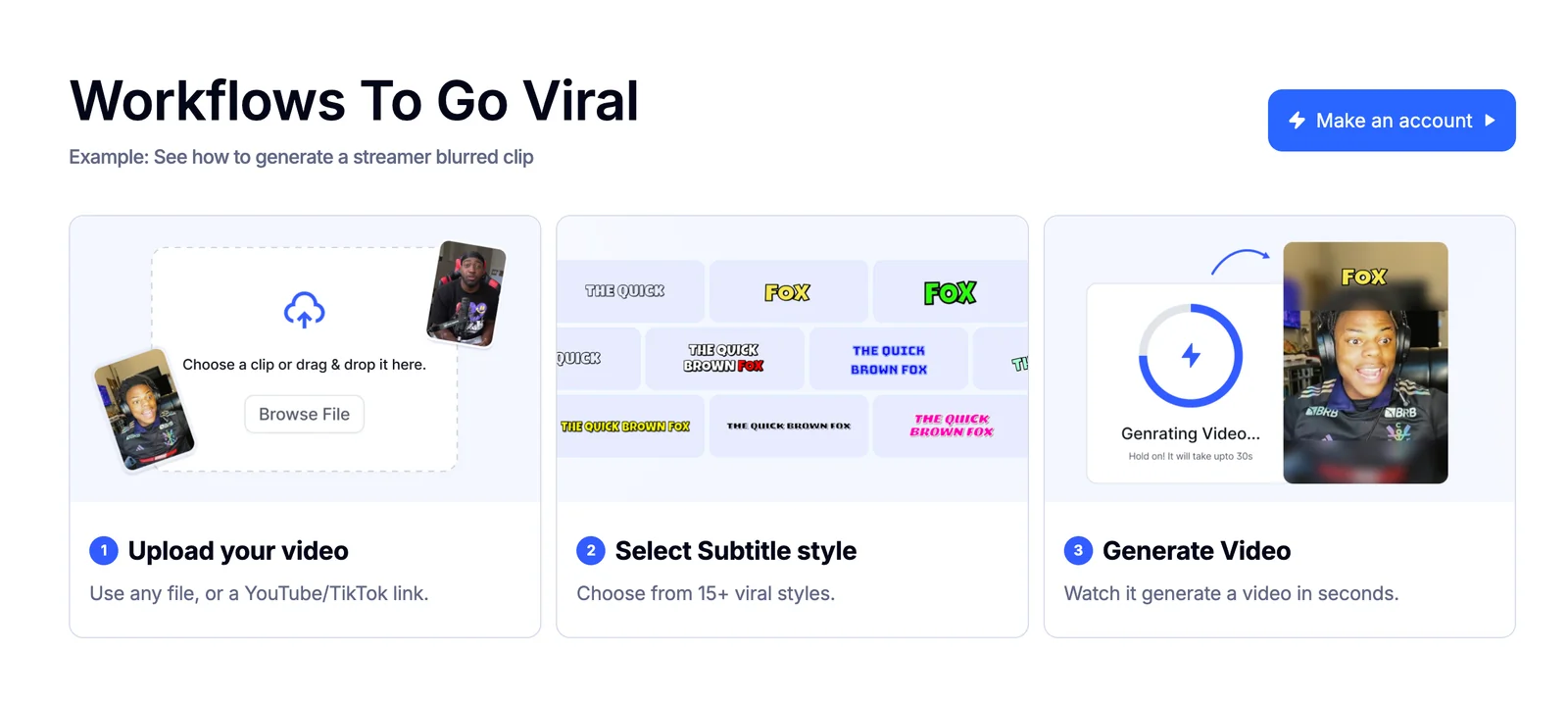
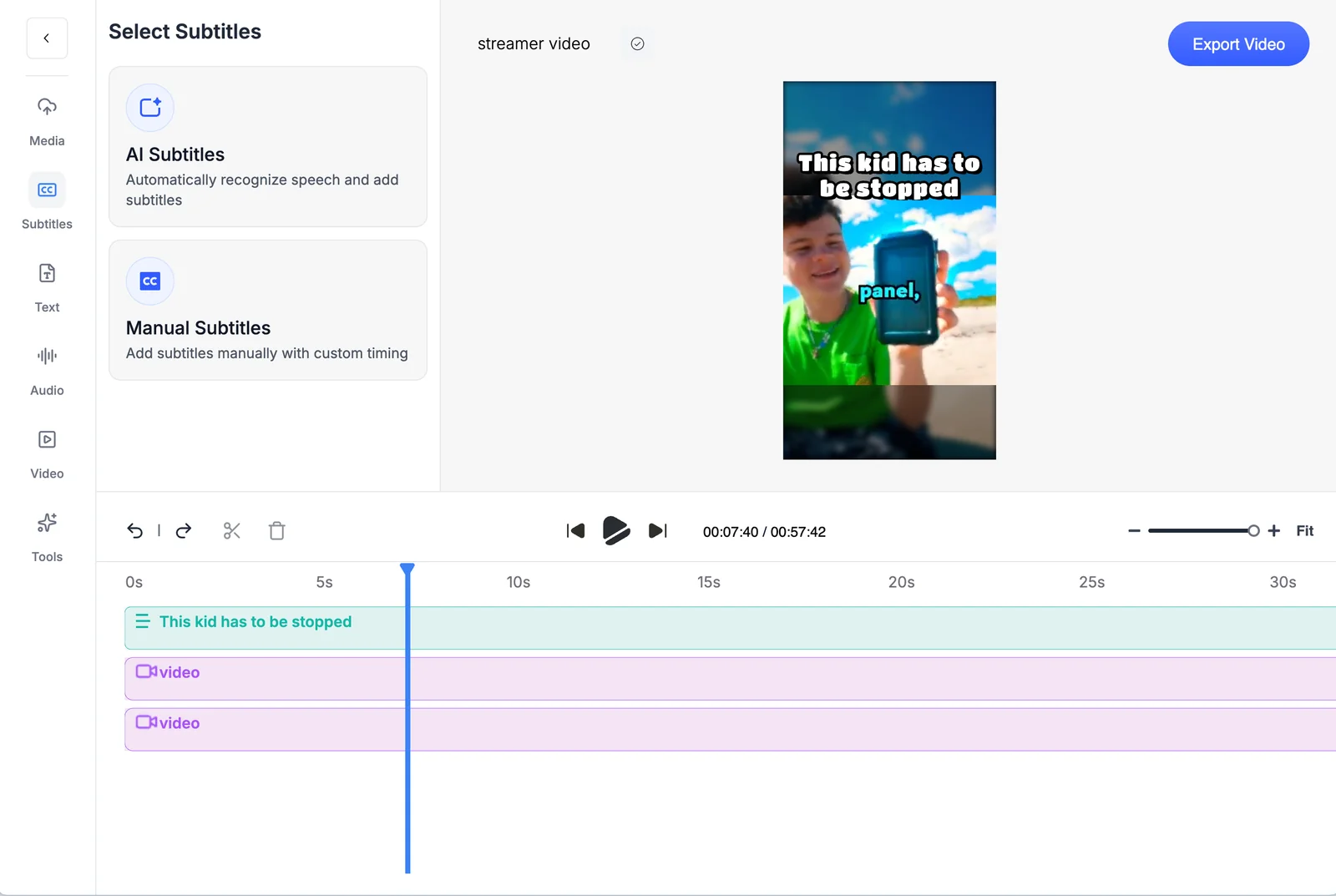
Crayo is an AI-powered video editing tool focused on creating short-form, social-optimized videos quickly. It automates transcription and subtitle generation, synthesizes voiceovers, and applies gameplay-aware edits and aspect-ratio crops to produce platform-ready clips. The product combines template-driven motion graphics, export presets for major social platforms, and batch automation to accelerate content production and repurposing of long-form footage into viral shorts.
Screenshots

Key Features
Use Cases



Frequently asked questions about Crayo
What are the pricing options for Crayo AI video editor?
Crayo AI video editor offers four pricing plans: Hobby for $19/month, Clipper for $39/month, Pro for $79/month, and custom Enterprise pricing. Each plan includes different limits on video exports, voiceovers, and features, catering to a variety of user needs and budgets.
Key Points
- Hobby Plan: $19/month, ideal for beginners and casual users.
- Clipper Plan: $39/month, designed for more frequent content creators.
- Pro Plan: $79/month, offers advanced features for professional users.
Detailed Explanation
Crayo AI provides a structured pricing model to accommodate users at different levels of their video editing journey. Here's a breakdown of each plan:
-
Hobby Plan ($19/month):
- This entry-level option is perfect for individuals just starting with video editing. It includes basic features such as a limited number of video exports and voiceovers, making it suitable for hobbyists or personal projects.
-
Clipper Plan ($39/month):
- Aimed at users who need more versatility, this plan allows for additional video exports and advanced editing features. It is ideal for small businesses or social media content creators who regularly produce videos but do not require the full suite of professional tools.
-
Pro Plan ($79/month):
- This premium option is tailored for professional video editors and businesses. It includes unlimited video exports, high-quality voiceover options, and advanced editing tools. Users can expect robust performance that supports complex projects and high-volume production.
-
Enterprise Pricing:
- For larger organizations with specific needs, Crayo offers custom pricing. This plan is designed to provide tailored solutions, including team collaboration features, dedicated support, and scalability to manage multiple users efficiently.
Best Practices / Tips
- Choose the Right Plan: Assess your editing needs before selecting a plan. Beginners may find the Hobby plan sufficient, while businesses should consider the Clipper or Pro plans.
- Utilize Free Trials: If available, take advantage of free trials to test features before committing to a subscription.
- Stay Updated: Regularly check for updates or changes in pricing, as companies often introduce new features or limited-time offers that can enhance your editing experience.
Additional Resources
How do I start using Crayo AI for video editing?
To start using Crayo AI for video editing, visit their official website at crayo.ai, sign up for a free account, and familiarize yourself with the user-friendly interface through the tutorials available on the platform. This will help you harness AI-powered video editing tools effectively.
Key Points
- User-friendly interface for beginners
- Free account sign-up to access features
- Comprehensive tutorials for guidance
Detailed Explanation
Crayo AI offers an intuitive platform that simplifies video editing using artificial intelligence. To begin, go to crayo.ai and click on the “Sign Up” button. You'll need to provide a valid email address and create a password. After verifying your email, you can log in to your dashboard.
Once logged in, take advantage of the tutorials provided. These guides will walk you through the features of Crayo AI, such as automatic scene detection, smart cropping, and color correction—making it perfect for both novice and experienced editors. You can start a new project by clicking "Create New Project" and uploading your video files. The platform supports various video formats, ensuring versatility in your editing process.
Crayo AI also offers templates and styles that can be easily applied to your videos, allowing you to create professional-quality content in minutes. The AI suggestions help streamline your workflow, suggesting edits based on popular trends and user preferences.
Best Practices / Tips
- Explore Templates: Before you start editing, explore the available templates to find styles that fit your project’s theme.
- Utilize AI Features: Make the most of AI-driven features like automatic voiceover and background music suggestions to enhance your videos.
- Experiment and Iterate: Don’t hesitate to experiment with different editing styles and effects. Use the undo function liberally to try out various approaches without fear of making mistakes.
Common pitfalls to avoid include rushing through the tutorial phase and neglecting to save your projects frequently. Always ensure that your browser is up-to-date to avoid compatibility issues with the platform.
Additional Resources
What features does Crayo offer for video editing?
Crayo offers a robust suite of features for video editing, including AI-generated voiceovers, automatic subtitles, a shorts generator tailored for platforms like TikTok, gameplay optimization tools, and social media export presets. These capabilities empower users to create engaging content efficiently and effectively.
Key Points
- AI Voiceovers: Enhance video narratives with realistic voice synthesis.
- Auto Subtitles: Automatically generate captions to increase accessibility.
- Shorts Generator: Create bite-sized videos optimized for social media.
Detailed Explanation
Crayo stands out in the video editing landscape with its innovative features designed to streamline the content creation process:
-
AI Voiceovers: The platform leverages advanced AI technology to produce natural-sounding voiceovers. Users can select different voices, adjust pitch and speed, and incorporate these voiceovers seamlessly into their videos. This feature is particularly useful for creators looking to save time while maintaining high production quality.
-
Auto Subtitles: Crayo’s automatic subtitle generation helps creators reach a wider audience by making videos accessible to those who are deaf or hard of hearing. This feature transcribes spoken content in real-time, ensuring that viewers can follow along without missing key information. Users can also customize subtitle appearance to match their branding.
-
Shorts Generator: In response to the growing popularity of short-form video content, Crayo offers a dedicated shorts generator. This tool enables users to rapidly create engaging clips suitable for platforms like TikTok and Instagram Reels, complete with trendy transitions and effects to capture viewers' attention instantly.
-
Gameplay Optimization: For gamers, Crayo provides specialized features that enhance gameplay videos. It offers tools for reducing lag, optimizing video quality, and adding dynamic overlays, making it easier for content creators to showcase their skills and entertain their audience.
-
Social Media Export Presets: Crayo simplifies the export process with customizable presets tailored for various social media platforms. Creators can select dimensions, formats, and quality settings specific to each platform, ensuring their videos look great wherever they’re shared.
Best Practices / Tips
- Utilize Templates: Start with Crayo’s pre-built templates for faster project initiation.
- Optimize for SEO: Use relevant keywords in video titles and descriptions to improve discoverability.
- Test Different Formats: Experiment with various video lengths and styles to see what resonates best with your audience.
- Engage with Audience Feedback: Monitor comments and engagement metrics to refine future content strategies.
Additional Resources
How does Crayo compare to other video editing tools?
Crayo differentiates itself from traditional video editing tools through its AI-driven features, such as automated voiceovers and subtitles, making it exceptionally suited for rapid social media content creation. Unlike many conventional editors, Crayo streamlines the video production process, enabling users to create engaging content quickly and efficiently.
Key Points
- AI-Driven Features: Crayo offers automated voiceovers and subtitles.
- Speed and Efficiency: Designed for quick social media content creation.
- User-Friendly Interface: Intuitive design that caters to both beginners and professionals.
Detailed Explanation
Crayo's standout feature is its integration of artificial intelligence, which significantly enhances the video editing experience. For instance, the automated voiceover feature allows users to generate high-quality audio narrations without the need for expensive voice actors or complex audio setups. This is particularly beneficial for marketers and content creators who need to produce multiple videos quickly.
Additionally, the automatic subtitle generation ensures that videos are accessible and engaging for diverse audiences, including those who prefer watching videos without sound. This feature is crucial for platforms like Instagram and TikTok, where videos often autoplay on mute.
Traditional video editing software, such as Adobe Premiere Pro or Final Cut Pro, while powerful, often requires a steep learning curve and significant time investment. Crayo's simplified interface allows users to drag and drop elements, adjust timelines, and apply effects with minimal effort, making it ideal for both novice and experienced editors.
Use Cases
- Social Media Marketing: Create engaging promotional videos that can be published quickly to capitalize on trends.
- Content Creation for Influencers: Streamlined editing processes allow influencers to maintain a consistent posting schedule.
- Educational Videos: Produce tutorials and explainer videos with automated voiceovers and subtitles for easier understanding.
Best Practices / Tips
- Leverage AI Features: Make full use of Crayo’s automated tools to save time and enhance productivity.
- Maintain Brand Consistency: Use consistent themes, fonts, and colors in your videos to reinforce brand identity.
- Optimize for Each Platform: Tailor video dimensions and formats according to the specific requirements of social media platforms for maximum engagement.
Additional Resources
Does Crayo offer an API for integration with other tools?
Currently, Crayo does not publicly offer an API for integration with other tools. For specific technical inquiries or potential integration options, it is recommended to contact Crayo’s support or sales team directly through their official website for the most accurate and updated information.
Key Points
- Crayo does not have a public API available.
- Direct inquiries can be made to Crayo's support or sales teams.
- Stay updated on potential API offerings by checking Crayo’s official channels.
Detailed Explanation
Crayo is a platform that focuses on providing specific functionalities tailored to its users. While it currently lacks a publicly accessible API, this does not preclude the possibility of future developments. An API (Application Programming Interface) would allow third-party developers to interact programmatically with Crayo's features, enhancing integration with other software and tools.
For organizations seeking to leverage Crayo's capabilities within their existing tech stack, reaching out directly to Crayo's support or sales team is crucial. They can provide insights into:
- Potential workarounds for integration.
- Future plans regarding API development.
- Custom solutions that may be available for enterprise clients.
For example, if a business requires data from Crayo for reporting purposes, the support team might offer manual data exports or discuss custom integration solutions that fit your needs.
Best Practices / Tips
- Direct Communication: Always reach out to Crayo’s official support for the most reliable information regarding integrations and APIs.
- Stay Informed: Regularly check Crayo’s blog or updates section for announcements related to new features, including API developments.
- Explore Alternatives: If integration is critical for your operations, consider using other tools that offer robust API support while still achieving your desired outcomes.
Additional Resources
- Crayo Official Website - For support and inquiries.
- Crayo Blog - For updates on new features and capabilities.
- Integration Tools Comparison - To explore alternatives with API support.
Explore more AI Ai Tools tools
Browse all Ai Tools tools →Browse by use case: Video Generation · Voice & Audio · Automation & Productivity
Compare Crayo: vs Juggler · vs Elva · vs GhostWriter by MyHandler · vs Neopress