

Juggler
AIA native desktop workbench for AI coding agents with branching conversation trees, inspectable tool calls and editable context.
Juggler
A native desktop workbench for AI coding agents with branching conversation trees, inspectable tool calls and editable context.
About Juggler
Juggler is a visual workbench that replaces the scrolling terminal transcript as the interface for agentic coding. Conversations are persistent trees rather than log files: any point can branch into a sub-thread, sub-threads can branch again, and a delegated branch returns only its result to the parent instead of dumping its whole working history into the main context. Every tool call, approval and model transaction opens in its own view, showing the system prompt, messages, tool definitions, output, token use, timing and stop reason the model actually saw. The app ships as a native Go desktop binary for macOS and Windows plus a headless server for Linux and remote machines, and a session lives on disk so quitting, relaunching or losing the connection leaves the conversation - including an agent waiting on approval - intact. It fronts Claude Code, Anthropic, OpenAI, Codex, GitHub Copilot, Gemini, Mistral, Z.AI, Ollama, OpenRouter, DeepSeek and other OpenAI-compatible providers through one interface, using subscriptions or keys you already hold, and needs no Juggler account of its own.
Screenshots
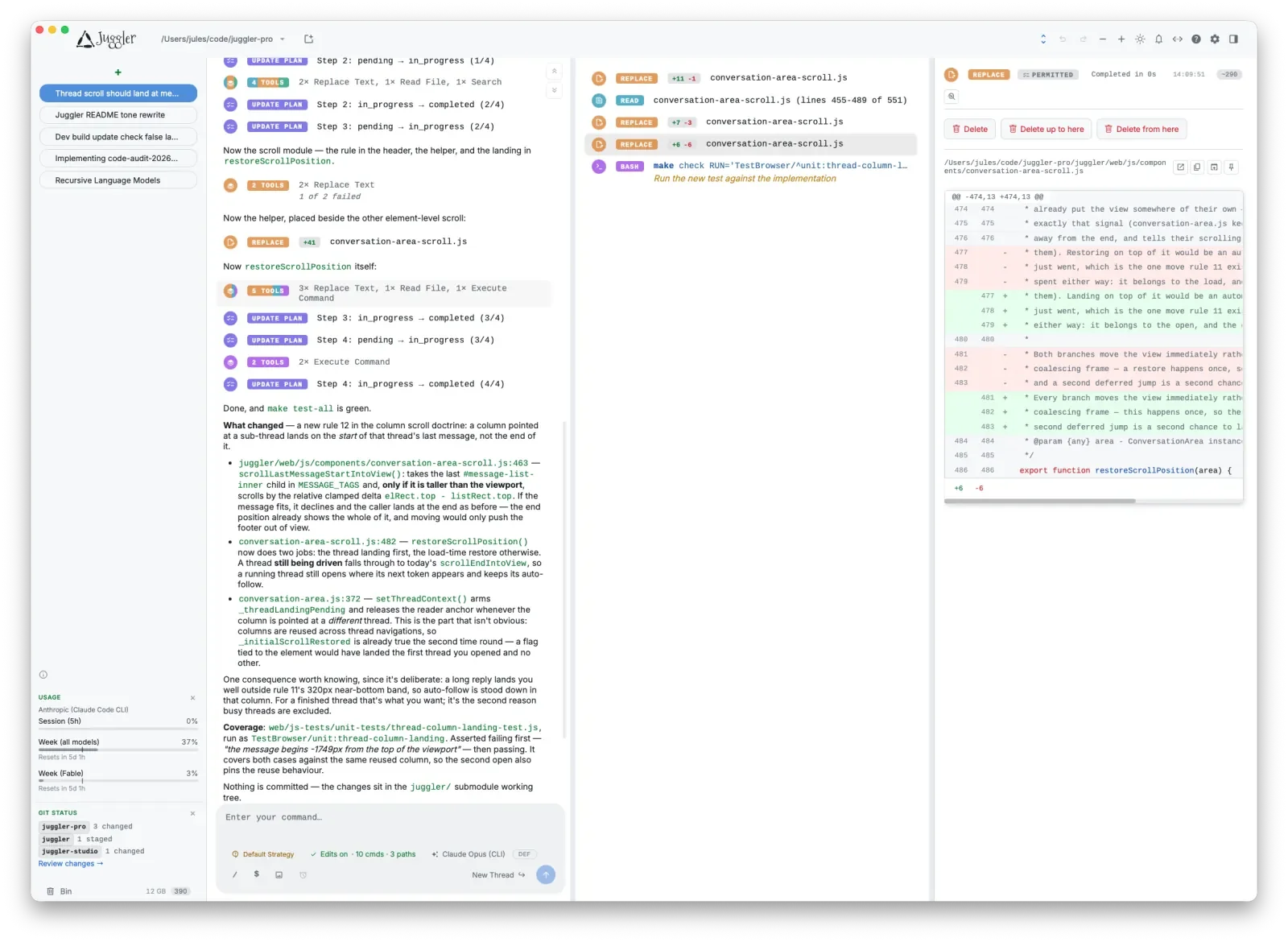
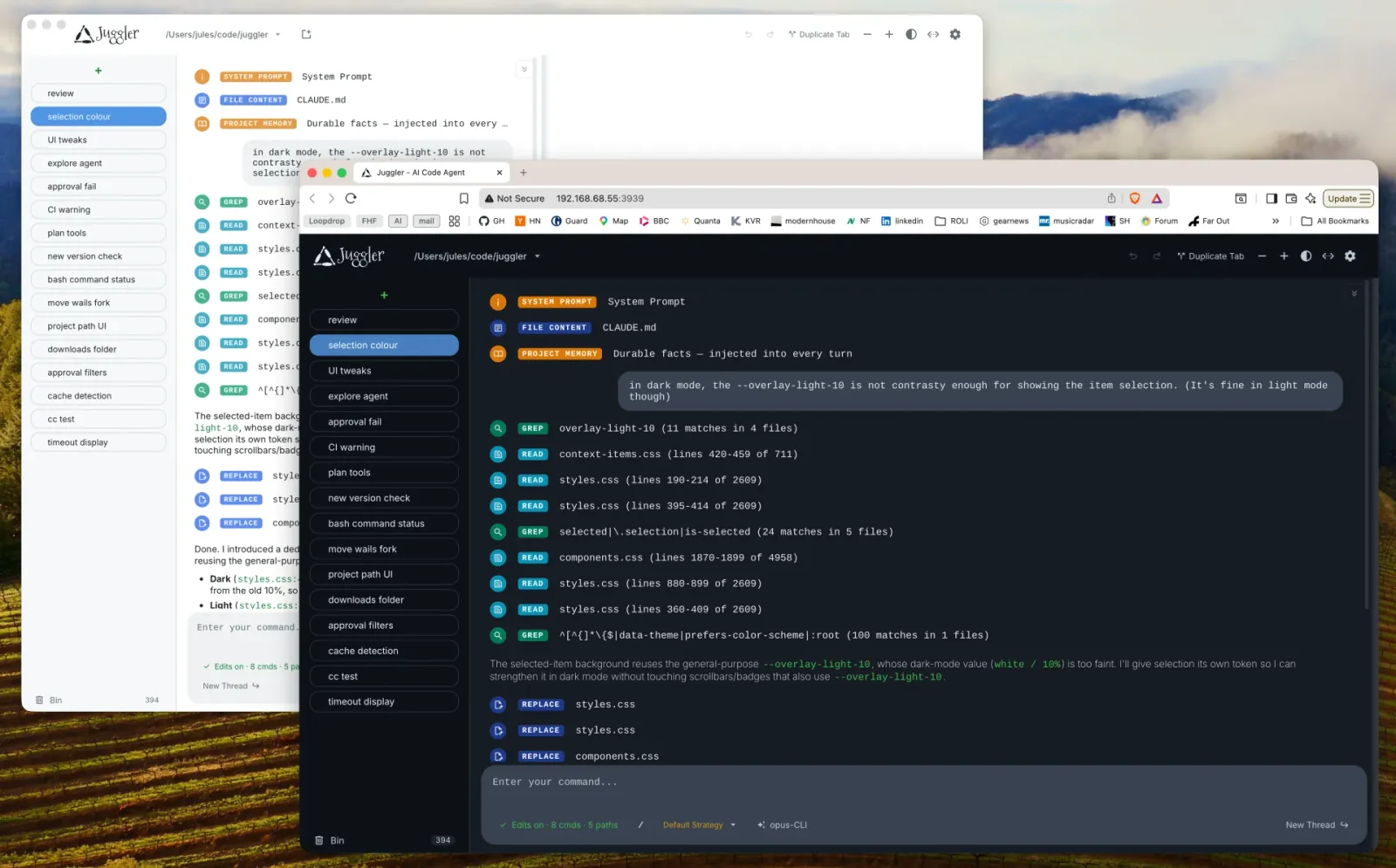
Key Features
Use Cases



Frequently asked questions about Juggler
What is Juggler?
A native desktop workbench for AI coding agents with branching conversation trees, inspectable tool calls and editable context.
How does Juggler work?
Juggler works by combining Branching Conversation Trees: Fork the session at any point, recursively, so competing approaches and tangents run side by side without polluting the main context., Miller Column Navigation: A Finder-style column layout lays out tool calls, item properties and nested sub-threads for long reading and editing sessions., Transaction Inspector: Open any model transaction to see the assembled system prompt, messages, tool definitions, output, token use, timing and stop reason., The Context Surgeon: Fold history into a new thread, move or copy items between branches, expand a branch back into its parent, and undo structural changes., Local or Remote Sessions: Run the desktop app locally or the headless binary on the machine holding the code, then attach from the app, a browser or a phone. to help users with Exploring Competing Fixes: Branch a thread into two sub-threads to try different approaches to the same bug and compare results before committing., Auditing Agent Behavior: Inspect exactly what the model received and returned when an agent makes a surprising edit to the codebase., Remote Development: Run the server on a dev box or GPU machine where the repository lives and drive the same live session from a laptop or browser., Long Refactors: Keep a multi-hour session alive across quits and reconnects, with the agent paused awaiting approval for its next step., Provider Comparison: Drive Claude Code, Codex, Copilot, Gemini and local Ollama models through one interface to compare behavior on the same task..
What are the main features of Juggler?
Key features include Branching Conversation Trees: Fork the session at any point, recursively, so competing approaches and tangents run side by side without polluting the main context., Miller Column Navigation: A Finder-style column layout lays out tool calls, item properties and nested sub-threads for long reading and editing sessions., Transaction Inspector: Open any model transaction to see the assembled system prompt, messages, tool definitions, output, token use, timing and stop reason., The Context Surgeon: Fold history into a new thread, move or copy items between branches, expand a branch back into its parent, and undo structural changes., Local or Remote Sessions: Run the desktop app locally or the headless binary on the machine holding the code, then attach from the app, a browser or a phone..
Who is Juggler for?
Juggler is useful for anyone interested in Exploring Competing Fixes: Branch a thread into two sub-threads to try different approaches to the same bug and compare results before committing., Auditing Agent Behavior: Inspect exactly what the model received and returned when an agent makes a surprising edit to the codebase., Remote Development: Run the server on a dev box or GPU machine where the repository lives and drive the same live session from a laptop or browser., Long Refactors: Keep a multi-hour session alive across quits and reconnects, with the agent paused awaiting approval for its next step., Provider Comparison: Drive Claude Code, Codex, Copilot, Gemini and local Ollama models through one interface to compare behavior on the same task..
How much does Juggler cost?
Juggler is free to use.
How do I get started with Juggler?
Visit https://juggler.studio/ to sign up and explore Juggler.
Explore more AI Ai Tools tools
Browse all Ai Tools tools →Browse by use case: Code Generation
Compare Juggler: vs CleanSlop · vs Kalender Sync · vs UseIt Studio · vs Woven Video