

Microsoft Prompt Flow
AIOpen SourceFreeA Microsoft open-source suite for developing, testing, deploying, and monitoring high-quality LLM applications and prompt engineering workflows.
Microsoft Prompt Flow
A Microsoft open-source suite for developing, testing, deploying, and monitoring high-quality LLM applications and prompt engineering workflows.
About Microsoft Prompt Flow
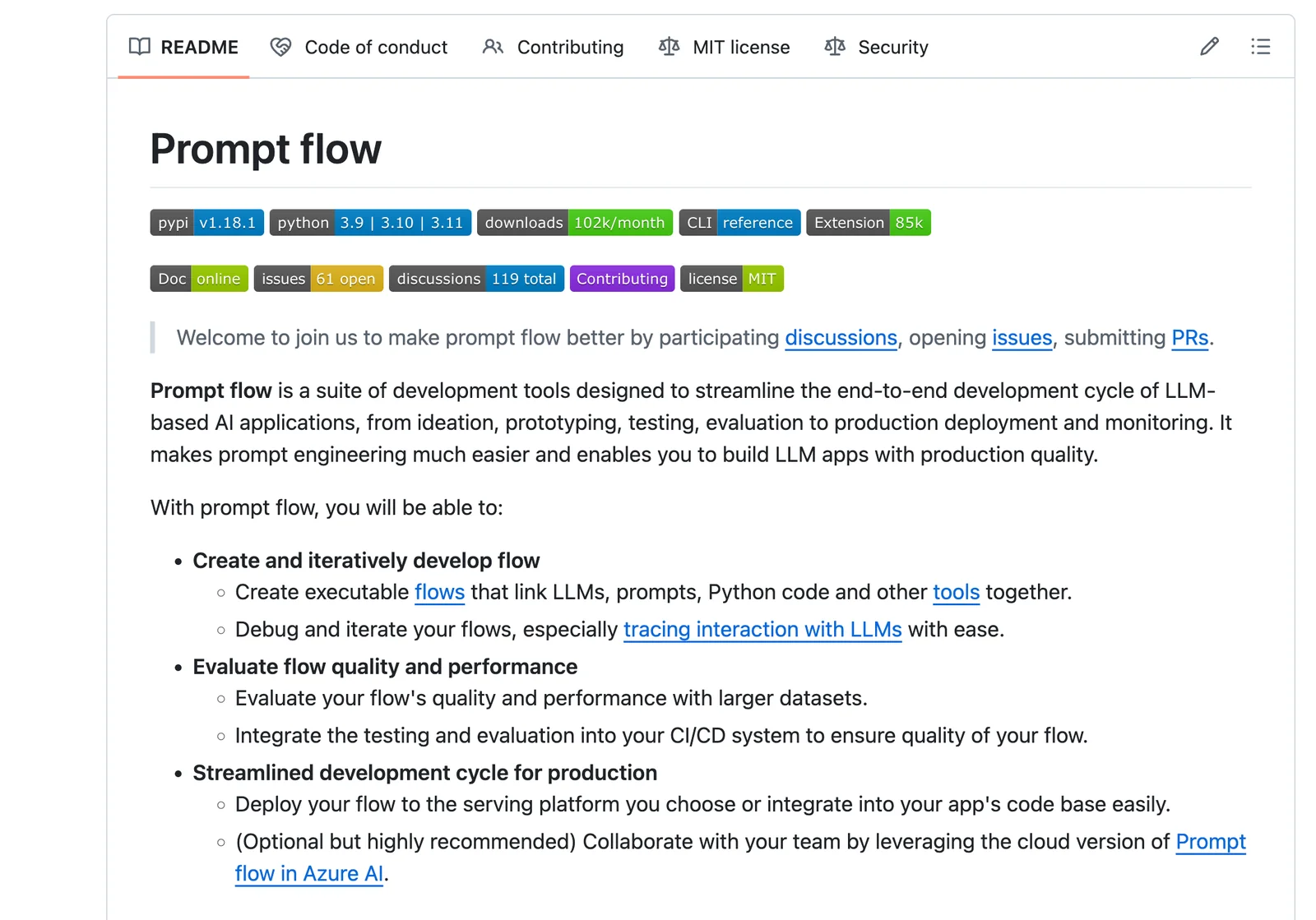
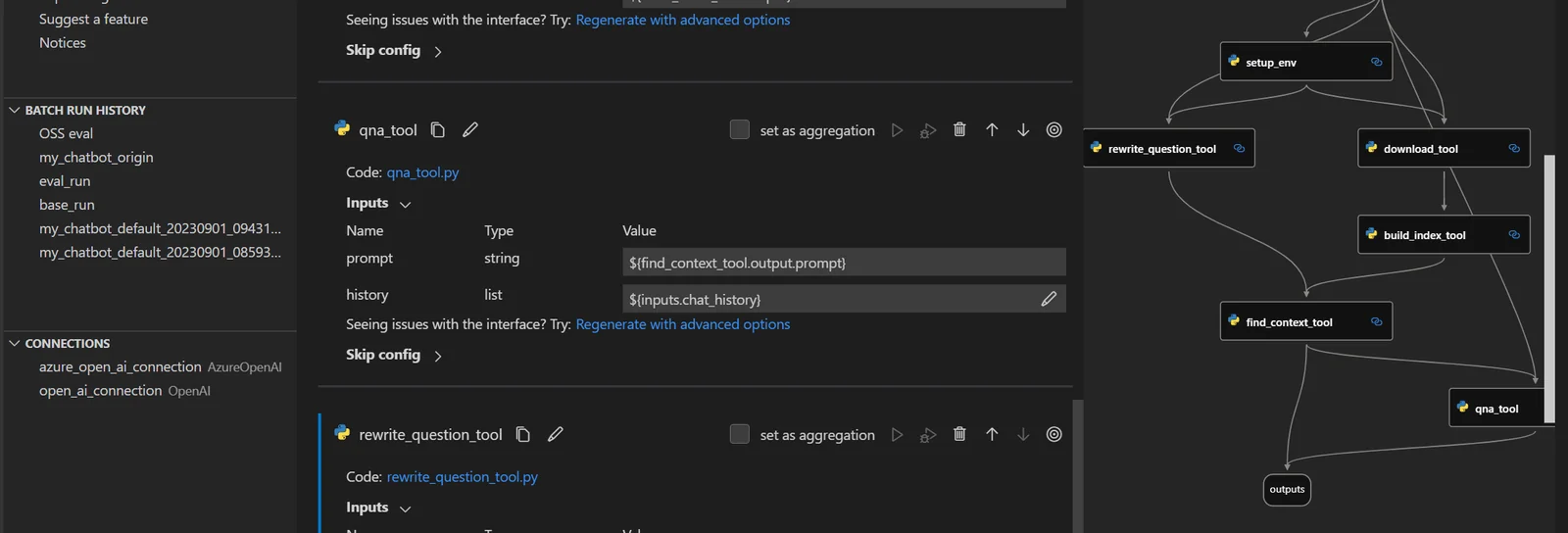
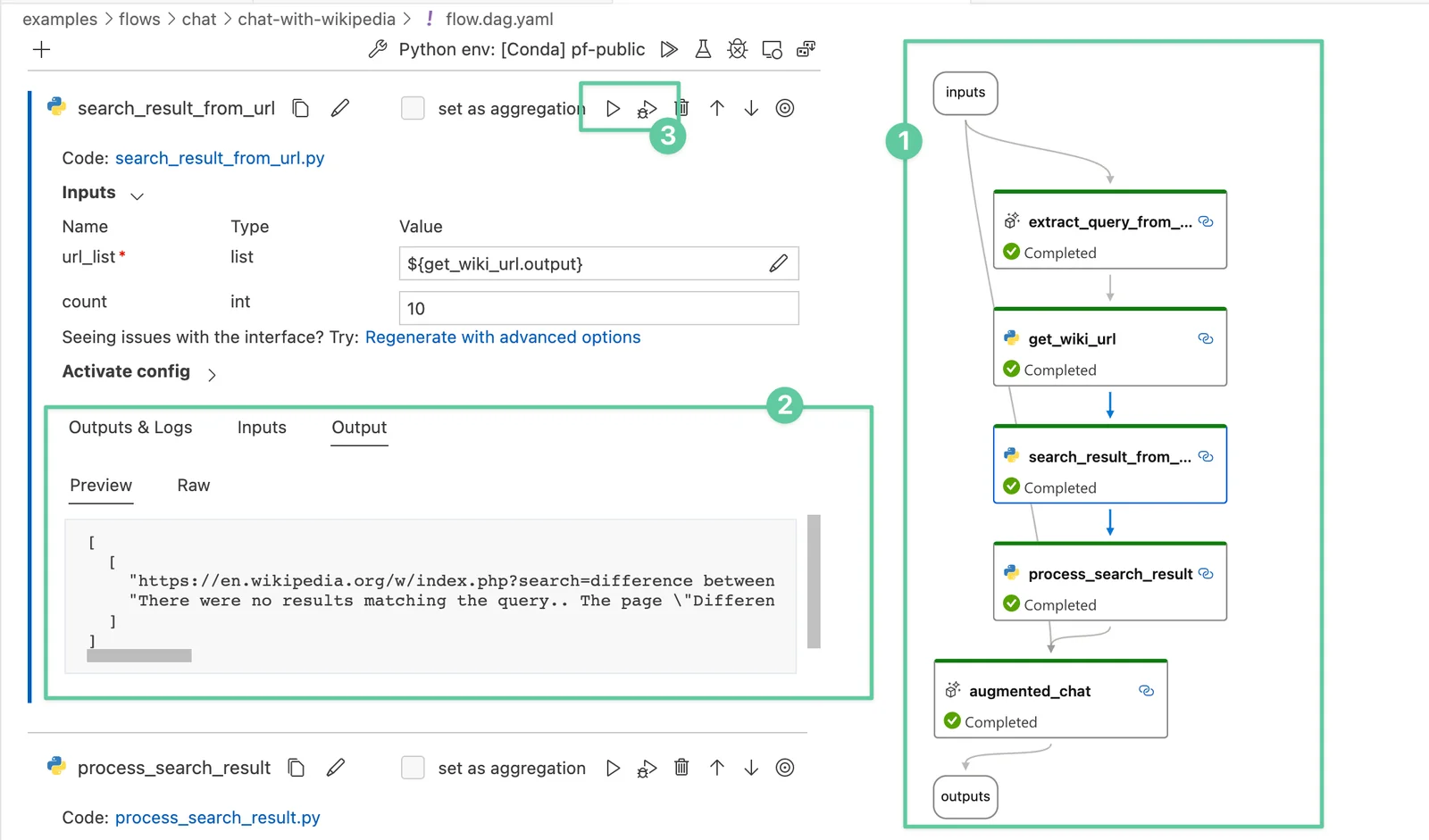
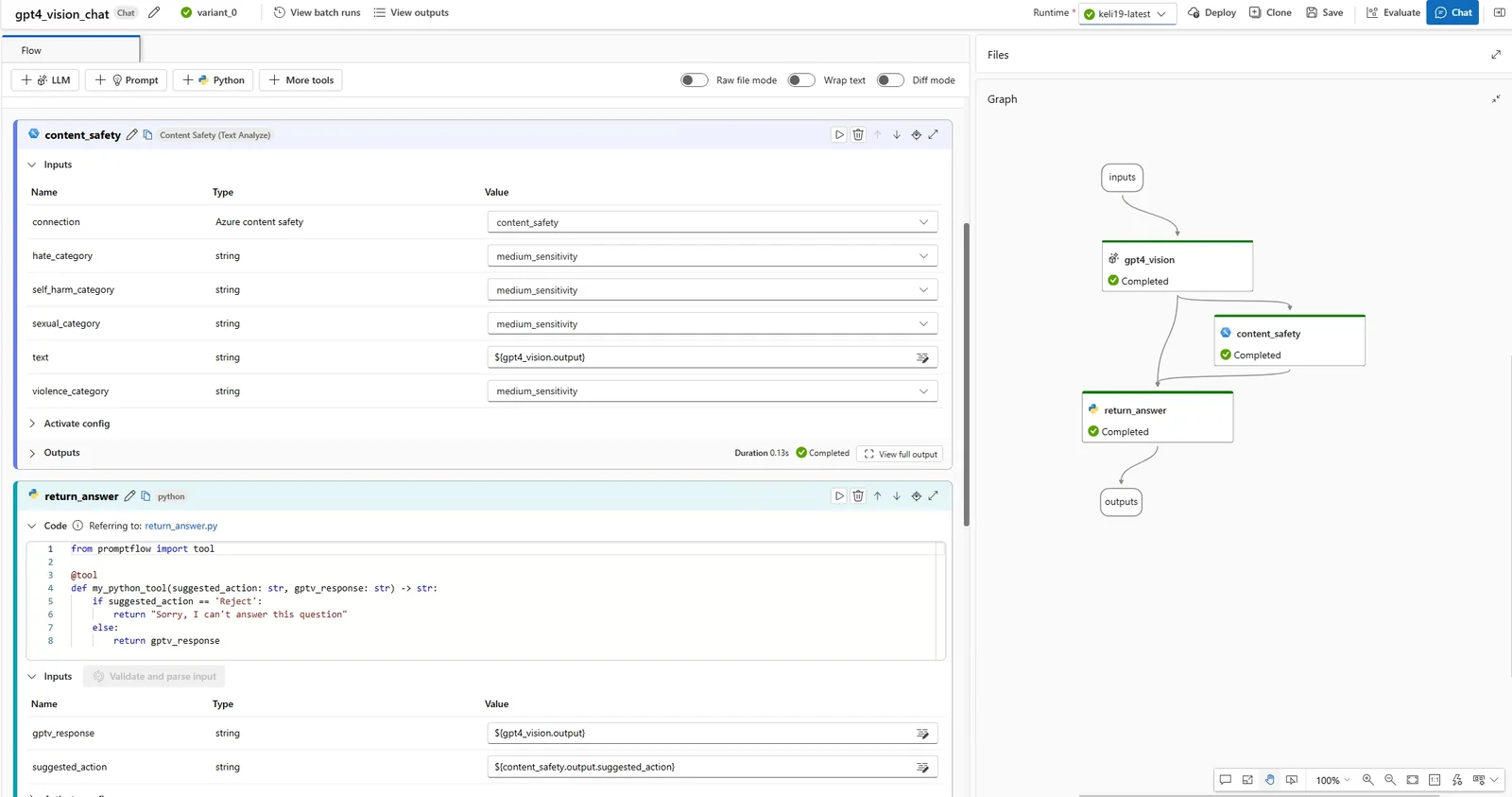
Prompt Flow is a suite of development tools from Microsoft that streamlines the end-to-end lifecycle of LLM-based applications, spanning ideation, prototyping, testing, evaluation, production deployment, and monitoring. It provides structured "flows" for prompt engineering, experiment management, and lifecycle transitions from local experimentation to production. The project includes templates, a resource hub showcasing use cases, and capabilities for variant/hyperparameter experimentation, A/B deployment, and run reporting to help teams build production-quality LLM apps more efficiently. It is published under an MIT open-source license and supports community contributions.
Screenshots
Key Features
Use Cases



Frequently asked questions about Microsoft Prompt Flow
What is the pricing structure for Prompt Flow?
Prompt Flow is an open-source tool available for free under the MIT license. However, users should anticipate potential costs associated with Azure resources for hosting and model inference, which may vary based on usage and selected services.
Key Points
- Open-source Availability: Prompt Flow is free to use.
- MIT License: The software is released under the MIT license, promoting flexibility.
- Azure Costs: Users may incur fees for Azure services related to hosting and model inference.
Detailed Explanation
Prompt Flow is a robust tool designed for developers and organizations looking to harness the power of AI without the burden of software licensing fees. Being open-source means that anyone can access, modify, and distribute the code, enabling community contributions and fostering innovation.
Although Prompt Flow itself is free, using it typically involves Azure cloud services for hosting and model inference. This could include costs for virtual machines, storage, and data transfer, which can vary widely based on your project’s scale and usage patterns. For instance, hosting a model on Azure could range from a few dollars a month for minimal usage to hundreds for extensive machine learning tasks.
To estimate costs effectively, consider the Azure Pricing Calculator. This tool allows you to input your expected usage and view estimated monthly costs. Additionally, the choice of Azure services can significantly impact your overall expenses. For example, using Azure Functions for serverless computing could be more cost-effective for sporadic tasks compared to dedicated virtual machines.
Best Practices / Tips
- Monitor Usage: Regularly check your Azure usage to avoid unexpected charges.
- Optimize Resources: Scale your resources according to immediate needs. Use auto-scaling to adjust capacity based on demand.
- Leverage Free Tier: Take advantage of Azure’s free tier services when starting to minimize costs.
- Review Documentation: Familiarize yourself with Azure’s pricing structure and any potential hidden costs, such as data egress fees.
Additional Resources
- Prompt Flow GitHub Repository – Access the source code and documentation.
- Azure Pricing Calculator – Estimate costs for various Azure services.
- Azure Free Account – Sign up for a free account to explore Azure services without incurring charges.
How can I start using Prompt Flow for my LLM projects?
To start using Prompt Flow for your LLM projects, visit the official website to download the open-source suite. You can prototype your models locally and then seamlessly deploy them to Azure for production, ensuring a smooth transition from development to deployment.
Key Points
- Download the open-source suite from the official website.
- Prototype your projects locally before deploying.
- Utilize Azure for scalable production deployment.
Detailed Explanation
Prompt Flow is a powerful tool designed to simplify the integration and management of large language models (LLMs) in your projects. Follow these steps to get started:
-
Download the Open-Source Suite:
- Visit the official Prompt Flow website to access the latest version of the software.
- Ensure your system meets the required specifications, such as Python version, required libraries, and environment setup.
-
Set Up Your Local Environment:
- After downloading, set up your local development environment. This typically involves installing dependencies using a package manager like pip.
- Create a virtual environment to avoid conflicts with other projects. You can do this by running:
python -m venv promptflow_env
source promptflow_env/bin/activate  # On Windows use `promptflow_env\Scripts\activate`
-
Prototype Your Models:
- Utilize the built-in templates and examples to start building your models. Experiment with different prompts and configurations to see how they affect the output.
- Use local datasets to train and test your models before moving to production.
-
Deploy to Azure:
- Once you are satisfied with your prototype, prepare for deployment. Create an Azure account if you don’t already have one.
- Follow the Azure deployment guide provided in the documentation to configure your resources, set up your model endpoints, and manage scaling options for production.
Best Practices / Tips
- Documentation: Regularly refer to the official documentation for updates and best practices.
- Version Control: Use Git for version control to manage changes in your project effectively.
- Testing: Implement robust testing strategies to ensure your models perform as expected in different scenarios.
- Monitor Costs: Keep an eye on Azure costs by using the Azure Pricing Calculator to estimate expenses based on your expected usage.
Additional Resources
What are the key features of Prompt Flow?
Prompt Flow features end-to-end flow management, variant and hyperparameter experimentation, A/B testing, and centralized code hosting, enabling collaborative development. These tools streamline the workflow for machine learning projects and foster effective team collaboration, making it easier to optimize and deploy AI models efficiently.
Key Points
- End-to-End Flow Management: Streamlines the entire machine learning process.
- Variant and Hyperparameter Experimentation: Facilitates testing various model configurations.
- A/B Testing: Enables direct comparison of model performance.
- Centralized Code Hosting: Promotes collaboration among team members.
Detailed Explanation
Prompt Flow is designed to enhance the efficiency of machine learning workflows.
End-to-End Flow Management
This feature allows users to manage the complete lifecycle of their AI models, from data ingestion to deployment. Users can visualize and track each stage of the process, ensuring that all components work seamlessly together.
Variant and Hyperparameter Experimentation
With this capability, data scientists can easily experiment with different model variants and hyperparameters. This means they can quickly test and validate which configurations yield the best performance. For example, changing learning rates or model architectures can be done swiftly without significant overhead.
A/B Testing
A/B testing in Prompt Flow allows teams to evaluate model effectiveness by comparing performance metrics of different versions directly. This feature helps in making data-driven decisions about which model to deploy, ensuring better outcomes for applications.
Centralized Code Hosting
Centralized code hosting provides a single repository for all project code, enabling multiple team members to collaborate efficiently. This reduces version control issues and makes it easier to track changes and contributions from different team members.
Best Practices / Tips
- Utilize Version Control: Always keep track of different versions of your models to understand performance changes over time.
- Document Experimentation: Maintain clear documentation of all experiments, including hyperparameters and results, to facilitate learning and future reference.
- Leverage A/B Testing Effectively: Use A/B testing to make informed decisions about model deployments, ensuring you are always choosing the best-performing version.
- Collaborate Regularly: Foster communication within your team to share insights and findings from your experiments and tests.
Additional Resources
- Official Prompt Flow Documentation
- Guide to A/B Testing for ML Models
- Best Practices for Hyperparameter Tuning
By following these guidelines, users can maximize the potential of Prompt Flow and streamline their machine learning projects for optimal results.
How does Prompt Flow compare to other LLM development tools?
Prompt Flow distinguishes itself from other LLM development tools by offering integrated A/B testing and telemetry controls, which enhance collaborative efforts. It also prioritizes open-source flexibility and seamless integration with Azure, making it particularly advantageous for developers and teams looking for adaptability and scalability in their projects.
Key Points
- A/B Testing and Telemetry: Built-in features for performance tracking.
- Open-Source Flexibility: Encourages customization and community contributions.
- Azure Integration: Facilitates deployment and management in a cloud environment.
Detailed Explanation
Prompt Flow is a comprehensive tool designed for developing Large Language Models (LLMs) with a focus on collaboration and performance testing. One of its standout features is built-in A/B testing, which allows teams to experiment with different model configurations and compare their effectiveness in real-time. This feature is crucial for optimizing model performance and ensuring that the best version is deployed.
Another significant advantage is telemetry controls, which provide developers with detailed insights into model performance and user interactions. This data is vital for making informed adjustments and enhancing the model's effectiveness over time.
Open-source flexibility is a core principle of Prompt Flow, allowing developers to modify and adapt the tool according to their specific needs. This contrasts with many proprietary tools that may limit customization options. The open-source nature fosters a vibrant community where developers can share innovations and improvements.
Integration with Azure enables teams to leverage cloud capabilities for scalable deployment and management of LLMs. Azure’s robust infrastructure supports high-performance computing, making it easier to handle large datasets and complex models efficiently. This integration simplifies the deployment process, allowing teams to focus on model development rather than infrastructure management.
Best Practices / Tips
- Utilize A/B Testing: Regularly use A/B testing to evaluate different model versions. This will help in identifying the most effective configurations and improve the overall performance of your LLM.
- Monitor Telemetry: Pay close attention to telemetry data. Analyzing user interactions and model performance can guide necessary adjustments and enhancements.
- Engage with the Community: Leverage the open-source aspect by participating in community forums and discussions. This can provide valuable insights and support for your development efforts.
- Optimize Azure Deployment: Familiarize yourself with Azure’s features to maximize your deployment efficiency, such as scaling resources based on load and utilizing Azure's machine learning services.
Additional Resources
- Prompt Flow Documentation - Official documentation for detailed features and updates.
- Azure Machine Learning - Learn more about Azure’s capabilities for machine learning.
- Open Source Community - Explore Microsoft’s open-source contributions and resources.
Does Prompt Flow have API integration capabilities?
Yes, Prompt Flow has robust API integration capabilities, allowing seamless connections with Azure services and tools like LangChain and Semantic Kernel. This functionality enhances your Large Language Model (LLM) applications, facilitating a more comprehensive and efficient workflow.
Key Points
- Integration with Azure Services: Direct access to Azure's cloud capabilities.
- Compatibility with Tools: Works smoothly with LangChain and Semantic Kernel for advanced AI features.
- Enhanced Functionality: Streamlines workflows, improving the performance of LLM applications.
Detailed Explanation
Prompt Flow's API integration capabilities are designed to enhance the functionality of AI and LLM applications. By supporting various Azure services, users can leverage cloud computing power for tasks such as data processing, model training, and deployment. The integration with LangChain allows developers to build applications that utilize LLMs for more complex tasks, such as natural language understanding and generation.
For instance, if you're developing a chatbot utilizing LLMs, you can integrate Prompt Flow with Azure's cognitive services to enhance the bot's capabilities with speech recognition, translation, and sentiment analysis. Additionally, using Semantic Kernel, developers can create more context-aware applications, applying advanced AI techniques to interpret user inputs effectively.
Example Use Cases:
- Chatbots and Virtual Assistants: Integrating with Azure's speech services allows for real-time voice interaction.
- Data Analysis: Use Azure's analytics services in conjunction with Prompt Flow for processing large datasets through LLMs.
- Content Generation: Leverage LangChain to automate content creation while maintaining context and relevance.
Best Practices / Tips
- Start Small: Begin with simple integrations to understand the capabilities before scaling up.
- Monitor API Usage: Keep track of API calls to avoid exceeding limits and incurring extra costs.
- Documentation Review: Regularly check the official documentation for updates on API features and best practices.
Additional Resources
By using these resources and following best practices, you can maximize the effectiveness of Prompt Flow's API integration capabilities in your projects.
Explore more AI Ai Tools tools
Browse all Ai Tools tools →Compare Microsoft Prompt Flow: vs Agents Never Sleep · vs Port Radar for macOS · vs SubtitleGenerator · vs Zero