

Yeta AI
AITranslate and dub any YouTube video in real-time with natural voices in 10+ languages; paste a link and watch dubbed video in seconds.
Yeta AI
Translate and dub any YouTube video in real-time with natural voices in 10+ languages; paste a link and watch dubbed video in seconds.
About Yeta AI
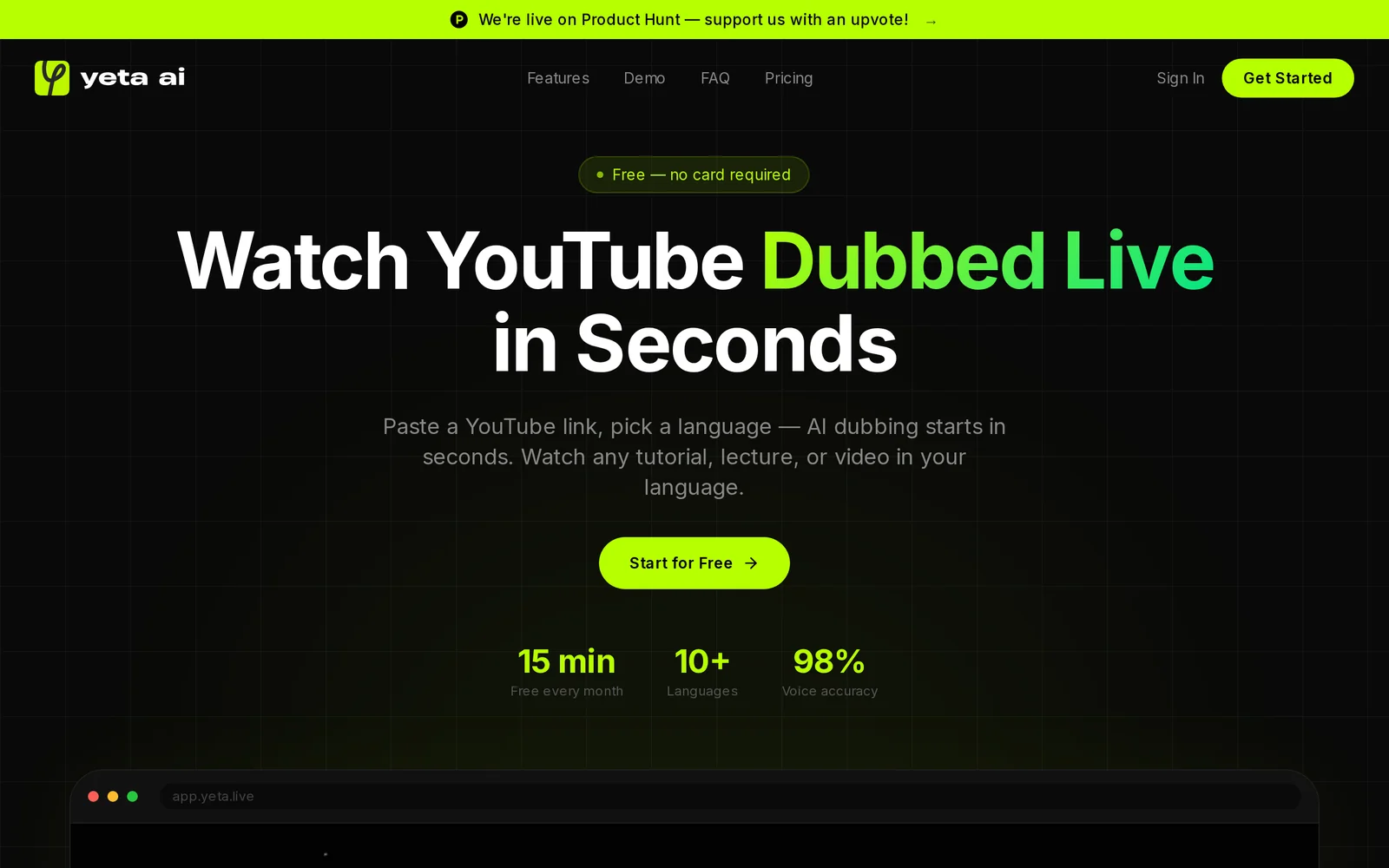
Yeta AI is a browser-based service that instantly translates and dubs YouTube videos into multiple languages using natural-sounding synthetic voices. Users paste a YouTube link, select a target language, and receive a synced dubbed audio track over the original video in roughly 30–60 seconds. The tool emphasizes speed and ease — no downloads required and a free plan is available without a credit card — and is optimized for desktop browsers with a mobile app planned. Yeta AI helps viewers consume foreign-language tutorials and creators localize content quickly to expand audience reach.
Screenshots
Key Features
Use Cases



Frequently asked questions about Yeta AI
What is Yeta AI?
Yeta AI is an innovative tool that allows users to translate and dub YouTube videos in real-time using advanced AI voices across 10+ languages. Simply paste a video link, select your desired language, and enjoy seamless viewing within seconds. A free plan is also available for users to try it out.
Key Points
- Real-time Translation: Yeta AI offers instant translation and dubbing, making content accessible globally.
- Multiple Languages: Supports over 10 languages, catering to a diverse audience.
- User-Friendly Interface: Simple process with just a link paste and language selection.
Detailed Explanation
Yeta AI revolutionizes the way we consume video content by utilizing artificial intelligence to provide real-time translation and dubbing services. This tool is especially useful for educators, content creators, and businesses looking to reach a wider audience.
How It Works:
- Video Link Input: Users start by copying the URL of the YouTube video they want to translate.
- Language Selection: After pasting the link, users choose from a range of over 10 languages, ensuring that they can reach their target demographic.
- Instant Playback: Once the options are selected, users can watch the video almost instantly with the new audio track in their preferred language.
For example, a Spanish-speaking user can watch an English tutorial by simply selecting Spanish as their target language, allowing for greater comprehension and engagement.
Best Practices / Tips
- Choose the Right Language: Ensure you select the most appropriate language for your target audience to maximize reach.
- Check Video Compatibility: Not all videos may be supported, so testing a few links is advisable.
- Utilize the Free Plan: Take advantage of the free plan to explore features before committing to a premium subscription, which may offer advanced capabilities like higher audio quality or additional languages.
Additional Resources
- Yeta AI Official Website for more information and user guides.
- YouTube Help Center for understanding video compatibility and other features.
How does Yeta AI work?
Yeta AI operates by integrating advanced artificial intelligence capabilities to streamline and enhance daily workflows for users. By leveraging machine learning and natural language processing, it automates tasks, improves decision-making, and increases productivity across various applications.
Key Points
- Integration of AI Technologies: Combines machine learning, natural language processing, and automation.
- User-Centric Workflows: Tailors solutions to meet specific user needs and enhance productivity.
- Versatile Applications: Applicable in diverse sectors such as marketing, customer service, and project management.
Detailed Explanation
Yeta AI utilizes a combination of machine learning algorithms and natural language processing (NLP) to assist users in their everyday tasks. Here’s how it works:
-
Data Processing: Yeta AI collects and analyzes data from various sources, identifying patterns and trends that help in informed decision-making. For instance, in marketing, it can analyze customer behavior to recommend personalized strategies.
-
Task Automation: By automating repetitive tasks, Yeta AI frees up time for users to focus on more strategic activities. For example, in customer service, it can handle routine inquiries through chatbots, allowing human agents to manage complex cases.
-
Real-Time Insights: Yeta AI provides real-time analytics and insights, enabling users to adapt quickly to changing conditions. In project management, this can mean adjusting timelines and resources based on current progress and potential risks.
-
Customizable Workflows: Users can customize workflows based on their specific needs, making Yeta AI a versatile tool across industries such as finance, healthcare, and education. This adaptability enhances its utility in diverse operational contexts.
Best Practices / Tips
- Define Clear Objectives: Before implementing Yeta AI, outline what you aim to achieve (e.g., increased efficiency, better customer insights) to maximize its potential.
- Regularly Update Data: Ensure that the data feeding into Yeta AI is up-to-date for accurate analysis and recommendations.
- Monitor Performance: Continuously evaluate the effectiveness of Yeta AI in your workflows and make adjustments as necessary.
- Train Your Team: Provide training for your team to fully leverage Yeta AI’s capabilities, ensuring they understand how to interpret insights and automate tasks effectively.
Additional Resources
What are the main features of Yeta AI?
Yeta AI offers a range of powerful features, including advanced natural language processing, machine learning algorithms, real-time data analytics, and customizable AI models. These capabilities empower businesses to enhance customer experiences, automate processes, and derive actionable insights from data, making Yeta AI a versatile solution for various industries.
Key Points
- Natural Language Processing (NLP): Enables understanding and generation of human language.
- Machine Learning Algorithms: Facilitates predictive analytics and data pattern recognition.
- Real-time Data Analytics: Provides instant insights from large data sets.
Detailed Explanation
Yeta AI stands out in the crowded AI landscape due to its robust features:
-
Natural Language Processing (NLP): This feature allows Yeta AI to comprehend and generate human language in a way that is contextually relevant. Businesses can utilize NLP for chatbots, customer service automation, and sentiment analysis. For example, a retail company can implement a chatbot powered by Yeta AI to assist customers with inquiries, improving response times and customer satisfaction.
-
Machine Learning Algorithms: Yeta AI incorporates sophisticated machine learning techniques that enable businesses to analyze historical data and predict future trends. For instance, an e-commerce platform can use Yeta AI to forecast inventory needs based on purchasing behavior, ultimately optimizing stock levels and reducing costs.
-
Real-time Data Analytics: With the ability to process and analyze data instantaneously, Yeta AI empowers organizations to make informed decisions quickly. For example, financial institutions can leverage real-time analytics for fraud detection, identifying suspicious transactions as they occur.
Best Practices / Tips
- Leverage Customization: Tailor Yeta AI’s models to fit your specific industry needs for optimal performance. Customization can significantly enhance the relevance of AI outputs.
- Integrate with Existing Systems: Ensure that Yeta AI integrates seamlessly with your current workflows and software to maximize its utility.
- Monitor and Train Models Regularly: Continually update the machine learning models with new data to improve accuracy and performance over time. This practice helps in adapting to changes in user behavior or market conditions.
Additional Resources
Who is Yeta AI for?
Yeta AI is designed for anyone looking to enhance their daily workflows with artificial intelligence. This tool is particularly beneficial for business professionals, marketers, educators, and developers who want to automate tasks, analyze data, and streamline communication using AI technology.
Key Points
- Target Audience: Business professionals, marketers, educators, and developers.
- Use Cases: Automating repetitive tasks, data analysis, and enhancing communication.
- Accessibility: User-friendly interface tailored for various skill levels.
Detailed Explanation
Yeta AI caters to a diverse audience, making it suitable for various sectors. Here are some detailed use cases:
-
Business Professionals: Yeta AI helps streamline administrative tasks, such as scheduling meetings, managing emails, and generating reports. For example, sales teams can use Yeta AI to analyze customer data quickly, leading to improved decision-making.
-
Marketers: With its ability to analyze trends and customer behavior, Yeta AI allows marketers to create targeted campaigns. For instance, by utilizing AI-driven insights, a marketer can optimize their advertising budget by focusing on high-converting segments.
-
Educators: Teachers can use Yeta AI to personalize learning experiences. By analyzing student performance data, educators can tailor their approach to meet individual needs, improving overall student engagement and success rates.
-
Developers: For software developers, Yeta AI can enhance coding efficiency by automating testing processes and providing code suggestions. This not only saves time but also reduces the likelihood of human error.
Best Practices / Tips
- Start Small: Begin with simple tasks to familiarize yourself with Yeta AI’s capabilities before scaling up.
- Continuous Learning: Regularly update your knowledge on AI trends to maximize the benefits of Yeta AI.
- Customization: Take advantage of Yeta AI's customizable features to tailor the tool to your specific workflow needs.
- Monitor Performance: Regularly assess how Yeta AI is impacting your productivity and make adjustments as necessary.
Additional Resources
How much does Yeta AI cost?
Yeta AI offers a free tier, allowing users to explore its capabilities at no cost. For advanced features and enhanced functionality, Yeta AI provides various paid plans. Pricing details can vary, so it's best to check their website for the most current options.
Key Points
- Yeta AI has a free tier for basic functionalities.
- Paid plans unlock advanced features and tools.
- Pricing may vary based on selected features and subscription length.
Detailed Explanation
Yeta AI is designed to cater to various user needs, starting with a free tier that allows individuals and businesses to test core functionalities without any financial commitment. This tier is ideal for newcomers looking to familiarize themselves with AI tools.
For users seeking more advanced capabilities, Yeta AI offers several paid plans. These plans typically include additional features such as enhanced data processing capabilities, priority support, and access to exclusive tools that are not available in the free version. Pricing for these plans can vary significantly depending on the features selected and the subscription length.
For example, a monthly subscription might cost around $29 per month, while an annual subscription could offer a discount, possibly dropping the monthly rate to $24 per month. It's advisable to visit the Yeta AI official website for the latest pricing and to compare the features included in each plan.
Best Practices / Tips
- Utilize the Free Tier: Start with the free tier to understand Yeta AI’s functionalities before committing to a paid plan.
- Compare Plans: Review all available plans carefully to determine which features are essential for your needs.
- Look for Discounts: Often, annual plans provide significant savings compared to monthly subscriptions, so consider your long-term needs.
Additional Resources
How do I get started with Yeta AI?
To get started with Yeta AI, simply visit Yeta AI's website to sign up for an account. After registration, you can explore its features and capabilities tailored for enhancing your productivity and decision-making processes.
Key Points
- Easy Registration: Sign up quickly through the official website.
- Explore Features: Familiarize yourself with the tools available.
- Community Support: Engage with other users for tips and best practices.
Detailed Explanation
Yeta AI provides an intuitive platform designed to assist users with various tasks, from data analysis to content creation. Here’s a step-by-step guide to getting started:
- Visit the Website: Navigate to Yeta AI's homepage.
- Sign Up: Click on the "Sign Up" button and fill out the required fields, including your email and password. You may also have the option to register using social media accounts for convenience.
- Email Verification: After signing up, check your email for a verification link. Click it to activate your account.
- Login and Explore: Use your credentials to log in. Once inside, take a tour of the dashboard to familiarize yourself with available features.
- Utilize Resources: Access tutorials, FAQs, and community forums for guidance on using Yeta AI effectively.
Yeta AI is particularly effective for professionals looking to automate tasks, analyze data trends, and improve workflow efficiencies. By engaging with the platform, you can leverage AI to make informed decisions faster.
Best Practices / Tips
- Start with Tutorials: Spend time going through the introductory tutorials. They provide valuable insights into maximizing the platform's potential.
- Join the Community: Participate in user forums and discussions. You can gain tips from other users and share your experiences.
- Regular Updates: Keep an eye on new features and updates released by Yeta AI to stay ahead in utilizing its capabilities.
- Set Goals: Clearly define what you want to achieve with Yeta AI. Whether it's improving productivity or enhancing data analysis, have specific objectives in mind.
Additional Resources
By following these steps and utilizing the resources available, you'll be well on your way to effectively using Yeta AI to enhance your productivity and decision-making processes.
Explore more AI Ai Tools tools
Browse all Ai Tools tools →Browse by use case: Video Generation · Voice & Audio
Compare Yeta AI: vs Agnost AI · vs Assistly · vs Memoria · vs nodeterm