

DSPy
AIOpen SourceFreeA Python framework for programming foundation models with declarative, self-improving pipelines and automated prompt/parameter optimization.
DSPy
A Python framework for programming foundation models with declarative, self-improving pipelines and automated prompt/parameter optimization.
About DSPy
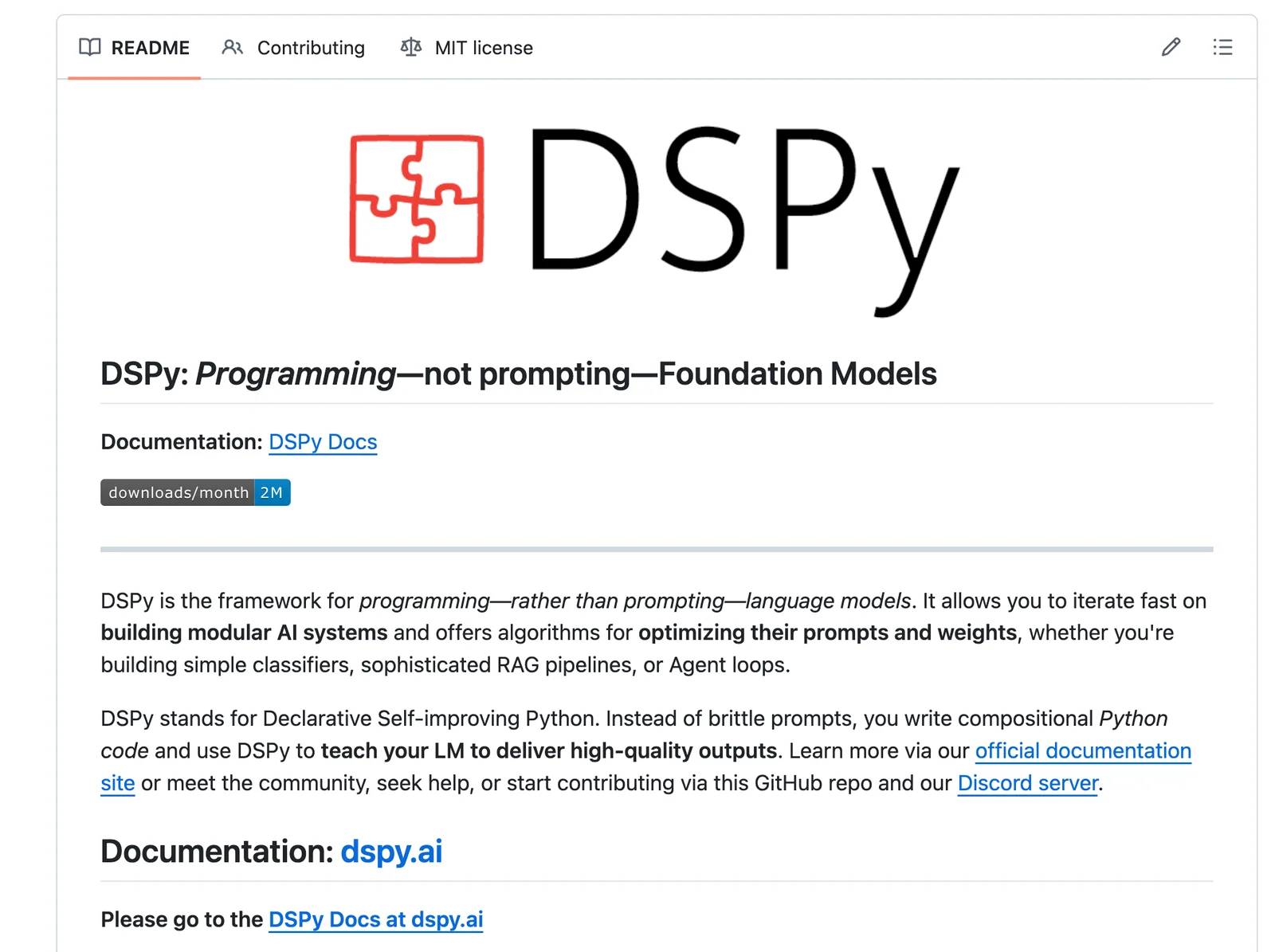
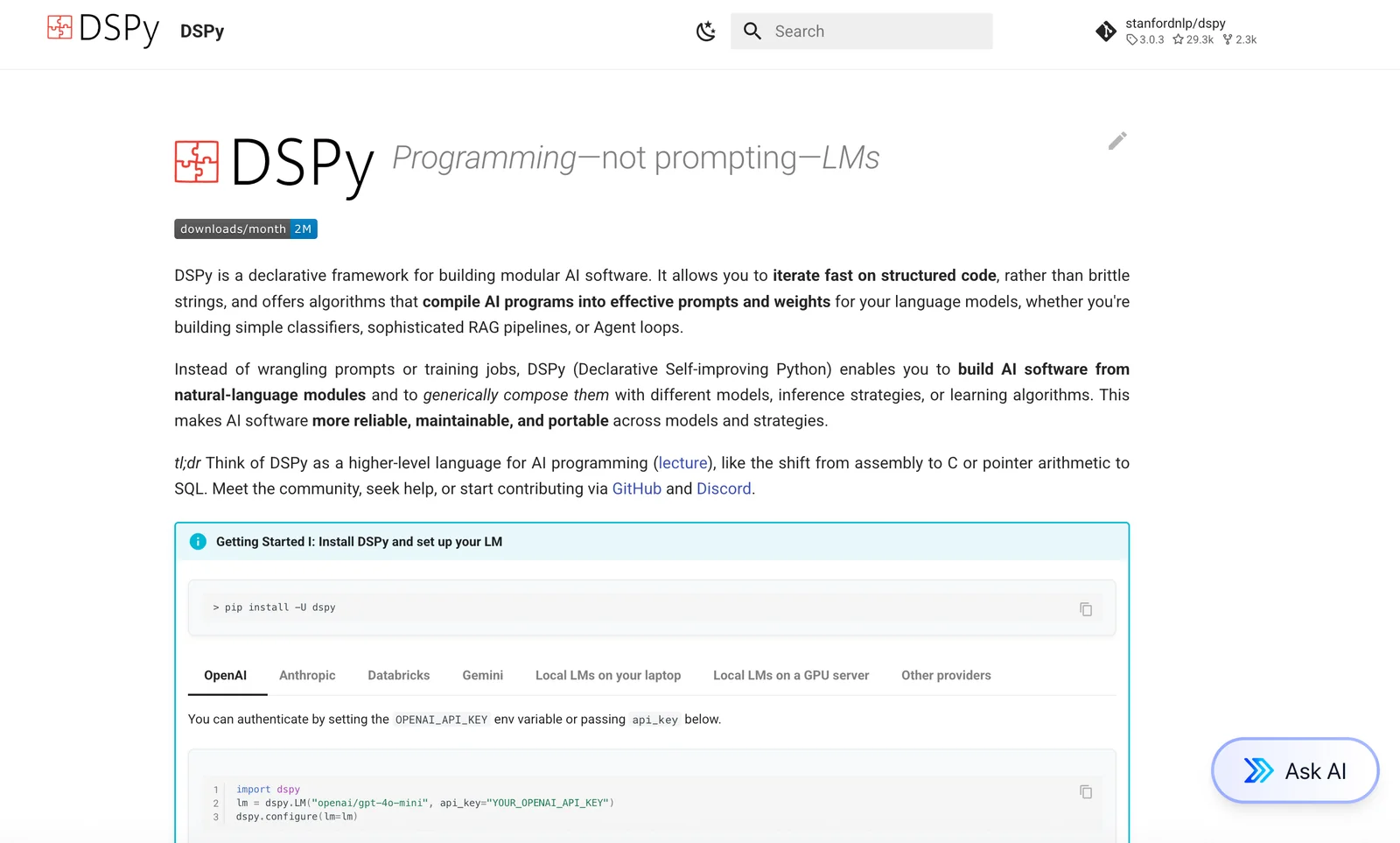
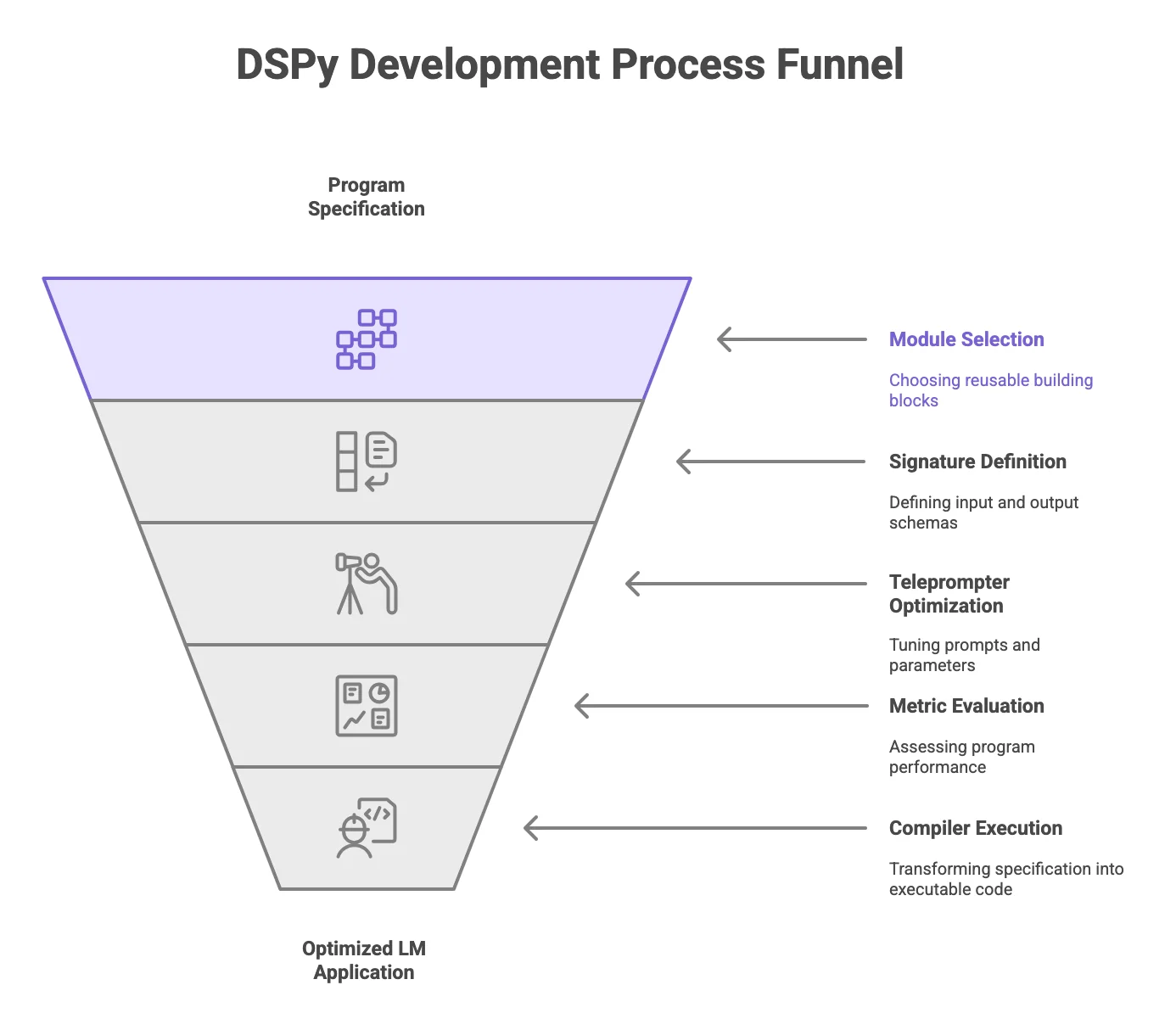
DSPy (Declarative Self‑improving Python) is a framework that lets developers program foundation models using compositional Python modules instead of brittle prompt engineering. Users declare inputs and outputs, compose modular components (classifiers, retrievers, agents, RAG pipelines), and DSPy compiles prompt templates, runs evaluations, and applies iterative optimizers to improve prompts and module parameters automatically. The framework includes built-in optimizers (e.g., BootstrapFewShot, BetterTogether), an evaluation API with metrics and dataset support, and tooling to iterate quickly on modular AI systems, yielding higher accuracy and consistency without manual tuning.
Screenshots
Key Features
Use Cases



Frequently asked questions about DSPy
Is DSPy free to use?
Yes, DSPy is completely free to use and open-source. You can easily install it via pip or conda without incurring any costs. Its core features are available to everyone, making it an accessible tool for developers and data scientists.
Key Points
- Free and Open-Source: DSPy is entirely free to use and can be modified by anyone.
- Easy Installation: Install using pip or conda with simple commands.
- Core Features: All essential functionalities are available at no cost.
Detailed Explanation
DSPy is a powerful tool designed for developers and data scientists to create data pipelines and automate workflows in a user-friendly manner. Being open-source means that anyone can view, modify, and distribute the code, fostering a collaborative environment.
Installation Steps
To install DSPy, follow these steps:
- Using pip:
pip install dspy - Using conda:
conda install -c conda-forge dspy
Once installed, you can leverage DSPy's features for data analysis, machine learning, and automation.
Use Cases
- Data Preparation: Streamline data cleaning and transformation tasks.
- Machine Learning: Implement predictive models without extensive coding.
- Workflow Automation: Automate repetitive tasks, enhancing productivity.
Best Practices / Tips
- Explore Documentation: Familiarize yourself with the official DSPy documentation to fully utilize its capabilities.
- Join the Community: Engage with the DSPy community for support and to share insights.
- Regular Updates: Keep your installation updated to benefit from the latest features and bug fixes.
Additional Resources
- DSPy Official Documentation
- GitHub Repository for contributions and issues
- Community Forum for user discussions and support
What are the key features of DSPy?
DSPy is a powerful AI tool that features a declarative module system, built-in iterative optimizers, an evaluation API, retrieval-augmented generation support, and multi-backend integration, making it easy to work with various Large Language Model (LLM) APIs effectively.
Key Points
- Declarative Module System: Simplifies the process of defining AI workflows.
- Built-in Iterative Optimizers: Enhances model performance through continuous improvement.
- Multi-Backend Integration: Facilitates seamless connections with multiple LLM APIs.
Detailed Explanation
DSPy’s declarative module system allows users to easily specify their AI models and workflows without delving deep into complicated code. This means you can define processes in a straightforward way, making it accessible for both beginners and experienced developers.
The built-in iterative optimizers are designed to refine model behavior over time. By automatically adjusting parameters based on performance metrics, these optimizers ensure that your AI model continually improves, adapting to new data and evolving requirements. For instance, if your model’s accuracy drops, the optimizer recalibrates the settings to boost performance.
Another significant feature is the evaluation API, which allows you to assess your model's performance rigorously. This API provides clear metrics and insights, enabling users to understand how well their models perform in real-world scenarios. For example, it can measure accuracy, precision, and recall, giving you a comprehensive view of your AI's effectiveness.
Retrieval-augmented generation support is another standout feature. This capability enables the AI to enhance its responses by pulling in relevant data from external sources, which results in richer and more contextually aware outputs. This is particularly useful in applications like chatbots and recommendation systems, where context is crucial for user satisfaction.
Finally, the multi-backend integration feature allows developers to connect with various LLM APIs effortlessly. Whether you’re using OpenAI, Hugging Face, or others, DSPy ensures compatibility, making it a versatile choice for AI projects.
Best Practices / Tips
- Utilize the Declarative Module: Start by mapping out your AI workflow using the declarative module for easier implementation.
- Monitor Performance Regularly: Use the evaluation API to continually track your model's performance and make necessary adjustments.
- Experiment with Optimizers: Test different built-in optimizers to find the best settings for your specific use case.
- Leverage Retrieval-Augmented Generation: Incorporate external data sources to enrich the AI's responses and improve user engagement.
- Stay Updated: Regularly check for updates to DSPy’s features to leverage new improvements and optimizations.
Additional Resources
How do I get started with DSPy?
To get started with DSPy, simply install it using the command pip install dspy. After installation, dive into the comprehensive documentation and explore various examples available on the official DSPy website and GitHub repository to familiarize yourself with its features and functionalities.
Key Points
- Easy installation via pip.
- Comprehensive documentation available.
- Access to examples on the official website and GitHub.
Detailed Explanation
DSPy is a powerful library designed to simplify the development and deployment of machine learning models. To begin using DSPy, follow these steps:
-
Installation: Open your terminal or command prompt and enter
pip install dspy. This command downloads and installs the DSPy package, enabling you to utilize its functions in your Python environment. -
Explore Documentation: Visit the official DSPy documentation for in-depth guidance on installation, features, and functionality. This resource provides a thorough overview of the library's capabilities, including usage examples for various applications.
-
GitHub Repository: Check out the DSPy GitHub repository for additional resources such as example projects and community contributions. The repository often contains the latest updates, bug fixes, and enhancement proposals.
-
Hands-on Examples: Start experimenting with pre-built examples available in the documentation. These examples demonstrate how to apply DSPy in real-world scenarios, making it easier for you to understand the core concepts and functionalities.
Best Practices / Tips
- Start Small: Begin with basic examples to build your understanding. Gradually move to more complex models as you gain confidence.
- Utilize Community Support: Engage with the DSPy community through forums and GitHub issues if you encounter challenges. Collaborating with others can provide insights and solutions.
- Stay Updated: Regularly check for updates to DSPy to take advantage of new features and improvements. Keeping your library up-to-date ensures compatibility and access to the latest functionalities.
Additional Resources
- Official DSPy Documentation
- DSPy GitHub Repository
- Machine Learning Basics - A helpful course for beginners to understand foundational concepts.
By following these steps and utilizing these resources, you can effectively get started with DSPy and leverage its capabilities in your machine learning projects.
Does DSPy support API integrations?
Yes, DSPy supports API integrations, enabling seamless connections with various external LLM APIs and retrieval systems. This flexibility enhances DSPy’s functionality, allowing users to leverage multiple data sources and AI capabilities effectively.
Key Points
- Multi-Backend Integration: Connect with various APIs effortlessly.
- Enhanced Functionality: Utilize external LLMs for improved performance.
- Versatile Use Cases: Adapt DSPy for diverse applications in AI.
Detailed Explanation
DSPy is designed with robust multi-backend integration capabilities, making it a versatile tool for developers and data scientists. You can easily connect DSPy to various external LLM (Large Language Model) APIs, such as OpenAI's GPT models, Hugging Face Transformers, or custom-built models hosted on your infrastructure.
Example Use Case
For instance, if you're building a customer support chatbot, you can integrate DSPy with an external LLM API like OpenAI's ChatGPT. This allows your chatbot to access advanced natural language understanding and generation, leading to more accurate and engaging conversations with users.
To set up an API integration in DSPy, follow these steps:
- Select Your API: Determine which external API you want to integrate, such as OpenAI or a custom LLM.
- API Key Configuration: Obtain your API key from the chosen service and configure it in DSPy’s settings.
- Create Connection: Use DSPy’s built-in functions to establish the connection and define how data will flow between DSPy and the external API.
- Testing and Validation: Test the integration to ensure that data is being processed correctly and that the output meets your requirements.
Best Practices / Tips
- Choose the Right API: Select APIs that align with your specific needs, focusing on those that offer high accuracy and low latency.
- Monitor API Usage: Keep track of API quotas and limits to avoid unexpected service disruptions.
- Optimize for Performance: Use caching strategies to store frequent queries, reducing the number of API calls and improving response times.
- Error Handling: Implement robust error handling for API responses to manage failures gracefully and ensure a seamless user experience.
Additional Resources
How does DSPy compare to other AI tools?
DSPy distinguishes itself from other AI tools through its open-source framework, self-improvement capabilities, and a strong focus on modular pipeline composition, allowing developers to create flexible and customizable AI solutions tailored to their specific needs.
Key Points
- Open-source Framework: DSPy is accessible and encourages community collaboration.
- Self-Improvement Workflows: It features a unique approach to evolving AI models over time.
- Modular Pipeline Composition: Developers can easily assemble and modify components for tailored solutions.
Detailed Explanation
DSPy is built with flexibility in mind, making it a compelling choice for organizations looking to implement AI solutions without vendor lock-in. Its open-source nature allows developers to access the source code, modify it, and contribute to its evolution. This community-driven approach fosters innovation and rapid advancements.
One of DSPy's standout features is its self-improvement workflow. Unlike many AI tools that require manual updates and retraining, DSPy can automatically refine its models based on new data, reducing the workload on data scientists and ensuring models stay relevant over time. This is particularly beneficial for businesses in dynamic industries where data changes rapidly.
The emphasis on modular pipeline composition further enhances DSPy's appeal. Developers can mix and match components to create bespoke AI solutions that fit their unique project requirements. For example, a developer could integrate a natural language processing (NLP) module with a machine learning model for predictive analytics in a customer service application, streamlining the development process significantly.
Best Practices / Tips
- Leverage Community Support: Engage with the DSPy community for troubleshooting and innovative ideas.
- Utilize Self-Improvement Features: Make the most of DSPy’s automatic model updates to keep your AI solutions effective.
- Experiment with Modular Components: Test different combinations of modules to discover the best fit for your project needs.
Additional Resources
Explore more AI Ai Tools tools
Browse all Ai Tools tools →Compare DSPy: vs Agnost AI · vs Assistly · vs Memoria · vs nodeterm