

DiffSense
AIFreeGenerates descriptive git commit messages from diffs to improve commit quality and speed development.
DiffSense
Generates descriptive git commit messages from diffs to improve commit quality and speed development.
About DiffSense
DiffSense is an AI-powered tool that generates human-readable git commit messages by analyzing code diffs. It summarizes the intent and impact of changed code to produce concise, descriptive commit messages that improve repository history and developer productivity. The tool is designed to fit into existing git workflows and reduce time spent writing and editing commit messages while promoting consistent message quality across teams.
Screenshots
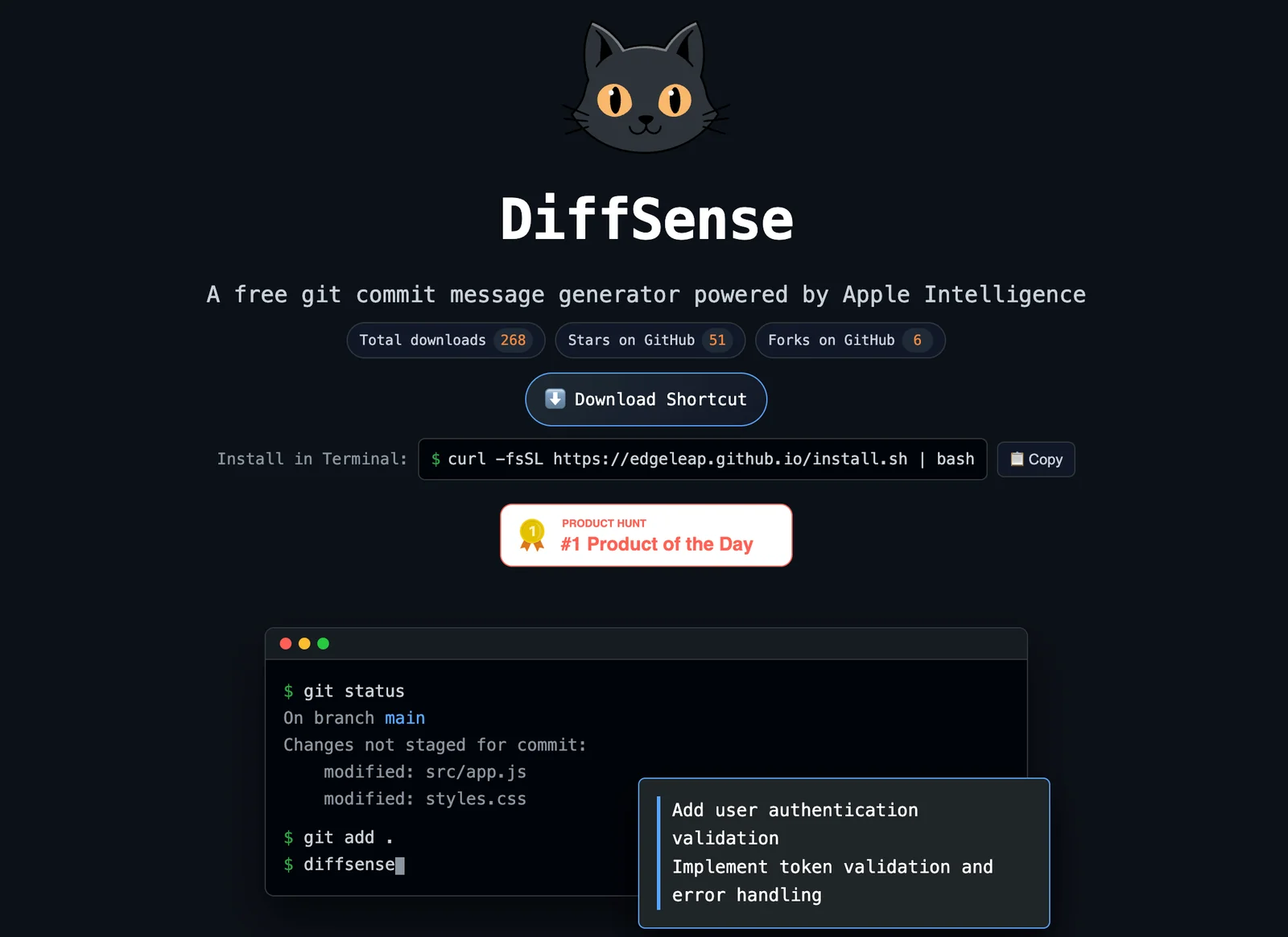
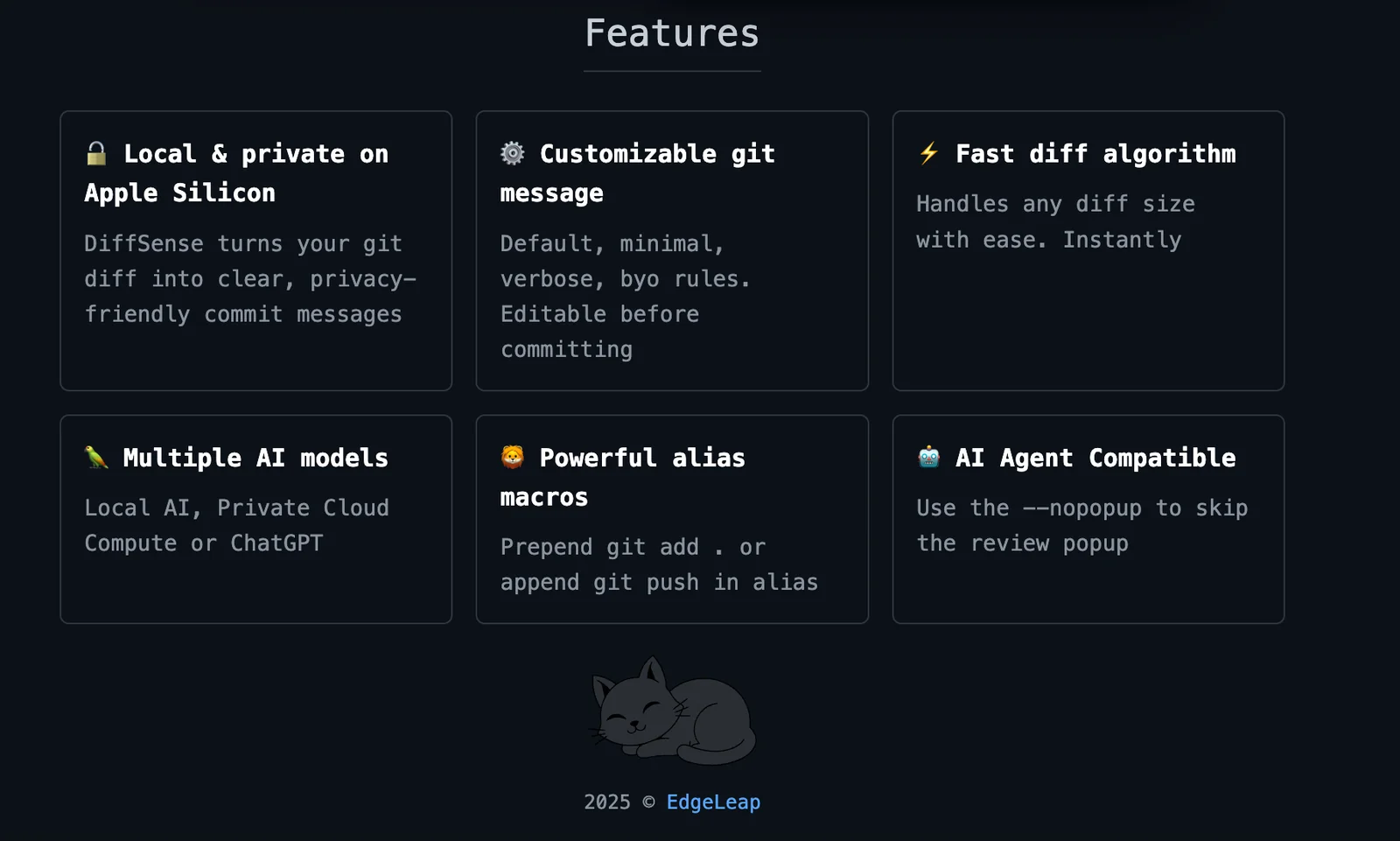
Key Features
Use Cases



Frequently asked questions about DiffSense
Is DiffSense really free to use?
Yes, DiffSense is free to use for generating basic git commit messages from diffs without any cost. However, advanced features may require a subscription or custom pricing plan, which varies based on the specific needs of the user.
Key Points
- Basic usage of DiffSense is free.
- Advanced features may involve custom pricing.
- User-friendly interface for generating commit messages.
Detailed Explanation
DiffSense offers users the ability to create git commit messages effortlessly by analyzing code diffs. The free version allows for basic functionalities, which are ideal for individual developers or small teams. Users can simply input their code diffs, and DiffSense will automatically generate a suitable commit message based on the changes detected.
For users requiring advanced functionalities, such as integration with project management tools or enhanced customization options, DiffSense provides custom pricing plans. These plans are tailored to meet the specific requirements of larger teams or enterprises, ensuring they receive the tools necessary for more complex development workflows.
Example Use Cases:
- Individual Developers: Use the free version for simple projects, saving time on commit message generation.
- Small Teams: Collaborate using basic features, perfect for managing straightforward code changes without incurring costs.
- Enterprise Solutions: Opt for custom plans to integrate with existing systems, gaining access to advanced features that enhance productivity.
Best Practices / Tips
- Maximize Free Features: Start with the free version to understand how DiffSense works before considering an upgrade.
- Explore Integration Options: If your project requires more than basic commit messages, evaluate the custom pricing plans early on to ensure they align with your team’s needs.
- Stay Updated: Follow DiffSense’s official blog or announcements for any changes in pricing or feature offerings.
Additional Resources
What features does DiffSense offer for generating commit messages?
DiffSense offers robust features for generating commit messages, including AI-driven commit message generation, context-aware summaries, customizable tone and format options, and seamless integration with existing Git workflows. These features enhance commit quality and streamline the development process for teams of all sizes.
Key Points
- AI-driven commit message generation
- Context-aware summaries for better clarity
- Customizable tone and format options
Detailed Explanation
DiffSense leverages advanced artificial intelligence to generate commit messages that accurately reflect the changes made in your code. By analyzing the code diffs, the AI creates context-aware summaries that provide clarity and understanding to team members reviewing the commits. For example, if code changes involve a bug fix, DiffSense can generate a concise message like "Fixes issue with user login timeout," making it clear what the commit accomplishes.
Customization is another vital feature. Users can adjust the tone and format of the generated messages to fit their project's style guidelines. Whether you prefer formal or casual language, DiffSense can adapt to your team's preferences. This flexibility is essential for maintaining consistency in commit logs, especially in larger teams where multiple contributors might have different writing styles.
Furthermore, DiffSense integrates smoothly with existing Git workflows, allowing developers to continue using their familiar tools. This integration ensures that the transition to AI-generated commit messages is seamless and does not disrupt established processes.
Best Practices / Tips
- Use Contextual Inputs: When generating commit messages, provide DiffSense with as much context as possible, such as the purpose of the changes and any relevant ticket numbers. This will enhance the quality of the generated messages.
- Review Generated Messages: Always review AI-generated messages before finalizing them to ensure they accurately represent the changes made.
- Set Custom Formats Early: Define your team's preferred tone and format in the settings to maintain consistency in communication across all commits.
- Train Your Team: Encourage team members to familiarize themselves with DiffSense’s features to maximize the tool's potential.
Additional Resources
How do I get started using DiffSense for my git projects?
To get started with DiffSense for your Git projects, visit the official DiffSense website and select whether you prefer browser-based or local usage. The platform is user-friendly and integrates seamlessly into your existing workflow, enhancing your version control experience.
Key Points
- Easy access via the official DiffSense website.
- Options for both browser-based and local installations.
- Designed for seamless integration with Git workflows.
Detailed Explanation
DiffSense is a powerful tool that enhances your Git project management by providing advanced diffing capabilities. To begin, head to the DiffSense website and choose a suitable option for your needs:
- Browser-Based Usage: Ideal for quick comparisons and collaborative reviews. Simply sign up or log in, upload your files, and start comparing changes.
- Local Installation: For users who prefer offline work, download the application tailored for your operating system (Windows, macOS, or Linux). Follow the installation instructions provided on the site. Once installed, you can easily integrate it with your Git repositories by configuring your Git settings to utilize DiffSense for visual diffs.
Example Usage
For instance, after installing DiffSense locally, you can run a command like git diffsense in your terminal to visualize changes. This allows you to quickly identify modifications, view commit histories, and manage merges effectively.
Best Practices / Tips
- Regularly Update: Keep DiffSense updated to benefit from the latest features and bug fixes.
- Explore Settings: Take time to explore the tool's settings and customization options to tailor it to your workflow.
- Utilize Documentation: Refer to the official documentation for detailed guidance and troubleshooting tips.
- Avoid Large File Uploads: For better performance, avoid uploading excessively large files or repositories in one go. Break them down into smaller, manageable parts.
Additional Resources
- DiffSense Official Documentation
- Git Documentation for integrating DiffSense with standard Git commands.
- DiffSense Community Forum for user discussions and tips.
What are the technical requirements for integrating DiffSense into my git workflow?
DiffSense integrates seamlessly into your git workflow through various methods such as command-line interface (CLI), commit hooks, or editor integrations. To ensure a smooth integration, refer to the official DiffSense site for comprehensive technical specifications and requirements tailored to your development environment.
Key Points
- Integration Methods: CLI, commit hooks, and editor integrations.
- Compatibility: Works with various git setups and environments.
- Official Documentation: Essential for setup details and troubleshooting.
Detailed Explanation
Integrating DiffSense into your git workflow can enhance your development process significantly. Here are the primary methods for integration:
-
Command-Line Interface (CLI):
- You can install DiffSense via package managers such as npm or pip. For npm, use
npm install diffsense. After installation, you can run DiffSense commands directly in your terminal, allowing for quick access to its features.
- You can install DiffSense via package managers such as npm or pip. For npm, use
-
Commit Hooks:
- Setting up commit hooks allows DiffSense to automatically analyze your code changes before they are committed. For example, you can create a pre-commit hook in your
.git/hooksdirectory that executes DiffSense, ensuring that code quality is maintained throughout your development cycle.
- Setting up commit hooks allows DiffSense to automatically analyze your code changes before they are committed. For example, you can create a pre-commit hook in your
-
Editor Integrations:
- DiffSense supports popular code editors like Visual Studio Code and JetBrains IDEs. By installing the appropriate plugin, you can receive real-time feedback on your code changes, making it easier to adhere to best practices as you type.
Best Practices / Tips
- Read the Documentation: Always start by reviewing the official DiffSense documentation for specifics on installation and configuration.
- Test Your Integration: After setting up, conduct a few test commits to ensure that DiffSense is functioning as expected. This helps identify any issues early in the process.
- Keep Dependencies Updated: Regularly check for updates to both DiffSense and your git tools to avoid compatibility issues.
Additional Resources
How does DiffSense compare to other commit message generation tools?
DiffSense is superior to other commit message generation tools due to its AI-driven, context-aware summaries and customizable message formats that enhance commit quality. Unlike alternatives, it prioritizes readability and seamless integration, making it an ideal choice for development teams aiming for clarity and efficiency in their version control practices.
Key Points
- AI-Driven Contextual Summaries: Provides intelligent summaries based on code changes.
- Customizable Message Formats: Allows teams to tailor messages to fit their workflow.
- Enhanced Readability: Focuses on producing clear, human-readable commit messages.
Detailed Explanation
DiffSense employs advanced AI algorithms to analyze code diffs, generating commit messages that accurately reflect the changes made. This context-aware approach ensures that developers receive summaries that not only detail what has changed but also why those changes are significant. For example, if a developer modifies a function, DiffSense can generate a message like "Refactored user authentication logic for improved security," providing immediate clarity.
In contrast, many other tools rely on generic templates or require manual input, which can lead to vague or inconsistent commit messages. For instance, a tool that simply states "Updated file" lacks the context needed for future reference. Additionally, DiffSense's customizable formats allow teams to implement standardized messages that align with their specific needs, enhancing collaboration and code review processes.
Best Practices / Tips
- Utilize Customization Features: Take advantage of DiffSense’s settings to create templates that fit your team's style.
- Integrate with Version Control Systems: Ensure seamless integration with platforms like GitHub or GitLab for automated commit message generation.
- Encourage Team Adoption: Promote the use of DiffSense within your team to maintain consistency in commit messages.
Additional Resources
Explore more AI Ai Tools tools
Browse all Ai Tools tools →Browse by use case: Automation & Productivity
Compare DiffSense: vs CleanSlop · vs Kalender Sync · vs UseIt Studio · vs Woven Video