
/agent by Firecrawl
AIWeb crawling, scraping, and search API delivering clean, structured web data for AI agents and builders.
/agent by Firecrawl
Web crawling, scraping, and search API delivering clean, structured web data for AI agents and builders.
About /agent by Firecrawl
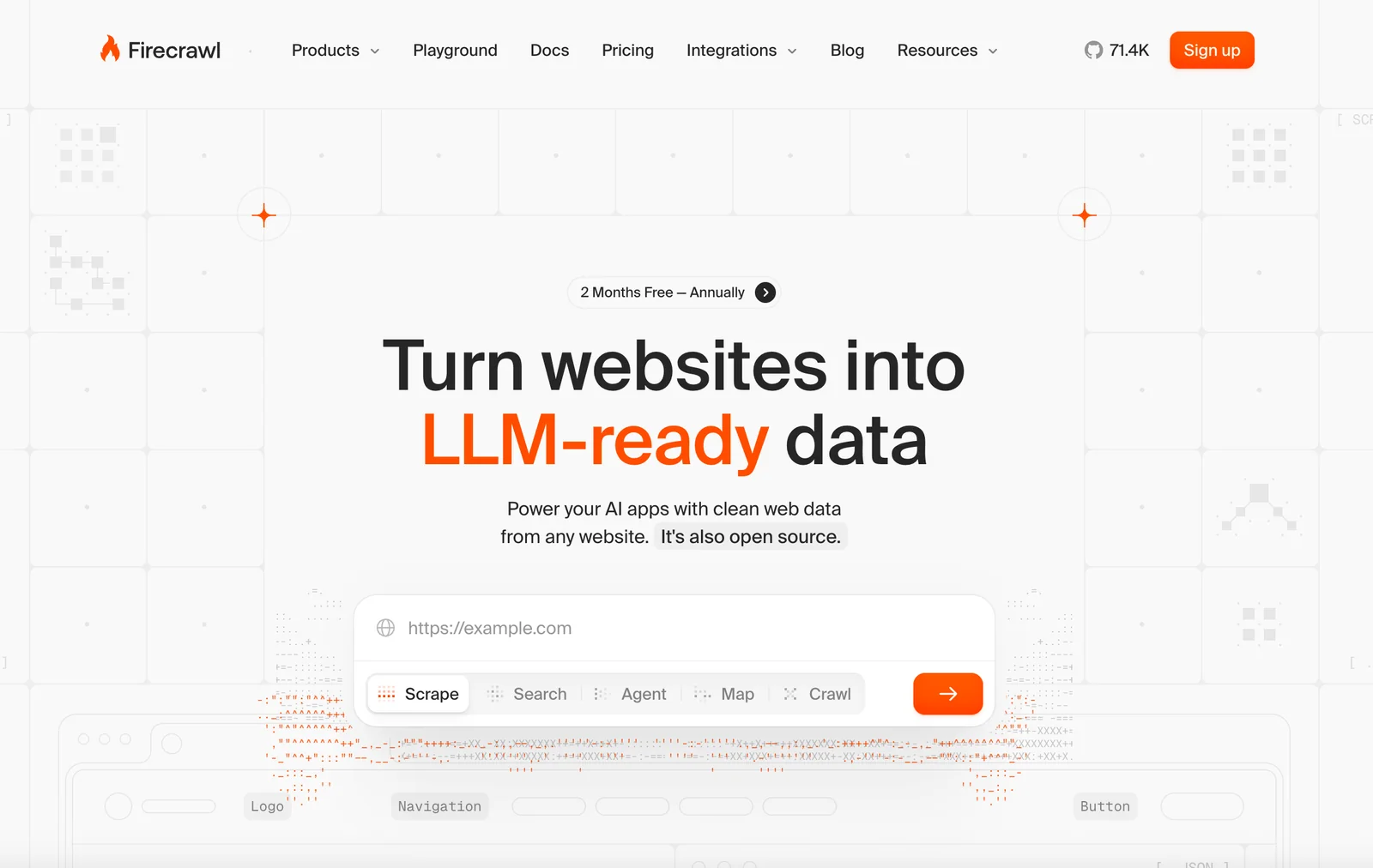
Firecrawl provides a web crawling, scraping, and search API that delivers clean, structured internet data at scale for AI agents and builders. It collects and normalizes web content so it is ready for machine reasoning and integration into agent pipelines. Built for scale, Firecrawl aims to reduce the overhead of data extraction and preprocessing by exposing programmatic access to indexed web content and search results, enabling applications that need up-to-date, structured web knowledge.
Screenshots
Key Features
Use Cases



Frequently asked questions about /agent by Firecrawl
What are the different pricing tiers for /agent by Firecrawl?
/agent by Firecrawl provides a flexible pricing structure that includes a free tier for initial evaluation, pay-as-you-go credit packs for scalable usage, and custom enterprise plans tailored to specific business needs. This model allows users to choose the best option based on their requirements and budget.
Key Points
- Free Tier: Limited credits for evaluation purposes.
- Pay-As-You-Go: Flexible billing based on actual usage.
- Custom Enterprise Plans: Tailored solutions for larger businesses.
Detailed Explanation
Firecrawl's /agent pricing model is designed to accommodate various user needs, making it accessible for individuals and businesses alike.
-
Free Tier: The free tier offers a set number of credits that allow new users to explore the features of /agent without any financial commitment. This is ideal for those who want to test the platform's capabilities before investing.
-
Pay-As-You-Go Model: This option allows users to purchase credit packs as needed, ensuring that you only pay for what you use. This model is particularly beneficial for businesses with fluctuating demands or those who prefer a budget-friendly approach to scaling their usage. For example, you can buy a pack of credits that can be used over several months, adapting your usage as your needs change.
-
Custom Enterprise Plans: For larger organizations with specific requirements, Firecrawl offers custom plans. These plans can include dedicated support, enhanced features, and tailored pricing based on the volume of usage. Companies interested in these options can contact Firecrawl directly for a consultation to discuss their unique needs.
Best Practices / Tips
- Evaluate Your Needs: Before choosing a tier, assess your usage patterns. If you’re new, start with the free tier to gauge your requirements.
- Monitor Usage: Regularly check your credit usage under the pay-as-you-go model to avoid unexpected charges and adjust your purchases accordingly.
- Inquire About Custom Plans: If your business has specific needs, don’t hesitate to reach out for a custom enterprise plan. This could save you money and improve efficiency.
Additional Resources
What key features does /agent by Firecrawl provide for web scraping?
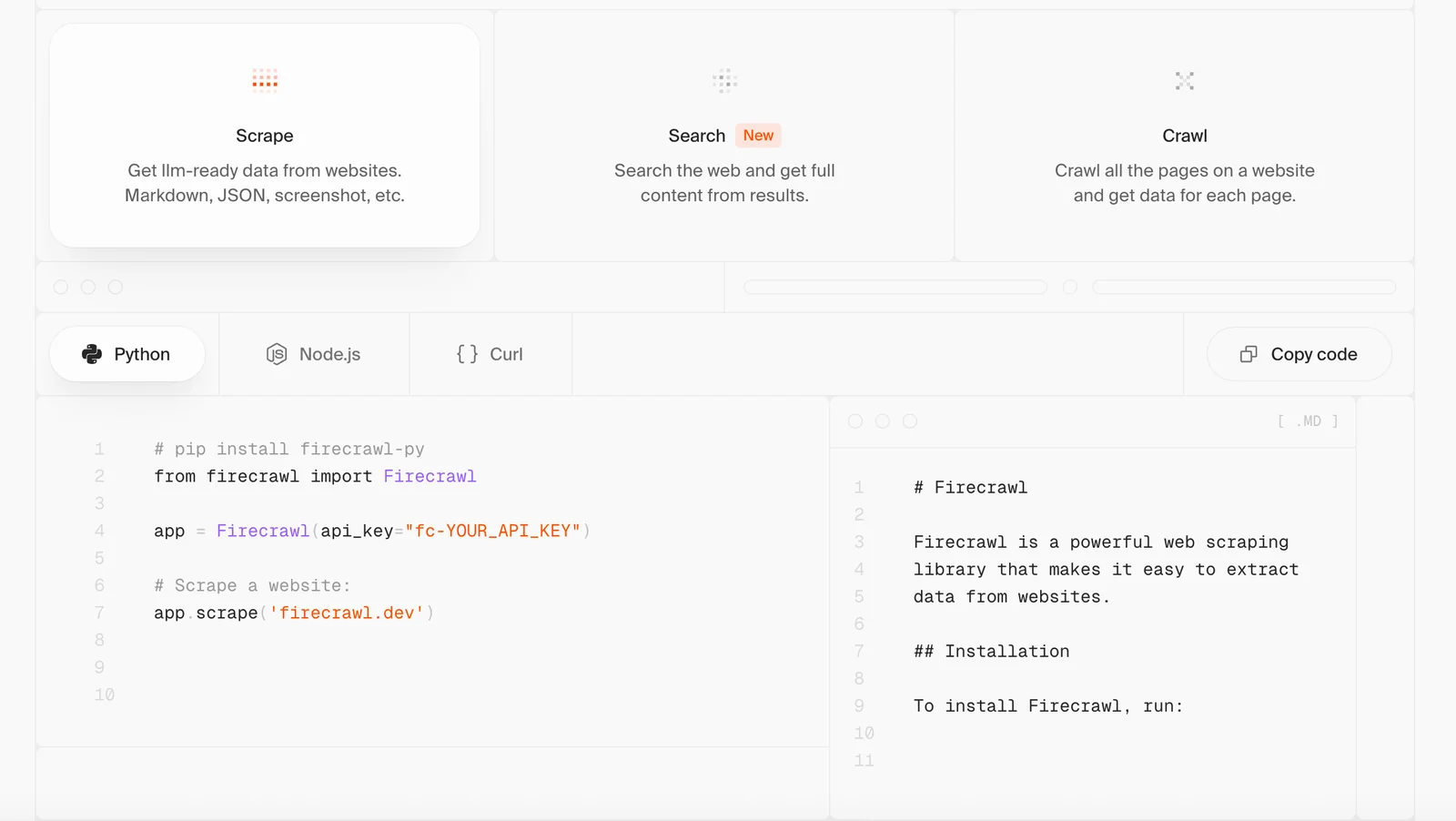
/agent by Firecrawl offers robust web scraping features, including programmatic APIs for seamless crawling, full-text search capabilities, and the generation of clean, structured outputs optimized for AI integration. Its architecture supports high-throughput requests, making it ideal for scalable data extraction projects.
Key Points
- Programmatic APIs: Simplifies web crawling and scraping tasks.
- Full-Text Search: Enhances data retrieval accuracy and efficiency.
- High-Throughput Infrastructure: Supports large-scale data requests effortlessly.
Detailed Explanation
Firecrawl's /agent is an advanced tool tailored for developers and businesses needing efficient web scraping solutions.
1. Programmatic APIs
The programmatic APIs allow users to automate the crawling process. This feature is beneficial for developers who wish to integrate scraping capabilities directly into their applications. For instance, a marketing team can set up automated scraping routines to gather competitor data without manual intervention.
2. Full-Text Search Capabilities
With full-text search capabilities, /agent enables users to perform complex queries on the scraped content. This means users can extract specific information with precision. For example, if you are scraping e-commerce sites, you can directly search for product reviews or pricing details, making data analysis much more straightforward.
3. Clean, Structured Outputs
The outputs generated by /agent are not just raw data; they are clean and structured, ideal for immediate integration with AI tools. This structured format is crucial for machine learning applications, where data quality directly impacts model performance. For example, structured data can be fed into AI algorithms for insights, trend analysis, or predictive modeling.
4. High-Throughput Requests
Designed for high-throughput use, /agent can handle numerous requests simultaneously without compromising performance. This is essential for businesses with large-scale scraping needs, such as those in market research or real-time data analytics. The ability to scale mean you can adapt your scraping efforts as your data needs grow.
Best Practices / Tips
- Start Small: When beginning with web scraping, test your configurations on a small scale to ensure that the parameters work correctly.
- Respect Robots.txt: Always check the target website's robots.txt file to ensure compliance with their scraping policies to avoid legal issues.
- Monitor Performance: Regularly track the performance of your scraping tasks to identify any bottlenecks or failures in real-time.
- Leverage Data Structuring: Use the output structuring capabilities to create easily digestible datasets for further analysis.
Additional Resources
How can I get started using /agent by Firecrawl for my projects?
To get started using /agent by Firecrawl for your projects, sign up for the free tier on their official website, review the API documentation for integration, and begin testing with the available endpoints for web crawling and data scraping.
Key Points
- Sign Up for Free Tier: Access the basic features without any cost.
- Review Documentation: Understand the API and its capabilities thoroughly.
- Test Endpoints: Experiment with provided endpoints to gather data effectively.
Detailed Explanation
To initiate your journey with /agent by Firecrawl, follow these steps:
-
Sign Up for the Free Tier: Visit the Firecrawl website and create an account. The free tier offers essential features that allow you to explore the tool's capabilities without incurring any costs. This is a great way to familiarize yourself with the platform.
-
Explore the API Documentation: After signing up, navigate to the API documentation section. Here, you will find comprehensive guides and resources that explain how to integrate the API into your projects. The documentation covers various aspects, including authentication, request structures, and response formats.
-
Testing with Endpoints: Once you have a good grasp of the API, begin testing the endpoints. Firecrawl provides a set of predefined endpoints that allow you to crawl and scrape web data efficiently. For example, you can use the
GET /crawlendpoint to start a new crawl session and fetch data from specified URLs. -
Monitor and Analyze Results: After executing your crawls, use the data returned by the API to analyze and refine your processes. The insights gained can help inform your project's direction and improve data collection strategies.
Best Practices / Tips
- Start Small: When beginning, focus on a few specific URLs to crawl. This will help you understand the process without overwhelming you.
- Use Rate Limiting: Be aware of the rate limits imposed by the Firecrawl API to avoid interruptions. Consult the documentation for the specific limits.
- Error Handling: Implement error handling in your code to manage issues such as timeouts or invalid requests gracefully.
- Stay Updated: Regularly check the Firecrawl blog or updates section for new features and best practices to enhance your usage.
Additional Resources
- Firecrawl API Documentation
- Firecrawl Blog
- Community Forum for support and tips from other users.
What technical requirements are needed to integrate /agent by Firecrawl into my system?
Integrating /agent by Firecrawl into your system requires a fundamental understanding of APIs and programming. You will need to configure your environment for making HTTP requests and processing JSON responses, which is essential for effectively utilizing the web data provided by Firecrawl.
Key Points
- API Knowledge Required: Familiarity with APIs is crucial.
- Environment Setup: Proper configuration for HTTP requests is necessary.
- JSON Handling: Ability to process JSON responses effectively.
Detailed Explanation
To successfully integrate /agent by Firecrawl, start by ensuring you have a solid grasp of API concepts. This involves understanding how to send requests and handle responses. Here’s a step-by-step guide:
-
Environment Setup:
- Choose a programming language that supports HTTP requests, such as Python, JavaScript, or Ruby.
- Install necessary libraries or packages. For example, in Python, you might use
requestsfor HTTP calls.
-
Making HTTP Requests:
- Use the appropriate HTTP methods (GET, POST) as defined in Firecrawl's API documentation.
- Here’s a basic example in Python:
import requests

response = requests.get('https://api.firecrawl.com/agent')
data = response.json()
-
Handling JSON Responses:
- After making a request, you will receive a JSON response. Familiarize yourself with the structure of this data.
- Extract relevant information based on your needs:
results = data['results']
for result in results:
    print(result['field_name'])
-
Testing Your Integration:
- Before deploying your integration, test it thoroughly to ensure it behaves as expected.
- Use tools like Postman to make test requests and visualize responses.
Best Practices / Tips
- Documentation: Always refer to the official Firecrawl documentation for the latest updates and examples.
- Error Handling: Implement error handling in your code to manage API rate limits and unexpected responses.
- Debugging: Use logging to debug your requests and responses, which can help identify issues during integration.
- Performance Optimization: Consider caching responses locally to reduce the number of API calls and improve performance.
Additional Resources
How does /agent by Firecrawl compare to other web scraping tools?
/agent by Firecrawl excels in web scraping by providing clean, structured data outputs and a scalable infrastructure. Unlike many competitors, it integrates AI for enhanced data extraction and offers flexible pricing, making it a compelling choice for businesses of all sizes seeking efficient web scraping solutions.
Key Points
- AI Integration: Firecrawl utilizes artificial intelligence for smarter data extraction.
- Scalability: Easily adjusts to varying data extraction needs as your business grows.
- Flexible Pricing: Offers competitive pricing plans suitable for different user requirements.
Detailed Explanation
Firecrawl's /agent is designed to address common challenges in web scraping. Its AI-driven algorithms enable it to adapt to changes in website structures, ensuring data accuracy and relevancy. For example, if a target site alters its HTML, Firecrawl can automatically adjust to continue extracting the necessary data without manual intervention.
In contrast, many traditional web scraping tools require constant updates and manual coding to maintain functionality. This can lead to increased downtime and costs. Firecrawl's focus on automated adaptations saves users both time and resources.
Moreover, the platform's flexible pricing structures cater to various business sizes, from startups needing basic scraping capabilities to enterprises requiring extensive data extraction across multiple sites. This adaptability enhances accessibility, allowing more organizations to leverage web scraping without breaking the bank.
Best Practices / Tips
- Identify Your Needs: Determine what data you require and how often you need it scraped.
- Leverage AI Features: Utilize Firecrawl’s AI capabilities to automate repetitive tasks and improve efficiency.
- Monitor Changes: Regularly review your scraping tasks to adapt to any changes in website layouts or structures.
- Test Before Committing: Take advantage of trial periods to ensure that Firecrawl meets your specific scraping needs before investing.
Additional Resources
Explore more AI Ai Tools tools
Browse all Ai Tools tools →Compare /agent by Firecrawl: vs UseIt Studio · vs Woven Video · vs Sorcerer · vs Praex