
Zep
AIContext engineering platform providing long-term memory, temporal knowledge graphs, Graph RAG, and automated context assembly for AI agents.
Zep
Context engineering platform providing long-term memory, temporal knowledge graphs, Graph RAG, and automated context assembly for AI agents.
About Zep
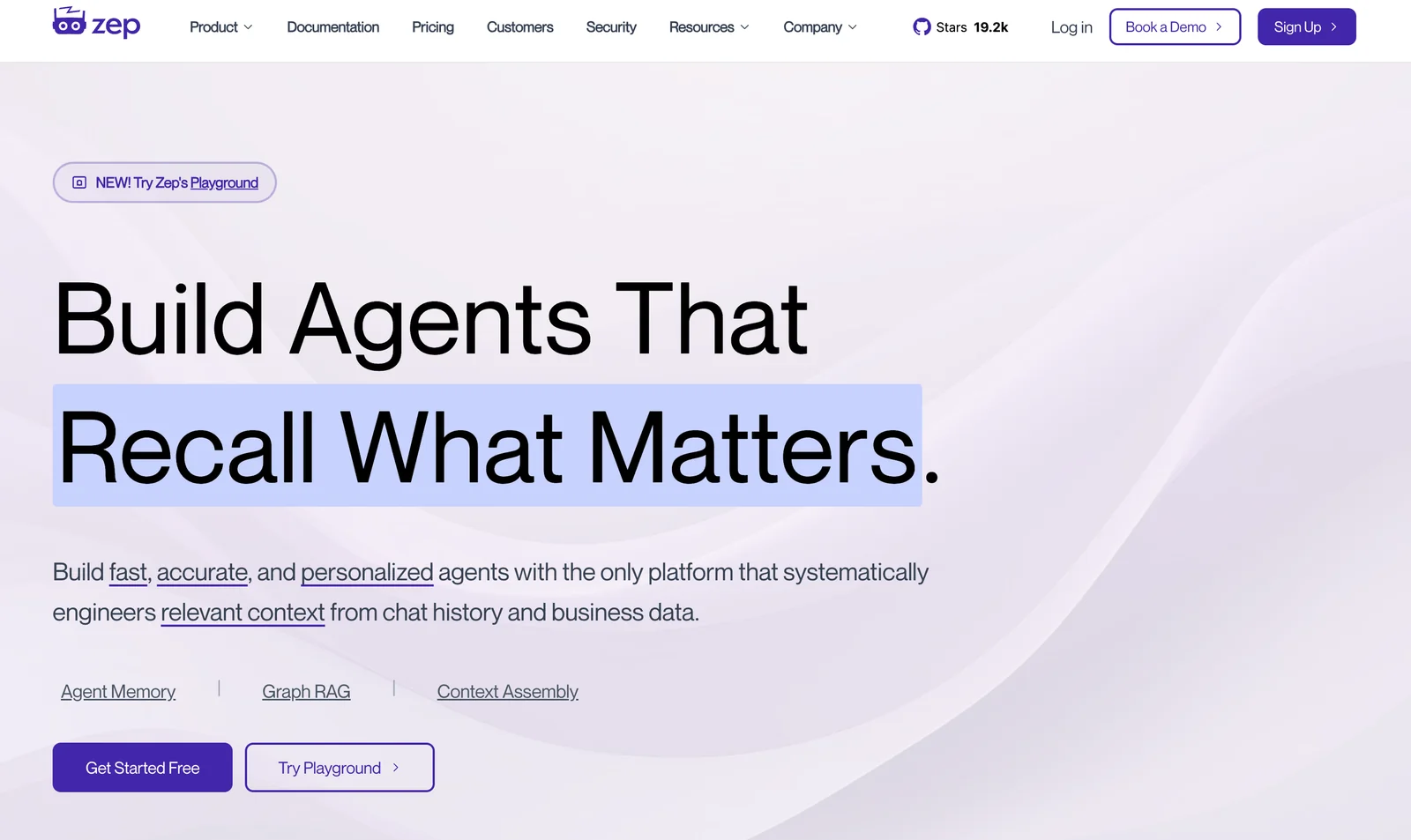
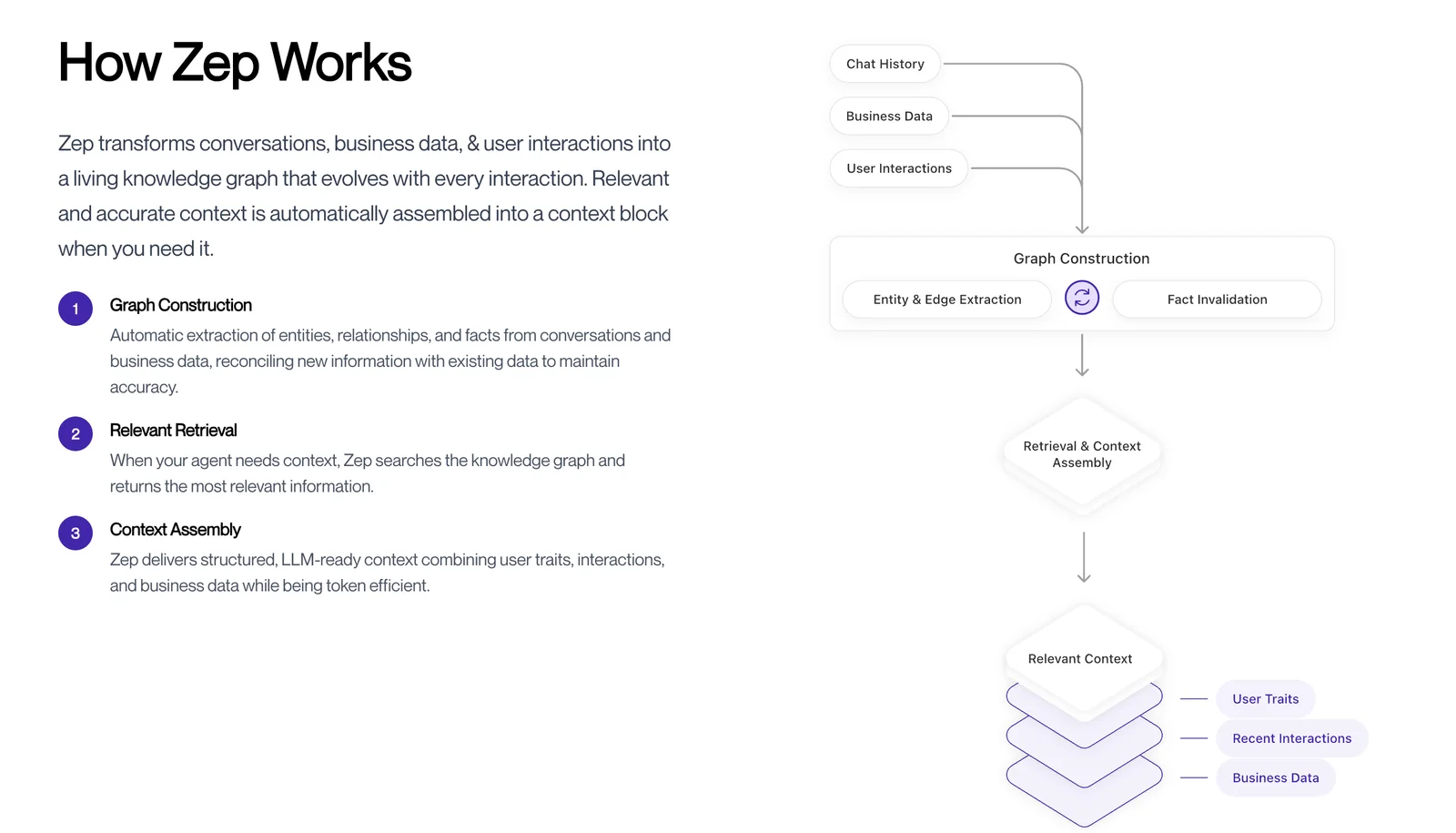
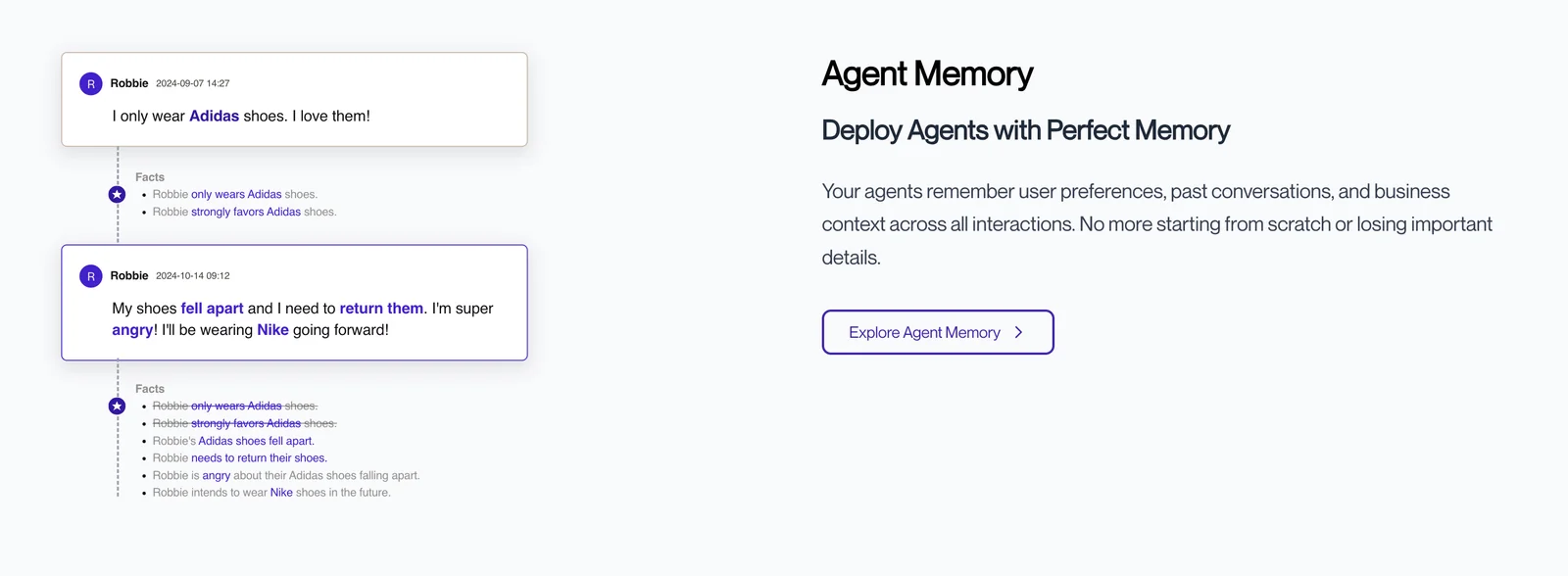
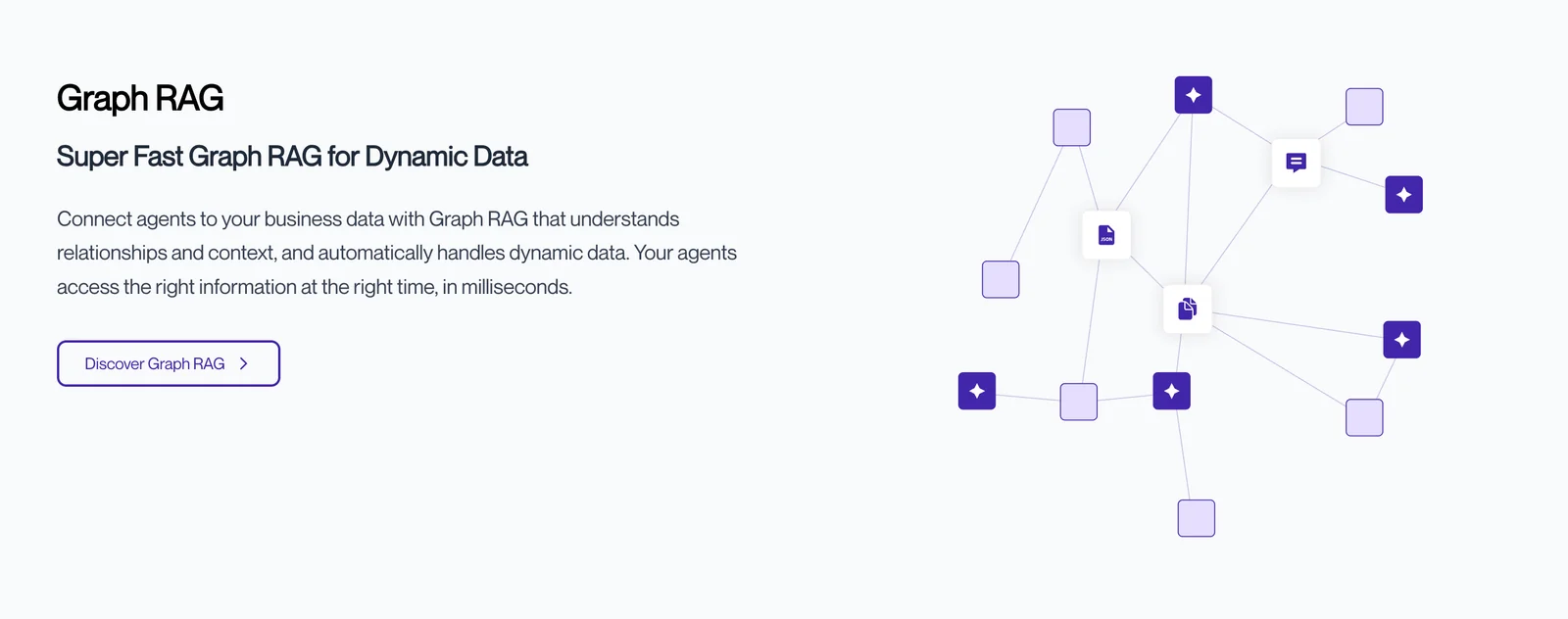
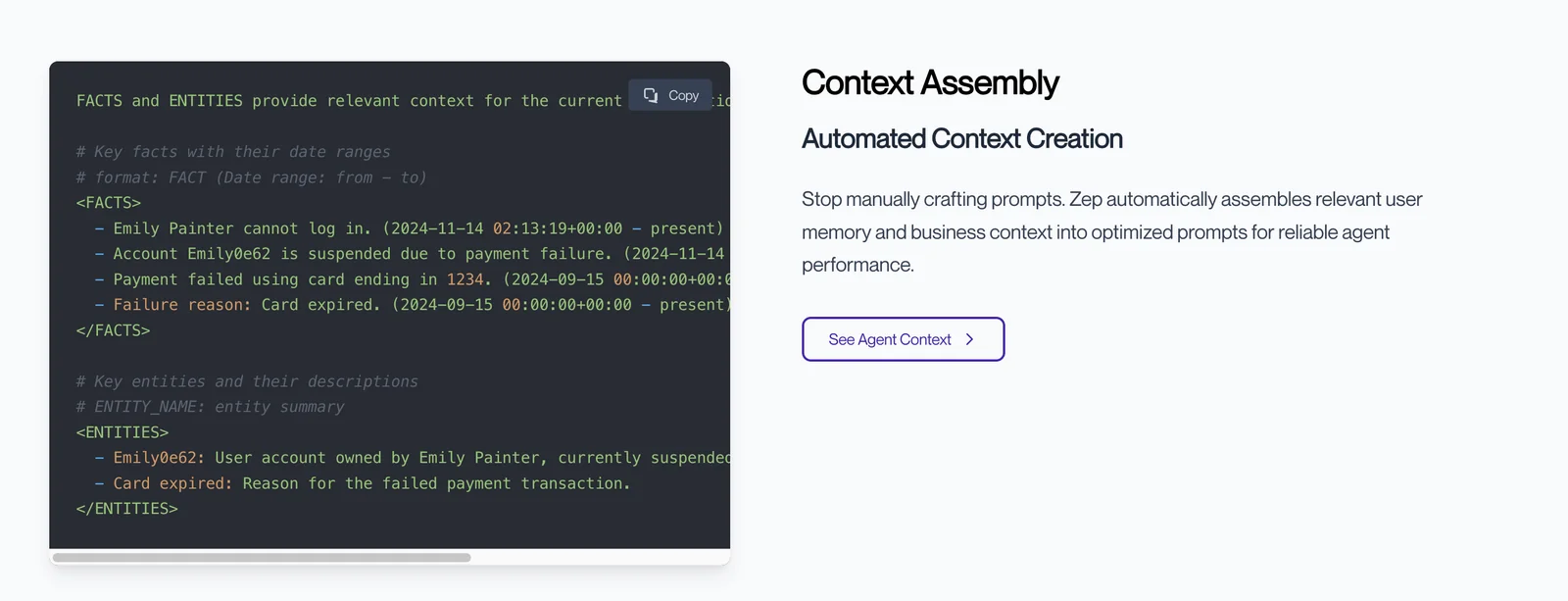
Zep is a context engineering and long-term memory platform that lets AI assistants persist, recall, and reason over past conversations and business data. It automatically generates summaries and artifacts from chat history, embeds messages and summaries for vector search, and constructs a temporal knowledge graph (Graphiti) to track state changes over time. Zep processes memory operations asynchronously to avoid impacting chat latency, offers SDKs for multiple languages, and is available as an open-source community edition plus a managed Zep Cloud service with additional features like dialog classification and structured data extraction. The platform is designed to reduce hallucinations, lower retrieval latency and cost, and enable more intentional prompt construction and personalized agent behavior.
Screenshots
Key Features
Use Cases



Frequently asked questions about Zep
Is there a free version of Zep available?
Yes, Zep offers a free Community Edition that developers can use without any costs. This edition allows users to self-host and access various open-source components, making it an excellent choice for those looking to explore Zep's capabilities without financial commitment.
Key Points
- Community Edition: Free version available for self-hosting.
- Open-Source Components: Access to various tools and libraries.
- Developer-Friendly: Ideal for testing and development purposes.
Detailed Explanation
Zep’s Community Edition is designed specifically for developers who want to experiment with the platform and its features at no cost. This free version allows users to explore Zep's functionalities, such as data management, analytics, and integration capabilities, without needing to invest in a paid plan upfront.
Use Cases
- Personal Projects: Developers can use the Community Edition for personal or educational projects, allowing them to learn and develop their skills.
- Prototyping and Testing: Ideal for creating prototypes or testing applications before committing to a full-scale implementation.
- Open Source Contributions: Users can contribute to the open-source components, enhancing the platform and collaborating with other developers.
Installation and Setup
To get started with the Community Edition, follow these steps:
- Download the Software: Visit the Zep official website to download the Community Edition.
- Self-Host: Set up your server environment according to the provided documentation.
- Explore Features: Utilize the open-source libraries available to integrate various functions into your applications.
Best Practices / Tips
- Stay Updated: Regularly check for updates or patches to ensure you are using the latest version of the Community Edition.
- Engage with the Community: Join forums or discussion groups to share experiences and troubleshoot issues with other users.
- Document Your Progress: Keep records of your projects and any custom configurations you make, which can be helpful for future reference.
Additional Resources
By utilizing the Community Edition, developers gain a valuable opportunity to familiarize themselves with Zep while contributing to the open-source ecosystem, without incurring any financial cost.
What are the main features of Zep's AI models?
Zep's AI models feature persistent long-term memory, temporal knowledge graphs, asynchronous summaries, and document collections. These capabilities significantly enhance conversational experiences by improving context awareness and enabling more dynamic interactions with users.
Key Points
- Persistent Long-Term Memory: Allows the AI to remember previous interactions.
- Temporal Knowledge Graphs: Organizes information by time, providing contextually relevant responses.
- Asynchronous Summaries: Generates concise summaries of conversations or documents for quick reference.
Detailed Explanation
Zep's AI models are designed to revolutionize user interactions through advanced features:
-
Persistent Long-Term Memory: This feature enables the AI to retain information over time, allowing for more personalized and contextually relevant interactions. For example, if a user frequently discusses specific topics, the AI can recall these preferences in future conversations, enhancing user satisfaction.
-
Temporal Knowledge Graphs: By structuring information chronologically, temporal knowledge graphs help the AI understand the timeline of events or topics. This is particularly useful in scenarios like project management or historical data analysis, where knowing the sequence of events is crucial for accurate responses.
-
Asynchronous Summaries: This functionality allows the AI to summarize conversations or document collections efficiently. For instance, after a lengthy discussion, the AI can provide a quick recap, helping users to focus on key points and decisions without sifting through all previous messages.
-
Document Collections: Zep's AI can manage and retrieve information from various document collections, making it easier for users to access relevant data during conversations. This feature is especially beneficial in customer support, where agents can quickly reference user manuals or FAQs.
Best Practices / Tips
- Utilize Long-Term Memory: Encourage users to provide feedback to maximize the AI's memory capabilities. This will improve future interactions.
- Leverage Temporal Knowledge Graphs: When designing applications, consider how users might benefit from chronological data visualization, especially in fields like finance or project management.
- Encourage Summary Requests: Users should be encouraged to request summaries at any point in a conversation to ensure they stay on track and focused on important details.
Additional Resources
How do I get started with Zep?
To get started with Zep, simply download the Community Edition for self-hosting or sign up for Zep Cloud, which offers managed services. For detailed instructions and guidance, visit the official Zep website to choose the best option that suits your needs.
Key Points
- Community Edition: Ideal for self-hosting and flexibility.
- Zep Cloud: Managed services for ease of use.
- Official Documentation: Provides step-by-step guidance.
Detailed Explanation
Getting started with Zep is straightforward.
-
Community Edition:
- Download the Community Edition if you prefer to self-host. This option offers flexibility in customization and control over your environment. You can run it on a local server or a cloud instance of your choice.
- Visit Zep's official website to find system requirements, installation instructions, and configuration options tailored for various operating systems.
-
Zep Cloud:
- If you prefer a hassle-free setup, consider signing up for Zep Cloud. This managed service allows you to leverage Zep's features without worrying about infrastructure management.
- Simply create an account, choose a subscription plan that meets your needs, and follow the prompts to set up your workspace. Pricing for Zep Cloud varies based on the features and user capacity you require.
-
Official Documentation:
- The documentation is comprehensive and includes tutorials, FAQs, and troubleshooting tips. It's an invaluable resource for both new and experienced users.
Best Practices / Tips
- Evaluate Your Needs: Before choosing between Community Edition and Zep Cloud, assess your technical expertise and the resources available to you.
- Regular Updates: Keep your Zep installation updated to access new features and security patches.
- Explore Tutorials: Familiarize yourself with Zep’s functionalities through tutorials available on the official site to maximize your productivity.
Additional Resources
Does Zep provide an API for integration?
Yes, Zep provides API access for both the Community Edition and Zep Cloud. Developers can utilize Software Development Kits (SDKs) available for Python, TypeScript/JavaScript, and Go, which streamline the integration process and enhance functionality within applications.
Key Points
- API Access: Available for Community Edition and Zep Cloud.
- SDK Availability: Supports Python, TypeScript/JavaScript, and Go.
- Integration Flexibility: Facilitates seamless app integration for various use cases.
Detailed Explanation
Zep's API allows developers to programmatically interact with its features, enabling custom integrations and automations. Whether using the Community Edition or the Zep Cloud, the API provides a consistent interface for accessing Zep's functionalities.
API Features
- Authentication: Secure API access is facilitated through token-based security, ensuring that your applications communicate safely with Zep.
- Data Management: The API supports operations like creating, reading, updating, and deleting data, making it versatile for various applications.
- Real-time Updates: Webhooks can be utilized to receive real-time updates from Zep, enhancing the responsiveness of integrated applications.
Example Use Cases
- Automated Reporting: Use the API to generate reports automatically based on data from Zep, reducing manual effort.
- Custom Dashboards: Integrate Zep data into existing dashboards to provide a unified view of your analytics.
- Workflow Automation: Utilize the API to trigger workflows in other applications based on events from Zep.
For example, a company could build a Python application using Zep's SDK to manage customer interactions, pulling data from Zep to analyze engagement levels and automate follow-up actions.
Best Practices / Tips
- Explore Documentation: Familiarize yourself with Zep's API documentation for detailed guidance and examples.
- Use SDKs: Leverage the available SDKs to save time and reduce errors in your code.
- Rate Limiting: Be aware of rate limits to avoid service interruptions and ensure smooth performance.
- Error Handling: Implement robust error handling in your application to manage API call failures gracefully.
Additional Resources
- Zep API Documentation
- Zep SDKs on GitHub
- Community Forums for support and shared use cases
How does Zep compare to other AI context engineering tools?
Zep distinguishes itself from other AI context engineering tools by offering unique features such as persistent memory, temporal knowledge graphs, and automated context assembly. These capabilities enhance personalized AI applications, enabling more effective data utilization and tailored user interactions compared to its competitors.
Key Points
- Persistent Memory: Retains user interactions over time for improved personalization.
- Temporal Knowledge Graphs: Organizes information in a time-sensitive manner to enhance contextual relevance.
- Automated Context Assembly: Streamlines data integration for dynamic user experiences.
Detailed Explanation
Zep's persistent memory feature allows it to remember past interactions with users, providing a foundation for personalized experiences. For instance, if a user frequently asks about specific topics, Zep can prioritize relevant information and suggest content tailored to their interests. This capability contrasts sharply with many traditional AI tools that lack ongoing memory.
The temporal knowledge graph feature organizes data around time, enabling Zep to deliver contextually relevant information based on recent events or user queries. For example, if a user inquires about the latest trends in AI, Zep can access and present information that reflects the most current developments, rather than relying on static or outdated datasets.
Automated context assembly simplifies the integration of various data points, making it easier for developers to create applications that respond dynamically to user inputs. This feature is particularly beneficial in sectors like e-commerce, where understanding user preferences in real-time can significantly enhance the shopping experience.
Best Practices / Tips
- Utilize Persistent Memory: Encourage users to create profiles to maximize the effectiveness of persistent memory. This leads to richer interactions over time.
- Leverage Temporal Knowledge Graphs: Regularly update your data sources to ensure that the temporal knowledge graph remains relevant and accurate.
- Optimize Context Assembly: Ensure that your data is well-structured before integrating it into Zep to improve the speed and efficiency of context assembly.
Additional Resources
Explore more AI Ai Tools tools
Browse all Ai Tools tools →Browse by use case: Automation & Productivity
Compare Zep: vs UseIt Studio · vs Woven Video · vs Sorcerer · vs Praex