
Waver AI
AIText-to-video and image-to-video generator producing cinematic 1080p videos with advanced motion modeling.
Waver AI
Text-to-video and image-to-video generator producing cinematic 1080p videos with advanced motion modeling.
About Waver AI
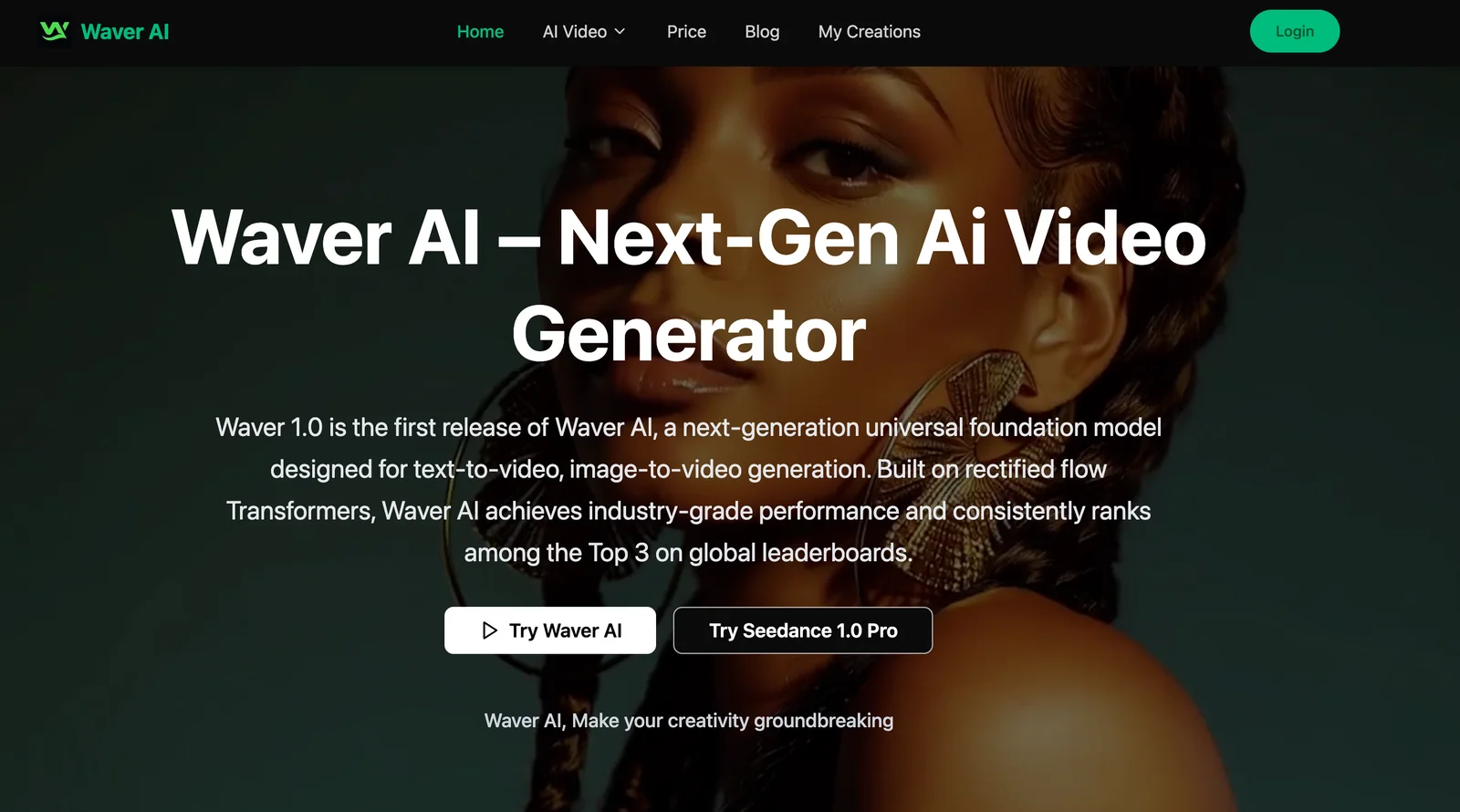
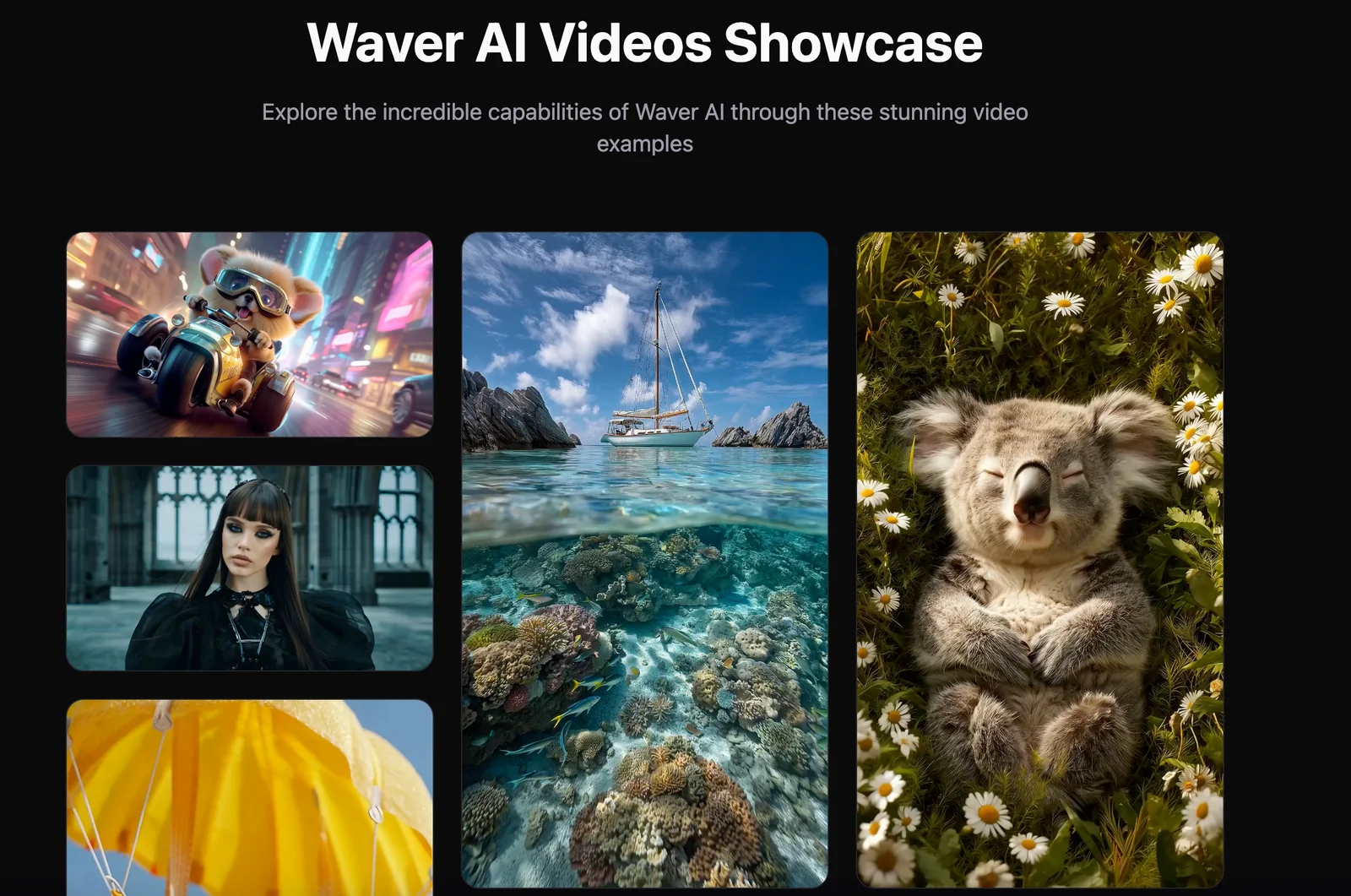
Waver AI (Waver 1.0) is a next-generation text-to-video and image-to-video tool that transforms written prompts and images into high-quality, cinematic videos. The platform emphasizes 1080p output and advanced motion modeling to produce smooth, realistic movement and visually polished results. It targets creators, marketers, and filmmakers who need fast prototyping and production of video content from text or static imagery.
Screenshots
Key Features
Use Cases



Frequently asked questions about Waver AI
What are the pricing options for Waver AI?
Waver AI offers a FREEMIUM pricing model, allowing users to access basic features like text-to-video and image-to-video generation for free. For advanced capabilities, paid plans are available, including Starter, Basic, Professional, and custom options, though specific pricing details are not publicly disclosed.
Key Points
- FREEMIUM Model: Free access to basic features.
- Paid Plans: Options include Starter, Basic, Professional, and Custom.
- Pricing Transparency: Specific costs not publicly available.
Detailed Explanation
Waver AI provides a user-friendly platform for creating engaging video content from text and images. The FREEMIUM model allows users to explore basic functionalities without any financial commitment. This is ideal for individuals or small businesses looking to experiment with AI-generated videos.
Paid Plans Overview
- Starter Plan: Designed for beginners, offering essential features to create simple videos.
- Basic Plan: More advanced tools and capabilities, suitable for small teams or content creators.
- Professional Plan: Comprehensive features for larger organizations or professional content production.
- Custom Plan: Tailored solutions for enterprises with specific needs, requiring direct consultation with Waver AI.
While Waver AI does not publicly disclose pricing, potential users can typically expect tiered pricing based on feature sets and usage limits. For those interested in leveraging AI for video production, contacting Waver AI directly for personalized quotes is recommended.
Best Practices / Tips
- Explore the Free Plan: Use the FREEMIUM model to familiarize yourself with the platform before committing financially.
- Assess Your Needs: Determine which plan aligns with your content creation goals to avoid overspending.
- Contact for Custom Solutions: If your requirements are unique, reach out for a custom plan that fits your exact needs.
Additional Resources
- Waver AI Official Website - Access detailed information about features and plans.
- Waver AI Help Center - Find guides and FAQs for assistance.
- Video Marketing Strategies - Explore effective strategies for using AI-generated videos in marketing.
What features does Waver AI provide for video generation?
Waver AI offers robust features for video generation, including text-to-video creation, image-to-video transformation, cinematic 1080p output, and advanced motion modeling. Users can seamlessly create videos from text prompts or animate images, delivering high-quality, engaging results suitable for various applications.
Key Points
- Text-to-Video Generation: Create videos directly from written prompts.
- Image-to-Video Transformation: Animate static images into dynamic videos.
- Cinematic Quality: Output videos in high-definition 1080p for professional use.
Detailed Explanation
Waver AI's capabilities enable users to transform their creative ideas into stunning videos swiftly.
-
Text-to-Video Generation: This feature allows users to input text prompts, which the AI then interprets to create corresponding video content. For instance, a user might input a script or a brief description of an event, and Waver AI will generate a video that illustrates this narrative. This is particularly useful for marketers, educators, and content creators looking to convey information visually.
-
Image-to-Video Transformation: Users can upload static images and leverage Waver AI's motion modeling technology to create engaging animations. This feature is ideal for enhancing presentations, social media content, or promotional materials by adding movement to otherwise static visuals, thus capturing audience attention more effectively.
-
Cinematic Quality: Waver AI outputs videos in 1080p resolution, ensuring that the final product is not only visually appealing but also suitable for professional-grade applications. This high-definition output makes it perfect for various platforms, including YouTube, Instagram, and corporate websites.
Best Practices / Tips
- Use Clear Prompts: When using the text-to-video feature, provide clear and detailed prompts to ensure the AI-generated video closely aligns with your vision.
- Optimize Images: For the image-to-video transformation, use high-resolution images to enhance the final animation quality.
- Experiment with Styles: Waver AI may offer different styles or templates; experimenting with these can help create unique and engaging videos that stand out.
Additional Resources
How do I get started with Waver AI for creating videos?
To get started with Waver AI for creating videos, visit the official website, sign up for a free account, and familiarize yourself with the user interface. You can then generate videos by entering text prompts or uploading images, allowing for a seamless creative process.
Key Points
- Sign up for a free Waver AI account.
- Explore the user-friendly interface.
- Enter text prompts or upload images to create videos.
Detailed Explanation
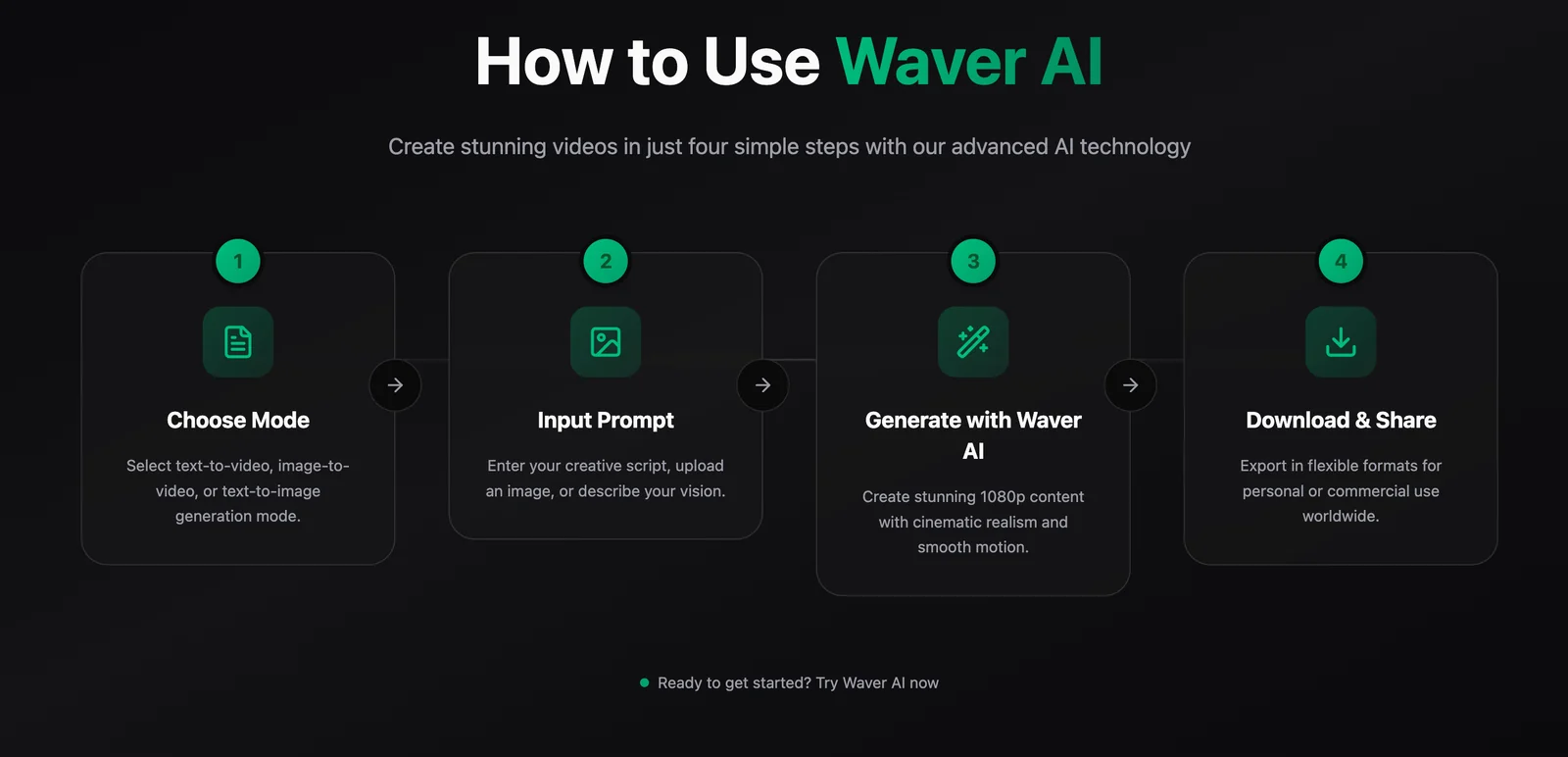
Waver AI is a powerful tool designed for video creation using AI technology. To begin, follow these steps:
-
Sign Up: Go to the Waver AI official website and click on the "Sign Up" button. You can create a free account by providing your email and a password. This allows you to access all the basic features without any cost.
-
Explore the Interface: Once signed in, take some time to navigate the dashboard. Familiarize yourself with the layout, as it’s designed to be intuitive. Look for sections like "Create New Video," "Templates," and "My Projects."
-
Input Content:
- Text Prompts: Start by entering a text prompt that describes the video you wish to create. For example, type "A motivational video about success" to see how Waver AI generates relevant visuals and audio.
- Upload Images: Alternatively, you can upload images that resonate with your concept. The AI will analyze these images to create a cohesive video.
-
Editing and Customization: After generating your video, use the editing tools to add music, adjust timings, and incorporate transitions. Waver AI allows for significant customization to ensure your video meets your vision.
-
Export and Share: Once satisfied with your creation, export your video in the desired format and resolution. You can then share it on social media, websites, or other platforms.
Best Practices / Tips
- Be Specific: When entering text prompts, be as specific as possible to achieve the desired results. For example, instead of "nature," try "a serene forest with a flowing stream."
- Use High-Quality Images: If uploading images, ensure they are high-resolution to maintain video quality.
- Experiment with Templates: Waver AI offers various templates. Utilize these to save time and gain inspiration for your video projects.
- Review Video Length: Keep your videos concise, ideally between 1-3 minutes, to maintain viewer engagement.
Additional Resources
- Waver AI Documentation: Access detailed guides and tutorials.
- Waver AI YouTube Channel: Find video tutorials and user showcases.
- Waver AI Community Forum: Engage with other users for tips and troubleshooting.
Does Waver AI offer an API for integration with other applications?
Currently, Waver AI does not offer a publicly accessible API for integration with other applications. Users interested in implementing advanced features or custom integrations should reach out to Waver AI support for tailored solutions and guidance.
Key Points
- Waver AI lacks a public API for third-party integration.
- Custom solutions may be available upon request.
- Contacting support is essential for advanced implementations.
Detailed Explanation
Waver AI is a powerful tool for various applications, but as of now, it does not provide a public API that developers can use for seamless integration with other platforms. This limitation means that direct access to Waver AI's functionalities through external applications is not currently possible.
For businesses or developers looking to utilize Waver AI's capabilities in a more integrated manner, it is recommended to reach out directly to their support team. They may offer custom integration solutions based on specific use cases or business needs. This approach allows for flexibility, as the support team can provide tailored advice and potential workarounds.
For instance, if your organization requires data analysis from Waver AI to be fed into a customer relationship management (CRM) system, the support team can explore options that align with your technical requirements.
Best Practices / Tips
- Contact Support Early: If you foresee a need for integration, reach out to Waver AI's customer support as early as possible to discuss your requirements.
- Document Your Needs: Prepare a clear outline of your desired integration features and functionalities. This will help the support team understand your needs better and propose custom solutions more effectively.
- Stay Updated: Keep an eye on Waver AI’s official announcements or documentation for any future developments regarding API availability or integration capabilities.
Additional Resources
By staying informed and proactive, you can maximize the potential of Waver AI for your application's unique needs.
How does Waver AI compare with other video generation tools?
Waver AI distinguishes itself from other video generation tools through its advanced motion modeling and high-quality cinematic 1080p video output. While it offers unique features, users should consider its pricing transparency and specific feature limitations compared to competitors to ensure it meets their individual needs.
Key Points
- Advanced Motion Modeling: Waver AI excels in creating realistic animations and movements.
- Cinematic Quality: It generates high-resolution 1080p videos, ideal for professional use.
- Pricing and Features: Transparency in pricing and feature limitations may differ from other tools.
Detailed Explanation
Waver AI leverages sophisticated algorithms to produce videos that mimic real-life motion, a feature that sets it apart from many competitors like Lumen5 or InVideo. This advanced motion modeling allows creators to generate engaging and dynamic content that captures audience attention effectively.
Additionally, Waver AI's ability to render cinematic 1080p videos makes it suitable for various applications, from marketing campaigns to social media content. Users can create visually stunning videos that maintain high fidelity, enhancing their brand's professional image.
However, potential users should carefully evaluate Waver AI against competitors. For instance, tools like Pictory or Animoto may offer different pricing structures or additional features that could be more aligned with specific project requirements. It's vital to assess what features are most important for your needs, such as customization options or ease of use.
Best Practices / Tips
- Evaluate Your Needs: Before choosing Waver AI, determine what features are essential for your projects, such as animation capabilities or video quality.
- Compare Pricing: Look for transparent pricing models and consider whether subscription plans or one-time purchases are more beneficial for your situation.
- Test the Platform: Utilize free trials or demos when available to test Waver AI's capabilities and see if they align with your expectations.
Additional Resources
Explore more AI Ai Tools tools
Browse all Ai Tools tools →Browse by use case: Video Generation
Compare Waver AI: vs CleanSlop · vs Kalender Sync · vs UseIt Studio · vs Woven Video