

Vespa
AIOpen SourceOpen-source big data serving engine for low-latency structured, text and vector search, ranking and real-time decisioning at scale.
Vespa
Open-source big data serving engine for low-latency structured, text and vector search, ranking and real-time decisioning at scale.
About Vespa
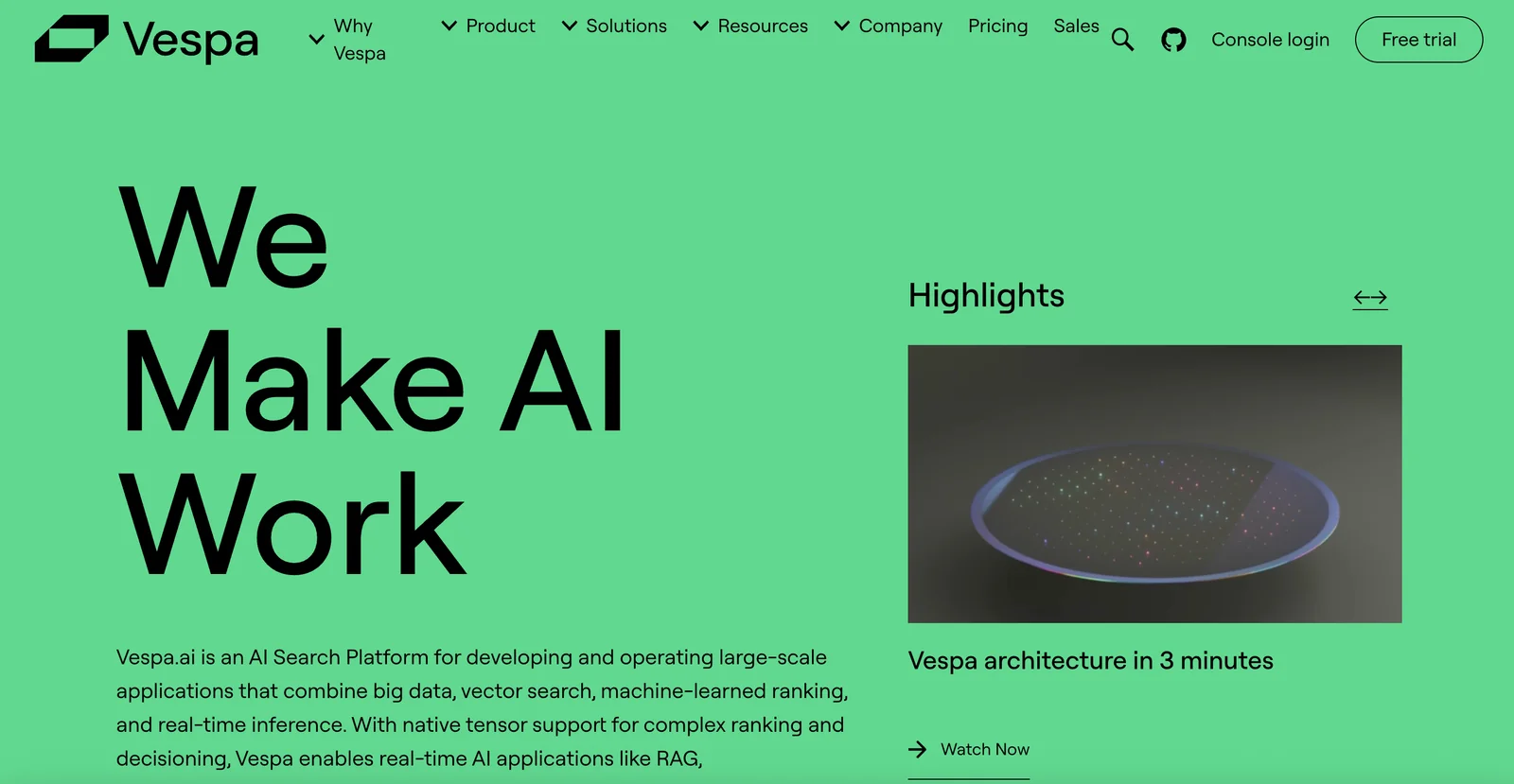
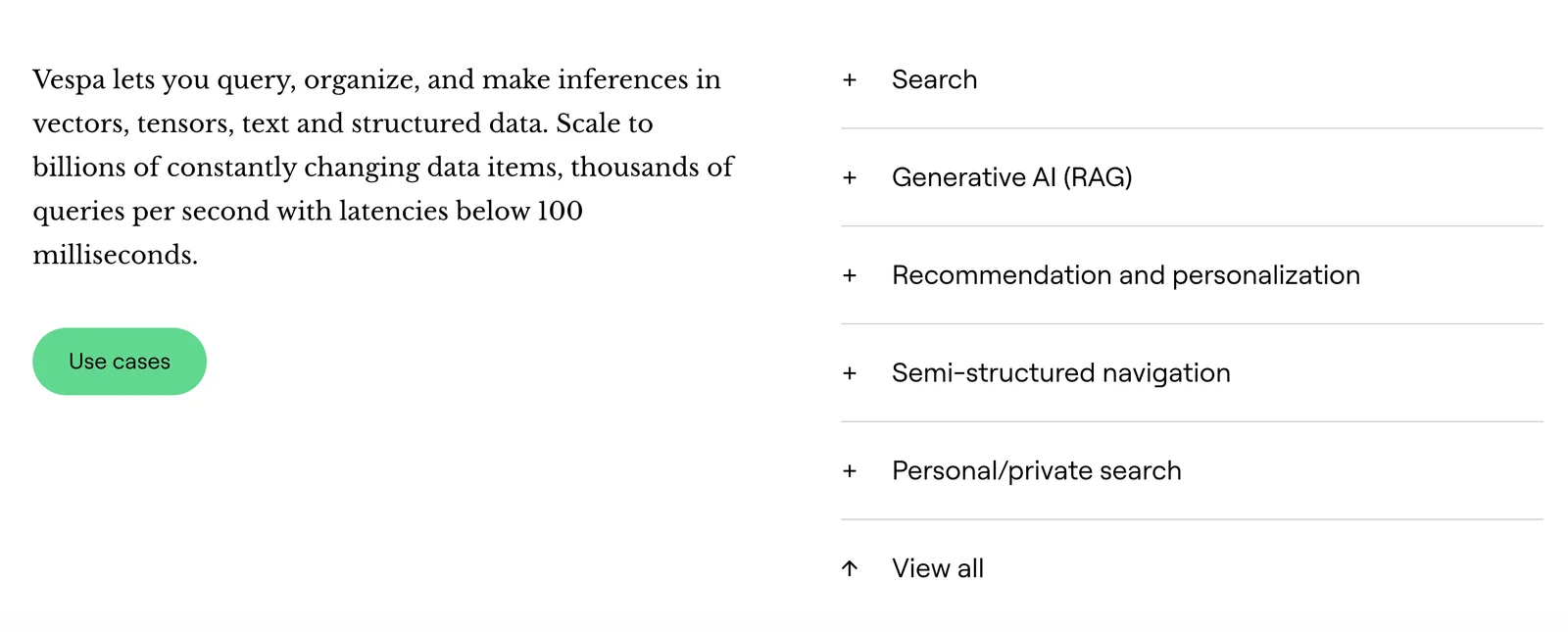
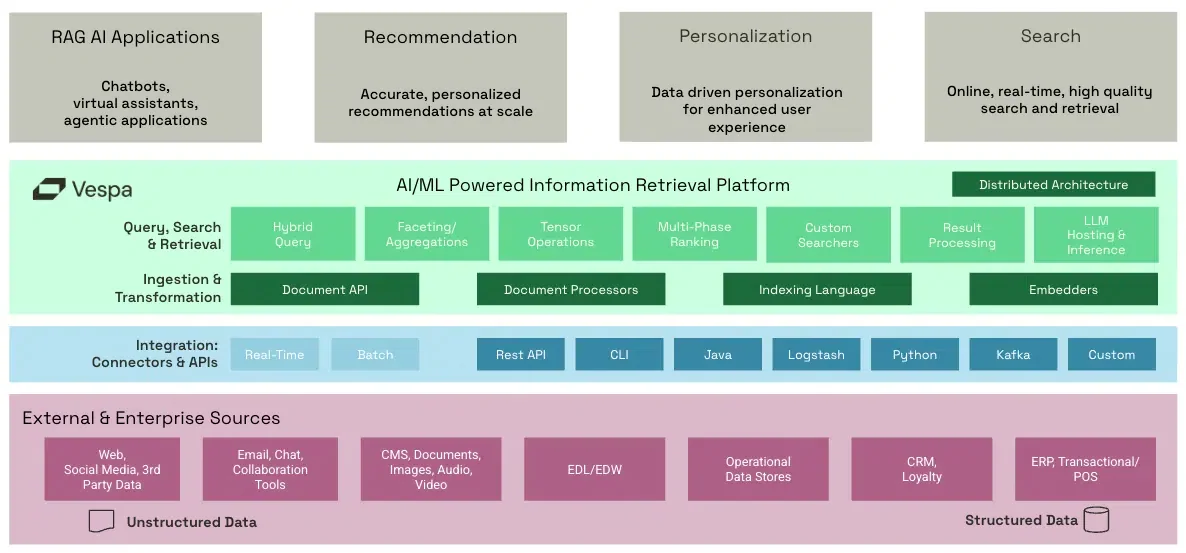
Vespa is an open-source big data serving engine that enables low-latency computation over large structured, text and vector datasets at user-serving time. It provides storage, retrieval, ranking and real-time computation so applications can perform relevance ranking, personalization, recommendations and real-time decisioning at scale. Vespa can be self-hosted under an Apache 2.0 license or consumed as a serverless managed service (Vespa Cloud); it also offers SDKs and APIs (including pyvespa) for deployment, prototyping and integration with ML/embedding workflows. The platform is optimized for production-grade performance, tight relevance control and streaming retrieval patterns used in retrieval-augmented generation (RAG) and large-scale search applications.
Screenshots
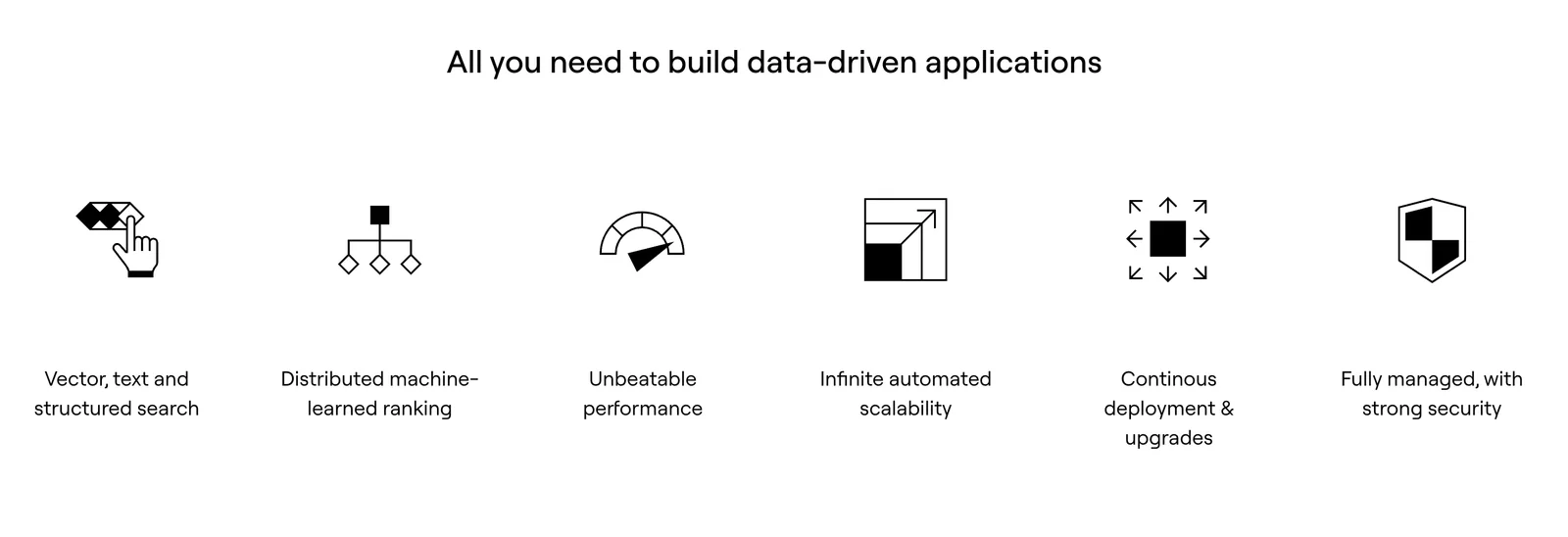
Key Features
Use Cases



Frequently asked questions about Vespa
What are the pricing options for Vespa?
Vespa offers multiple pricing options, including a free self-hosted version under Apache 2.0, a free trial for Vespa Cloud, and custom pricing for managed services. The usage-based pricing for Vespa Cloud starts at $2 per hour, making it flexible for various business needs.
Key Points
- Self-hosted Version: Free under Apache 2.0 license.
- Vespa Cloud Trial: Free trial available with usage-based pricing.
- Managed Services: Custom pricing tailored to specific requirements.
Detailed Explanation
Vespa provides a flexible pricing structure suitable for different types of users, from individual developers to large enterprises.
-
Self-hosted Version: This option is entirely free and allows companies to deploy Vespa on their own infrastructure. It is ideal for those who prefer complete control over their environment. Users can benefit from the extensive capabilities of Vespa without incurring any costs.
-
Vespa Cloud: This service offers a 30-day free trial, enabling users to explore Vespa's cloud functionalities without any upfront commitment. After the trial, the pricing is based on usage, starting at $2 per hour. This model is beneficial for businesses that want to scale their application without the burden of fixed costs.
-
Managed Services: For businesses that prefer not to manage infrastructure, Vespa provides custom pricing for managed services. This includes support and maintenance, which allows organizations to focus on their core activities while leveraging Vespa’s capabilities. The pricing will vary based on the specific needs and scale of the deployment.
Best Practices / Tips
- Evaluate Your Needs: Before choosing a pricing plan, assess your technical capabilities and infrastructure requirements. Self-hosting may be more suitable for tech-savvy teams.
- Utilize the Free Trial: Take advantage of the Vespa Cloud free trial to understand its features and performance before committing to usage-based pricing.
- Consult for Managed Services: If your team lacks the resources to manage the infrastructure, consider reaching out to Vespa for a tailored managed service quote to ensure you receive adequate support.
Additional Resources
How do I get started with Vespa?
To get started with Vespa, visit the official website to download the self-hosted version or sign up for a free trial of Vespa Cloud. Comprehensive documentation and sample applications are available to assist with installation, configuration, and integration into your projects.
Key Points
- Download the self-hosted version from the official site.
- Sign up for a free trial of Vespa Cloud for cloud-based solutions.
- Access extensive documentation and sample applications for guidance.
Detailed Explanation
Vespa is an open-source platform designed for managing large-scale data and real-time applications. Here's how to get started:
-
Download the Self-hosted Version:
- Navigate to the Vespa official website.
- Choose the self-hosted version compatible with your operating system (Windows, macOS, Linux).
- Follow the installation instructions provided in the documentation.
-
Sign Up for Vespa Cloud:
- If you prefer a managed cloud solution, sign up for a free trial of Vespa Cloud.
- The cloud service allows you to deploy applications without worrying about infrastructure management.
- Visit the Vespa Cloud page to register and explore the features.
-
Explore Documentation and Sample Applications:
- Access the Vespa documentation for detailed setup instructions, API references, and tutorials.
- Review sample applications to understand use cases like search engines, recommendation systems, and machine learning integrations.
Best Practices / Tips
- Start with Sample Applications: Before building your application, familiarize yourself with sample projects. This will accelerate your learning curve and help you understand Vespa's architecture.
- Utilize the Community: Engage with the Vespa community through forums and GitHub issues. This is a great way to get support and share insights.
- Monitor Performance: If using Vespa Cloud, regularly monitor your application’s performance metrics available in the dashboard to optimize resource usage and response times.
Additional Resources
Using these resources will help you effectively integrate Vespa into your data management strategy, ensuring you leverage its full capabilities for your applications.
What are the key features of Vespa?
Vespa is a powerful search engine platform that offers key features such as low-latency serving, support for both structured and vector search, real-time personalization, and an advanced ranking framework. It also provides robust developer tooling for seamless integration and deployment in various applications.
Key Points
- Low-Latency Serving: Fast response times for user queries.
- Structured and Vector Search: Supports diverse data types and search methodologies.
- Real-Time Personalization: Tailors search results based on user behavior.
Detailed Explanation
Vespa's low-latency serving ensures that users receive quick responses, making it suitable for applications where speed is crucial, such as e-commerce or content delivery platforms. This feature allows for high throughput and rapid indexing.
With support for structured and vector search, Vespa can handle both traditional keyword-based queries and more complex, semantic searches. For instance, structured search is ideal for applications requiring precise data retrieval, while vector search excels in natural language processing tasks, enabling more intuitive search experiences.
Real-time personalization is another standout feature. This capability allows Vespa to analyze user interactions and dynamically adjust search results based on individual preferences and behaviors. For example, an online retail platform can showcase products that align with a user's previous purchases, enhancing user engagement and potentially increasing sales.
The advanced ranking framework in Vespa allows developers to implement custom ranking algorithms. This flexibility is beneficial for tailoring how search results are prioritized according to specific business needs or user requirements. Moreover, Vespa’s developer tooling, like its APIs and SDKs, supports easy integration into existing systems and simplifies deployment processes.
Best Practices / Tips
- Optimize Data Models: Design your data models effectively to leverage Vespa’s full capabilities, ensuring efficient queries and fast responses.
- Utilize Real-Time Personalization: Regularly analyze user behavior to refine personalization strategies and improve user satisfaction.
- Test Ranking Algorithms: Experiment with different ranking algorithms to find the best fit for your application's specific requirements. A/B testing can be particularly useful here.
Additional Resources
How does Vespa compare to other big data serving engines?
Vespa excels among big data serving engines with its low-latency performance, hybrid search capabilities that integrate text and vector queries, and robust support for real-time recommendations. Additionally, its flexibility in deployment—offering both self-hosting and managed services—caters to a wide range of applications.
Key Points
- Low-Latency Performance: Vespa is designed for high-speed data processing.
- Hybrid Search Capabilities: It combines traditional text search and vector search seamlessly.
- Real-Time Recommendations: Ideal for applications needing instant decision-making, like e-commerce.
Detailed Explanation
Vespa is an open-source big data serving engine that is optimized for high-throughput and low-latency applications. It is particularly effective in scenarios that require real-time analytics, such as recommendation systems, personalized search, and large-scale data retrieval.
Low-Latency Performance
Vespa uses a distributed architecture to ensure rapid data access and processing. Its ability to handle large datasets efficiently makes it suitable for applications in sectors like finance, gaming, and e-commerce. For example, a retail platform can use Vespa to provide personalized product recommendations in milliseconds, significantly enhancing user experience.
Hybrid Search Capabilities
Unlike many big data engines that focus solely on structured data, Vespa merges text and vector search capabilities. This means businesses can execute complex queries that involve semantic search, which is particularly beneficial in AI-driven applications. For instance, a media streaming service can use Vespa to recommend shows based on user preferences and viewing history, leveraging both text-based metadata and vector representations of user behavior.
Real-Time Recommendations
Vespa is engineered to support real-time decision-making processes. This feature is crucial for applications like fraud detection, where immediate responses to data inputs can prevent losses. Businesses can implement real-time analytics dashboards using Vespa, allowing for instant insights and actions.
Best Practices / Tips
- Optimize Data Models: Ensure that your data is structured efficiently to leverage Vespa's capabilities fully. Use embeddings for vector data to enhance search quality.
- Monitor Performance: Regularly track query performance and latency to identify bottlenecks.
- Test Different Deployments: Experiment with self-hosted versus managed services to determine which option best fits your operational needs.
Additional Resources
By understanding and leveraging Vespa's unique features, businesses can significantly improve their data serving capabilities, making it a competitive choice in the big data landscape.
Does Vespa support API integration?
Yes, Vespa supports API integration through various APIs, including PyVespa and Java APIs. These tools enable seamless integration into applications, allowing for efficient data feeding, deployment, and interaction with Vespa instances, making it an ideal choice for developers looking for flexibility and control.
Key Points
- Vespa offers multiple APIs for integration.
- PyVespa and Java APIs facilitate data operations.
- Developer-friendly tools enhance application performance.
Detailed Explanation
Vespa provides robust API support that enhances its integration capabilities. The PyVespa API is particularly useful for Python developers, allowing them to easily interact with Vespa applications. It simplifies data feeding and querying, making it suitable for machine learning and real-time analytics tasks.
On the other hand, the Java API is optimized for Java developers, providing a powerful interface for deploying and managing Vespa applications. Both APIs support extensive functionality, including:
- Data Feeding: You can easily feed data into Vespa using both APIs, which is crucial for applications that rely on real-time data processing.
- Querying: The APIs allow for complex querying capabilities, enabling developers to retrieve and manipulate data efficiently.
- Deployment: Developers can manage deployments seamlessly, ensuring that applications run smoothly and efficiently.
Use cases for Vespa's API integration include building recommendation systems, search applications, and any data-intensive applications that require high throughput and low latency.
Best Practices / Tips
- Choose the Right API: Depending on your programming language preference, opt for either PyVespa or the Java API to maximize productivity.
- Optimize Data Models: Ensure your data models are optimized for Vespa to leverage its full potential in terms of performance.
- Monitor Performance: Regularly monitor the performance of your application using Vespa’s built-in monitoring tools to identify bottlenecks or inefficiencies.
- Test Before Deployment: Always conduct thorough testing of your API interactions to ensure reliability and performance before deploying to production.
Additional Resources
Explore more AI Ai Tools tools
Browse all Ai Tools tools →Compare Vespa: vs CleanSlop · vs Kalender Sync · vs UseIt Studio · vs Woven Video