

Swytchcode
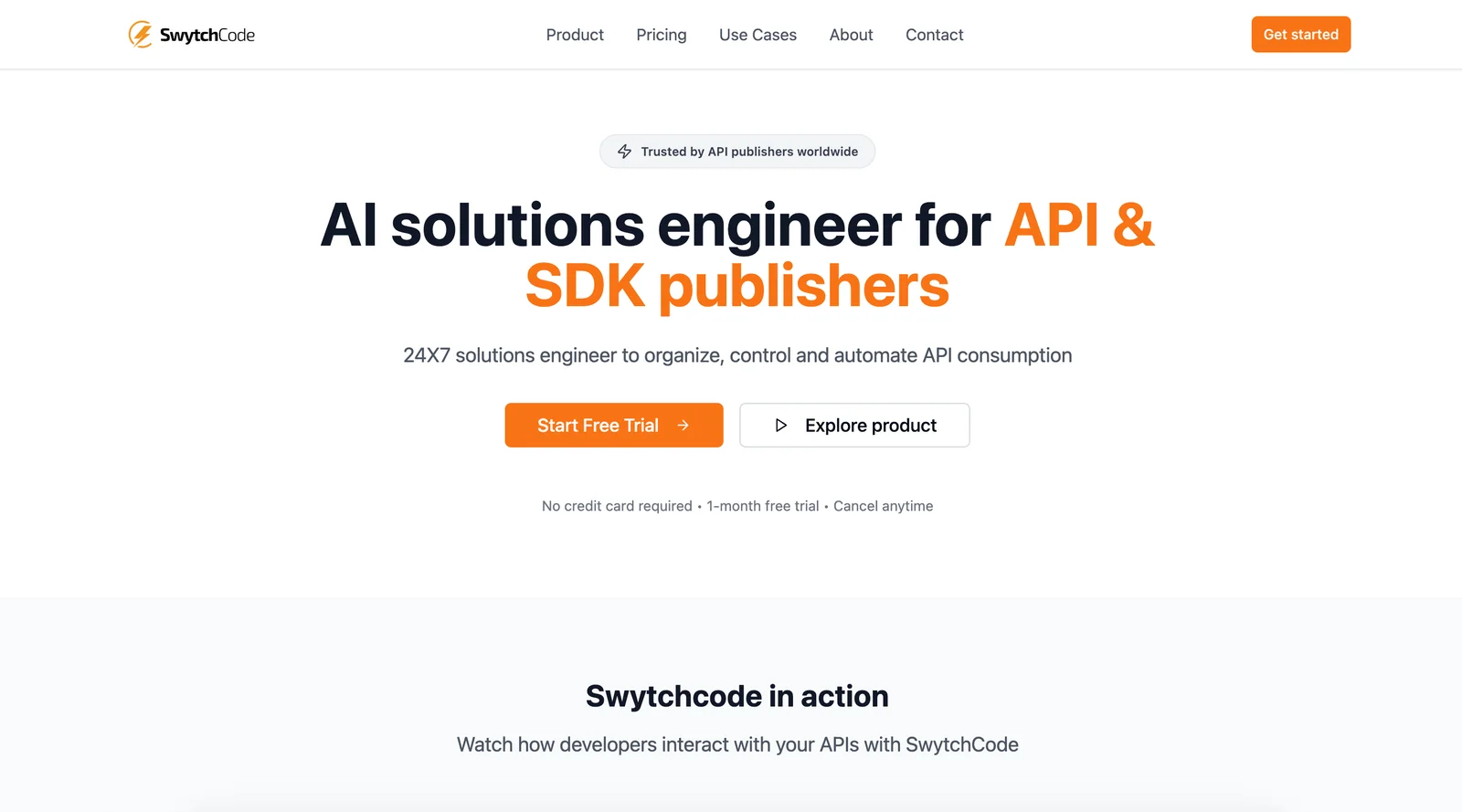
AIAI solutions engineer that generates API workflows, docs, code and tests to streamline developer onboarding and support.
Swytchcode
AI solutions engineer that generates API workflows, docs, code and tests to streamline developer onboarding and support.
About Swytchcode
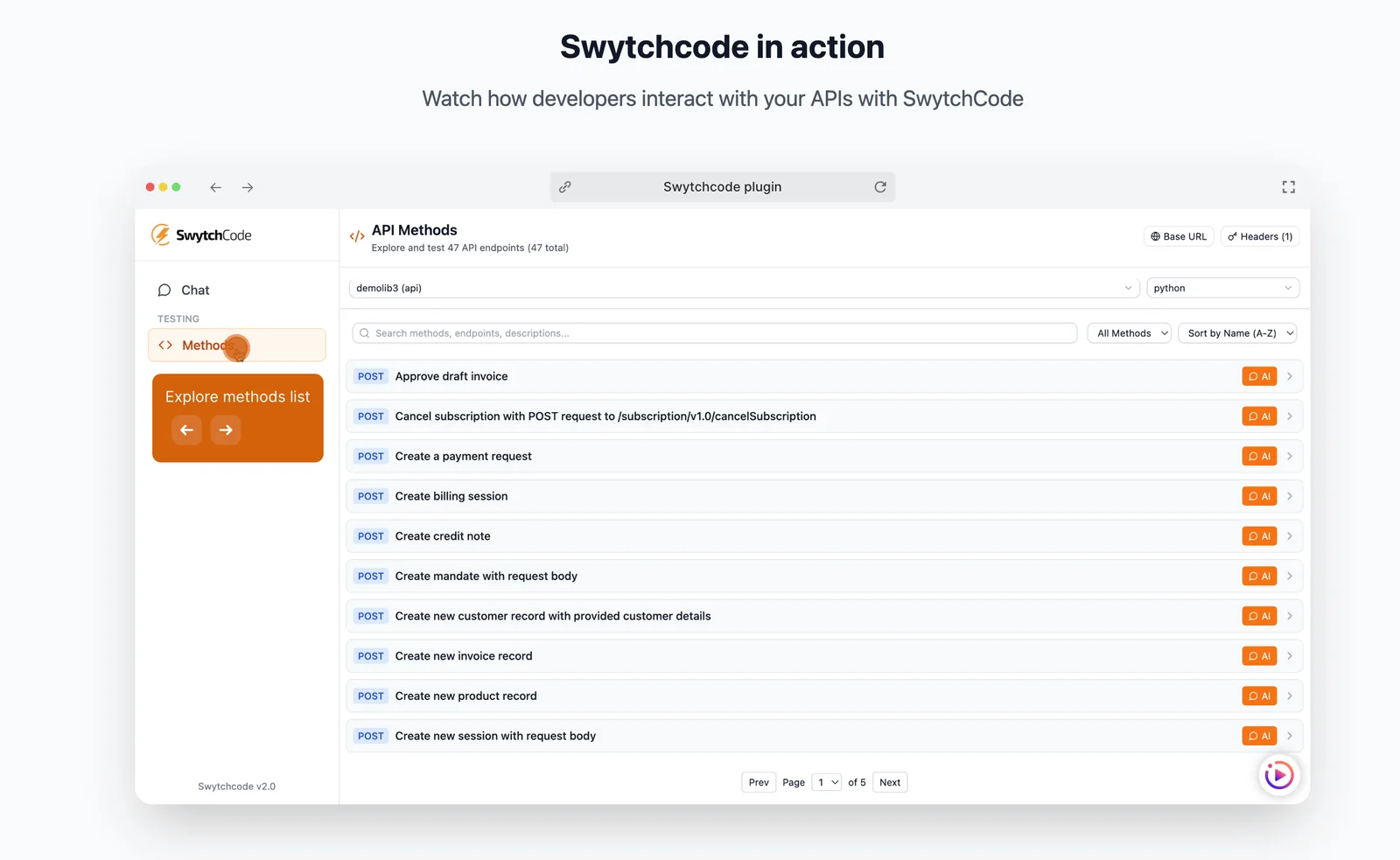
Swytchcode is an AI-driven solutions engineer for API and SDK publishers that automates the creation of integration artifacts—ready-to-use code snippets, end-to-end API workflows, documentation, and smart tests. It ingests API/SDK specifications and common integration patterns to produce actionable examples, test cases, and troubleshooting guides, reducing manual solutions engineering and support overhead. By producing consistent, runnable integration content and pre-built workflows (including many payments API integrations), Swytchcode accelerates developer onboarding, lowers time-to-integration, and improves customer satisfaction.
Screenshots
Key Features
Use Cases



Frequently asked questions about Swytchcode
What features does Swytchcode offer for API developers?
Swytchcode offers a robust suite of features for API developers, including instant workflow generation, automated documentation, code snippet outputs, smart test creation, and support automation. These features significantly enhance the developer onboarding process, making it more efficient and user-friendly.
Key Points
- Instant Workflow Generation
- Automated Documentation
- Smart Test Creation
Detailed Explanation
Swytchcode streamlines API development with its innovative features:
-
Instant Workflow Generation: This feature allows developers to quickly create workflows without manual coding, saving time and reducing errors. For example, a developer can automate the integration of various APIs by simply selecting the desired endpoints and actions.
-
Automated Documentation: Swytchcode generates real-time, user-friendly documentation that updates automatically as changes are made. This ensures that developers have access to the most current API specifications, improving collaboration and reducing misunderstandings.
-
Code Snippet Outputs: Developers can generate code snippets in multiple programming languages instantly. This feature caters to diverse teams working in different tech stacks and minimizes the need for manual coding, thus accelerating the development process.
-
Smart Test Creation: With the smart test creation feature, developers can automatically generate tests based on their workflows. This not only enhances code quality but also simplifies the testing phase, allowing for faster deployment cycles.
-
Support Automation: Swytchcode provides integrated support automation tools, which include chatbots and automated ticketing systems, enabling developers to resolve issues swiftly and maintain productivity.
Best Practices / Tips
- Leverage Automated Documentation: Always keep your API documentation updated to facilitate better communication among team members and clients. This minimizes errors and enhances usability.
- Utilize Code Snippets: When working in a multi-language environment, make use of code snippets to save time and maintain consistency across different projects.
- Test Early and Often: Implement smart test creation to catch bugs early in the development process. Regular testing leads to higher quality code and reduces the likelihood of post-launch issues.
Additional Resources
How do I start my free trial with Swytchcode?
To start your 1-month free trial with Swytchcode, visit their official website and complete the quick setup process. No credit card is required, allowing you to explore the platform risk-free and discover its powerful features.
Key Points
- Easy Access: No credit card needed to start.
- One-Month Duration: Enjoy a full month of free access.
- User-Friendly Setup: Quick and straightforward instructions.
Detailed Explanation
Starting your free trial with Swytchcode is a seamless process designed to help you quickly experience the platform's capabilities. Here’s a step-by-step guide to get you started:
- Visit the Official Website: Navigate to Swytchcode's official site.
- Locate the Free Trial Button: Look for the prominent call-to-action for the free trial on the homepage.
- Fill Out the Registration Form: Enter your basic information, such as your name and email address. Ensure you provide a valid email to receive important updates and access links.
- Confirm Your Email: Check your inbox for a confirmation email and follow the link to activate your account.
- Set Up Your Profile: Once logged in, customize your profile and explore the interface to familiarize yourself with the tools available.
This process allows you to dive into Swytchcode’s features, which include code generation, project collaboration tools, and more, all without any financial commitment.
Best Practices / Tips
- Use a Valid Email: Ensure that you use an email address you check regularly. This will help you receive confirmation and updates.
- Explore Features: Take the time to explore all the features during your trial. Swytchcode provides various tools, so familiarize yourself to maximize the trial period.
- Set Reminders: If you plan to continue using Swytchcode after the trial, set reminders for key dates related to your usage and any promotional offers.
Additional Resources
- Swytchcode Help Center - Access detailed guides and FAQs.
- Blog on Getting Started with Swytchcode - Read tips and tricks to enhance your experience.
- Swytchcode Community Forum - Engage with other users for advice and shared experiences.
What is the pricing structure for Swytchcode's paid plans?
Swytchcode provides a custom pricing model for its paid plans, specifically designed for enterprise users. This includes access to advanced production features and robust team management capabilities. For a precise quote tailored to your needs, it's best to contact the Swytchcode sales team directly.
Key Points
- Custom pricing tailored for enterprises.
- Access to advanced production features.
- Comprehensive team management tools included.
Detailed Explanation
Swytchcode’s pricing structure is not a one-size-fits-all approach. Instead, it is tailored specifically for enterprise clients, allowing businesses to choose features that best fit their operational needs. The custom pricing model ensures flexibility and scalability, accommodating businesses of different sizes and industries.
Features Included in Enterprise Plans:
- Production Features: These typically encompass advanced tools that enhance productivity and streamline development processes.
- Team Management: This feature allows businesses to manage user roles, permissions, and collaborations efficiently, fostering a productive team environment.
To get a clear understanding of costs, potential users should reach out to the Swytchcode sales team. They will provide a personalized quote based on the unique requirements of your business, including the number of users, specific features desired, and any additional services needed.
Best Practices / Tips
- Contact Sales Early: Initiating a conversation with the sales team early in your planning process can provide insights into potential costs and features.
- Assess Your Needs: Before reaching out, evaluate what features your team genuinely requires. This will lead to a more focused discussion and ensure you get the best value for your investment.
- Consider Scalability: Think about your future needs as well. Ensure the plan you choose can grow with your business.
Additional Resources
This structured approach ensures that potential clients have all the information they need to make informed decisions about Swytchcode’s offerings.
How does Swytchcode compare to other API integration tools?
Swytchcode distinguishes itself from other API integration tools through its emphasis on automated documentation and intelligent testing features. These capabilities streamline the onboarding process for developers, significantly reducing the time required to integrate and utilize APIs compared to competing solutions.
Key Points
- Automated Documentation: Generates real-time, user-friendly API documentation.
- Smart Testing Features: Facilitates automated testing to catch errors early.
- Developer Onboarding Efficiency: Reduces the time needed for new developers to become productive.
Detailed Explanation
Swytchcode offers unique functionalities that enhance the development experience.
Automated Documentation
With its automated documentation feature, Swytchcode creates comprehensive API documentation as you code. This ensures that the documentation is always up to date, reducing discrepancies and the manual effort usually needed to maintain docs. For example, if a developer adds a new endpoint, Swytchcode instantly updates the documentation, making it easier for other team members to understand how to use the API.
Smart Testing Features
Swytchcode's smart testing capabilities enable developers to automate their testing processes. This means that developers can run tests against their APIs every time they make changes, allowing them to identify issues earlier in the development cycle. This proactive approach saves time and resources compared to traditional testing methods, where issues may only be found during manual testing phases.
Developer Onboarding Efficiency
The combination of automated documentation and smart testing significantly reduces the onboarding time for new developers. Unlike other tools that may require extensive training and manual processes to get started, Swytchcode provides a streamlined experience, allowing new team members to quickly get up to speed and contribute effectively.
Best Practices / Tips
- Leverage Automated Features: Always utilize Swytchcode's automated documentation to keep your API documentation current without extra effort.
- Integrate Testing Early: Implement smart testing in your development pipeline to catch errors early and improve overall code quality.
- Promote Collaboration: Encourage team members to contribute to the documentation as they develop, enhancing collective knowledge and resource availability.
Additional Resources
What kind of support does Swytchcode provide for API integrations?
Swytchcode provides comprehensive support for API integrations by automating responses to common inquiries and transforming them into clear, reproducible steps and code examples. This approach significantly enhances efficiency, reduces support ticket resolution times, and empowers users to troubleshoot effectively.
Key Points
- Automated responses for common API queries
- Reproducible steps and clear code examples
- Streamlined resolution process for faster support
Detailed Explanation
Swytchcode's support system is designed to streamline the process of API integration, making it easier for developers to implement and troubleshoot. By automating responses to frequently asked questions, Swytchcode allows users to access a repository of reproducible steps and code examples directly related to their queries.
For instance, if a developer encounters an issue with API authentication, they can access a step-by-step guide that outlines how to troubleshoot common problems and provides sample code snippets that illustrate the correct implementation. This reduces the time spent on support tickets, allowing developers to focus on building their applications.
Additionally, Swytchcode continually updates its support resources based on user feedback and emerging trends in API development. This ensures that users always have access to the most relevant and helpful information.
Best Practices / Tips
- Utilize Documentation: Before reaching out for support, check Swytchcode’s documentation for common API integration issues and solutions.
- Provide Detailed Information: When submitting a support ticket, include specific details about your issue, such as error messages and the steps you've already taken.
- Engage with the Community: Join forums or user groups related to Swytchcode to share experiences and gain insights from other developers who have faced similar challenges.
Additional Resources
Explore more AI Ai Tools tools
Browse all Ai Tools tools →Browse by use case: Code Generation · Automation & Productivity
Compare Swytchcode: vs Juggler · vs Elva · vs GhostWriter by MyHandler · vs Neopress