linkgo
Surfer SEO

Surfer SEO

AI

SEO content optimization platform that researches, audits, writes, and optimizes articles with data-driven recommendations to improve rankings.

-(0 Reviews)
Paid
See pricing details

About Surfer SEO

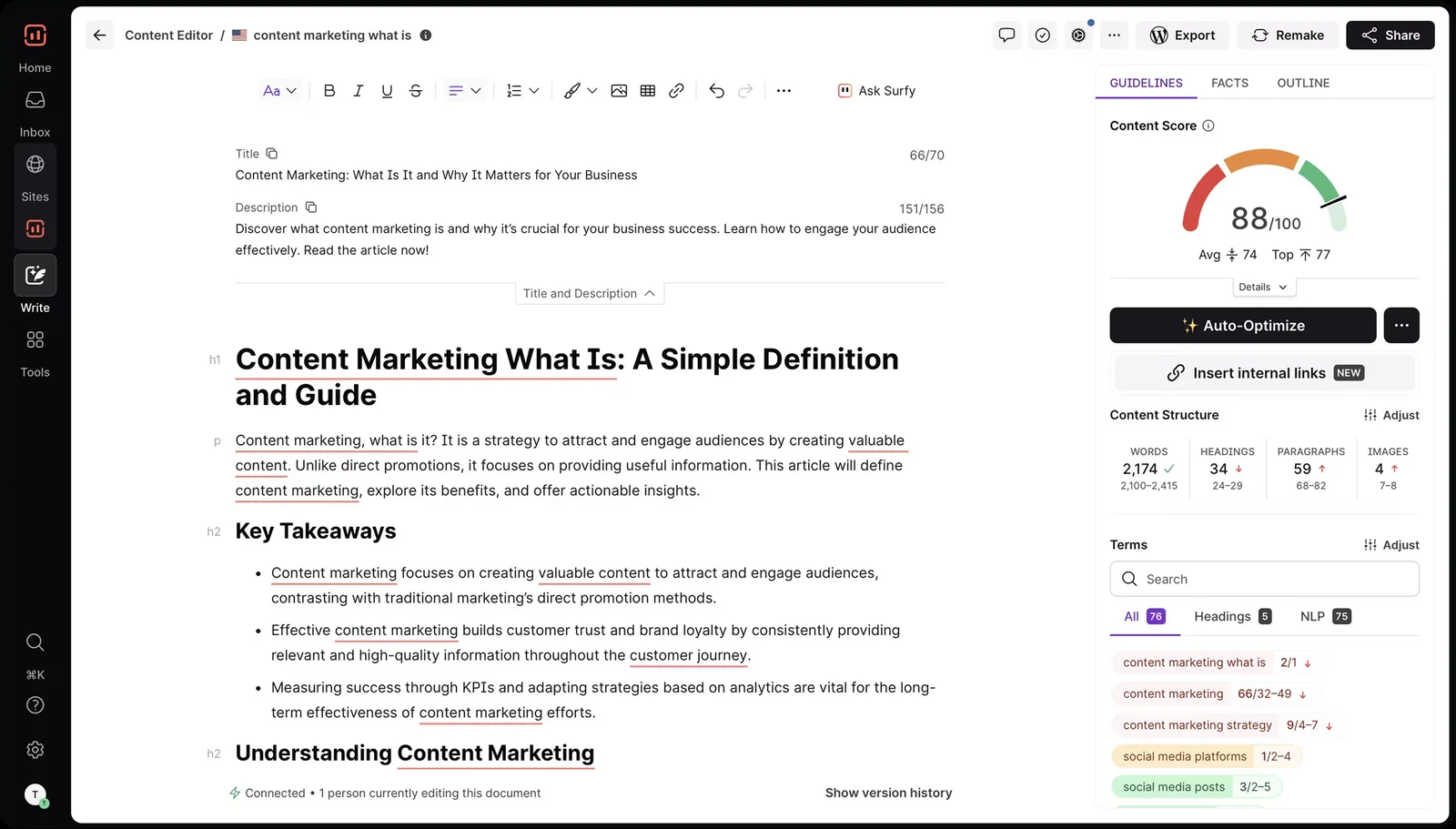
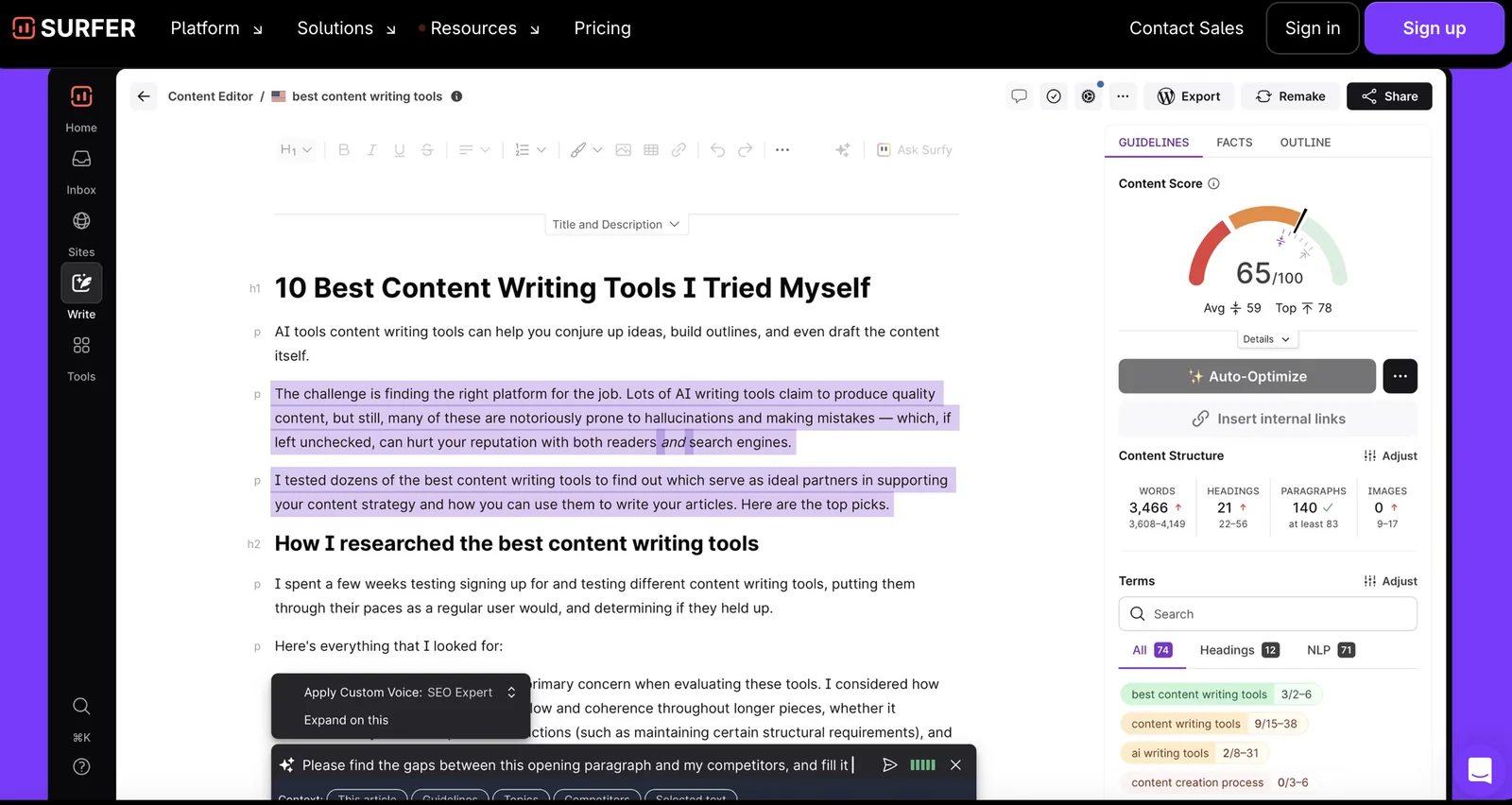
Surfer is a content optimization platform that helps marketers and writers research, audit, write, optimize, and generate SEO-focused articles quickly. It analyzes top-performing pages and search engine ranking factors to produce actionable on-page recommendations, keyword suggestions, and competitor comparisons. Surfer also provides content planning capabilities to identify gaps, map keywords, prioritize topics, and build a content strategy aimed at improving organic visibility and ranking performance.

Screenshots
Surfer SEO screenshot 1
+
Surfer SEO screenshot 2
+
Surfer SEO screenshot 3
+
Surfer SEO screenshot 4
+

Key Features

Content Research: Analyzes search results and top-performing pages to surface relevant keywords, topics, and structural patterns to guide content creation.
On-Page Audit: Examines existing pages and provides actionable recommendations (structure, keyword usage, length, and density) to improve alignment with ranking factors.
Competitor Analysis: Compares your page against high-ranking competitors to highlight gaps, strengths, and specific opportunities to outrank them.
Keyword Mapping and Suggestions: Maps target keywords, suggests related terms and semantic phrases to include, and helps prioritize keywords by potential impact.
AI-Assisted Content Generation: Generates draft articles or content sections quickly to accelerate writing while aligning output to SEO requirements and recommendations.
Content Planner & Strategy: Identifies topic clusters, content gaps, and priority topics to build a coherent content plan aimed at maximizing organic growth.
Actionable Optimization Guidance: Provides clear, prioritized steps and metrics to implement changes (e.g., target word counts, headings, and keyword distribution) that improve on-page SEO.
Content research for SEO
Content audit and optimization suggestions
Generate SEO-optimized articles
Competitor analysis against top-ranking pages
Keyword mapping and optimization guidance
Content gap identification
Content planning and topic prioritization
On-page SEO recommendations

Use Cases

Creating SEO-optimized blog posts quickly by generating drafts and following data-backed on-page recommendations to target specific keywords.
Auditing an existing site to find underperforming pages and applying prioritized optimization suggestions to improve rankings and traffic.
Performing competitor gap analysis to discover content topics and keyword opportunities that top-ranking pages are using and your site lacks.
Building a content strategy and editorial calendar by mapping topics, clustering related keywords, and prioritizing pages with the highest potential impact.
Refining on-page elements (headings, word count, keyword placement) for product pages or landing pages to increase visibility for target queries.
Scaling agency workflows by standardizing content briefs and optimization checks across multiple client projects to ensure consistent SEO quality.
Create SEO-optimized articles quickly for content teams and marketing
Audit existing pages and apply on-page optimization recommendations
Perform competitor-content analysis to identify ranking opportunities
Build content strategies and prioritize topics based on impact
Map and optimize keywords across content assets

Frequently asked questions about Surfer SEO

What are the pricing options for Surfer SEO?

Surfer SEO offers a variety of pricing options, starting with a free Chrome extension and paid plans ranging from $49 to $399 per month. The pricing structure varies based on features, usage limits, and the number of users, making it accessible for different needs and budgets.

Key Points

  • Free Option: Surfer SEO provides a free Chrome extension for basic features.
  • Paid Plans: Monthly subscriptions range from $49 to $399, based on features.
  • Feature Variability: Each plan includes different tools and limits tailored for various users.

Detailed Explanation

Surfer SEO offers several pricing tiers to cater to a wide range of users, from beginners to advanced digital marketers. The free Chrome extension allows users to start optimizing their content without any initial investment. This version provides basic features such as content outlines and keyword analysis.

Paid Plans:

  1. Basic Plan ($49/month): Ideal for individuals or small businesses, this plan includes essential features such as content editor tools, keyword research, and basic SERP analysis.
  2. Pro Plan ($99/month): Designed for agencies or more extensive projects, this tier offers advanced features like audit tools, unlimited content generation, and more extensive usage limits.
  3. Business Plan ($199/month): This plan is tailored for larger teams, providing advanced analytics, team collaboration features, and higher usage caps.
  4. Enterprise Plan ($399/month): For large businesses needing tailored solutions, this plan offers custom features, dedicated support, and unlimited usage, ensuring comprehensive SEO strategy implementation.

Surfer SEO also frequently updates its features, meaning users can expect ongoing enhancements and new tools as part of their subscription.

Best Practices / Tips

  • Choose the Right Plan: Assess your SEO needs carefully before selecting a plan. If you're just starting, the free extension may suffice, while businesses with extensive content needs should opt for the Pro or Business plans.
  • Utilize Trials: Take advantage of any trial periods available for paid plans to explore features before committing.
  • Stay Updated: Follow Surfer SEO's updates and feature releases to maximize your subscription value and stay competitive in your SEO efforts.

Additional Resources

How do I use Surfer SEO for content optimization?

To optimize content with Surfer SEO, first create a project and perform keyword research. Next, utilize the content editor to draft your article, and finally, conduct on-page audits to receive actionable recommendations, ensuring your content aligns with SEO best practices for higher search visibility.

Key Points

  • Create a project: Set up your workspace for targeted optimization.
  • Conduct keyword research: Identify relevant keywords for your niche.
  • Utilize the content editor: Draft and optimize your content effectively.

Detailed Explanation

Using Surfer SEO effectively involves several key steps:

  1. Create a Project: Start by logging into Surfer SEO and creating a new project. Name your project according to the topic or keyword you are targeting. This will help you keep your work organized and focused.

  2. Conduct Keyword Research: Use the Keyword Research tool in Surfer to find relevant keywords. Input your main topic, and Surfer will generate a list of related keywords, their search volumes, and difficulty scores. Focus on long-tail keywords that match user intent for better chances of ranking.

  3. Utilize the Content Editor: After identifying your keywords, proceed to the Content Editor. Here, you can draft your article while receiving real-time suggestions on keyword density, headings, and content structure. Surfer provides a scoring system that guides you to improve your content based on top-ranking pages.

  4. Perform On-Page Audits: Once your content is drafted, use the on-page audit feature. This tool analyzes your content against SEO best practices, offering actionable recommendations. For example, it may suggest adding internal links, increasing word count, or optimizing meta descriptions.

By following these steps, you can create high-quality, optimized content that resonates with both users and search engines.

Best Practices / Tips

  • Focus on User Intent: Ensure your content answers the questions your target audience is asking.
  • Maintain Natural Flow: Avoid keyword stuffing; use keywords naturally within your content.
  • Leverage Data: Regularly check the SERP analysis and adjust your content based on the latest trends and competitor strategies.
  • Monitor Performance: After publishing, use analytics tools to track performance metrics and make adjustments as necessary.

Additional Resources

What are the key features of Surfer SEO?

Surfer SEO offers essential features like content research, on-page audits, competitor analysis, keyword mapping, and AI-assisted content generation, all designed to optimize your SEO strategy. These tools help enhance website visibility, improve content relevance, and boost overall search engine rankings effectively.

Key Points

  • Content Research: Identifies high-potential keywords and content gaps.
  • On-Page Audits: Analyzes existing pages for optimization opportunities.
  • Competitor Analysis: Compares your site against top competitors for insights.

Detailed Explanation

Surfer SEO is a comprehensive tool designed to streamline your SEO efforts through a variety of features:

Content Research

Surfer SEO's content research tool allows you to explore trending keywords and topics within your niche. By analyzing SERPs, it identifies what content ranks well and highlights gaps in your existing content strategy. For example, if you're writing about "digital marketing," Surfer SEO can reveal associated keywords and content ideas that are currently driving traffic.

On-Page Audits

The on-page audit feature evaluates your website's pages against the best-performing competitors. It provides actionable insights, including keyword density, meta tags, and suggested improvements. For instance, if your page is missing essential keywords that competitors are using, Surfer SEO will flag this, allowing you to enhance your content.

Competitor Analysis

Understanding your competition is critical in SEO. Surfer SEO's competitor analysis feature allows you to compare your site’s performance against the top-ranking pages for your target keywords. This includes a breakdown of their backlink profiles, content structure, and keyword usage, enabling you to adapt your strategy accordingly.

Keyword Mapping

Keyword mapping helps in organizing your content strategy by assigning specific keywords to specific pages. This ensures that each page targets a unique keyword, reducing keyword cannibalization and improving the likelihood of ranking for those terms.

AI-Assisted Content Generation

Leveraging AI, Surfer SEO can assist in generating content outlines and suggestions based on the data it gathers. This feature can save time and improve content quality, making it easier to create SEO-optimized articles that resonate with your audience.

Best Practices / Tips

  • Use Data-Driven Insights: Always base your content strategy on the data provided by Surfer SEO. Regularly update your content based on new keyword trends and competitor changes.
  • Regular Audits: Conduct on-page audits frequently to keep your content optimized for changing algorithms.
  • Focus on User Intent: Make sure that the content you create aligns with the search intent behind the keywords you are targeting.
  • Monitor Competitors: Keep an eye on your competitors' strategies and adjust your tactics to stay competitive.

Additional Resources

How does Surfer SEO compare to other SEO tools?

Surfer SEO excels among SEO tools with its robust data-driven insights and AI-assisted content generation. While it offers extensive features for optimizing content and improving rankings, it may come at a higher price point compared to simpler tools that provide limited functionalities.

Key Points

  • Data-Driven Insights: Surfer SEO uses advanced algorithms to analyze SERPs and provide actionable recommendations.
  • AI-Driven Content Creation: The tool streamlines content generation with AI, enhancing productivity and SEO effectiveness.
  • Pricing Structure: Surfer SEO’s cost may be higher than basic SEO tools, reflecting its extensive capabilities.

Detailed Explanation

Surfer SEO provides a comprehensive suite of features designed to enhance your SEO strategy. Its data-driven insights are derived from analyzing over 500 factors across top-ranking pages, giving users clear recommendations on keyword usage, content structure, and backlink strategies. For instance, the "Content Editor" feature allows users to optimize their articles in real time, ensuring they meet the criteria for ranking higher in search engines.

The AI-driven content generation feature sets Surfer SEO apart from many other tools. By leveraging artificial intelligence, users can create optimized content drafts that align with SEO best practices. This not only saves time but also ensures that the content is relevant and competitive in the search landscape. Additionally, Surfer’s "Audit" tool allows users to analyze existing content, providing insights on how to improve its performance based on current SEO trends.

However, the pricing structure is a crucial consideration. Surfer SEO's subscription plans typically start at around $59 per month, which may be steep for small businesses or freelancers with budget constraints. In contrast, simpler SEO tools may offer basic features at lower prices, attracting users who may not need the full range of capabilities that Surfer provides.

Best Practices / Tips

  • Leverage Data Insights: Regularly review Surfer's data recommendations to stay updated on SEO trends and optimize your content accordingly.
  • Experiment with AI Features: Use the AI content generation tool to draft articles efficiently, but ensure you edit and personalize the content for your audience.
  • Monitor Your Budget: If pricing is a concern, consider utilizing Surfer’s trial period to evaluate if the features justify the cost for your specific needs.

Additional Resources

Does Surfer SEO offer an API for integration?

Yes, Surfer SEO offers an API designed primarily for enterprise plans. This API facilitates the integration of Surfer's powerful SEO features into existing systems and workflows, enhancing efficiency and enabling businesses to leverage data-driven insights seamlessly.

Key Points

  • Surfer SEO's API is primarily available with enterprise subscription plans.
  • It enables integration with various systems, enhancing workflow automation.
  • The API supports features like content analysis, keyword tracking, and SERP data retrieval.

Detailed Explanation

Surfer SEO's API allows businesses to programmatically access its features, providing flexibility for developers to create custom applications tailored to their needs. With this API, users can integrate critical SEO functionalities directly into their existing platforms, such as content management systems (CMS) or marketing automation tools.

Key Features of the Surfer SEO API:

  1. Content Analysis: Retrieve data on how well content performs based on various SEO metrics. This includes keyword density, readability scores, and optimization suggestions.
  2. Keyword Tracking: Monitor keyword rankings over time, allowing businesses to adjust their strategies based on real-time data.
  3. SERP Data Access: Gain insights into search engine results pages (SERPs) for specific queries, which can inform content creation and optimization strategies.

Use Cases:

  • Marketing Teams: Integrate the API into marketing dashboards to automate SEO reporting.
  • Developers: Build custom tools that utilize Surfer’s analytical capabilities to streamline content development processes.
  • Agencies: Use the API to manage multiple client accounts efficiently, delivering tailored SEO strategies based on real-time insights.

Best Practices / Tips

  • Understand API Documentation: Familiarize yourself with the API documentation provided by Surfer SEO to maximize its potential. Proper understanding will help in implementing features effectively.
  • Utilize Webhooks: Implement webhooks for real-time updates on keyword ranking changes or content performance metrics, ensuring your team is always informed.
  • Monitor API Usage: Keep track of your API usage to avoid hitting rate limits, which can disrupt your integration and data flow.

Additional Resources

Explore more AI Ai Tools tools

Browse all Ai Tools tools →

Compare Surfer SEO: vs Jackalope · vs Loqua · vs chat-recall · vs ChatHop

Surfer SEO - AI Tool Review | LinkGo