

Sourclip
AIChrome extension that turns Google NotebookLM into a full research workflow — one-click capture, prompt library, and export for every artifact.
Sourclip
Chrome extension that turns Google NotebookLM into a full research workflow — one-click capture, prompt library, and export for every artifact.
About Sourclip
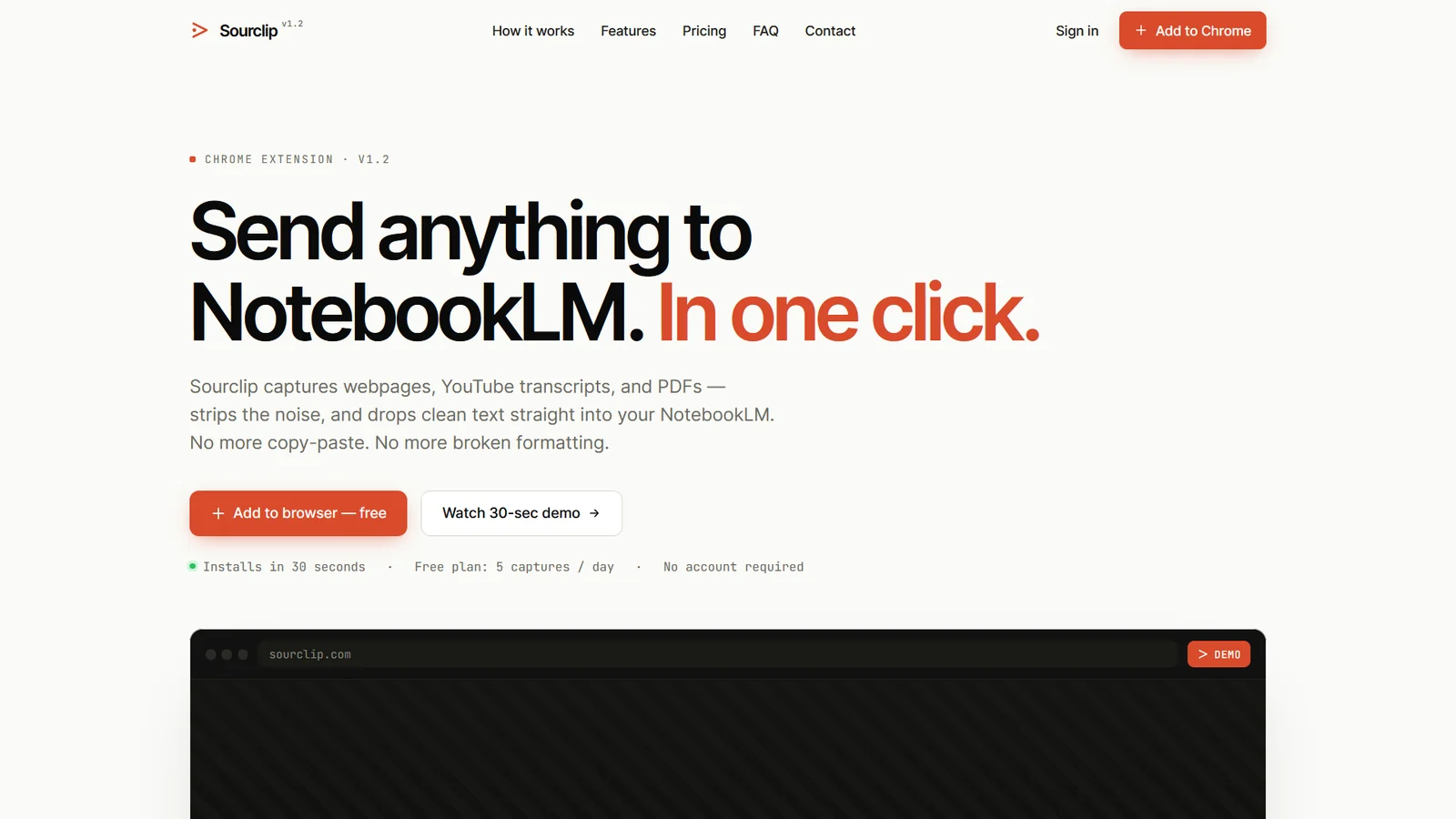
Sourclip is a Chrome extension that bolts a full research workflow onto Google NotebookLM. It adds one-click capture from web pages, YouTube (videos, playlists, channels, and search results), PDFs, Reddit and X posts, and full AI chat transcripts from ChatGPT, Claude, Gemini, Perplexity, Grok, and DeepSeek, so anything you find on the web ends up neatly in a notebook. On the other side, it exports every artifact NotebookLM cannot export natively — notes, study guides, FAQs, briefings, timelines, flashcards and quizzes as interactive HTML, Audio Overviews as mp3/m4a, videos as mp4, and slide decks as PDF. A reusable prompt library and 235-source research directory round it out, and all capture processing runs locally in your browser so research content never touches Sourclip's servers.
Screenshots
Key Features
Use Cases



Frequently asked questions about Sourclip
What is Sourclip?
Sourclip is a versatile Chrome extension designed to enhance Google NotebookLM by streamlining the research workflow. It offers features like one-click capturing of information, an organized prompt library, and easy export options for all research artifacts, making it an essential tool for researchers and students alike.
Key Points
- One-Click Capture: Effortlessly collect data from various sources.
- Prompt Library: Access a curated collection of research prompts.
- Easy Export: Seamlessly export research artifacts for further use.
Detailed Explanation
Sourclip revolutionizes the way researchers interact with Google NotebookLM. By allowing users to capture snippets of information with just one click, it saves time and ensures that no valuable data is overlooked. The prompt library is particularly beneficial, as it provides users with a variety of prompts tailored to different research topics, helping to stimulate ideas and guide the research process.
Use Cases:
- Academic Research: Students can quickly gather references, quotes, and data points for their papers.
- Market Research: Professionals can compile insights from different online sources, enhancing their reporting and analysis.
- Content Creation: Writers can gather inspiration and facts to support their articles or blogs.
Using Sourclip is simple:
- Install the Extension: Add Sourclip to your Chrome browser from the Chrome Web Store.
- Capture Content: While browsing, click the Sourclip icon to save selected text or images directly to Google NotebookLM.
- Organize Your Research: Utilize the prompt library to find relevant prompts or create your own.
- Export Artifacts: When your research is complete, export your findings in a preferred format, making it easy to share or reference later.
Best Practices / Tips
- Utilize Shortcuts: Familiarize yourself with keyboard shortcuts for quicker access to Sourclip’s features.
- Regularly Update Your Library: Keep the prompt library organized and updated to reflect your current research interests.
- Backup Your Work: Regularly export your artifacts to avoid data loss and to have them readily available for future projects.
Additional Resources
How does Sourclip work?
Sourclip is an innovative tool that captures and organizes various online content, including web pages, videos, and transcripts, into a NotebookLM notebook. It allows users to export notes, study materials, and AI chat archives, all while ensuring local-only processing for enhanced privacy and security.
Key Points
- One-Click Web Capture: Easily save content from various online sources.
- Comprehensive Ingest Options: Capture videos, transcripts, and more.
- Local Processing: Ensures privacy by not storing data on servers.
Detailed Explanation
Sourclip streamlines the research and content creation process by integrating multiple functionalities into a single platform. Here's how it operates:
1. One-Click Web Capture
This feature allows users to save content from a range of sources with just one click. Whether it's a web page, PDF document, a Reddit post, or an X post, Sourclip simplifies the collection process, making it ideal for academic researchers and content creators.
2. YouTube & Chat Ingest
Users can capture complete YouTube videos, playlists, channels, and even search results. Additionally, it provides full transcripts from AI platforms like ChatGPT, Claude, Gemini, and others. This feature is particularly beneficial for students and researchers who need to gather extensive information for projects and studies.
3. NotebookLM Export Layer
Sourclip enables users to export their notes and research into various formats that NotebookLM might not natively support. This includes study guides, flashcards, quizzes, and even audio overviews. For example, a student can transform their gathered lecture notes into a flashcard deck for effective revision.
4. Prompt Library
With over 30 ready-to-use prompts, Sourclip assists users in research, analysis, studying, and content creation. Users can also save their custom prompts, enhancing personalization in their workflows.
5. Local-Only Processing
One of the standout features is its commitment to user privacy. All processing takes place directly in the user's browser, ensuring that Sourclip's servers do not access or store any research content. This local-only approach not only enhances security but also speeds up the capturing process.
Best Practices / Tips
- Utilize the Prompt Library: Explore and customize the prompts to fit your specific research needs.
- Organize Themed Notebooks: Group related content into themed notebooks for easier synthesis and review.
- Export Regularly: Make it a habit to regularly export your notes and study materials to avoid data loss.
Additional Resources
By leveraging Sourclip’s capabilities, users can enhance their research workflows, streamline content creation, and maintain privacy, all while efficiently organizing valuable information.
What are the main features of Sourclip?
Sourclip offers powerful features like One-Click Web Capture, YouTube and Chat Ingest, a NotebookLM Export Layer, a comprehensive Prompt Library, and Local-Only Processing. These tools streamline research, content creation, and study management while ensuring user privacy and data security.
Key Points
- One-Click Web Capture: Instantly save various online content types.
- YouTube & Chat Ingest: Capture videos and transcripts directly.
- NotebookLM Export Layer: Export content in versatile formats.
Detailed Explanation
Sourclip's robust features cater to a wide range of users, from students to professionals.
One-Click Web Capture
This feature allows users to save web pages, PDFs, and posts from platforms like Reddit and X with a single click. By simply clicking a button, users can store their research in a NotebookLM notebook, making it easier to organize and retrieve information later.
YouTube & Chat Ingest
Sourclip lets you capture full YouTube videos, playlists, channels, and even search results. This is incredibly useful for educators, marketers, and content creators who need to reference video content. Additionally, it allows users to extract complete transcripts from AI chatbots like ChatGPT, Claude, and others for further analysis.
NotebookLM Export Layer
With the NotebookLM Export Layer, users can export their notes in various formats such as study guides, FAQs, timelines, flashcards, and quizzes. This feature addresses the limitation of NotebookLM's native download options, providing greater flexibility in how users can utilize their research.
Prompt Library
The integrated Prompt Library contains over 30 ready-to-use prompts tailored for research, analysis, studying, and content creation. Users can also save their custom prompts, enhancing productivity and creativity.
Local-Only Processing
Sourclip prioritizes user privacy by ensuring that all processing occurs locally in the user's browser. This means that the tool's servers do not receive, store, or process any of the user's research content, providing peace of mind regarding data security.
Best Practices / Tips
- Maximize One-Click Capture: Always utilize the One-Click feature to save content immediately, preventing data loss.
- Utilize the Prompt Library: Explore the ready-to-use prompts for various tasks to save time and improve efficiency.
- Stay Organized: Regularly categorize your saved content in NotebookLM to enhance your research workflow.
- Check Privacy Settings: Familiarize yourself with local-only processing to understand how your data is handled.
Additional Resources
Who is Sourclip for?
Sourclip is designed for a diverse audience, including academic researchers, content creators, market analysts, and students. It enables users to consolidate information, generate study materials, and archive AI chat conversations efficiently, making it an invaluable tool for anyone looking to enhance their learning or content production processes.
Key Points
- Academic Research: Ideal for students and researchers to organize study materials.
- Content Creation: Supports writers in capturing and structuring ideas for new content.
- Market Research: Assists analysts in synthesizing competitive data and insights.
Detailed Explanation
Sourclip serves various user groups by providing a centralized platform for information management. Here’s how each group can leverage its features:
-
Academic Research: Students and researchers can aggregate scholarly papers, PDFs, and lecture videos into a single NotebookLM notebook. This functionality allows them to export customized study guides and flashcards, making exam preparation more efficient. For instance, a graduate student can compile research articles related to their thesis, simplifying the literature review process.
-
Content Creation: Writers can capture articles, podcasts, and video transcripts to create structured outlines and briefings. This feature is particularly useful for bloggers and marketers who need to distill complex information into digestible formats. For example, a content marketer might gather insights from various industry podcasts to draft a comprehensive blog post.
-
Competitive & Market Research: Analysts can curate competitor websites, Reddit discussions, and social media conversations into themed notebooks. This capability helps in identifying market trends and competitive advantages. For instance, a market researcher could analyze consumer feedback on competitors’ products to inform strategic decisions.
-
AI Chat Archiving: Sourclip allows users to maintain searchable records of lengthy conversations from AI platforms like ChatGPT, Claude, or Gemini. This feature ensures that important insights from AI interactions are easily retrievable for future reference, beneficial for developers and researchers alike.
-
Study Guides on Demand: Learners can effortlessly generate quizzes, flashcards, and audio summaries from their source materials, which can be exported for offline use. This is particularly advantageous for students preparing for exams, as it promotes active recall and spaced repetition.
Best Practices / Tips
- Organize Your Notebooks: Use clear naming conventions and categories for your notebooks to streamline retrieval.
- Utilize Export Features: Take full advantage of exporting study materials in different formats to suit your learning style.
- Leverage Multimedia: Incorporate video and audio resources to enhance comprehension and retention.
- Regularly Review Your Notes: Schedule time to revisit and update your notebooks, ensuring they remain relevant and useful.
Additional Resources
How much does Sourclip cost?
Sourclip offers a free tier that allows users to access basic features, while its paid plans start at approximately $10 per month, providing advanced functionalities. Users can choose from several pricing options tailored to different needs, making it accessible for both individuals and businesses.
Key Points
- Free Tier: Basic features available at no cost.
- Paid Plans: Starting around $10 per month for advanced features.
- Flexible Pricing: Options for individuals and businesses.
Detailed Explanation
Sourclip provides a versatile platform designed for content creation, especially for video and audio editing. The free tier includes essential features like basic video cutting and simple audio adjustments, suitable for casual users or those just getting started.
For those seeking more advanced capabilities, Sourclip’s paid plans unlock a variety of tools including enhanced editing options, advanced analytics, and priority customer support. The pricing structure typically includes:
- Basic Plan: Starting at $10/month, ideal for freelancers or small projects.
- Pro Plan: Around $25/month, which includes additional features such as collaboration tools and cloud storage.
- Enterprise Solutions: Customized pricing for large organizations needing extensive functionalities.
This tiered approach allows users to scale their subscription based on their specific needs, ensuring that everyone can find a suitable plan.
Best Practices / Tips
- Start with the Free Tier: Assess your needs with the free version before committing to a paid plan.
- Compare Features: Review the differences between plans to ensure you select the one that provides the best value for your requirements.
- Keep an Eye on Promotions: Sourclip occasionally offers discounts or special promotions; subscribing to their newsletter can keep you informed.
Additional Resources
How do I get started with Sourclip?
To get started with Sourclip, visit Sourclip's official website and create an account. Once signed up, you can explore its features, including video editing, collaboration tools, and more to enhance your content creation process.
Key Points
- Create an Account: Sign up on the Sourclip website.
- Explore Features: Familiarize yourself with its tools and functionalities.
- Utilize Resources: Access tutorials and support for effective usage.
Detailed Explanation
To begin using Sourclip, first, navigate to Sourclip.com. Click on the "Sign Up" button and fill in your details to create a new account. Once your account is active, you will gain access to a dashboard where you can select various tools for video editing, collaboration, and content management.
Key Features of Sourclip:
- User-Friendly Interface: Sourclip is designed to be intuitive, making it easy for beginners and advanced users alike to navigate.
- Video Editing Tools: Utilize features like trimming, merging, and adding effects to create engaging videos.
- Collaboration Options: Work with team members in real time, allowing for efficient content production.
After signing up, take a moment to explore Sourclip’s tutorials and help section. These resources will guide you through different functionalities, ensuring you maximize your use of the platform.
Best Practices / Tips
- Take the Onboarding Tutorial: After signing up, complete the onboarding tutorial to understand the platform's capabilities.
- Experiment with Features: Spend time experimenting with various editing tools to find the right fit for your projects.
- Join the Community: Engage with other users through forums or social media groups to share tips and get feedback.
Common Pitfalls to Avoid:
- Skipping Tutorials: Don’t skip the introductory tutorials; they provide essential insights into using Sourclip effectively.
- Neglecting Updates: Regularly check for updates and new features to enhance your content creation experience.
Additional Resources
- Sourclip Documentation - Comprehensive guides and FAQs.
- Sourclip Blog - Insights and tips on content creation.
- User Community Forum - Connect with other Sourclip users for advice and support.
What is Sourclip?
Sourclip is a powerful Chrome extension that enhances Google NotebookLM by streamlining your research workflow. It offers one-click capture, a prompt library, and easy export options for all research artifacts, making it an essential tool for efficient information management.
Key Points
- One-Click Capture: Quickly save information from web pages.
- Prompt Library: Access a collection of ready-to-use research prompts.
- Easy Export: Seamlessly export research artifacts to various formats.
Detailed Explanation
Sourclip transforms how users interact with Google NotebookLM, a tool designed for organizing notes and research. With Sourclip, users can easily capture text, images, and links from any web page with just one click. This feature is ideal for students, researchers, and professionals who need to compile information efficiently.
How it Works:
- Installation: Download and install the Sourclip extension from the Chrome Web Store.
- One-Click Capture: Navigate to any web page, and click the Sourclip icon in your browser toolbar to save relevant content instantly.
- Utilize the Prompt Library: Explore the built-in prompt library for inspiration or guidance on your research topics. This feature helps you formulate questions and themes quickly.
- Export Options: After compiling your research, use the export feature to save your work in various formats such as PDF, Word, or even directly into Google Docs.
This streamlined process not only saves time but also enhances organization and productivity. For example, a student can use Sourclip to gather data for a thesis, while a marketer can compile research for a campaign.
Best Practices / Tips
- Organize Your Research: Use folders or tags within Google NotebookLM to categorize your saved artifacts effectively.
- Regularly Update Your Prompt Library: Add new prompts that align with your ongoing research interests to keep your workflow fresh.
- Check Compatibility: Ensure that your version of Chrome is up-to-date to avoid any compatibility issues with the Sourclip extension.
Additional Resources
How does Sourclip work?
Sourclip operates by leveraging advanced AI technology to streamline everyday workflows for users. It integrates various AI capabilities, enabling efficient task management, data analysis, and content generation, thereby enhancing productivity and simplifying complex processes.
Key Points
- AI Integration: Combines multiple AI technologies for streamlined workflows.
- User-Friendly Interface: Designed for ease of use, catering to all skill levels.
- Versatile Applications: Applicable across various industries and tasks.
Detailed Explanation
Sourclip utilizes a powerful blend of machine learning, natural language processing, and automation tools to assist users in their daily tasks. For instance, businesses can automate repetitive data entry tasks or generate reports using the platform's AI-driven insights.
Use Cases:
- Content Creation: Sourclip can generate high-quality articles, marketing materials, and social media posts, significantly reducing the time needed for content production.
- Data Analysis: Users can input datasets, and Sourclip will analyze and summarize key trends, making it easier to make informed business decisions.
- Task Automation: Routine tasks such as scheduling, reminders, and email sorting can be automated, allowing users to focus on more strategic activities.
To get started with Sourclip, users simply sign up, choose their desired workflow integration, and start customizing the AI tools to meet their specific needs.
Best Practices / Tips
- Customize Settings: Tailor the platform's features to match your specific workflow for maximum efficiency.
- Regular Training: Stay updated with the latest AI enhancements to improve the tool's performance and adapt to your changing needs.
- Explore Integrations: Take advantage of Sourclip's compatibility with other software to enhance your productivity further.
Additional Resources
By utilizing Sourclip, users can significantly improve their productivity while simplifying complex processes, making it an essential tool for anyone looking to enhance their daily workflows with AI.
What are the main features of Sourclip?
Sourclip offers a range of advanced features, including powerful AI-driven analytics, user-friendly content generation tools, and seamless integration with various platforms. These capabilities enable businesses to enhance their marketing strategies, streamline workflows, and improve engagement with their target audience.
Key Points
- AI-Driven Analytics: Provides actionable insights into user behavior and content performance.
- Content Generation Tools: Automates the creation of high-quality, engaging content.
- Seamless Integrations: Connects effortlessly with popular marketing platforms and tools.
Detailed Explanation
Sourclip stands out in the market due to its core AI capabilities, which allow users to harness data effectively.
-
AI-Driven Analytics: This feature analyzes user interactions, providing detailed reports on audience engagement, content effectiveness, and conversion rates. For instance, if a specific blog post is performing well, Sourclip can suggest similar topics or formats that resonate with your audience.
-
Content Generation Tools: Sourclip's AI can generate blog posts, social media updates, and even email newsletters. Users input keywords or topics, and the tool produces well-researched and structured content. This can save businesses significant time and resources while ensuring consistent messaging across platforms.
-
Seamless Integrations: Sourclip works with various tools like Google Analytics, Mailchimp, and WordPress, allowing users to streamline their workflows. This integration facilitates real-time data sharing and improves overall efficiency in managing marketing campaigns.
Best Practices / Tips
- Leverage AI Insights: Regularly review the analytics provided by Sourclip to tweak your content strategy based on real user data.
- Experiment with Content Types: Use the content generation tools to try different formats such as infographics, videos, or podcasts to see what resonates best with your audience.
- Optimize Integrations: Ensure all connected platforms are configured correctly to maximize the data flow and enhance overall performance.
Additional Resources
Who is Sourclip for?
Sourclip is designed for professionals and individuals seeking to enhance their daily workflows with AI tools. It's particularly beneficial for content creators, marketers, and businesses looking to streamline tasks like editing, data analysis, and project management through AI integration.
Key Points
- Target Audience: Content creators, marketers, and businesses.
- Workflow Enhancement: Automates repetitive tasks and improves efficiency.
- Versatile Applications: Suitable for editing, data analysis, and project management.
Detailed Explanation
Sourclip caters to a diverse range of users, including marketers, writers, and developers. For instance, content creators can utilize Sourclip to automate editing tasks, allowing them to focus on creativity rather than mundane operations. Marketers can leverage its AI capabilities to analyze consumer data, generating insights that drive campaign strategies.
Here are a few specific use cases:
- Content Creation: Writers can use Sourclip to streamline their research and editing processes, enabling quicker turnaround times for articles and blogs.
- Data Analysis: Businesses can apply Sourclip to sift through large datasets, extracting valuable insights and trends efficiently.
- Project Management: Teams can utilize Sourclip for task automation, scheduling, and tracking project milestones, saving both time and resources.
Best Practices / Tips
- Integrate Seamlessly: Ensure Sourclip integrates well with your existing tools to maximize workflow efficiency.
- Explore Features: Take advantage of all available features, such as automation scripts and templates, to enhance productivity.
- Regular Updates: Keep the tool updated to benefit from the latest AI advancements and features.
Additional Resources
How much does Sourclip cost?
Sourclip offers a free tier that includes basic features, while its paid plans start at $15 per month for advanced functionalities. Users can select from multiple pricing options depending on their needs, with additional features and support available at higher tiers.
Key Points
- Sourclip provides a free tier for basic use.
- Paid plans start at $15 per month.
- Advanced features are available in higher-tier subscriptions.
Detailed Explanation
Sourclip aims to cater to both individual users and businesses with flexible pricing structures. The free tier allows users to explore basic features, making it a great starting point for anyone interested in the platform.
For those requiring more advanced functionalities, Sourclip offers paid plans. The entry-level plan begins at $15 per month and unlocks features such as enhanced analytics, integration capabilities, and priority customer support. As you upgrade to higher tiers, additional features like custom branding, advanced reporting, and increased data storage become available.
For example, a marketing team might choose the mid-tier plan at $30 per month to access comprehensive analytics tools and integrations with other marketing software, streamlining their workflow effectively.
Best Practices / Tips
- Start with the Free Tier: If you're unsure about Sourclip, use the free tier to evaluate its capabilities before committing to a paid plan.
- Assess Your Needs: Identify which features are essential for your use case to choose the most cost-effective plan.
- Explore Discounts: Check for seasonal promotions or annual payment discounts, which can significantly reduce overall costs.
- Utilize Customer Support: Take advantage of the customer support offered in higher tiers to maximize the platform's capabilities.
Additional Resources
How do I get started with Sourclip?
To get started with Sourclip, simply visit Sourclip's official website to sign up for an account. Once registered, you can explore the platform's features and tools designed to enhance your content creation and management processes.
Key Points
- Easy Registration: Sign up quickly on the official website.
- Feature Exploration: Familiarize yourself with various tools available.
- User Support: Access resources for assistance and learning.
Detailed Explanation
Sourclip is an innovative platform for content creators, marketers, and businesses looking to streamline their content management. To begin using Sourclip:
- Visit the Website: Go to www.sourclip.com.
- Sign Up: Click on the “Sign Up” button. You may need to provide basic information such as your email address and create a password.
- Verify Your Email: After signing up, check your email for a verification link to activate your account.
- Explore Features: Once logged in, take a tour of Sourclip’s dashboard. Key features include:
- Content Creation Tools: Utilize templates for various types of content.
- Collaboration Options: Invite team members to collaborate seamlessly.
- Analytics: Track the performance of your content through integrated analytics.
By exploring these features, you can maximize your productivity and enhance your content strategy.
Best Practices / Tips
- Utilize Tutorials: Make use of Sourclip's tutorials and help guides to understand all functionalities effectively.
- Start Small: Begin with a single project to get comfortable with the platform before scaling up.
- Regular Updates: Stay informed about new features and updates to leverage the latest tools.
- Engage with Support: If you encounter any issues, don’t hesitate to contact Sourclip’s customer support for assistance.
Additional Resources
- Sourclip Help Center for FAQs and troubleshooting.
- Sourclip Blog for tips on content strategies.
- Sourclip Community Forum to connect with other users and share experiences.
Explore more AI Ai Tools tools
Browse all Ai Tools tools →Compare Sourclip: vs CleanSlop · vs Kalender Sync · vs UseIt Studio · vs Woven Video