

Singularity
AIAgentic development environment that orchestrates parallel AI coding agents through tickets, isolated worktrees, Git and a built-in editor.
Singularity
Agentic development environment that orchestrates parallel AI coding agents through tickets, isolated worktrees, Git and a built-in editor.
About Singularity
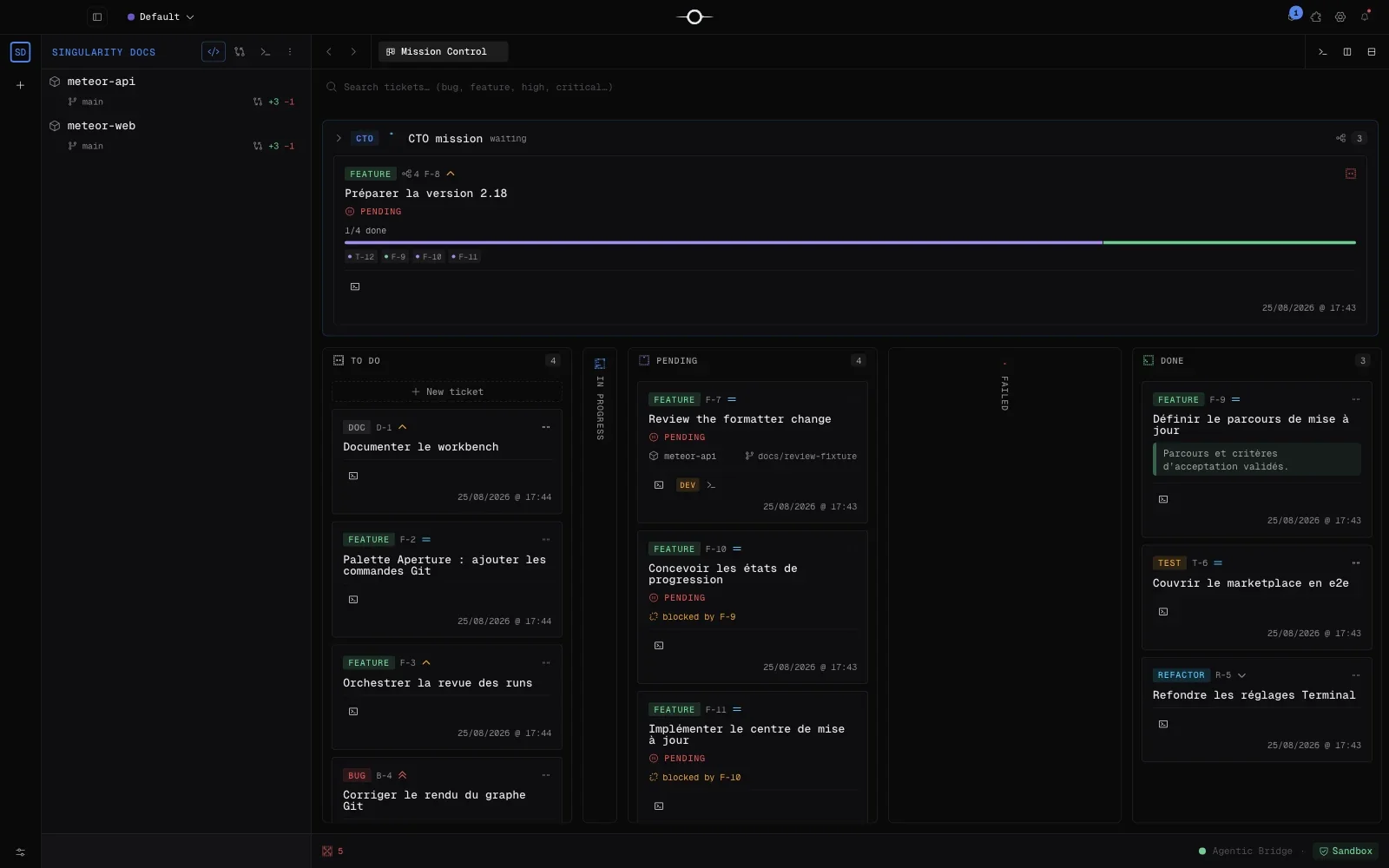
Singularity is an Agentic Development Environment (ADE) for macOS that combines a code editor, terminal, Git and a ticket board in one desktop app. Instead of an endless chat, work is split into atomic tickets: each ticket gets a clear scope, its own branch and an agent running in an isolated worktree. Developers inspect the resulting changes and approve integration, so the merge stays a deliberate step. Relevant skills are injected automatically into each agent's context to keep it focused, and several projects can be orchestrated in parallel without context leaking between them. Native macOS notifications tell you when an agent finishes or fails, and a beta DevOps profile can open a repair ticket when CI breaks.
Screenshots
Key Features
Use Cases



Frequently asked questions about Singularity
What is Singularity?
Agentic development environment that orchestrates parallel AI coding agents through tickets, isolated worktrees, Git and a built-in editor.
How does Singularity work?
Singularity works by combining Atomic tickets: Each unit of work gets a finite scope, its own context, a branch and a single agent, Isolated worktrees: Agents work in separate Git worktrees so changes can be reviewed before integration, Context injection: Relevant skills are loaded automatically so context stays minimal and targeted, Integrated Git: Branches, graph, stash, hooks and review built into the app, Multi-project orchestration: Run agents across many repositories in parallel without context leakage to help users with A developer splits a feature into tickets and lets several agents build parts of it in parallel worktrees, A team reviews each agent's diff in the built-in Git view before merging into the main branch, An engineer fixes a bug in one repo and its dependent service in a single multi-project ticket, A tech lead monitors a board of tickets and gets a macOS notification when an agent fails, A team lets the DevOps profile open a repair ticket automatically when a CI pipeline breaks.
What are the main features of Singularity?
Key features include Atomic tickets: Each unit of work gets a finite scope, its own context, a branch and a single agent, Isolated worktrees: Agents work in separate Git worktrees so changes can be reviewed before integration, Context injection: Relevant skills are loaded automatically so context stays minimal and targeted, Integrated Git: Branches, graph, stash, hooks and review built into the app, Multi-project orchestration: Run agents across many repositories in parallel without context leakage.
Who is Singularity for?
Singularity is useful for anyone interested in A developer splits a feature into tickets and lets several agents build parts of it in parallel worktrees, A team reviews each agent's diff in the built-in Git view before merging into the main branch, An engineer fixes a bug in one repo and its dependent service in a single multi-project ticket, A tech lead monitors a board of tickets and gets a macOS notification when an agent fails, A team lets the DevOps profile open a repair ticket automatically when a CI pipeline breaks.
How much does Singularity cost?
Singularity offers a free tier with paid plans for advanced features.
How do I get started with Singularity?
Visit https://singularity.meteorfactory.dev/ to sign up and explore Singularity.
Explore more AI Ai Tools tools
Browse all Ai Tools tools →Browse by use case: Automation & Productivity
Compare Singularity: vs UseIt Studio · vs Woven Video · vs Sorcerer · vs Praex