

Sent
AIUnified messaging API to send SMS, WhatsApp, iMessage and RCS from one integration for 2FA, notifications and campaigns.
Sent
Unified messaging API to send SMS, WhatsApp, iMessage and RCS from one integration for 2FA, notifications and campaigns.
About Sent
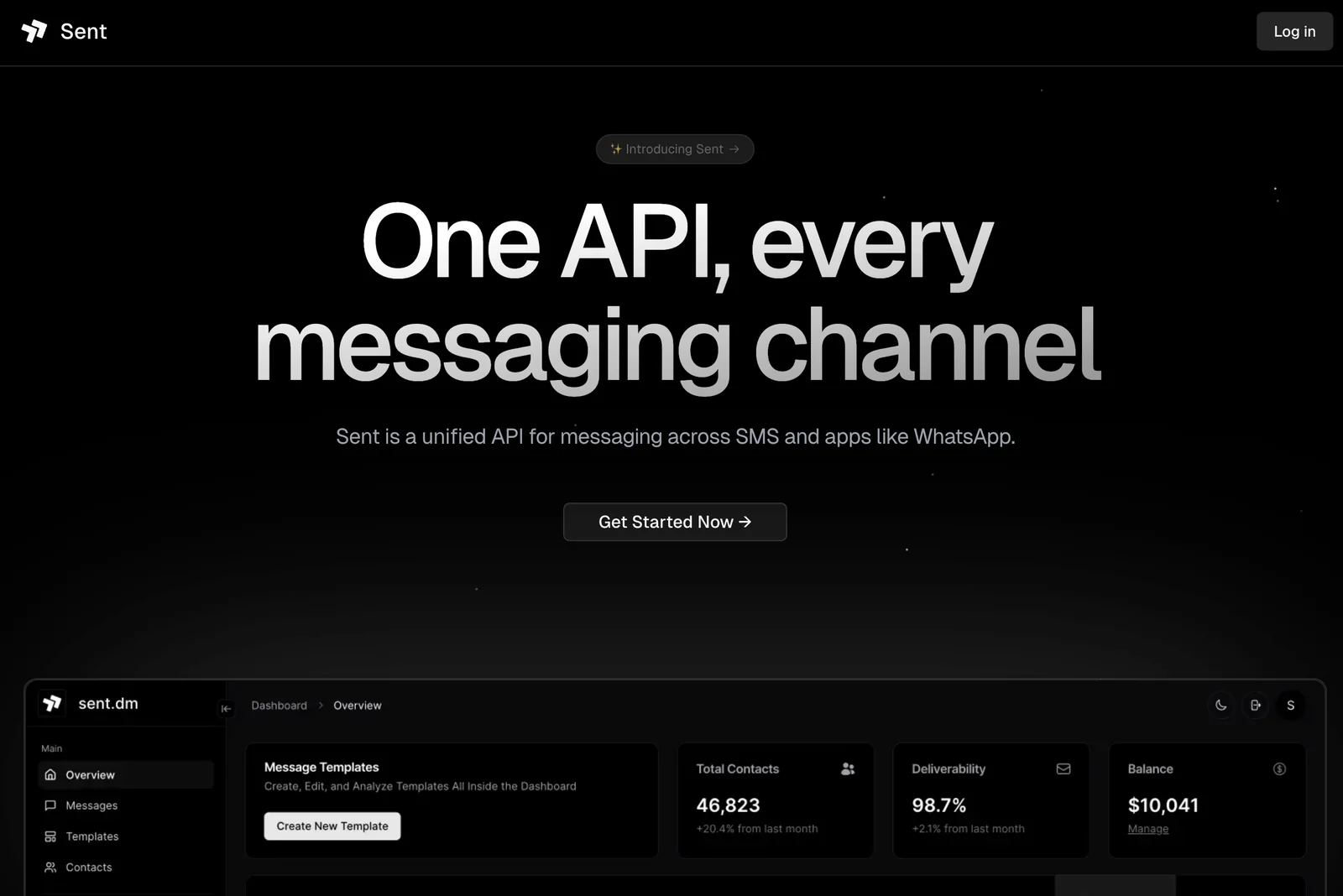
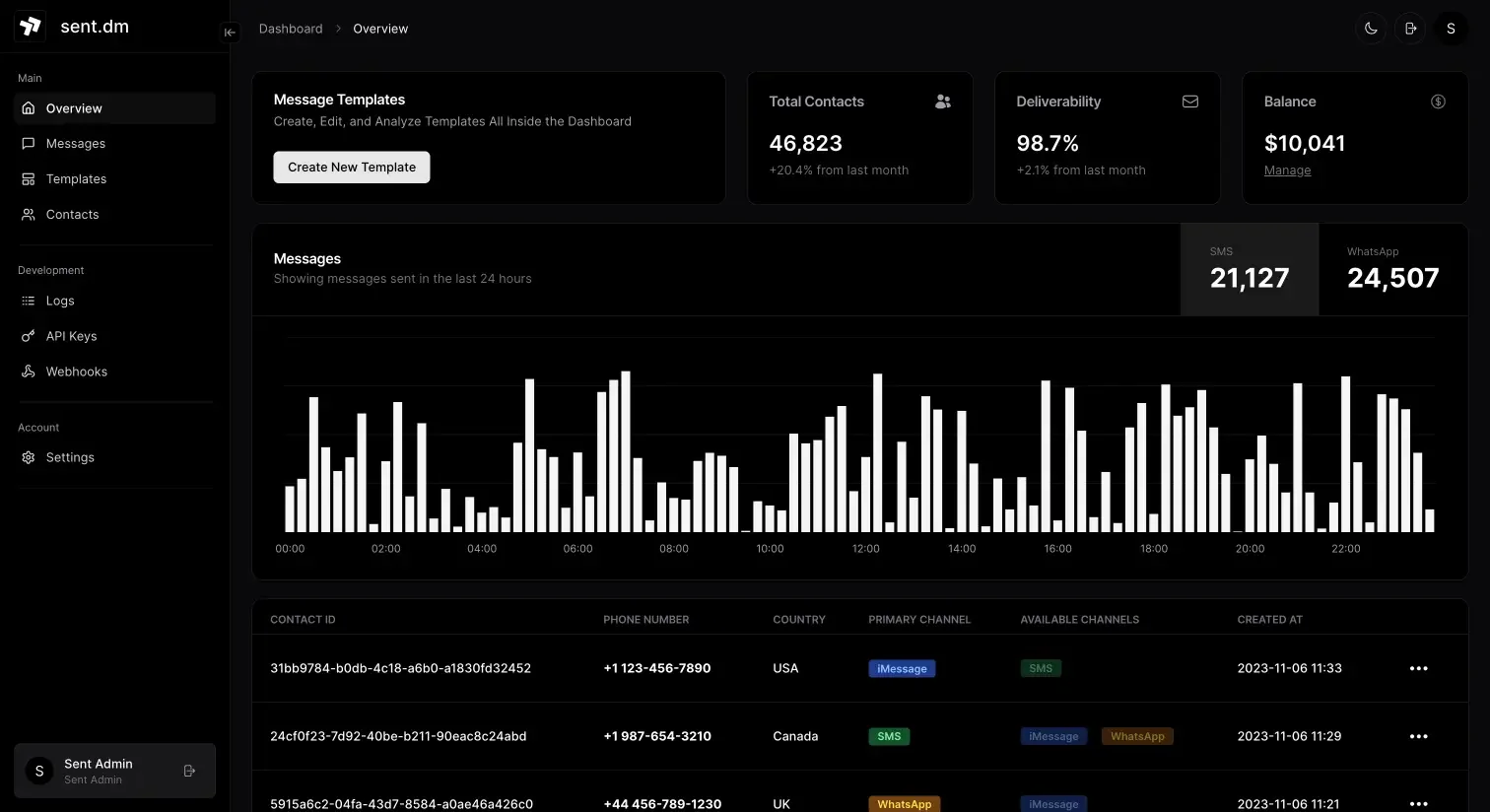
Sent is a unified messaging API that lets developers integrate and send messages across SMS and app channels (WhatsApp, iMessage, RCS) through a single RESTful interface. It centralizes channel selection, templating, and delivery so teams can send 2FA codes, transactional notifications, and marketing campaigns without building separate integrations for each provider. Sent provides SDKs and libraries (including a Node library) and webhook-based delivery receipts to speed implementation and monitor message status. The platform emphasizes rapid onboarding — "get started in minutes" — and simplifies cross-channel messaging workflows and compliance considerations.
Screenshots
Key Features
Use Cases



Frequently asked questions about Sent
What is the pricing structure for Sent?
Sent utilizes a flexible pricing structure that combines a flat fee of $0.015 per contact, charged monthly, with a usage-based model. For tailored enterprise options or detailed tier information, contacting Sent's sales team is recommended for the most accurate and personalized pricing details.
Key Points
- Flat Fee Model: $0.015 per contact per month.
- Usage-Based Pricing: Additional costs may apply based on usage.
- Enterprise Options: Customized plans available upon inquiry.
Detailed Explanation
Sent's pricing is designed to accommodate various business needs, making it accessible for small to large enterprises. The base cost is $0.015 per contact per month, which is straightforward and allows businesses to predict their monthly expenses easily.
Example Pricing Scenario:
For a company with 1,000 contacts, the monthly fee would be:
- Flat Fee: 1,000 contacts x $0.015 = $15 per month.
In addition to the flat fee, a usage-based pricing model allows for flexibility, meaning businesses can scale their usage based on demand or specific campaigns. This is particularly beneficial for seasonal businesses or those experiencing fluctuating customer engagement.
To explore enterprise options, which may include bulk discounts or additional features, it's advisable to reach out to Sent's sales team directly. They can provide detailed insights into pricing tiers, including any potential discounts for larger volumes or long-term commitments.
Best Practices / Tips
- Assess Your Needs: Before committing, evaluate how many contacts you will manage and consider your growth projections to select the most cost-effective plan.
- Monitor Usage: Regularly review your contact list and usage patterns to optimize costs and avoid unnecessary charges.
- Contact Sales for Customization: If your business requires specific features or a large volume of contacts, engage with Sent's sales team to negotiate a tailored plan that fits your needs.
Additional Resources
- Sent Pricing Page - For updated pricing and tier details.
- Sent Official Documentation - To understand features and functionalities better.
- Contact Sent Sales - For personalized pricing inquiries and enterprise solutions.
How do I get started with the Sent API?
To get started with the Sent API, visit the official website, review the comprehensive documentation, and follow the quick-start guides available. You can integrate the unified messaging API in just a few minutes, making it accessible for developers of all skill levels.
Key Points
- Access the official Sent API website for resources.
- Review documentation for setup and integration.
- Use quick-start guides for a streamlined onboarding process.
Detailed Explanation
Starting with the Sent API is straightforward. Here’s how to begin:
-
Visit the Official Website: Go to Sent API’s official website to access resources.
-
Access Documentation: Navigate to the documentation section. This will provide you with in-depth information on features, endpoints, and authentication methods. The documentation is organized into categories for easy navigation.
-
Follow Quick-Start Guides: The quick-start guides are designed to help you set up your first project with minimal effort. These guides typically include:
- Installation Instructions: Step-by-step setup instructions for different programming languages and environments.
- Sample Code: Pre-written code snippets that illustrate how to make API calls.
- Testing and Debugging Tips: Guidance on how to test your integration effectively.
-
Integration Process: After reviewing the documentation, you can begin integrating the API into your application. The unified messaging API allows you to send and receive messages seamlessly, enhancing user engagement.
-
Experiment and Iterate: Once you’ve completed the initial integration, experiment with different features. Use real-time data to optimize and customize your messaging.
Best Practices / Tips
- Understand API Limits: Familiarize yourself with any rate limits or usage quotas. This will help you avoid disruptions in service.
- Secure Your API Key: Keep your API key confidential and use environment variables in your code to prevent exposure.
- Monitor Performance: Implement logging and monitoring to track the performance of your API integration and identify any issues early.
- Stay Updated: Regularly check for updates in the documentation and API features to take advantage of new functionalities.
Additional Resources
- Sent API Documentation
- Sent API Quick-Start Guide
- Community Forum for user support and sharing experiences.
What are the key features of the Sent messaging API?
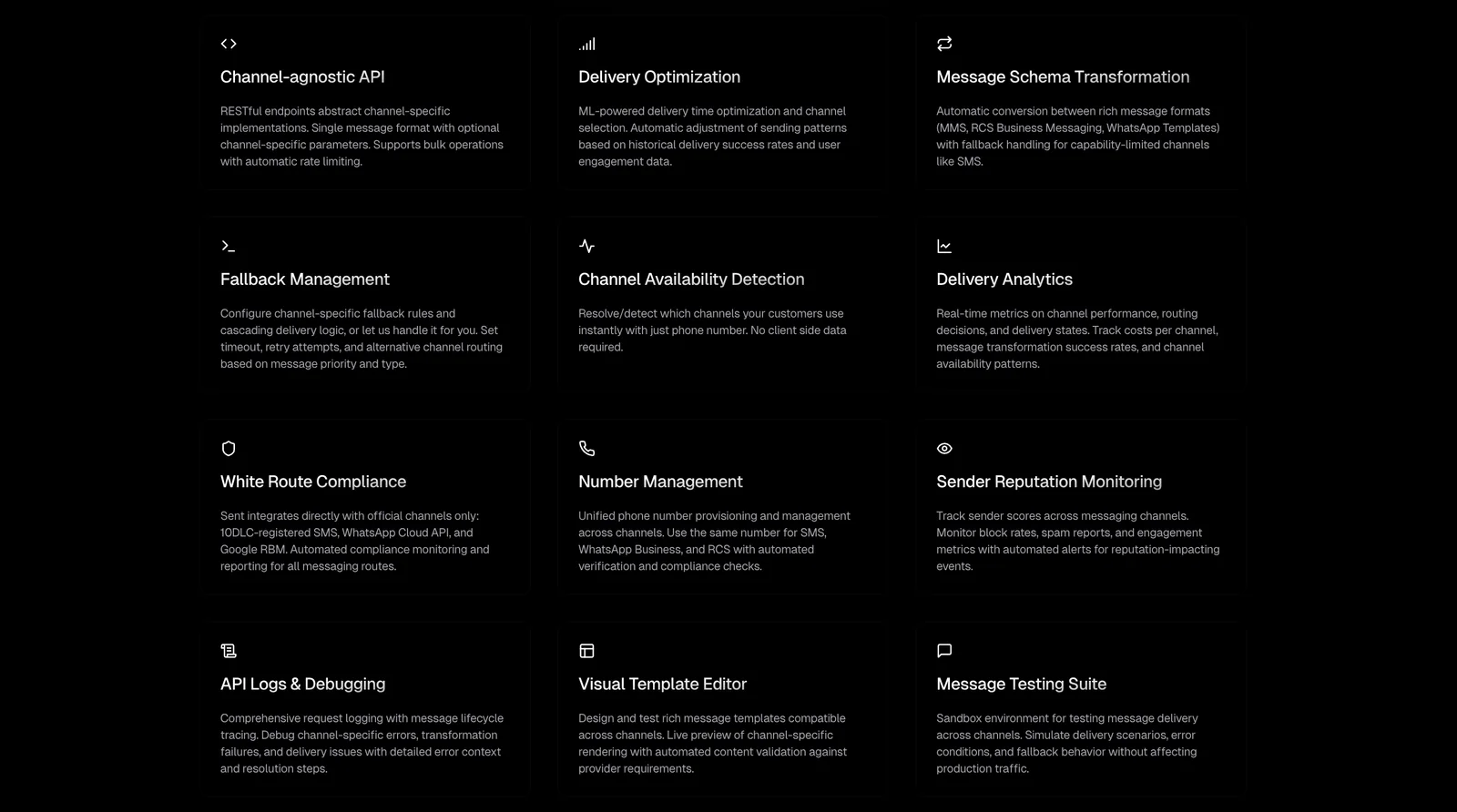
Sent's messaging API offers unified messaging across popular platforms like SMS, WhatsApp, iMessage, and RCS. Key features include intelligent channel routing, two-factor authentication (2FA) support, customizable templated campaigns, and seamless webhook integration for real-time notifications and data handling.
Key Points
- Unified Messaging: Integrates multiple channels into one API.
- Channel Routing: Automatically directs messages to the best platform.
- 2FA and Security: Enhances security with two-factor authentication.
Detailed Explanation
Sent's messaging API is designed to streamline communication by consolidating various messaging platforms into a single interface. This unified approach eliminates the need for multiple APIs, reducing complexity and improving efficiency.
1. Unified Messaging
The API supports major messaging platforms, including SMS, WhatsApp, iMessage, and RCS. This means businesses can reach their audience on the channels they prefer without significant infrastructure changes.
2. Channel Routing
Sent’s intelligent channel routing feature automatically determines the most effective messaging channel for delivery. This optimization increases engagement rates and ensures timely communication. For example, if a customer prefers WhatsApp but is currently unavailable, the message can be routed to SMS instead.
3. Two-Factor Authentication (2FA)
Security is paramount in messaging, and Sent provides 2FA support to secure user accounts and sensitive data. This feature is crucial for applications that require a high level of security, such as financial services or health sectors, ensuring only authorized users can access sensitive information.
4. Templated Campaigns
With templated campaigns, businesses can create and manage marketing messages efficiently. These templates can be customized for different audiences, allowing for personalized communication while saving time on content creation.
5. Webhook Integration
Webhook integration allows real-time notifications and data handling. Businesses can automate responses or trigger actions based on user interactions, enhancing the overall customer experience. For instance, if a customer replies to a campaign message, an automated system can respond instantly with relevant information.
Best Practices / Tips
- Test Different Channels: Regularly analyze which channels yield the highest engagement and adjust your strategy accordingly.
- Use Clear Templates: Ensure your message templates are straightforward and mobile-friendly for optimal readability.
- Monitor Security: Regularly review your 2FA implementation to ensure it meets current security standards.
Additional Resources
How does Sent compare to other messaging APIs?
Sent is a leading messaging API that distinguishes itself through its unified platform, enabling integration across multiple channels like SMS, email, and chat without separate setups. It features competitive pricing and powerful tools for two-factor authentication (2FA) and marketing campaigns, making it an optimal choice for businesses of all sizes.
Key Points
- Unified API: Supports multiple messaging channels seamlessly.
- Competitive Pricing: Offers cost-effective solutions tailored for businesses.
- Robust Features: Includes advanced tools for 2FA and effective marketing campaigns.
Detailed Explanation
Sent's unified messaging API simplifies the integration process by allowing businesses to communicate across various platforms, such as SMS, email, and chat, without the need for multiple integrations. This streamlined approach not only saves time but also reduces the complexity of managing various messaging channels separately.
For example, a startup can use Sent’s API to send marketing emails, push notifications, and SMS alerts from a single platform, allowing for a cohesive customer engagement strategy. Additionally, Sent offers advanced features for two-factor authentication (2FA), enhancing security for user accounts. This is particularly vital for e-commerce platforms seeking to protect sensitive customer data during transactions.
Sent's pricing model is designed to be competitive, making it attractive for small to medium-sized businesses. With flexible plans that accommodate different volumes of messages, companies can scale their usage according to their growth without incurring prohibitive costs.
Best Practices / Tips
- Evaluate Your Needs: Before choosing a messaging API, assess your communication needs and volume. Sent offers flexible options to fit various business sizes.
- Utilize 2FA: Implement two-factor authentication for added security, especially if your business handles sensitive customer information.
- Monitor Performance: Regularly analyze message delivery rates and engagement metrics to optimize your campaigns effectively.
Additional Resources
What technical requirements are needed to integrate with Sent?
Integrating with Sent requires a foundational understanding of APIs, specifically RESTful API requests. Familiarity with programming languages like Python or JavaScript can streamline this process. Sent also provides official client libraries that facilitate integration, making it more accessible for developers of varying skill levels.
Key Points
- API Knowledge: Basic understanding of RESTful APIs is essential.
- Programming Skills: Familiarity with languages like Python or JavaScript is beneficial.
- Client Libraries: Official libraries are available to simplify integration.
Detailed Explanation
To successfully integrate with Sent, developers need to grasp the core concepts of APIs, particularly REST APIs, which are the backbone of modern web communications. Understanding how to make HTTP requests, manage responses, and handle authentication is crucial.
Steps to Integrate with Sent:
- Obtain API Credentials: Sign up for a Sent account and generate your API key from the dashboard.
- Choose Your Programming Language: Determine which client library fits your needs—Sent supports several languages, including Python, JavaScript, and Ruby.
- Install the Client Library: Use package managers like npm for JavaScript or pip for Python to install the necessary libraries.
- Make Your First Request: Start with a simple GET request to retrieve data. For example, in Python:
import requests url = "https://api.sent.com/v1/resource" headers = {"Authorization": "Bearer YOUR_API_KEY"} response = requests.get(url, headers=headers) print(response.json()) - Handle Responses: Parse the JSON responses and implement error handling to manage potential issues, such as rate limits or invalid requests.
Use Cases:
- Data Automation: Integrate Sent into your applications to automate data collection and processing.
- Real-time Analytics: Use Sent's capabilities to gather insights and analytics in real-time.
- Enhanced User Experience: Leverage the API to create customized features based on user interactions.
Best Practices / Tips
- Read the Documentation: Always refer to Sent’s official API documentation for the latest endpoints and usage guidelines.
- Test Thoroughly: Use tools like Postman to test your API requests before implementing them in your application.
- Monitor API Usage: Keep track of your API calls to avoid hitting rate limits, which can impede your integration.
Additional Resources
Explore more AI Ai Tools tools
Browse all Ai Tools tools →Compare Sent: vs CleanSlop · vs Kalender Sync · vs UseIt Studio · vs Woven Video