

Reply
AIAI-powered sales outreach platform for multichannel cold email, lead discovery, automation, and CRM-integrated analytics to book more meetings.
Reply
AI-powered sales outreach platform for multichannel cold email, lead discovery, automation, and CRM-integrated analytics to book more meetings.
About Reply
Reply.io is a sales outreach and cold email platform that automates multichannel prospecting, sequence management, and follow-ups using AI-driven personalization. It combines a B2B contact database, campaign automation for email and LinkedIn, analytics dashboards, and native CRM integrations to streamline pipeline generation and meeting booking. Reply.io's value is in scaling personalized outreach at volume — automating repetitive tasks, improving message relevance with AI, and providing reporting and CRM sync to accelerate sales workflows and close rates.
Screenshots
Key Features
Use Cases



Frequently asked questions about Reply
What are the pricing options for Reply.io?
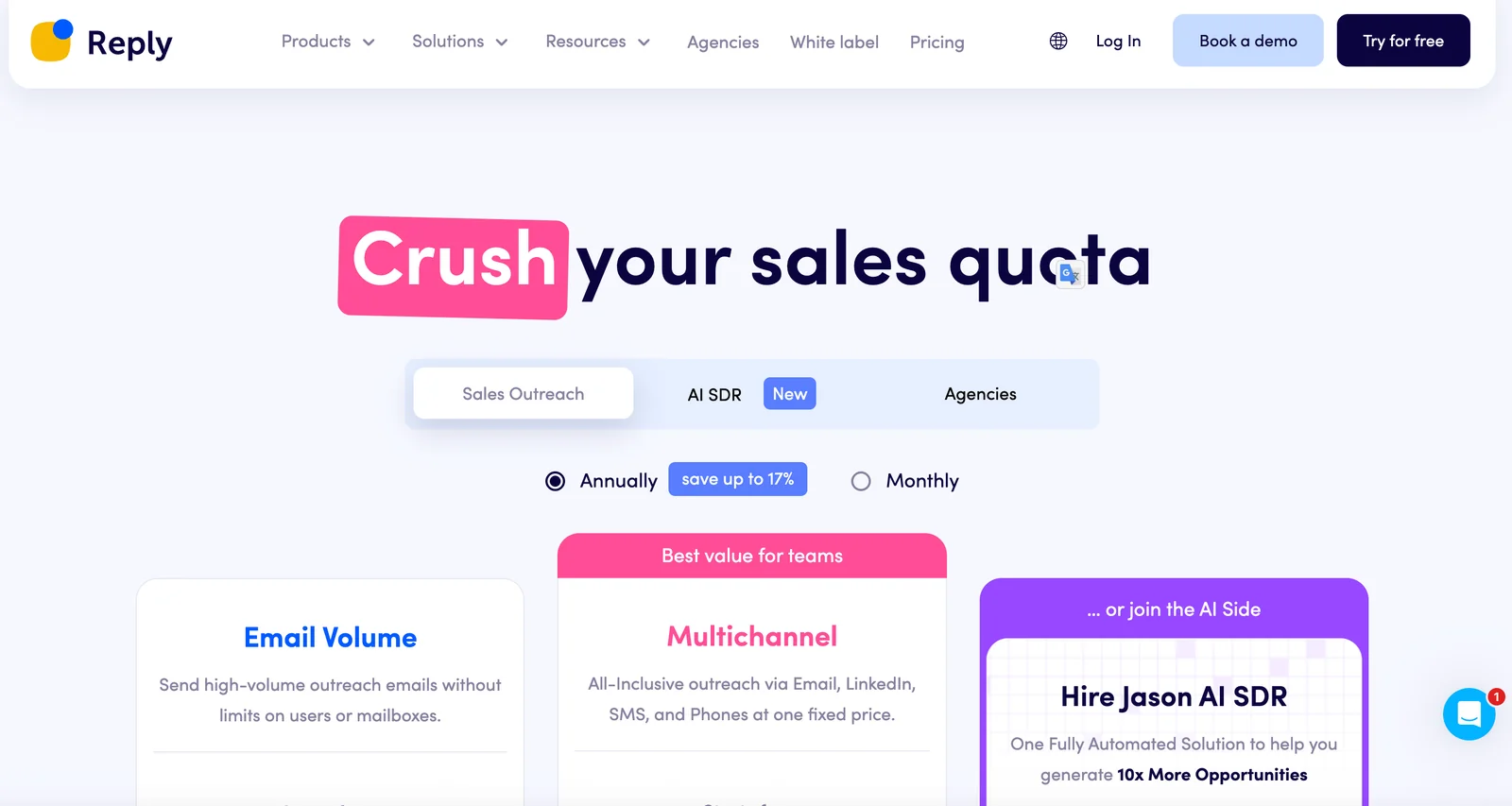
Reply.io offers a flexible pricing structure, including a freemium model. Users can start with a free trial or free plan, while paid plans begin at $59 per month for the Email Volume plan and reach up to $166 per month for the Agency plan, with custom enterprise solutions available.
Key Points
- Freemium Model: Free trial and free plan available.
- Paid Plans: Start at $59/month, with different tiers.
- Enterprise Options: Custom pricing for larger businesses.
Detailed Explanation
Reply.io provides a range of pricing options to cater to diverse business needs. The freemium model allows users to explore the platform with a free plan that includes basic features, making it ideal for startups or individuals wanting to test the software.
Paid Plans
- Email Volume Plan: Starting at $59/month, this tier is designed for users focusing on increasing email outreach while maintaining a budget.
- Pro Plan: At $99/month, users gain access to advanced features such as multi-channel outreach and CRM integrations.
- Agency Plan: Priced at $166/month, this plan is tailored for agencies with multiple client accounts, offering collaboration tools and enhanced reporting.
- Enterprise Solutions: For businesses requiring customized features or higher volumes, Reply.io offers tailored enterprise pricing that includes dedicated support and unique feature sets.
Use Cases
- For Startups: Leverage the free plan to build initial outreach strategies.
- For Small Businesses: Utilize the Email Volume Plan to scale email campaigns without heavy investment.
- For Agencies: The Agency Plan provides the necessary tools for managing multiple clients efficiently.
Best Practices / Tips
- Start with Free Plan: Take advantage of the free plan to understand your needs before committing to a paid plan.
- Evaluate Features: Compare features across plans to ensure you select the right one for your business type.
- Consider Long-term Growth: If planning for growth, opt for the Pro or Agency plans to accommodate scalability.
Additional Resources
How do I use Reply.io for cold email outreach?
To use Reply.io for cold email outreach, sign up for a free trial, set up your account, and create multichannel campaigns. Leverage its AI-driven personalization and automation features to enhance your outreach efforts and efficiently manage responses for optimal engagement.
Key Points
- Sign Up and Setup: Begin with a free trial to explore features.
- Campaign Creation: Develop multichannel outreach strategies.
- AI Personalization: Utilize AI tools for tailored messaging.
Detailed Explanation
Reply.io is a powerful platform designed for cold email outreach and sales engagement. Here’s how to effectively use Reply.io:
-
Sign Up for a Free Trial: Visit the Reply.io website and register for a free trial. This allows you to explore the platform's capabilities without any financial commitment.
-
Set Up Your Account: After registration, complete your profile by adding your contact details and integrating your email account. You can connect various email providers like Gmail or Outlook to streamline your outreach process.
-
Create Multichannel Campaigns: Utilize Reply.io's campaign creation tools to design outreach strategies that incorporate emails, calls, and social media interactions. This multichannel approach increases your chances of engagement.
-
Leverage AI Personalization: One of Reply.io's standout features is its AI-driven personalization. Input your prospects' details, and the platform will generate tailored email content that resonates with your audience. Personalization increases open and response rates significantly.
-
Automate Follow-Ups: Set up automated follow-up sequences based on recipient actions. For example, if a prospect opens your email but doesn’t reply, Reply.io can automatically send a follow-up message after a specified time.
-
Manage Responses: Use Reply.io’s dashboard to track replies and manage conversations. The platform allows you to categorize responses, making it easier to prioritize leads.
Best Practices / Tips
- Segment Your Audience: Divide your email list into segments based on demographics or interests for more targeted messaging.
- Test Your Emails: A/B test different subject lines and email content to identify what resonates best with your audience.
- Monitor Metrics: Keep an eye on open rates, click-through rates, and reply rates to refine your outreach strategy continuously.
- Avoid Spam Filters: Use a professional email address and avoid spammy language to ensure your emails reach the inbox.
Additional Resources
What are the main features of Reply.io?
Reply.io offers a suite of features designed to enhance sales outreach, including multichannel campaigns, AI-driven personalization, access to a B2B lead database, seamless CRM integrations, campaign automation, and comprehensive analytics for performance tracking and strategy optimization.
Key Points
- Multichannel Campaigns: Engage prospects via email, phone, social media, and more.
- AI-Driven Personalization: Tailor outreach with smart algorithms for individual recipient needs.
- B2B Lead Database Access: Leverage a robust database for targeted lead generation.
Detailed Explanation
Reply.io is a powerful sales engagement platform that enables businesses to streamline their outreach efforts. Here’s a closer look at its main features:
Multichannel Campaigns
With Reply.io, users can run campaigns across multiple communication channels. This means you can connect with leads through:
- Email: Create and send personalized email sequences.
- Calls: Automate call scheduling and logging.
- Social Media: Engage with potential customers on platforms like LinkedIn.
This multichannel approach ensures a diverse outreach strategy, increasing the chances of connecting with your audience.
AI-Driven Personalization
The platform utilizes artificial intelligence to enhance user engagement. By analyzing data, Reply.io helps you craft messages that resonate with individual recipients. This feature allows for:
- Dynamic Content: Personalize emails based on the recipient’s previous interactions.
- Behavioral Insights: Use data analytics to understand prospects better and tailor your approach accordingly.
B2B Lead Database Access
Reply.io provides access to a vast B2B lead database, making it easier for users to find and connect with potential clients. This feature includes:
- Advanced Filtering: Search leads based on specific criteria such as industry, company size, and location.
- Lead Enrichment: Automatically gather additional information about leads to enhance outreach efforts.
CRM Integrations
The platform integrates seamlessly with popular CRM systems like Salesforce and HubSpot, allowing users to manage all customer interactions in one place. This integration enables:
- Data Syncing: Automatically update lead information across platforms.
- Streamlined Workflows: Create a unified sales process that enhances productivity.
Campaign Automation and Analytics
Automate repetitive tasks and analyze campaign performance through comprehensive analytics. Users can:
- Schedule Emails and Calls: Set up automated sequences to follow up with leads.
- Track Metrics: Gain insights into open rates, response rates, and overall campaign effectiveness.
Best Practices / Tips
- Segment Your Audience: Divide your leads into categories for more effective targeting.
- A/B Testing: Regularly test different email subject lines and content to see what resonates best.
- Monitor Analytics: Use the analytics dashboard to continually refine your outreach strategies based on measurable performance.
Additional Resources
How does Reply.io compare to other sales outreach tools?
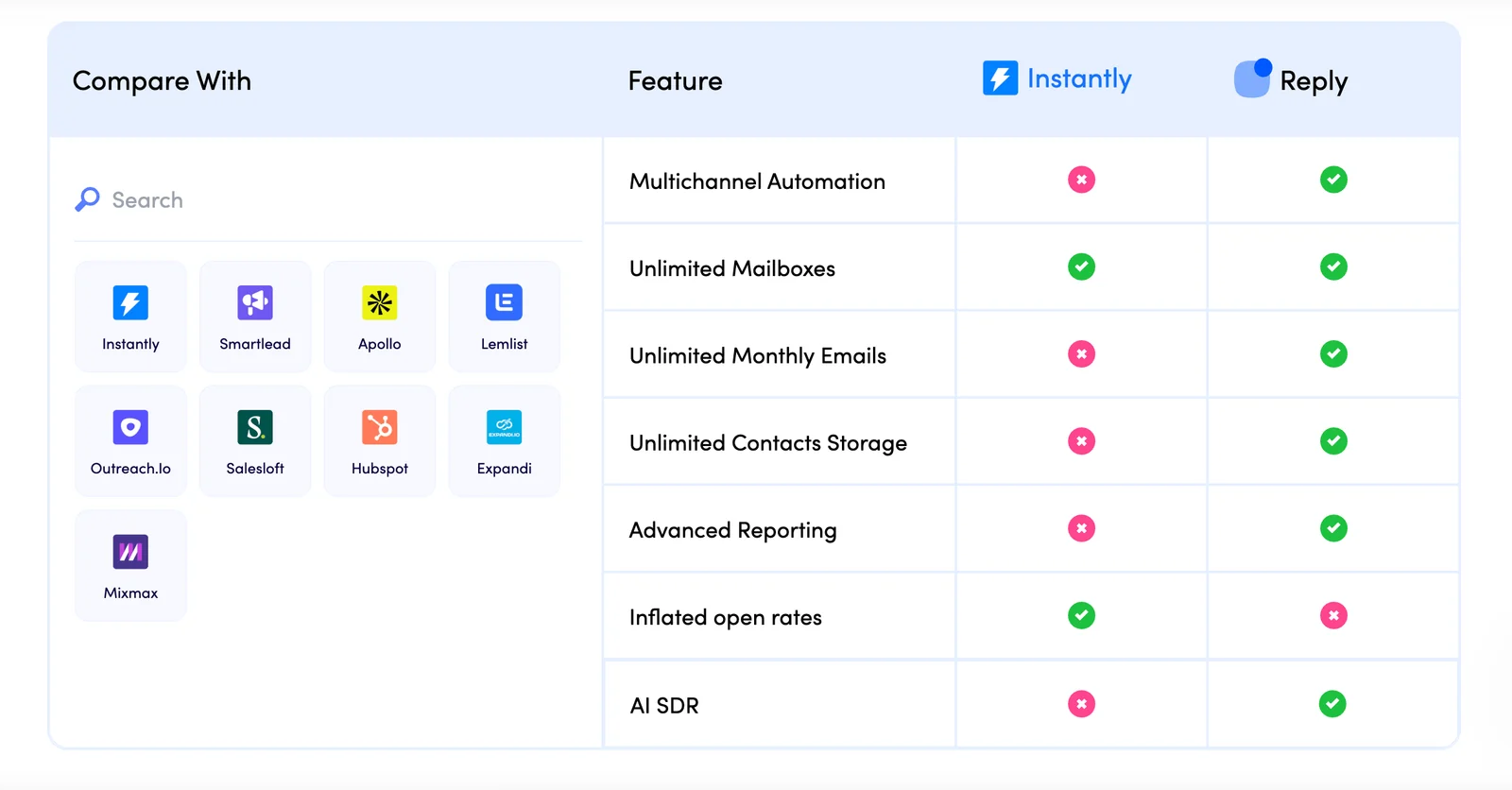
Reply.io excels in sales outreach with its multichannel capabilities and AI-driven personalization features, making it ideal for scalable outreach. While it offers robust tools for engagement, its pricing may be higher than some competitors, which is a crucial consideration for teams with budget constraints.
Key Points
- Multichannel Outreach: Engage prospects through email, calls, and social media.
- AI Personalization: Tailor messages using AI to enhance response rates.
- Pricing Considerations: Higher cost tiers compared to some alternatives.
Detailed Explanation
Reply.io is designed for effective sales outreach, integrating various communication channels into a single platform. Users can initiate contact via email, phone, and social media, allowing for flexible engagement strategies. This multichannel approach enables sales teams to reach prospects where they are most active, increasing the likelihood of responses.
One of Reply.io's standout features is its AI-driven personalization. The platform analyzes data to craft tailored messages that resonate with potential clients, improving engagement rates. For example, by leveraging AI, sales teams can identify the best times to reach out and customize their messages based on the recipient's previous interactions and preferences.
However, it's essential to consider the pricing structure. Reply.io's plans start at around $70 per user per month, which can be higher than competitors like Outreach.io or Mailshake. Teams on a tight budget may need to evaluate whether the advanced features justify the cost.
Best Practices / Tips
- Utilize Multichannel Features: Make the most of Reply.io’s capabilities by engaging prospects through multiple channels to increase outreach effectiveness.
- Leverage AI Personalization: Invest time in understanding how to use AI tools for crafting personalized messages that can significantly enhance your response rates.
- Monitor Performance: Regularly analyze your outreach success metrics to refine your approach and optimize your campaigns for better results.
Additional Resources
Does Reply.io have an API for integrations?
Yes, Reply.io offers a robust API for integrations. This feature enables users to seamlessly connect with various CRM systems and other essential tools, significantly enhancing workflow automation, data synchronization, and overall productivity across different platforms.
Key Points
- Robust API Access: Allows seamless integration with various applications.
- Enhanced Workflow Automation: Streamlines processes by connecting tools.
- Data Synchronization: Ensures consistent data across platforms for better insights.
Detailed Explanation
Reply.io's API is designed to facilitate integration with many popular CRM systems, such as Salesforce, HubSpot, and Zoho. This capability allows businesses to automatically sync contacts, track engagement, and manage outreach efforts more effectively.
Use Cases
- CRM Integration: Automatically sync leads and contacts from Reply.io to your CRM, ensuring your sales team has the most up-to-date information.
- Email Marketing Tools: Connect Reply.io with platforms like Mailchimp to automate follow-up emails based on user interactions.
- Custom Applications: For businesses with specific needs, the API allows the creation of custom integrations that tailor workflows to unique requirements.
Step-by-Step Guidance
- Access API Documentation: Start by reviewing the Reply.io API documentation to understand available endpoints and functionalities.
- Generate API Keys: Log into your Reply.io account and navigate to the API settings to generate your unique API keys.
- Test the Integration: Use tools like Postman to test the API calls and ensure that data is transferred correctly between Reply.io and your chosen applications.
Best Practices / Tips
- Thoroughly Read Documentation: Familiarize yourself with the API’s capabilities and limitations to avoid common pitfalls.
- Monitor API Usage: Keep track of your API calls to ensure you stay within any usage limits set by Reply.io.
- Implement Error Handling: Build robust error handling in your integration to manage potential issues proactively.
Additional Resources
By leveraging Reply.io's API, you can enhance your business processes and improve overall efficiency, making it an essential tool for any organization looking to streamline their sales and marketing efforts.
Explore more AI Ai Tools tools
Browse all Ai Tools tools →Browse by use case: Automation & Productivity
Compare Reply: vs Mise · vs BiBimba · vs VoiceCap · vs NM Signals