

Prompt Bridge
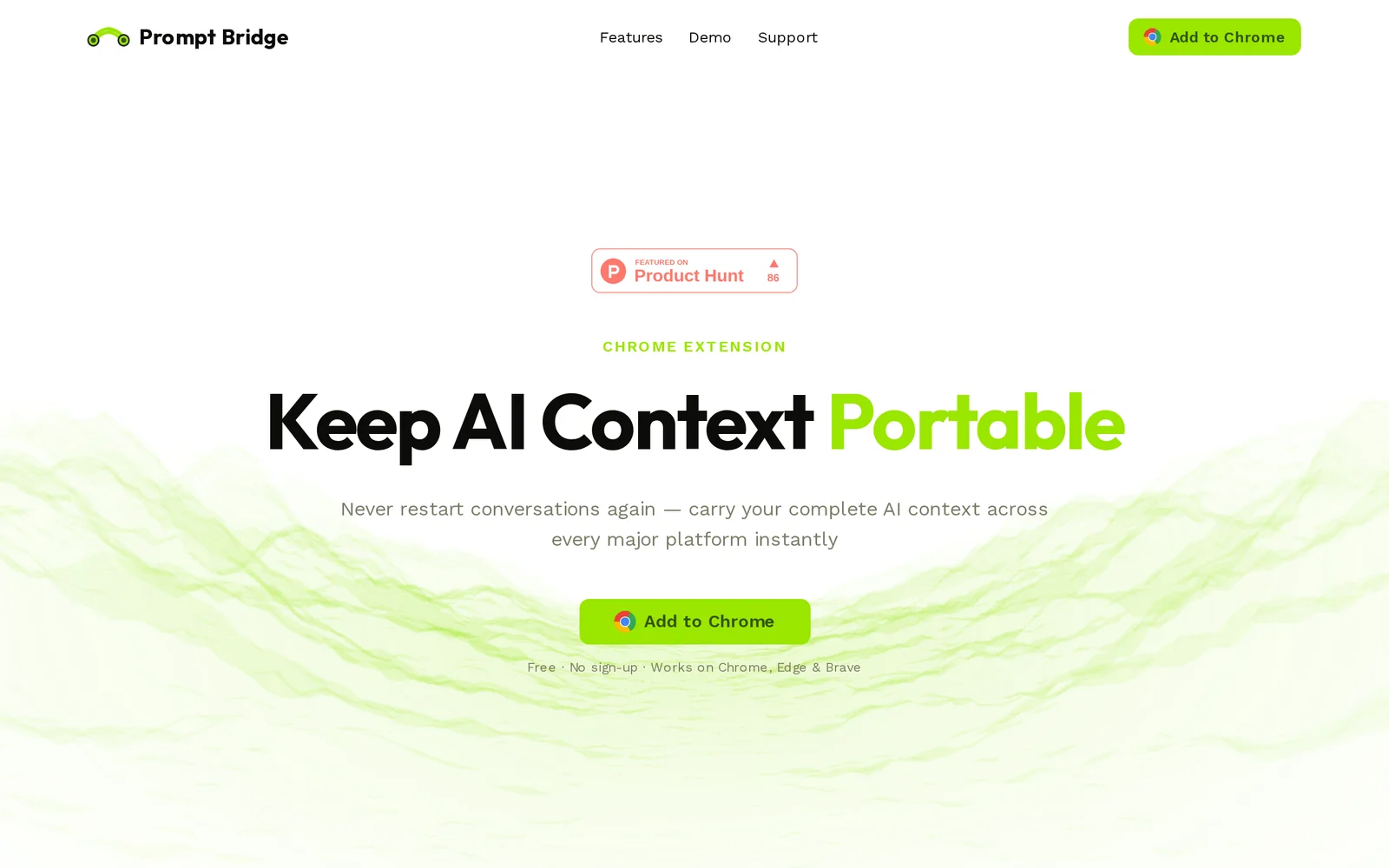
AIFree Chrome extension that captures your AI chat context and injects it into any other AI platform in one click.
Prompt Bridge
Free Chrome extension that captures your AI chat context and injects it into any other AI platform in one click.
About Prompt Bridge
Prompt Bridge is a free browser extension for Chrome, Edge and Brave that makes AI conversation context fully portable between platforms. It captures any conversation from ChatGPT, Claude, Gemini, Grok, Copilot or DeepSeek with one click, uses AI-powered smart compression to condense long threads into token-efficient summaries, and then injects that context into any other AI's input box on the next tab. Everything is stored locally on the device — no cloud, no accounts, no telemetry — so private research or business chats never leave the user's machine. The extension auto-detects the active AI site on tab switch, requires no configuration, and works with a signup-free install.
Screenshots
Key Features
Use Cases



Frequently asked questions about Prompt Bridge
What is Prompt Bridge?
Prompt Bridge is a free Chrome extension designed to seamlessly capture your AI chat context and inject it into any other AI platform with just one click. This tool enhances productivity by ensuring consistency across different AI interactions, streamlining workflows, and saving time.
Key Points
- Seamless Integration: Effortlessly connects your chat context across multiple platforms.
- User-Friendly: Designed for ease of use with a one-click functionality.
- Time-Saving: Reduces repetitive tasks in AI interactions.
Detailed Explanation
Prompt Bridge revolutionizes the way users interact with AI systems by enabling the transfer of context from one chat environment to another. For instance, if you are discussing a project in ChatGPT and want to switch to another AI tool like Jasper, Prompt Bridge allows you to transfer all relevant chat history with a single click.
Use Cases
- Project Management: Maintain ongoing discussions about projects across various AI platforms, ensuring that all team members have access to the same context.
- Customer Support: Use Prompt Bridge to move customer queries from one AI assistant to another without losing valuable information.
- Content Creation: Writers can easily shift their brainstorming sessions from one tool to another, keeping ideas intact and organized.
Example Scenario
Imagine you are drafting an article in OpenAI's ChatGPT, but need to use another AI tool for grammar checks. With Prompt Bridge, you can transfer your entire chat history, including suggestions and edits, to the grammar-checking tool, ensuring no details are missed.
Best Practices / Tips
- Regular Updates: Ensure your Chrome extension is updated for optimal performance and access to new features.
- Context Relevance: Always check that the context being transferred is relevant to the new platform to avoid confusion.
- Explore Compatibility: Test Prompt Bridge with various AI platforms to find the best fit for your workflow.
Additional Resources
With Prompt Bridge, enhance your AI interactions by maintaining context and improving productivity across different AI tools, simplifying your workflow and maximizing efficiency.
How does Prompt Bridge work?
Prompt Bridge simplifies cross-platform AI interactions by allowing users to capture, compress, and inject conversations seamlessly among various AI platforms. By utilizing features like one-click capture, smart compression, and local-only storage, it enhances productivity while ensuring privacy.
Key Points
- One-Click Capture: Save conversations from multiple AI platforms effortlessly.
- Smart Compression: Reduce long chats into concise context blocks to save on token costs.
- Local-Only Storage: Keep all conversations on your device for enhanced privacy.
Detailed Explanation
Prompt Bridge is an innovative tool designed for users who frequently interact with various AI models like ChatGPT, Claude, Gemini, Grok, Copilot, and DeepSeek. Here’s how it works:
-
One-Click Capture: With a single button, users can save their entire conversation from their active AI model. This feature eliminates the tedious process of copying and pasting text, allowing for a more streamlined experience.
-
Smart Compression: The AI summarizer condenses lengthy conversations into compact context blocks. This not only reduces the storage space required but also cuts down the token costs associated with re-injecting these conversations into other AI platforms. For instance, if you have a lengthy dialogue with ChatGPT, Prompt Bridge can summarize it to just the key points before you switch to another AI.
-
Instant Bridge Inject: Once a conversation is captured and compressed, users can paste this context into any other AI input box with a single click. This feature is particularly useful for researchers and developers looking to explore different responses from multiple models without losing the context of their discussions.
-
Auto Platform Detection: Prompt Bridge automatically detects the AI platform you’re using, adjusting its functions accordingly. This means users don’t have to manually configure settings each time they switch between platforms, making it user-friendly and efficient.
-
Local-Only Storage: All captured conversations are stored locally on your device. This design choice prioritizes user privacy by eliminating the need for cloud storage or server synchronization, ensuring that sensitive information remains confidential.
-
Cross-Platform Research: Users can continue discussions from one AI to another without losing context. For example, you can start a conversation in ChatGPT and then move to Claude while maintaining the same context.
-
Model Comparison: By feeding the same conversation into different AI models, users can compare responses and analyze which model performs better under identical circumstances.
-
Token Cost Reduction: Compressing conversations before re-injecting saves on operational costs, making it a cost-effective solution for frequent AI users.
-
Privacy-Conscious Workflows: Moving sensitive discussions between AIs while keeping the transcript exclusively on-device ensures that confidential information is not shared inadvertently.
-
Team Handoffs: The ability to share compressed context blocks allows team members to pick up conversations seamlessly, enhancing collaboration.
Best Practices / Tips
- Use Compression Wisely: Regularly compress lengthy conversations before switching AIs to manage token costs effectively.
- Regular Updates: Keep Prompt Bridge updated to enjoy the latest features and improvements.
- Secure Your Device: Since conversations are stored locally, ensure your device is secure to protect sensitive information.
Additional Resources
What are the main features of Prompt Bridge?
Prompt Bridge offers powerful features like One-Click Capture for saving conversations, Smart Compression for reducing token costs, Instant Bridge Inject for seamless context sharing, Auto Platform Detection for user-friendly operation, and Local-Only Storage to ensure privacy by keeping data on your device.
Key Points
- One-Click Capture: Effortlessly save conversations from various AI platforms.
- Smart Compression: Utilize AI to condense lengthy chats into concise summaries.
- Instant Bridge Inject: Quickly paste saved context into any AI's input field.
Detailed Explanation
Prompt Bridge is designed to enhance user interaction with AI tools such as ChatGPT, Claude, Gemini, Grok, Copilot, and DeepSeek.
-
One-Click Capture: This feature allows users to save entire conversations with just a single button press. This is particularly useful for those who frequently engage in extensive dialogues, enabling efficient archiving for later reference.
-
Smart Compression: The AI summarizer intelligently condenses long chat histories into manageable context blocks. This not only saves time but also reduces token costs when re-injecting these summaries into other AI applications, making it an economical choice for users who regularly interact with AI.
-
Instant Bridge Inject: Users can easily insert context blocks into any AI's input box without needing to manually copy and paste. This seamless integration streamlines the workflow, enhancing productivity and user experience.
-
Auto Platform Detection: Prompt Bridge automatically recognizes the active AI platform when users switch tabs. This feature eliminates the need for manual setup, allowing users to focus on productive interactions without interruptions.
-
Local-Only Storage: For privacy-conscious users, Prompt Bridge ensures that all saved conversations remain on the device. This means no data is stored on external servers, ensuring complete control over personal information.
Best Practices / Tips
- Utilize Smart Compression: Regularly use the Smart Compression feature to save on token costs, especially during lengthy sessions.
- Regularly Update the Tool: Keep Prompt Bridge updated to benefit from the latest features and improvements.
- Organize Saved Contexts: Create a systematic approach to saving and categorizing conversations for easier retrieval and use.
- Be Mindful of Privacy: Take advantage of Local-Only Storage to maintain the confidentiality of sensitive discussions.
Additional Resources
Who is Prompt Bridge for?
Prompt Bridge is designed for users who engage in cross-platform research, model comparison, and privacy-conscious workflows. It benefits anyone needing to continue AI conversations across different platforms, reduce token costs, and facilitate team handoffs while maintaining context and data security.
Key Points
- Cross-Platform Research: Seamlessly transition between different AI models.
- Model Comparison: Analyze responses from various LLMs with the same prompt.
- Privacy-Conscious Workflows: Keep sensitive data secure while transferring between AI systems.
Detailed Explanation
Prompt Bridge serves a diverse audience, including researchers, developers, and businesses. Here’s how it can be useful:
-
Cross-Platform Research: Users can maintain context by continuing a ChatGPT conversation within Claude or Gemini. This feature is particularly advantageous for researchers who require comprehensive insights from multiple AI models without restarting their discussions.
-
Model Comparison: By feeding the same conversation into different language models, users can easily compare responses. This is beneficial for developers testing the capabilities of various AI systems to identify which one performs better under identical conditions.
-
Token Cost Reduction: For those mindful of expenses, Prompt Bridge allows users to compress lengthy chats. This means you only pay for the essential parts of the dialogue rather than the entire history, effectively cutting down costs associated with token usage.
-
Privacy-Conscious Workflows: In an era where data privacy is paramount, Prompt Bridge ensures that sensitive discussions can be transferred securely between AIs without leaving traces on the cloud. Keeping transcripts on-device protects user data from unauthorized access.
-
Team Handoffs: Efficient collaboration is streamlined through the ability to share compressed context blocks. This feature enables team members to pick up conversations where others left off, ensuring continuity and clarity in discussions.
Best Practices / Tips
- Maximize Context: Always include enough context when transitioning between platforms to ensure the AI understands the ongoing discussion.
- Monitor Token Usage: Regularly check your token consumption to optimize costs, especially when compressing chats.
- Security Protocols: Utilize encryption and secure devices to safeguard sensitive conversations when using Prompt Bridge.
Additional Resources
How much does Prompt Bridge cost?
Prompt Bridge is completely free to use, providing users with a powerful platform for creating AI-generated prompts without any associated costs. This makes it an accessible tool for individuals and businesses seeking to enhance their creative processes without financial barriers.
Key Points
- Prompt Bridge is free for all users.
- No hidden fees or subscriptions are required.
- Ideal for individuals and businesses alike.
Detailed Explanation
Prompt Bridge stands out as a valuable resource for anyone looking to leverage artificial intelligence for prompt generation. Users can access a variety of features designed to streamline the creative process without worrying about costs. Since it is entirely free, users can experiment with different prompts, refine their creative skills, and generate ideas without financial risk.
Use Cases
- Content Creators: Writers, bloggers, and marketers can use Prompt Bridge to generate engaging topics or outlines for articles.
- Educators: Teachers and trainers can create prompts for assignments or discussions to stimulate student engagement.
- Businesses: Companies can utilize the tool for brainstorming sessions, helping teams come up with innovative ideas for products or services.
Best Practices / Tips
- Explore Different Genres: Don’t hesitate to experiment with various styles and genres of prompts to discover unique angles for your projects.
- Regular Usage: Make it a habit to use Prompt Bridge regularly to sharpen your creative thinking and find fresh ideas consistently.
- Collaborate: Share your generated prompts with peers for feedback, which can lead to further refinement and enhancement of your ideas.
Additional Resources
For more information on how to maximize your use of Prompt Bridge, consider visiting the official website or user guides:
How do I get started with Prompt Bridge?
To get started with Prompt Bridge, visit https://www.promptbridge.co/ to sign up for an account. Once registered, you can explore the platform's features, create prompts, and access AI tools designed to enhance your productivity and creativity.
Key Points
- Easy registration process.
- User-friendly interface for prompt creation.
- Access to various AI tools and resources.
Detailed Explanation
To begin using Prompt Bridge, follow these steps:
- Visit the Website: Go to Prompt Bridge.
- Sign Up: Click on the sign-up button, fill in your details, and create your account. You may need to verify your email to activate your account.
- Explore the Dashboard: After logging in, familiarize yourself with the user interface. The dashboard provides access to various features, including prompt creation, templates, and AI resource tools.
- Create Your First Prompt: Utilize the provided templates or start from scratch. Craft prompts tailored to your needs, whether for writing, brainstorming, or other creative applications.
- Utilize AI Tools: Take advantage of the AI capabilities offered by Prompt Bridge to enhance your content generation process. Experiment with different prompts to see what works best for your projects.
For example, if you need to generate blog ideas, create prompts that focus on your niche and let the AI suggest topics based on your input.
Best Practices / Tips
- Start Simple: When creating your first prompts, keep them straightforward. This will help you understand how the AI interprets your requests.
- Experiment Regularly: Don’t hesitate to try various prompt structures and topics. The more you use the tool, the better you'll understand its capabilities.
- Read User Guides: Familiarize yourself with any tutorials or documentation available on the site to maximize your usage of the platform.
- Join Community Forums: Engage with other users in forums or social media groups to share tips and tricks.
Additional Resources
- Prompt Bridge Documentation - Official user guides and tutorials.
- AI Prompting Techniques - Blog posts with advanced prompting strategies.
- Community Forum - Connect with other users to exchange ideas and experiences.
Explore more AI Ai Tools tools
Browse all Ai Tools tools →Compare Prompt Bridge: vs CleanSlop · vs Kalender Sync · vs UseIt Studio · vs Woven Video