

PressMeGPT.com
AIGenerate production-ready, Gutenberg-ready WordPress themes from text prompts and export editable, plugin-free themes.
PressMeGPT.com
Generate production-ready, Gutenberg-ready WordPress themes from text prompts and export editable, plugin-free themes.
About PressMeGPT.com
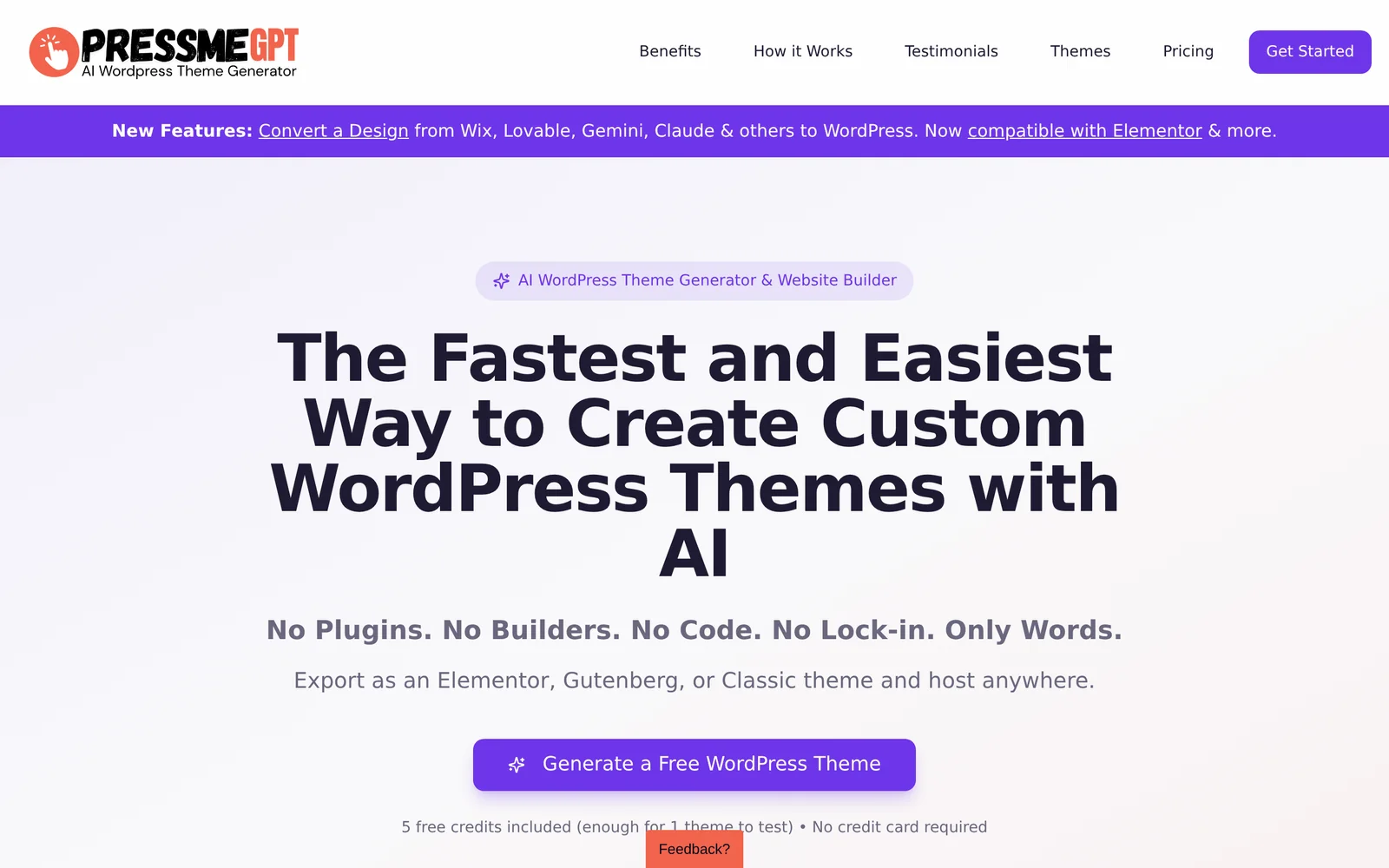
PressMeGPT is a web tool that generates complete, production-ready WordPress themes from user descriptions and design prompts. It creates editable headers, footers, and block templates formatted for the Gutenberg editor, and lets users export themes that can be installed without extra plugins or bloat. The platform also hosts a community theme directory for browsing and downloading AI-generated themes and supports workflows like converting existing HTML or coded designs into WordPress themes.
Screenshots
Key Features
Use Cases


Frequently asked questions about PressMeGPT.com
What is PressMeGPT.com?
PressMeGPT.com is an innovative platform that allows users to generate production-ready, Gutenberg-compatible WordPress themes from simple text prompts. It enables the export of editable, plugin-free themes, making it easier for creators to design and customize their websites without extensive coding knowledge.
Key Points
- Gutenberg Compatibility: Themes are designed to work seamlessly with the Gutenberg editor.
- Text Prompt Generation: Users can create themes quickly by inputting descriptive text.
- No Plugin Requirement: Output themes are fully functional without needing additional plugins.
Detailed Explanation
PressMeGPT.com leverages advanced AI technology to simplify the WordPress theme creation process. Users enter text prompts that describe the desired design features, layout, and functionality of their website. The AI then generates a complete, production-ready theme that is compatible with WordPress's Gutenberg editor, which is essential for block-based editing.
This platform is particularly beneficial for:
- Bloggers: Quickly create a professional-looking blog without coding skills.
- Small Business Owners: Generate custom themes that represent their brand identity effectively.
- Developers: Use the generated themes as a base for further customization.
For example, a user might input a prompt like "a minimalist blog theme with a sidebar and a featured post section." The AI will produce a fully functional theme that reflects these specifications, allowing for immediate deployment on their WordPress site.
Best Practices / Tips
- Be Specific: Provide detailed prompts to get more accurate theme designs. Include color schemes, layout preferences, and functionality.
- Test Generated Themes: Always preview and test the themes in various browsers and devices to ensure compatibility and responsiveness.
- Customization: Use the generated themes as a starting point, and further customize them based on your unique branding needs.
Common pitfalls to avoid include overly vague prompts, which can lead to generic designs, and neglecting to check for mobile responsiveness.
Additional Resources
How does PressMeGPT.com work?
PressMeGPT.com operates by integrating advanced AI technologies to streamline everyday workflows for users. It offers tools for content generation, data analysis, and automated responses, making tasks more efficient and intuitive. This platform is designed to enhance productivity in various sectors, from marketing to customer service.
Key Points
- AI Integration: Combines various AI technologies for seamless workflow automation.
- User-Friendly Tools: Offers accessible features for content creation and analysis.
- Versatile Applications: Suitable for multiple industries, including marketing, education, and customer support.
Detailed Explanation
PressMeGPT.com leverages cutting-edge AI capabilities to assist users in managing their daily tasks effectively. Here’s how it works:
-
Content Generation: The platform uses natural language processing (NLP) to create high-quality written content. For instance, marketers can generate blog posts, social media updates, and ad copy quickly. Users simply input their requirements, and the AI generates engaging content tailored to specific keywords and topics.
-
Data Analysis: PressMeGPT.com allows users to analyze large datasets effortlessly. Businesses can utilize AI to extract insights from customer feedback or sales data, providing actionable recommendations. This feature is particularly beneficial for organizations looking to improve their strategies based on real-time data.
-
Automated Responses: The tool can automate customer service responses, enhancing user experience. By integrating with chatbots, businesses can provide instant replies to common queries, reducing response time and improving customer satisfaction.
By offering these functionalities, PressMeGPT.com caters to a wide range of users, from freelancers to large enterprises, helping them optimize their workflows and save time.
Best Practices / Tips
- Define Clear Objectives: Before using PressMeGPT.com, identify your specific needs, such as content type or data analysis goals, to maximize the platform’s potential.
- Utilize Templates: Take advantage of pre-built templates provided by PressMeGPT.com to kickstart your projects, ensuring consistency and saving time.
- Regular Updates: Keep an eye on updates from PressMeGPT.com, as AI features evolve rapidly. Staying informed will help you leverage new tools and enhancements effectively.
Additional Resources
What are the main features of PressMeGPT.com?
PressMeGPT.com offers powerful AI capabilities, including content generation, chatbot integration, and natural language processing. These features empower users to create engaging content, automate customer interactions, and enhance overall productivity, making it an essential tool for businesses and content creators alike.
Key Points
- Content Generation: Create high-quality written content efficiently.
- Chatbot Integration: Automate customer service and engagement.
- Natural Language Processing: Understand and respond to user queries effectively.
Detailed Explanation
PressMeGPT.com stands out with its versatile AI capabilities designed for various applications.
1. Content Generation
The platform provides advanced content generation tools. Users can produce blog posts, articles, and social media updates in minutes. For instance, a marketing team can generate a month’s worth of content ideas by simply inputting a few keywords or topics. This feature is particularly beneficial for businesses looking to scale their content marketing efforts without compromising quality.
2. Chatbot Integration
PressMeGPT.com enables seamless chatbot integration, facilitating 24/7 customer support. Businesses can deploy AI-driven chatbots that handle common inquiries, allowing human agents to focus on more complex issues. For example, an e-commerce site can use the chatbot to assist customers with order tracking and product inquiries, enhancing user experience and satisfaction.
3. Natural Language Processing
With robust natural language processing capabilities, PressMeGPT.com can analyze user inputs and provide contextually relevant responses. This feature is vital for personalizing customer interactions. A travel agency, for instance, can utilize this technology to recommend destinations based on user preferences, enhancing engagement and conversion rates.
Best Practices / Tips
- Define Your Use Case: Before using the platform, identify your specific needs, whether it's content creation or customer interaction.
- Utilize Templates: Take advantage of pre-made templates for quicker content generation.
- Monitor Performance: Regularly assess the output quality and adjust prompts for better results.
- Maintain Brand Voice: Customize the AI’s tone and style to ensure consistency with your brand’s identity.
Additional Resources
Who is PressMeGPT.com for?
PressMeGPT.com is designed for individuals and businesses looking to streamline their daily AI workflows. It serves content creators, marketers, educators, and anyone interested in integrating AI into their tasks for enhanced productivity and efficiency.
Key Points
- Target Audience: Content creators, marketers, educators, and professionals.
- Workflow Enhancement: Streamlines repetitive tasks using AI tools.
- Accessibility: User-friendly platform suitable for various skill levels.
Detailed Explanation
PressMeGPT.com caters to a diverse audience, including:
-
Content Creators: Writers and bloggers can utilize AI to generate ideas, draft content, and optimize articles for SEO. By leveraging AI, they can focus more on creativity and less on mundane tasks.
-
Digital Marketers: Marketers benefit from tools that enhance data analysis, automate social media posts, and create targeted marketing campaigns. AI helps in understanding audience behaviors, optimizing ad spend, and improving conversion rates.
-
Educators and Students: Teachers can use AI to develop personalized learning experiences, while students can access AI for research assistance, study aids, and essay writing support. This application encourages a more interactive and engaging educational environment.
For example, a small business owner might use PressMeGPT to automate responses to customer inquiries, allowing them to focus on strategic decisions rather than routine communication.
Best Practices / Tips
- Explore Features: Take advantage of all available tools, such as content generation and workflow automation, to maximize productivity.
- Start Small: Begin with one or two AI tools to integrate into your workflow and expand as you become comfortable.
- Continuous Learning: Stay updated with the latest AI trends and features offered by PressMeGPT to enhance your skills and optimize your use of the platform.
Additional Resources
How much does PressMeGPT.com cost?
PressMeGPT.com offers a free tier allowing users to explore basic functionalities, while its paid plans start at $19 per month for advanced features. These paid tiers include additional capabilities such as increased usage limits and enhanced support, making it suitable for both individuals and businesses.
Key Points
- Free Tier: Access to basic functionalities at no cost.
- Paid Plans: Start at $19 per month for enhanced features.
- Target Users: Ideal for individuals and businesses needing advanced capabilities.
Detailed Explanation
PressMeGPT.com provides a flexible pricing structure designed to accommodate various user needs. The free tier allows users to create and manage content without any financial commitment, making it perfect for beginners or those exploring AI tools for the first time.
For users seeking more advanced functionalities, paid plans are available, starting at $19 per month. These plans typically include features such as:
- Increased Usage Limits: Higher thresholds for API calls or content generation.
- Priority Support: Faster response times for customer inquiries and technical issues.
- Advanced Features: Access to premium tools such as enhanced analytics and custom integrations.
Businesses, marketers, and content creators can greatly benefit from these paid plans, which are tailored to improve productivity and streamline content generation processes.
Best Practices / Tips
- Start with the Free Tier: Explore the free version to understand the platform before committing to a paid plan.
- Evaluate Needs: Assess your usage requirements to choose the most suitable paid plan.
- Take Advantage of Trials: If available, utilize trial periods for paid features to determine their value before purchase.
Additional Resources
By leveraging these resources, users can make informed decisions about which plan best suits their needs while maximizing the potential of PressMeGPT.com.
How do I get started with PressMeGPT.com?
To get started with PressMeGPT.com, simply visit www.pressmegpt.com and create an account. Once registered, you can explore various features, tools, and resources that PressMeGPT offers for enhancing your writing and content creation.
Key Points
- Easy Sign-Up: Register quickly using your email or social media accounts.
- User-Friendly Interface: Navigate through intuitive features designed for all skill levels.
- Comprehensive Resources: Access tutorials and guides to maximize your experience.
Detailed Explanation
To begin using PressMeGPT.com, follow these simple steps:
- Visit the Website: Go to www.pressmegpt.com.
- Create an Account: Click on the "Sign Up" button. You can register using your email address or connect through social media platforms like Google or Facebook for quicker access.
- Explore Features: After logging in, familiarize yourself with the dashboard. PressMeGPT provides various tools for content generation, editing, and optimization.
- Utilize Tutorials: Take advantage of the tutorials available on the platform. These resources guide you through how to effectively use AI-driven tools for your writing needs.
- Join the Community: Engage with the user community for tips, support, and sharing experiences. This can enhance your learning curve and provide additional insights.
Use Cases
- Blog Writing: Generate topic ideas, outlines, and complete articles quickly.
- Social Media Content: Create engaging posts tailored to your audience.
- SEO Optimization: Use built-in tools to improve keyword usage and readability scores.
Best Practices / Tips
- Choose the Right Template: Select templates that match your writing goals to save time and streamline your workflow.
- Regularly Update Your Profile: Keep your account information current to receive personalized recommendations.
- Experiment with Features: Don’t hesitate to try different writing styles and settings to see what works best for you.
- Avoid Over-Reliance on AI: While PressMeGPT is powerful, always review and refine the generated content to ensure it aligns with your voice and objectives.
Additional Resources
By following these steps and tips, you'll be well on your way to effectively utilizing PressMeGPT.com for your writing projects.
Explore more AI Ai Tools tools
Browse all Ai Tools tools →Compare PressMeGPT.com: vs Pi Web · vs Aymo AI · vs Speech To Markdown · vs FluentDB