

Prelint
AIAI reviewer that checks every pull request against your ADRs, docs and past decisions to catch product drift before it ships.
Prelint
AI reviewer that checks every pull request against your ADRs, docs and past decisions to catch product drift before it ships.
About Prelint
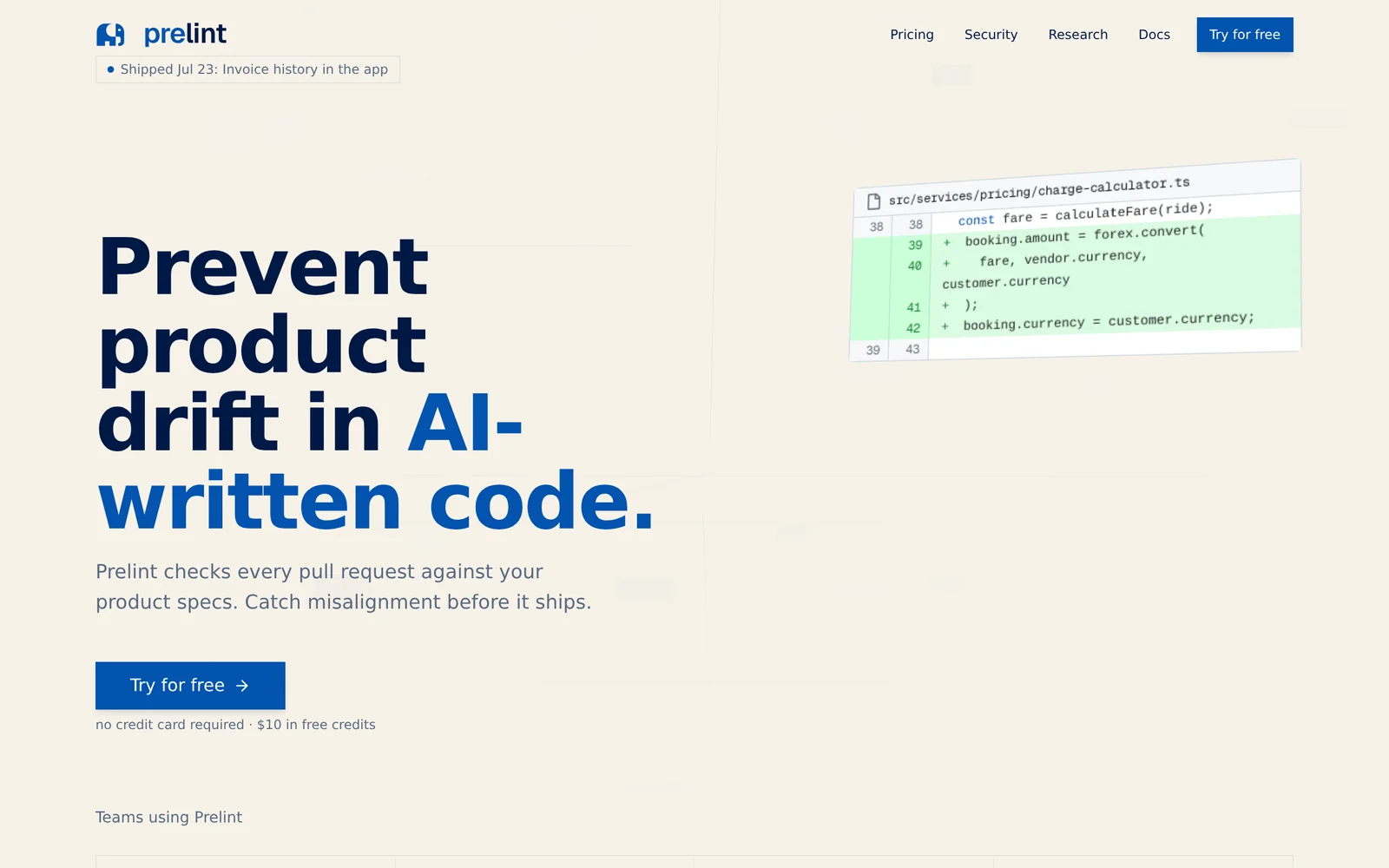
Prelint is a pull-request reviewer built for the era of AI-generated code. Instead of only checking syntax or style, it reads every PR against the team's product context — architecture decision records, product docs, prior design decisions — and flags product drift, conflicts and gaps inline. The premise is that coding agents now ship more code than humans can meaningfully review, and the real risk is not broken code but 'good code' that quietly builds the wrong product. Prelint's agent can self-correct against these violations before a human reviewer ever opens the PR, and works with both GitHub and GitLab. It runs on isolated per-organization infrastructure and does not train on customer data. Pricing is usage-based rather than seat-based: $1 per completed review, with $10 in free credits, free for open source projects, and a startup program available.
Screenshots
Key Features
Use Cases



Frequently asked questions about Prelint
What is Prelint?
Prelint is an AI-powered code reviewer that analyzes pull requests against your Architectural Decision Records (ADRs), documentation, and previous decisions. This tool helps identify product drift before changes are merged, ensuring that development aligns with established guidelines and maintaining product integrity.
Key Points
- AI-Powered Review: Automates the review process using advanced algorithms.
- Prevention of Product Drift: Catches inconsistencies before code is shipped.
- Integration with Development Workflow: Seamlessly fits into existing CI/CD pipelines.
Detailed Explanation
Prelint serves as a crucial tool for software development teams aiming to enhance code quality and adherence to architectural standards. By leveraging artificial intelligence, Prelint examines every pull request, comparing it against your ADRs and project documentation. This ensures that all changes made by developers are consistent with previously agreed-upon decisions.
How Prelint Works
- Pull Request Analysis: Once a developer submits a pull request (PR), Prelint automatically reviews the code.
- Comparison with ADRs: It checks the PR against your Architectural Decision Records to ensure alignment with the project's architectural vision.
- Documentation Verification: Prelint looks at relevant documentation to verify that new changes do not contradict existing guidelines or functionality.
- Feedback Loop: Developers receive immediate feedback, allowing them to make necessary adjustments before the code is merged into the main branch.
Use Cases
- Startups: Quickly adapt and maintain code quality as teams grow and evolve.
- Established Firms: Ensure that legacy systems integrate well with new features, reducing risks of technical debt.
- Open Source Projects: Maintain consistency among various contributors by validating adherence to established norms.
Best Practices / Tips
- Integrate Early: Implement Prelint in the early stages of your development process to catch issues sooner.
- Customize Rules: Tailor the AI's settings to match your specific project needs and team dynamics.
- Regular Updates: Keep your ADRs and documentation updated to reflect current project decisions, ensuring that Prelint has the most accurate information to analyze against.
- Training Team Members: Educate your team on the benefits of using Prelint to foster a culture of quality and compliance.
Additional Resources
How does Prelint work?
Prelint enhances code review processes by analyzing pull requests (PRs) against architectural decision records (ADRs), product documentation, and previous decisions. It identifies conflicts, self-corrects violations, and integrates seamlessly with GitHub and GitLab, ensuring automated compliance with organizational standards while improving onboarding and open-source contributions.
Key Points
- Context-Aware Review: Evaluates PRs against ADRs and product documentation.
- Self-Correction: Automatically corrects detected violations before human review.
- Integration: Compatible with both GitHub and GitLab for smooth workflow.
Detailed Explanation
Prelint operates by utilizing a multi-faceted approach to code reviews, which include:
-
Context-Aware Review: Prelint reviews every pull request in the context of your architectural decision records (ADRs), product documentation, and past decisions. This ensures that the code aligns with the overall product intent and standards, rather than merely focusing on style or syntax errors.
-
Product Drift Detection: The tool flags any discrepancies or gaps between the intent of the PR and the existing product context. This inline feedback is visible in the diff view, allowing developers to quickly understand how their changes may impact the project.
-
Agent Self-Correction: Prelint's agent can autonomously address any violations it detects, making corrections before the PR is even seen by a human reviewer. This feature is particularly beneficial for teams using AI-driven coding assistants like GitHub Copilot or Claude Code, as it helps ensure that AI-generated code aligns with organizational standards.
-
GitHub & GitLab Integration: Prelint integrates natively with the two major hosted Git platforms, making it easy to implement without disrupting existing workflows.
-
Isolated Infrastructure: Each organization operates on its own isolated infrastructure, ensuring that customer code remains private and secure. Prelint does not train on your code, preserving confidentiality.
-
Onboarding Safety Net: For new engineers, Prelint reviews early PRs against product context they may not have fully understood yet, offering support and guidance during their ramp-up period.
-
Open Source Maintenance: Maintainers of public repositories can enable Prelint for free, ensuring incoming contributions fit the product's context and standards.
-
Cost-Controlled Review: Startups can leverage Prelint for automated reviews at a cost-effective rate, paying just $1 per PR instead of a per-developer seat fee.
Best Practices / Tips
- Regularly Update ADRs: Ensure that your architectural decision records are frequently updated to reflect current practices and standards, as Prelint relies on this documentation.
- Engage Teams in Early Testing: Before full implementation, involve your developers in testing Prelint's features to gather feedback and optimize its use in your workflow.
- Monitor AI Contributions: Keep an eye on AI-generated code submissions to verify their alignment with product standards, especially in the early stages of integration.
Additional Resources
What are the main features of Prelint?
Prelint offers key features like context-aware reviews, product drift detection, agent self-correction, and seamless integration with GitHub and GitLab. It operates on isolated infrastructure, ensuring that customer code remains private and unexploited, enhancing collaboration while maintaining security.
Key Points
- Context-Aware Review: Evaluates pull requests (PRs) against architectural decision records (ADRs) and product documentation.
- Product Drift Detection: Identifies discrepancies between the PR's intent and the existing product context.
- Agent Self-Correction: Automatically resolves detected violations before human review starts.
Detailed Explanation
Prelint is designed to enhance code review processes by focusing on the broader context of pull requests.
-
Context-Aware Review: Unlike conventional linters that mainly check for style or syntax errors, Prelint reviews PRs against your organization's ADRs, product documents, and historical decisions. This ensures that every change aligns with the overall project vision and architectural guidelines. For example, if a team member proposes a change that contradicts a previous decision, Prelint will flag it for review.
-
Product Drift Detection: This feature actively monitors for inconsistencies between the intent behind a PR and the existing state of the product. It highlights potential conflicts or gaps directly in the diff, allowing developers to address these issues before merging. This is particularly useful in dynamic environments where product specifications may evolve over time.
-
Agent Self-Correction: The Prelint agent can automatically correct violations it detects, which streamlines the review process. Before a human reviewer opens the PR, the agent addresses minor issues, allowing for smoother collaboration and quicker turnaround times on PR reviews.
-
GitHub & GitLab Integration: Prelint integrates seamlessly with both GitHub and GitLab, providing native support for pull and merge requests. This integration enhances workflow efficiency, as users can operate within their existing development environments without needing to switch tools.
-
Isolated Infrastructure: Each organization using Prelint operates on its isolated infrastructure. This means that the service does not train on customer code, ensuring maximum privacy and security.
Best Practices / Tips
- Set Clear Guidelines: Ensure that your team has clear architectural guidelines documented as ADRs. This will help Prelint provide more accurate context-aware reviews.
- Regularly Update Documentation: Keep your product documentation current to minimize drift detection alerts and maintain alignment between code and product vision.
- Leverage Automation: Utilize the agent self-correction feature to reduce manual review time, allowing your team to focus on more complex issues.
Additional Resources
Who is Prelint for?
Prelint is designed for teams and individuals involved in software development who need automated PR reviews. It serves diverse roles including AI-Written PR Triage, Architecture Enforcement, Onboarding Safety Net, Open Source Maintenance, and Cost-Controlled Review, making it a versatile tool for maximizing efficiency and quality.
Key Points
- AI-Written PR Triage: Streamlines code review processes.
- Architecture Enforcement: Ensures adherence to architectural decisions.
- Onboarding Safety Net: Supports new engineers with context-aware reviews.
Detailed Explanation
Prelint is a valuable tool for various stakeholders in software development:
-
AI-Written PR Triage: Development teams using AI coding agents like GitHub Copilot or Claude Code can integrate Prelint to automate the initial review of pull requests (PRs). By validating these requests against established product intent, it minimizes human effort and increases accuracy. For instance, if a PR doesn't align with the product’s goals, Prelint flags it before human review.
-
Architecture Enforcement: Platform teams often face challenges in maintaining consistency in architecture. With Prelint, teams can encode their architecture decisions in Architecture Decision Records (ADRs) and automatically catch PRs that violate these guidelines. This proactive approach reduces technical debt and ensures project longevity.
-
Onboarding Safety Net: When onboarding new engineers, there's often a learning curve regarding product context. Prelint can review early PRs from these engineers against the product context they haven’t fully grasped yet. This not only aids in their learning process but also protects the product from potential misalignments early in development.
-
Open Source Maintenance: For maintainers of open-source projects, Prelint offers a free solution to review incoming contributions for product fit. This is particularly beneficial for managing large volumes of external contributions while ensuring that they align with project goals.
-
Cost-Controlled Review: Startups often require budget-friendly solutions for code reviews. Prelint provides an economical option at just $1 per PR, allowing teams to scale their review process without the need to pay per developer seat, which can be cost-prohibitive for smaller teams.
Best Practices / Tips
- Integrate Early: Start using Prelint from the development phase to catch potential issues early.
- Customize Rules: Tailor Prelint’s settings to fit your project’s specific needs, enhancing its effectiveness.
- Educate Your Team: Ensure that all team members understand how to use Prelint effectively for maximum benefits.
- Monitor Performance: Regularly review Prelint’s impact on your workflow to adjust its usage as necessary.
Additional Resources
How much does Prelint cost?
Prelint is a paid product, and its pricing varies based on the subscription plan chosen. For the most accurate and up-to-date pricing, visit the official Prelint website.
Key Points
- Prelint offers multiple subscription plans.
- Pricing may vary based on features and usage.
- Official website provides the latest pricing information.
Detailed Explanation
Prelint is a popular tool designed for linting and code quality checks, primarily for developers and teams looking to streamline their coding processes. The cost of Prelint typically depends on the subscription model chosen, which may include options such as monthly or annual billing.
-
Subscription Plans: Prelint generally offers several tiers of plans:
- Individual Plan: Ideal for solo developers, often priced around $15 per month.
- Team Plan: Designed for small to medium-sized teams, typically costing around $75 per month for up to five users.
- Enterprise Plan: Customized for larger organizations, with pricing available upon request.
-
Features Included: Each plan comes with a variety of features. The individual plan may include basic linting capabilities, while team and enterprise plans often include advanced features like collaboration tools, priority support, and enhanced reporting capabilities.
-
Trial Period: Many users may benefit from a free trial that allows them to explore Prelint’s functionalities before committing financially. Check the official site for details on any current offers.
Best Practices / Tips
- Evaluate Your Needs: Before choosing a plan, assess your project's requirements. For small projects, an individual plan may suffice, while larger teams should consider group plans for better collaboration tools.
- Utilize Free Trials: Take advantage of any available free trials to test Prelint’s features and ensure it meets your needs before making a financial commitment.
- Stay Updated: Regularly monitor the official website for any discounts or promotional offers that may arise, particularly during peak shopping seasons.
Additional Resources
How do I get started with Prelint?
To get started with Prelint, visit prelint.com and sign up for an account. Once registered, you can explore Prelint’s features for improving your code quality and ensuring compliance with best practices in software development.
Key Points
- Sign Up Process: Create your account easily on Prelint's website.
- Explore Features: Familiarize yourself with tools for code quality and compliance.
- Integration Options: Learn how to integrate Prelint into your existing workflow.
Detailed Explanation
To begin using Prelint, follow these steps:
-
Visit the Website: Go to https://prelint.com/?ref=producthunt. This link includes a referral for additional benefits.
-
Create an Account: Click on the “Sign Up” button. You will need to provide basic information like your name, email, and password. An email verification may be required.
-
Explore Features: Once logged in, navigate through the dashboard. Prelint offers various features such as:
- Linting: Automatically check your code for errors and stylistic issues.
- Code Quality Reports: Generate reports to assess the quality of your codebase.
- Integration with CI/CD: Integrate Prelint into your continuous integration/continuous deployment pipeline.
-
Utilize Prelint’s Documentation: Access the help section to view tutorials and guides on making the most of Prelint's features.
Best Practices / Tips
- Regularly Run Lints: Make it a habit to run Prelint checks regularly during development to catch issues early.
- Integrate with Development Tools: Connect Prelint with your IDE or version control systems like GitHub for seamless workflow.
- Review Reports Thoroughly: After running a linting check, carefully review the reports to identify areas for improvement and ensure compliance with coding standards.
Additional Resources
- For comprehensive guides, visit the Prelint Documentation.
- Explore community forums and discussions for tips from other users at Prelint Community.
- Check out related tools for software development best practices on platforms like GitHub and Stack Overflow.
By following these guidelines, you'll maximize your experience with Prelint and improve your code quality effectively.
Explore more AI Ai Tools tools
Browse all Ai Tools tools →Browse by use case: Code Generation
Compare Prelint: vs CleanSlop · vs Kalender Sync · vs UseIt Studio · vs Woven Video