

Pixelcut
AIEasy-to-use AI photo editor offering automated tools to enhance and prepare images for commerce and social use.
Pixelcut
Easy-to-use AI photo editor offering automated tools to enhance and prepare images for commerce and social use.
About Pixelcut
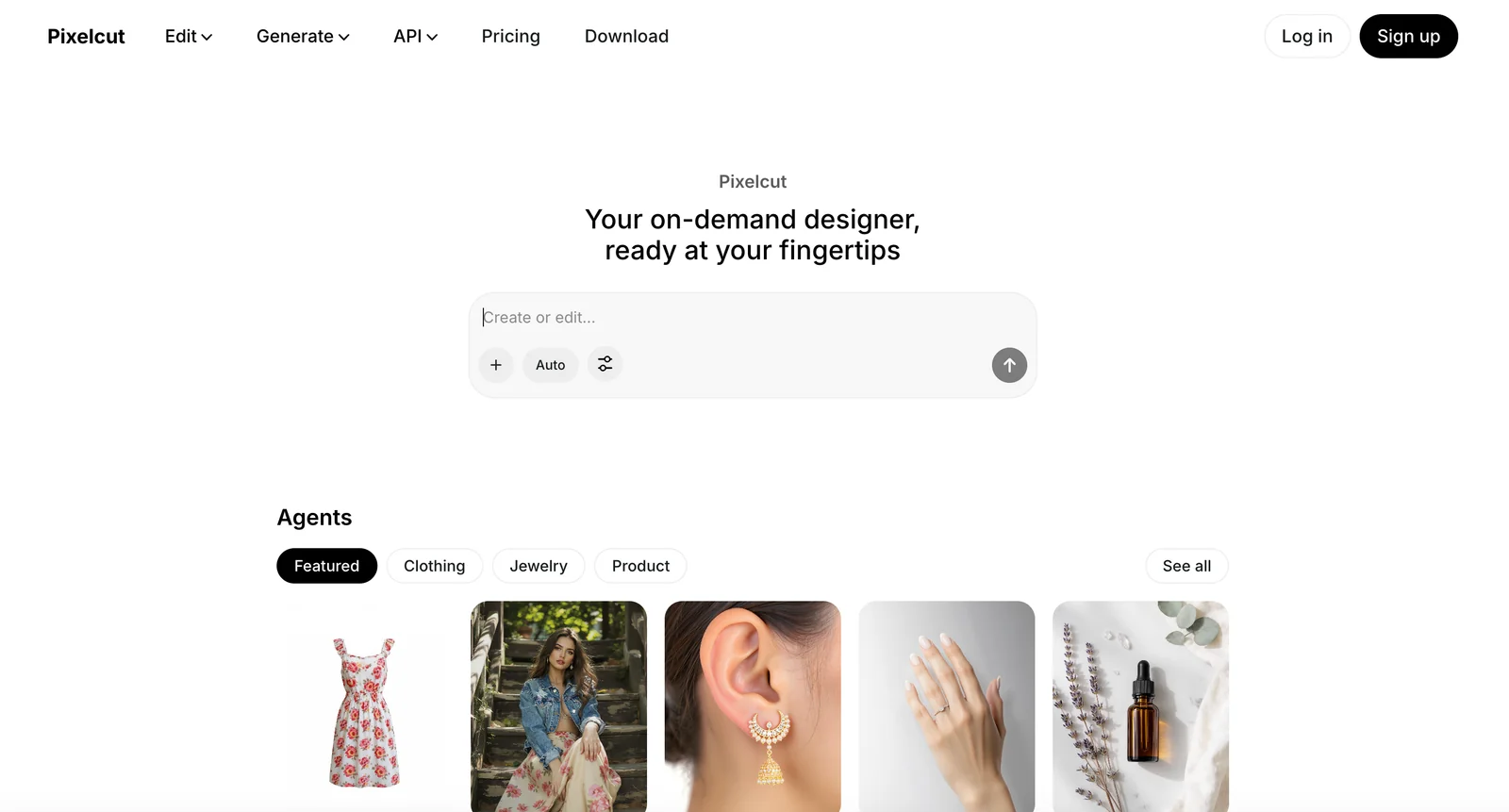
Pixelcut is an AI-powered photo editing tool focused on simplifying image enhancement and preparation. It provides automated tools to remove backgrounds, apply stylistic edits, and generate polished product and social media images quickly. Pixelcut targets users who need fast, repeatable image workflows — from single-shot retouching to batch edits and integrations — enabling non-experts to produce professional-looking photos with minimal manual work.
Screenshots


Key Features
Use Cases



Frequently asked questions about Pixelcut
What are the pricing options for Pixelcut?
Pixelcut offers a free tier that includes basic editing tools, while the Pro subscription costs $9.99 per month, providing unlimited exports and batch processing features. Additionally, in-app purchases range from $2.99 to $89.99, allowing users to enhance their editing capabilities as needed.
Key Points
- Free tier available with essential features.
- Pro subscription at $9.99 per month for advanced tools.
- In-app purchases from $2.99 to $89.99 for additional features.
Detailed Explanation
Pixelcut provides diverse pricing options designed to cater to different user needs. The free tier allows users to access basic editing tools without any financial commitment, making it an excellent choice for casual users or those just starting with photo editing.
The Pro subscription at $9.99 per month unlocks advanced features, including unlimited exports, batch processing, and priority support. This option is ideal for businesses or frequent users who require a more robust set of tools for their editing tasks. Users can also save time by processing multiple images simultaneously with batch processing.
In addition to the subscription plans, Pixelcut offers in-app purchases that range from $2.99 to $89.99. These purchases allow users to buy specific tools or features tailored to their needs, such as premium templates, additional filters, or exclusive effects. This flexibility ensures that users can customize their experience according to their budget and requirements.
Best Practices / Tips
- Start with the free tier: If you're new to photo editing, begin with the free version to explore Pixelcut's capabilities before committing to a paid plan.
- Evaluate your needs: Consider how often you will use the app and what features are essential for your projects to determine if the Pro subscription is worth the investment.
- Monitor in-app purchases: Keep an eye on the costs of in-app purchases and ensure they align with your editing goals to avoid overspending.
Additional Resources
How do I use Pixelcut for photo editing?
To use Pixelcut for photo editing, sign up for a free account, upload your images, and take advantage of features like background removal, one-click enhancements, and customizable templates for seamless edits. This user-friendly platform is designed to simplify the editing process for both beginners and professionals.
Key Points
- User-Friendly Interface: Pixelcut offers a straightforward design for easy navigation.
- Powerful Editing Tools: Background removal, image enhancements, and more.
- Templates and Customization: Pre-made templates for quick edits and personalization.
Detailed Explanation
Pixelcut is an intuitive photo editing tool that caters to various needs, from casual users to professional designers. Here’s how to get started:
-
Sign Up: Visit the Pixelcut website and create a free account. This unlocks access to all editing features without the need for software downloads.
-
Upload Images: Click on the “Upload” button to import your images. You can upload multiple files at once, making it efficient for batch processing.
-
Editing Tools:
- Background Removal: Select the background removal tool to isolate subjects in your photos. This feature uses AI to detect edges and remove backgrounds seamlessly.
- One-Click Enhancements: Apply automatic adjustments for brightness, contrast, and saturation with a single click. This is perfect for quick fixes.
- Templates: Explore a variety of templates designed for social media, marketing, and personal projects. Simply choose a template, insert your images, and make any necessary adjustments.
-
Save and Share: After editing, save your images in various formats (JPEG, PNG) or share them directly to social media platforms.
Best Practices / Tips
- Experiment with Features: Take time to explore all editing tools. Familiarizing yourself with the full capabilities can significantly enhance your editing skills.
- Use High-Quality Images: Start with high-resolution images to ensure better results, especially when using background removal.
- Regular Updates: Keep an eye out for updates and new features added to Pixelcut, as the platform frequently enhances its tools.
Additional Resources
What are the key features of Pixelcut compared to other photo editors?
Pixelcut differentiates itself from other photo editors with features like automated background removal, one-click enhancements, and batch processing capabilities, making it particularly suited for eCommerce and social media needs. Additionally, it provides template-based mockups for streamlined design creation.
Key Points
- Automated Background Removal: Quickly isolate subjects without manual effort.
- One-Click Enhancements: Instantly improve photo quality with a single action.
- Batch Processing Capabilities: Edit multiple images simultaneously for efficiency.
Detailed Explanation
Pixelcut excels in several areas that cater to the needs of marketers, eCommerce businesses, and social media managers.
Automated Background Removal
This feature allows users to eliminate backgrounds from images effortlessly. For instance, a product photographer can upload multiple images and remove backgrounds in seconds, making products stand out against any backdrop, ideal for online storefronts.
One-Click Enhancements
With just a single click, Pixelcut can enhance image quality, adjusting brightness, contrast, and saturation. This is particularly useful for social media posts where eye-catching visuals are crucial. Users can quickly prepare high-quality images for platforms like Instagram or Facebook without needing extensive editing skills.
Batch Processing Capabilities
Pixelcut's batch processing feature allows users to upload and edit several images at once, saving time and increasing productivity. For example, if a business has a catalog of 100 products, they can apply the same edits—like background removal and enhancements—to all images in one go.
Template-based Mockups
Pixelcut also offers a variety of templates for creating mockups. Users can place their products in realistic settings to visualize how they would look in real life. This is particularly valuable for graphic designers and marketers aiming to create compelling promotional materials.
Best Practices / Tips
- Utilize Templates: Take advantage of Pixelcut’s templates to create professional-looking mockups easily.
- Batch Edit Wisely: When using batch processing, ensure all selected images have similar lighting and backgrounds for the best results.
- Experiment with Enhancements: Test different enhancement settings to find the perfect look for your brand’s images.
Additional Resources
Does Pixelcut have an API for integration?
Yes, Pixelcut offers an API that enables developers to seamlessly integrate its advanced image processing capabilities into third-party applications. This integration is particularly beneficial for virtual try-on experiences and eCommerce workflows, enhancing user engagement and streamlining operations.
Key Points
- API Availability: Pixelcut provides a robust API for developers.
- Use Cases: Ideal for virtual try-on and eCommerce applications.
- Integration Benefits: Streamlines workflows and enhances user experiences.
Detailed Explanation
Pixelcut's API allows developers to harness powerful image processing features without needing to build them from scratch. This API supports various functionalities, such as background removal, image enhancement, and virtual try-on capabilities, making it an excellent tool for businesses in the eCommerce sector.
Use Cases
- Virtual Try-On: Retailers can implement the API to allow customers to visualize products on themselves, such as clothing or accessories, improving conversion rates.
- ECommerce Workflows: Businesses can automate image editing processes, saving time and resources while maintaining a consistent look across product images.
- Custom Applications: Developers can create unique applications tailored to specific business needs, leveraging Pixelcut’s technology to enhance user experience.
Example
For instance, a fashion retailer can integrate Pixelcut's API into their app. When a user uploads a photo, the API can automatically remove the background, allowing users to see how clothes fit without the distraction of their surroundings.
Best Practices / Tips
- Documentation Review: Always start by reviewing Pixelcut's API documentation to understand the capabilities and limitations.
- Testing and Feedback: Implement rigorous testing and gather user feedback to refine the integration and ensure it meets user expectations.
- Security Measures: Ensure that any personal data handled through the API is secured to build trust with users.
Additional Resources
What are the limitations of the free version of Pixelcut?
The free version of Pixelcut offers basic editing tools, including background removal and a magic eraser, but it limits batch exports to a maximum of five images and restricts the export resolution to lower quality compared to the Pro version, which unlocks higher capabilities.
Key Points
- Basic editing tools available, such as background removal and magic eraser.
- Limits batch exports to five images.
- Maximum export resolution is lower compared to the Pro version.
Detailed Explanation
Pixelcut's free version is designed to provide users with essential editing features, making it accessible for casual users or those new to image editing. The background removal tool allows users to eliminate backgrounds easily and create clean images for various applications, such as social media posts or product listings.
However, the limitations become apparent when users try to utilize the batch export feature. In the free version, users can only export up to five images at a time, which can be cumbersome for those needing to process larger quantities of images, such as e-commerce businesses or content creators.
Another significant restriction is the maximum resolution for exports. In the free version, images are typically exported at a lower quality, which may not meet the standards required for professional use, particularly in print media or high-resolution displays. The Pro version, on the other hand, offers higher resolution exports, making it suitable for professional photographers and businesses that require top-quality images.
Best Practices / Tips
- Evaluate Your Needs: Before opting for the free version, assess whether the limited features will meet your editing requirements. If you frequently work with multiple images or require high-quality exports, consider upgrading to the Pro version.
- Use Batch Processing Wisely: If you're planning to use the free version, plan your edits accordingly and group your images into batches of five to maximize efficiency.
- Stay Updated on Features: Keep an eye on updates from Pixelcut, as the features and limitations may change over time. Always refer to the latest version of the app for the most accurate information.
Additional Resources
Explore more AI Ai Tools tools
Browse all Ai Tools tools →Browse by use case: Image Generation · Video Generation · Automation & Productivity
Compare Pixelcut: vs CleanSlop · vs Kalender Sync · vs UseIt Studio · vs Woven Video