

Photopea
AIBrowser-based PSD-compatible online photo and graphics editor for raster and vector files, free to use in your browser.
Photopea
Browser-based PSD-compatible online photo and graphics editor for raster and vector files, free to use in your browser.
About Photopea
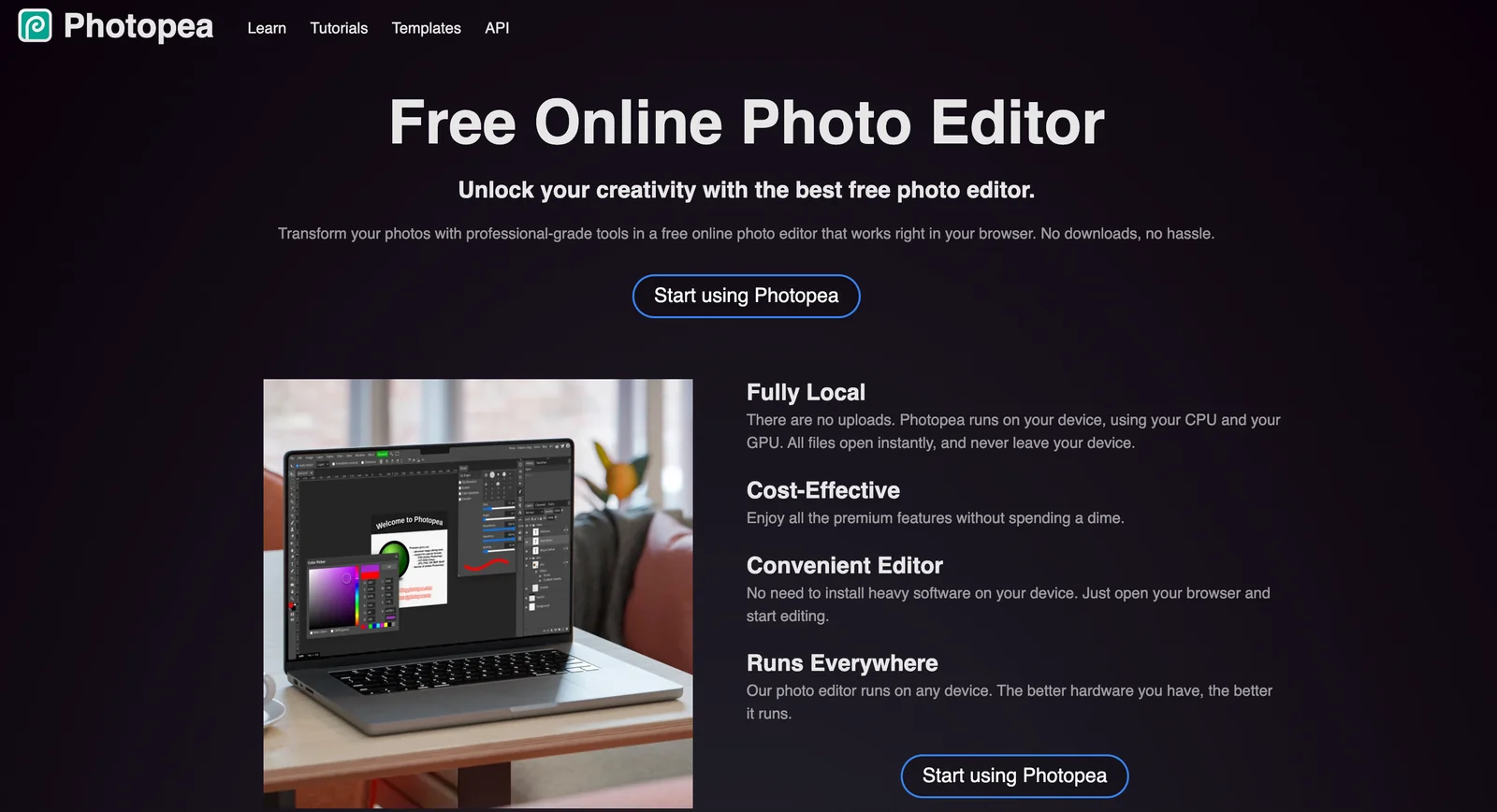
Photopea is a web-based image editor that runs entirely in the browser, allowing users to edit photos and create graphics without installing software. It supports both raster and vector editing and can open and save industry file formats including PSD, AI, and Sketch. Photopea exposes familiar layer-based editing, text, filters, and selection tools similar to desktop photo editors, and is accessible for free with community and GitHub-driven support channels. Its combination of wide file-format compatibility, no-install convenience, and Photoshop-like interface makes it a practical alternative for users who need fast, cross-platform image editing.
Screenshots

Key Features
Use Cases



Frequently asked questions about Photopea
What are the pricing options for Photopea?
Photopea provides a freemium pricing model, featuring a free version with ads and premium subscriptions at approximately $5 per month or $50 annually for an ad-free experience. This flexibility allows users to choose based on their needs and usage frequency.
Key Points
- Freemium Model: Photopea has both free and premium options.
- Subscription Costs: Premium subscriptions cost about $5/month or $50/year.
- Ad-Free Experience: Premium users enjoy an uninterrupted interface without ads.
Detailed Explanation
Photopea offers a versatile photo editing platform accessible via web browsers. The freemium model allows users to utilize essential features for free; however, this version is supported by advertisements, which can be distracting.
For users looking for an enhanced experience, the premium subscription is available at two pricing tiers:
- Monthly Subscription: $5 per month.
- Annual Subscription: $50 per year, providing significant savings for long-term users.
By opting for the premium subscription, users benefit from an ad-free environment, allowing for a smoother and more focused editing experience. This is particularly beneficial for professional designers and photographers who require uninterrupted workflow.
Additionally, the premium version unlocks advanced features that may not be available in the free version, including:
- Increased cloud storage for projects.
- Priority support for troubleshooting and queries.
- Access to exclusive tools and updates.
Best Practices / Tips
- Evaluate Your Needs: Before choosing a subscription, assess your usage frequency and whether the ads significantly impact your editing experience.
- Consider Annual Subscription: If you plan to use Photopea regularly, the annual subscription offers considerable savings.
- Stay Updated: Follow updates from Photopea to learn about new features that may enhance your editing capabilities, especially if you are a premium user.
Additional Resources
How do I use Photopea for editing images?
To use Photopea for editing images, visit Photopea.com in your web browser. Upload your image files in formats like PSD, AI, or JPG from your device. The platform offers various tools similar to Adobe Photoshop, allowing for comprehensive editing without any downloads.
Key Points
- User-Friendly Interface: Photopea mimics Adobe Photoshop, making it easy for users to navigate.
- Multi-Format Support: Compatible with various file types including PSD, AI, JPG, PNG, and more.
- Online Accessibility: No installation required; edit images directly in your web browser.
Detailed Explanation
Photopea is a powerful online image editor that allows you to edit graphics without needing to download software. Here’s how to get started:
- Access the Website: Open your preferred web browser and go to Photopea.com.
- Upload Your Image: Click on "File" in the top menu, then select "Open" to upload images from your computer. You can also drag and drop files directly onto the workspace.
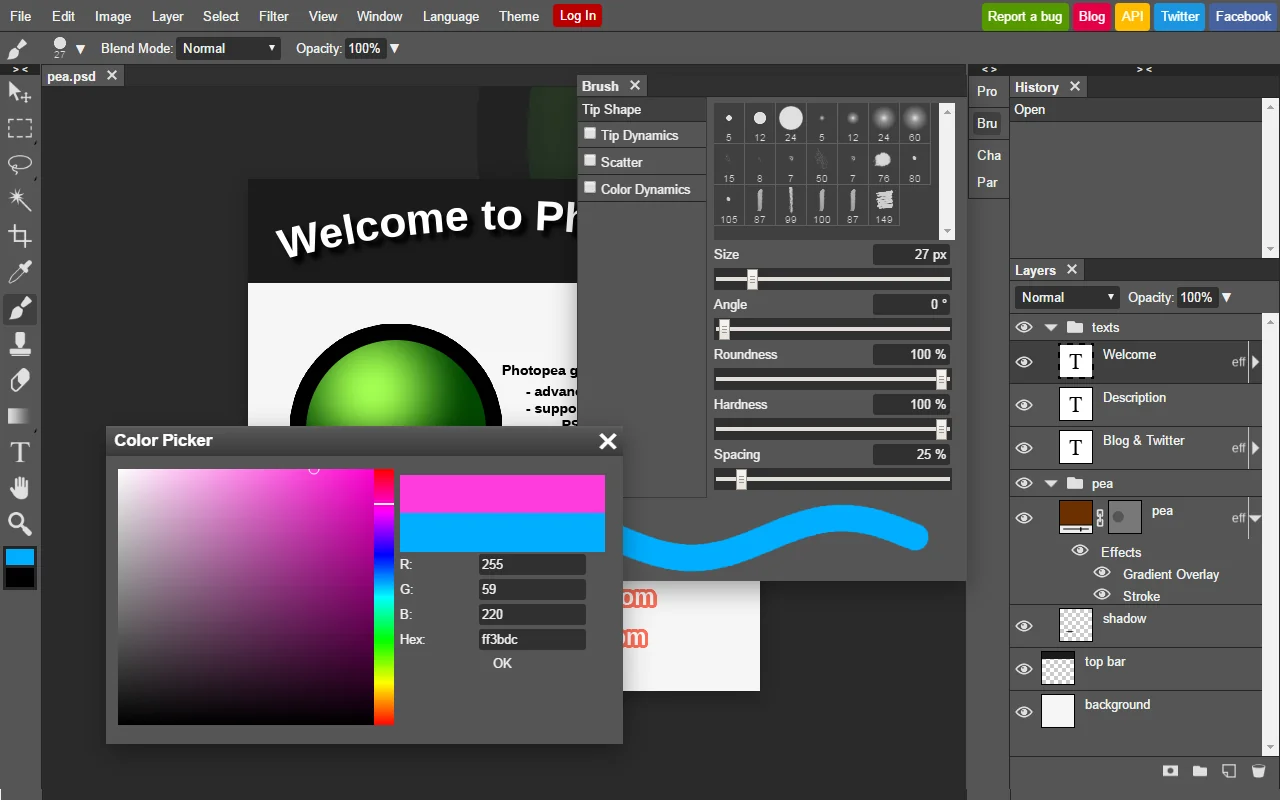
- Editing Tools: Utilize a wide range of tools, including selection, text, brush, and shape tools. To access these, simply click on the corresponding icons on the left-hand toolbar.
- Layers Management: Navigate to the "Layers" panel on the right to manage multiple layers. You can add, remove, and adjust the opacity or blending modes of layers.
- Saving Your Work: Once you're satisfied with your edits, save your image by clicking "File" > "Export As" and choose your desired format (e.g., JPG, PNG, or PSD).
Use Cases
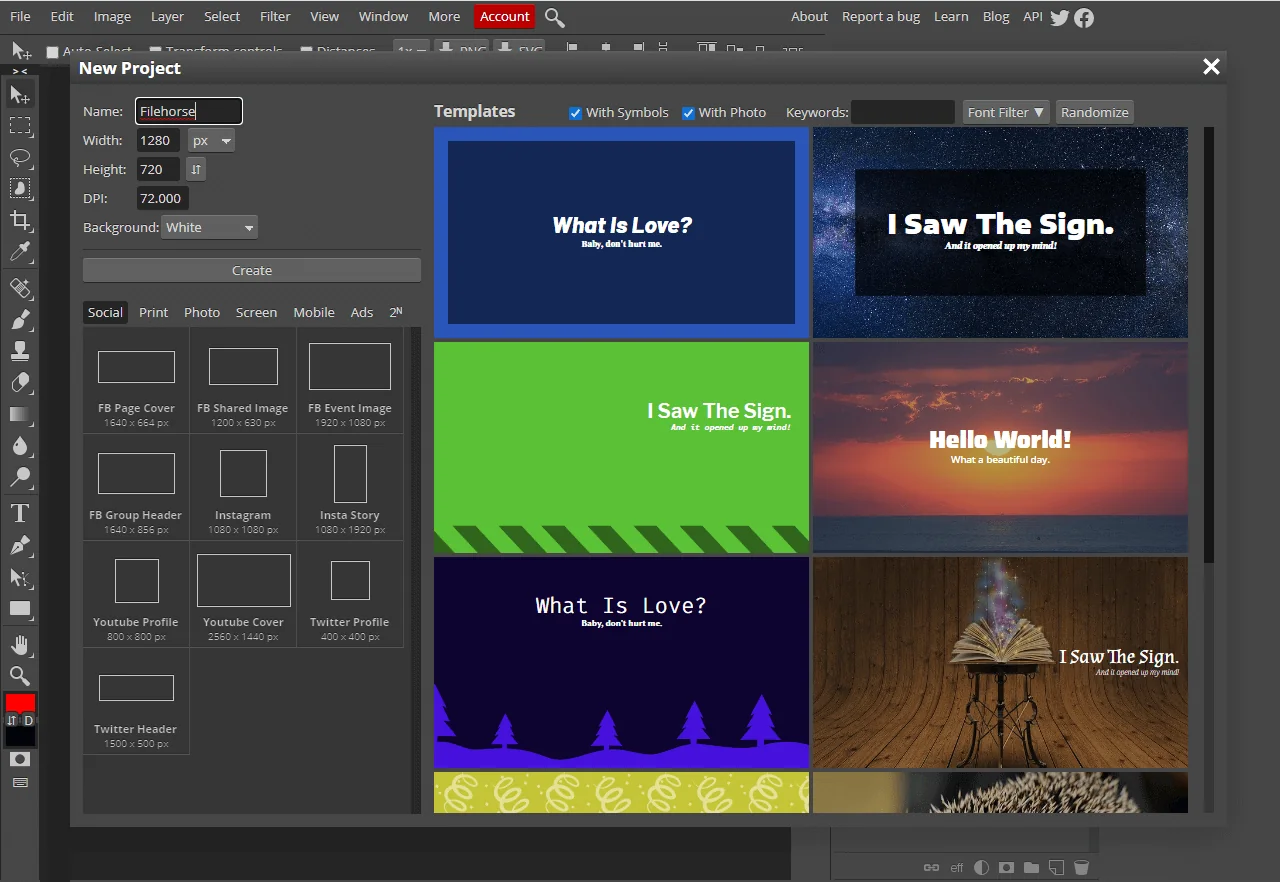
- Graphic Design: Create promotional graphics, social media posts, or website banners.
- Photo Editing: Enhance images by adjusting brightness, contrast, and applying filters.
- Digital Art: Draw and paint using the brush tools available.
Best Practices / Tips
- Shortcuts: Familiarize yourself with keyboard shortcuts to speed up your workflow. For example, use Ctrl + Z to undo actions.
- Save Frequently: Regularly save your progress to prevent data loss.
- Explore Tutorials: Take advantage of Photopea’s tutorial section for learning advanced techniques and features.
- Optimize Images for Web: When exporting, choose the right format and quality settings to ensure fast loading times on websites.
Additional Resources
What are the key features of Photopea?
Photopea is a free, web-based photo editing tool that supports multiple formats including PSD, AI, and Sketch. Key features include layer-based editing, a wide range of core photo tools, and advanced text/vector manipulation, all accessible directly in your browser without the need for installation.
Key Points
- Multi-format Support: Compatible with PSD, AI, and Sketch files.
- Layer-based Editing: Allows for complex designs and modifications.
- Comprehensive Tools: Includes essential photo editing tools and vector/text functionalities.
Detailed Explanation
Photopea is a powerful online graphic design tool that caters to both novice and professional users. It supports a variety of file formats, making it an excellent choice for those working with Adobe Photoshop (PSD), Adobe Illustrator (AI), and Sketch files.
Multi-format Support
Photopea's ability to open and edit PSD files means users can work on projects without needing Adobe Photoshop. This feature is particularly beneficial for collaborative projects where team members might use different software. The tool also retains layers, effects, and smart objects, ensuring that all elements of your design are preserved.
Layer-based Editing
With layer-based editing, users can manipulate images with precision, similar to desktop software. You can create new layers, adjust their opacity, and apply various blending modes. This allows for intricate designs, such as creating composite images or adding effects without permanently altering the original image.
Comprehensive Tools
Photopea offers a range of core photo editing tools, including:
- Selection Tools: Lasso, Magic Wand, and Rectangular Marquee for precise selections.
- Brush and Clone Tools: For retouching images and creating artistic effects.
- Text and Vector Tools: Create and manipulate text with advanced typography features. You can also draw vector shapes or import vector graphics for further editing.
Best Practices / Tips
- Use Shortcuts: Familiarize yourself with keyboard shortcuts to speed up your workflow, much like in Photoshop.
- Save Regularly: Since Photopea is online, ensure you save your work frequently to avoid loss.
- Explore Tutorials: Take advantage of online tutorials available on the Photopea website or YouTube to master advanced features.
Additional Resources
- Official Photopea Documentation
- Photopea Community for Tips and Tricks
- YouTube Tutorials on Photopea
This comprehensive guide should equip you with a better understanding of Photopea’s features and how to effectively utilize them in your design projects.
How does Photopea compare to Photoshop?
Photopea is a powerful, browser-based alternative to Adobe Photoshop, providing similar features like layer editing and PSD file support. Unlike Photoshop, which operates on a subscription model with prices starting at $20.99/month, Photopea is free to use or available for a low-cost premium version.
Key Points
- Cost-Effective: Photopea offers a free version, making it accessible to users on a budget.
- Compatibility: Supports various file formats, including PSD, making it easy to work with Photoshop projects.
- User-Friendly: Designed to be intuitive for beginners while still offering advanced features for experienced users.
Detailed Explanation
Photopea is a web-based graphic design tool that can be accessed from any device with an internet connection, making it highly convenient for users who prefer not to install software. It replicates many essential features of Adobe Photoshop, including:
- Layer Editing: Users can create and modify layers, apply blending modes, and manage layer visibility, similar to Photoshop.
- File Format Support: Photopea supports PSD files, allowing users to open, edit, and save their projects without losing any functionality.
- Tools and Filters: Offers a wide range of tools such as brushes, selection tools, and filters, making it versatile for both graphic design and photo editing.
Use Cases
- Graphic Design: Create logos, business cards, and social media graphics using Photopea’s comprehensive toolset.
- Photo Editing: Edit images with layers, adjustments, and retouching tools, perfect for photographers and hobbyists alike.
- Web Design: Design website mockups and user interfaces with easy export options for web-ready graphics.
Best Practices / Tips
- Explore the Interface: Take time to familiarize yourself with Photopea's user interface, as it is similar to Photoshop but may have minor differences.
- Utilize Tutorials: Many online tutorials are available to help you maximize Photopea's features, especially for specific tasks like photo retouching or graphic design.
- Save Regularly: Make use of the save and export functionality frequently to avoid losing any progress, especially when working on larger projects.
Additional Resources
By choosing Photopea, you can enjoy a robust set of features without the financial commitment of Adobe Photoshop, making it an excellent choice for both beginners and experienced designers.
Does Photopea have an API for integration?
Yes, Photopea offers an API that enables developers to seamlessly integrate its powerful photo editing functionalities into other applications. It provides options for both self-hosting and whitelabel solutions, catering to various user needs and preferences.
Key Points
- API Availability: Photopea's API is accessible for developers to enhance their apps.
- Integration Options: Choose between self-hosting or whitelabel solutions based on project requirements.
- User-Centric Design: The API is designed to be user-friendly and easily customizable.
Detailed Explanation
Photopea's API is a robust tool that allows developers to incorporate advanced photo editing features into their applications. This cloud-based API supports a diverse range of functionalities similar to Adobe Photoshop, making it a versatile choice for web and mobile apps.
Integration Options
- Self-Hosting: Developers can self-host the API to maintain full control over the application, ensuring customization to fit specific needs. This is a great option for companies that prioritize data privacy or need to tailor the user interface extensively.
- Whitelabel Solutions: For businesses looking to offer photo editing features without branding, Photopea’s whitelabel solutions provide an excellent opportunity. This allows companies to integrate Photopea’s capabilities under their own brand, enhancing their product offerings without significant development effort.
Use Cases
- E-commerce Platforms: Online retailers can integrate the Photopea API to allow users to edit product images before purchase.
- Social Media Apps: Apps focused on content creation can leverage the API to provide users with editing tools, enhancing user engagement.
- Educational Tools: Platforms aimed at teaching design can use the API to provide practical photo editing experience within their learning environments.
Best Practices / Tips
- Understand Your Needs: Before choosing between self-hosting or whitelabel solutions, evaluate your project requirements and user base.
- Test the API: Utilize the API documentation to understand its full capabilities and limitations. Conduct thorough testing to ensure it meets your performance expectations.
- Keep User Experience in Mind: Ensure that the integration is seamless and does not disrupt the user experience. Provide clear instructions and support for users.
Additional Resources
By leveraging Photopea's API, developers can enhance their applications and provide users with powerful photo editing tools, making it an asset for various industries and use cases.
Explore more AI Ai Tools tools
Browse all Ai Tools tools →Compare Photopea: vs UseIt Studio · vs Woven Video · vs Sorcerer · vs Praex