
Parrot
AIFree, open-source Mac meeting recorder with a live AI assistant that suggests answers from your own documents during calls, with on-device audio.
Parrot
Free, open-source Mac meeting recorder with a live AI assistant that suggests answers from your own documents during calls, with on-device audio.
About Parrot
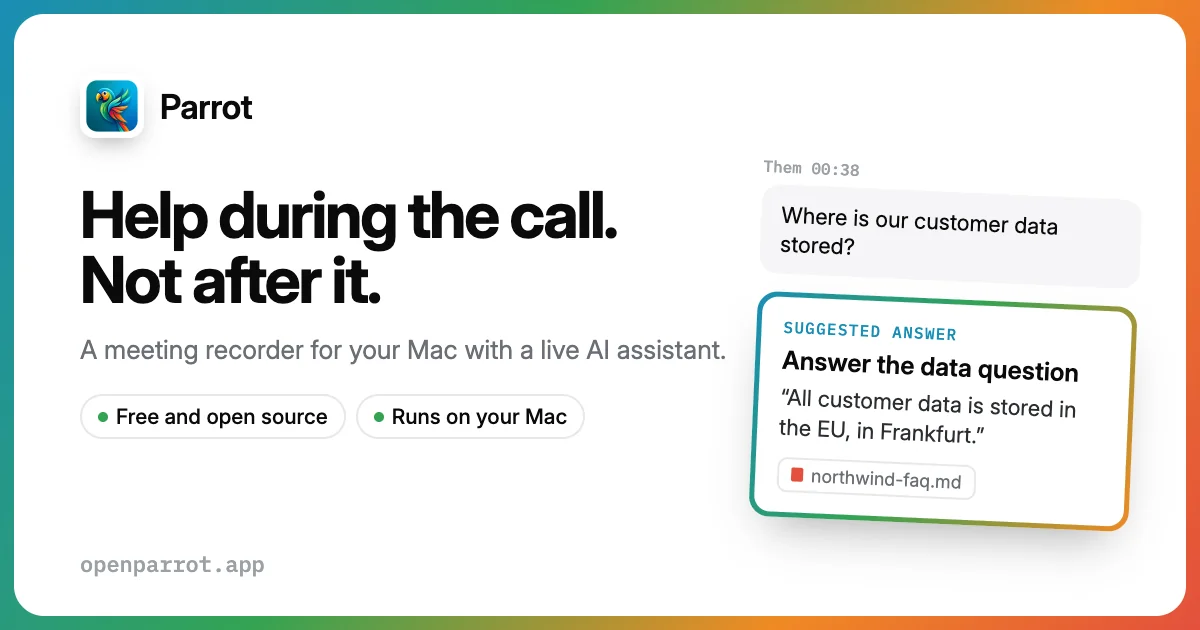
Parrot is a free, open-source meeting recorder for macOS with a built-in live AI assistant. It detects when a call starts, records what your Mac plays and hears without a bot joining the meeting, and transcribes and identifies speakers on-device. During the call it surfaces suggested answers grounded in documents you have indexed locally, citing the source of each answer. After the call it writes a report shaped by the call profile (sales discovery, interview, investor update and more) and lets you ask questions about past calls. You choose the AI brain: Claude, OpenAI, Gemini, Groq, OpenRouter, or local models via Ollama or LM Studio.
Screenshots
Key Features
Use Cases



Frequently asked questions about Parrot
What is Parrot?
Free, open-source Mac meeting recorder with a live AI assistant that suggests answers from your own documents during calls, with on-device audio.
How does Parrot work?
Parrot works by combining Bot-free Call Recording: Records the audio your Mac plays and hears from Zoom, Meet, Teams or a phone on speaker, so nothing appears in the participant list., Live Assistant Cards: Suggests answers, objection handling and next questions in real time while you are still on the call., Local Knowledge Base: Indexes PDFs, text and markdown on your Mac with Apple's language models and answers from them with cited sources, in most languages., Call Profiles: Eight built-in profiles such as sales discovery and interview, or custom ones, that change what the assistant watches for and how the post-call report is written., On-device Transcription: Whisper or Parakeet transcription and speaker detection run locally; cloud transcription is optional. to help users with Sales Discovery Calls: Get objection handling and budget questions surfaced live while talking to a prospect., Job Interviews: Track red flags and strong answers and receive a scorecard after the interview., Investor Updates: Prepare and review investor calls with a tailored post-call report., Customer Support Calls: Pull answers from your FAQ and security documents without leaving the conversation., Private Meeting Notes: Record and transcribe sensitive meetings entirely on your own Mac..
What are the main features of Parrot?
Key features include Bot-free Call Recording: Records the audio your Mac plays and hears from Zoom, Meet, Teams or a phone on speaker, so nothing appears in the participant list., Live Assistant Cards: Suggests answers, objection handling and next questions in real time while you are still on the call., Local Knowledge Base: Indexes PDFs, text and markdown on your Mac with Apple's language models and answers from them with cited sources, in most languages., Call Profiles: Eight built-in profiles such as sales discovery and interview, or custom ones, that change what the assistant watches for and how the post-call report is written., On-device Transcription: Whisper or Parakeet transcription and speaker detection run locally; cloud transcription is optional..
Who is Parrot for?
Parrot is useful for anyone interested in Sales Discovery Calls: Get objection handling and budget questions surfaced live while talking to a prospect., Job Interviews: Track red flags and strong answers and receive a scorecard after the interview., Investor Updates: Prepare and review investor calls with a tailored post-call report., Customer Support Calls: Pull answers from your FAQ and security documents without leaving the conversation., Private Meeting Notes: Record and transcribe sensitive meetings entirely on your own Mac..
How much does Parrot cost?
Parrot is free to use.
How do I get started with Parrot?
Visit https://openparrot.app/ to sign up and explore Parrot.
Explore more AI Ai Tools tools
Browse all Ai Tools tools →Browse by use case: Chatbots & Assistants
Compare Parrot: vs CleanSlop · vs Kalender Sync · vs UseIt Studio · vs Woven Video