
Neptune.ai
AIExperiment tracker for foundation models that monitors per-layer metrics, visualizes high-frequency signals, and helps debug training at scale.
Neptune.ai
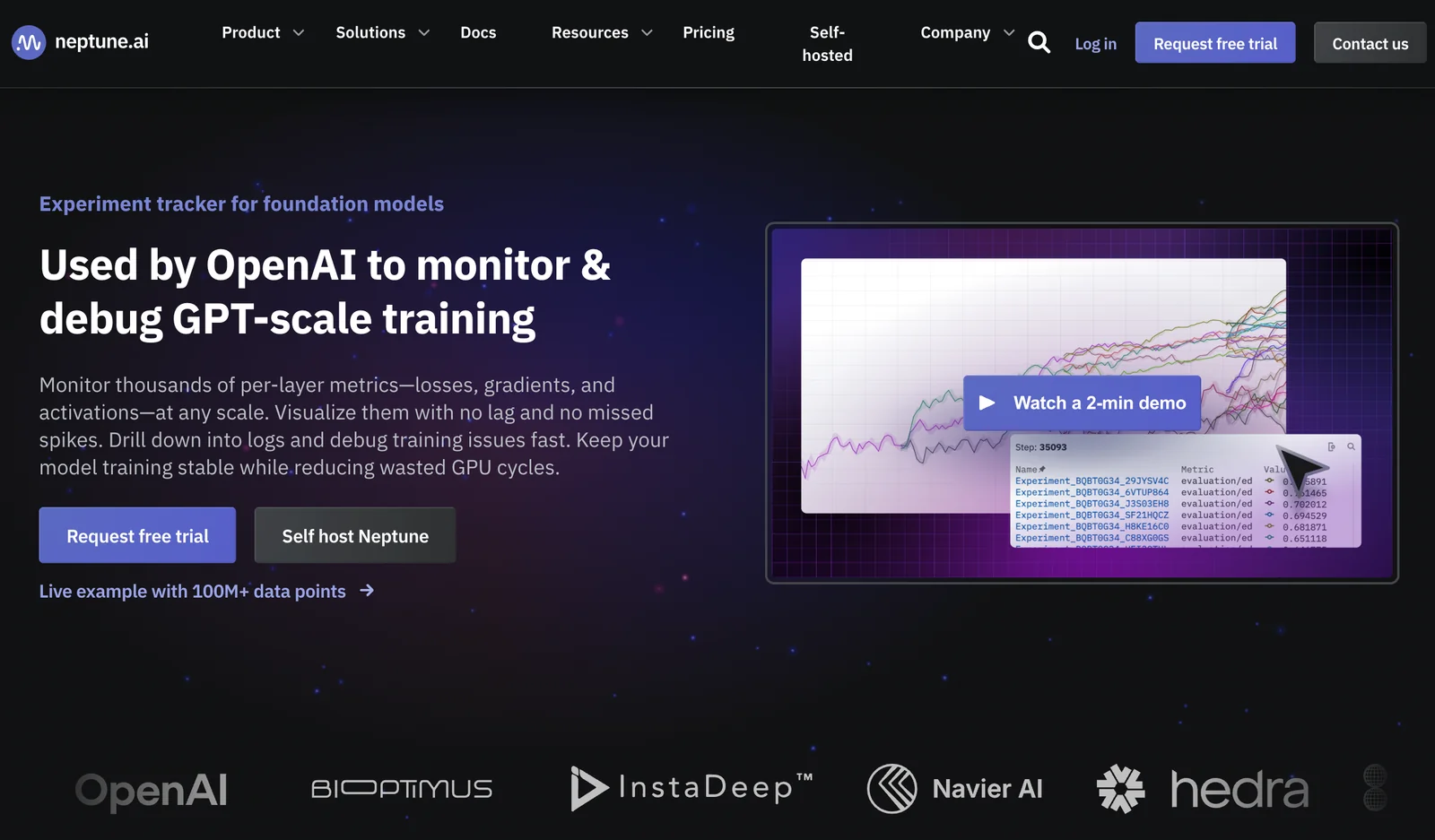
Experiment tracker for foundation models that monitors per-layer metrics, visualizes high-frequency signals, and helps debug training at scale.
About Neptune.ai
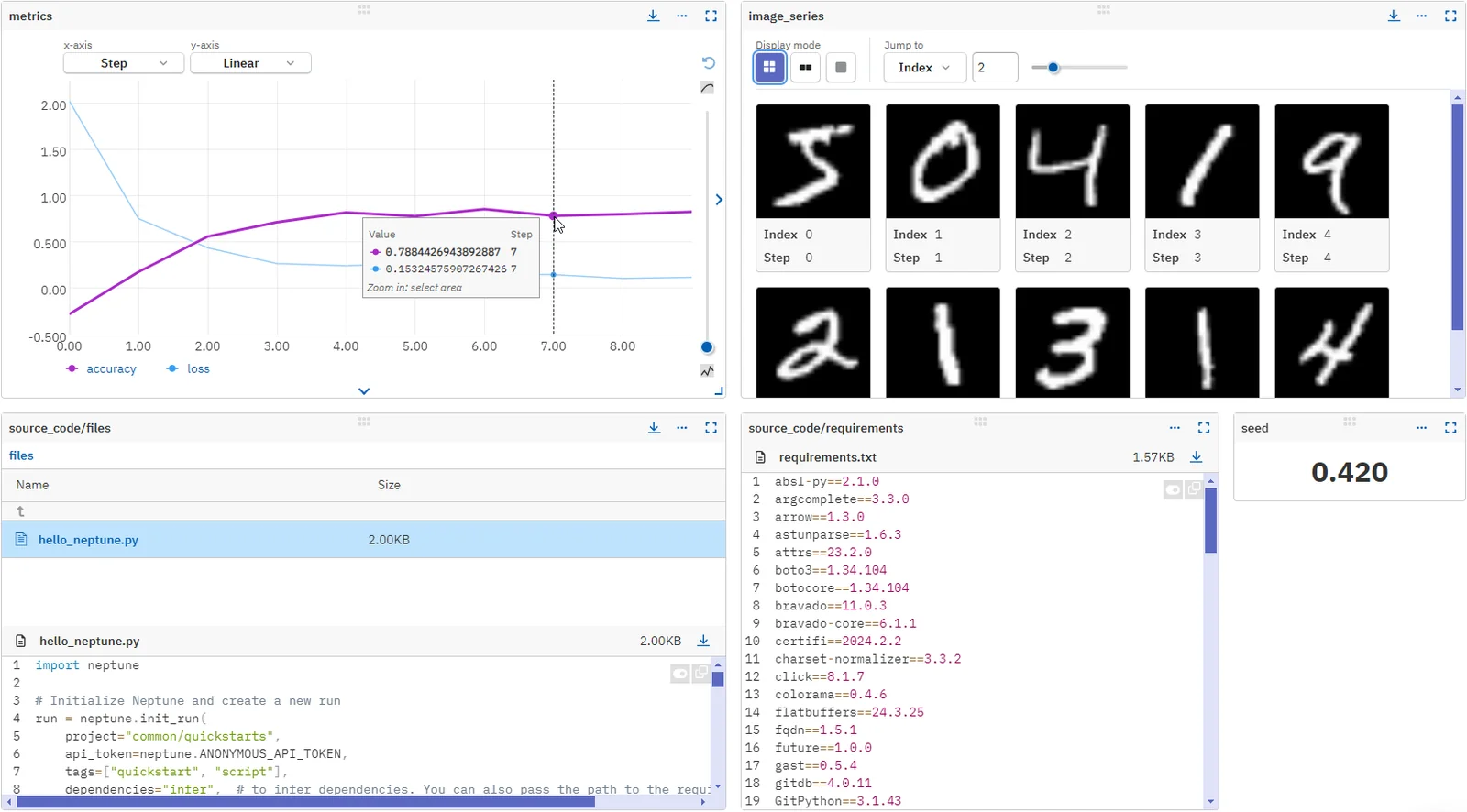
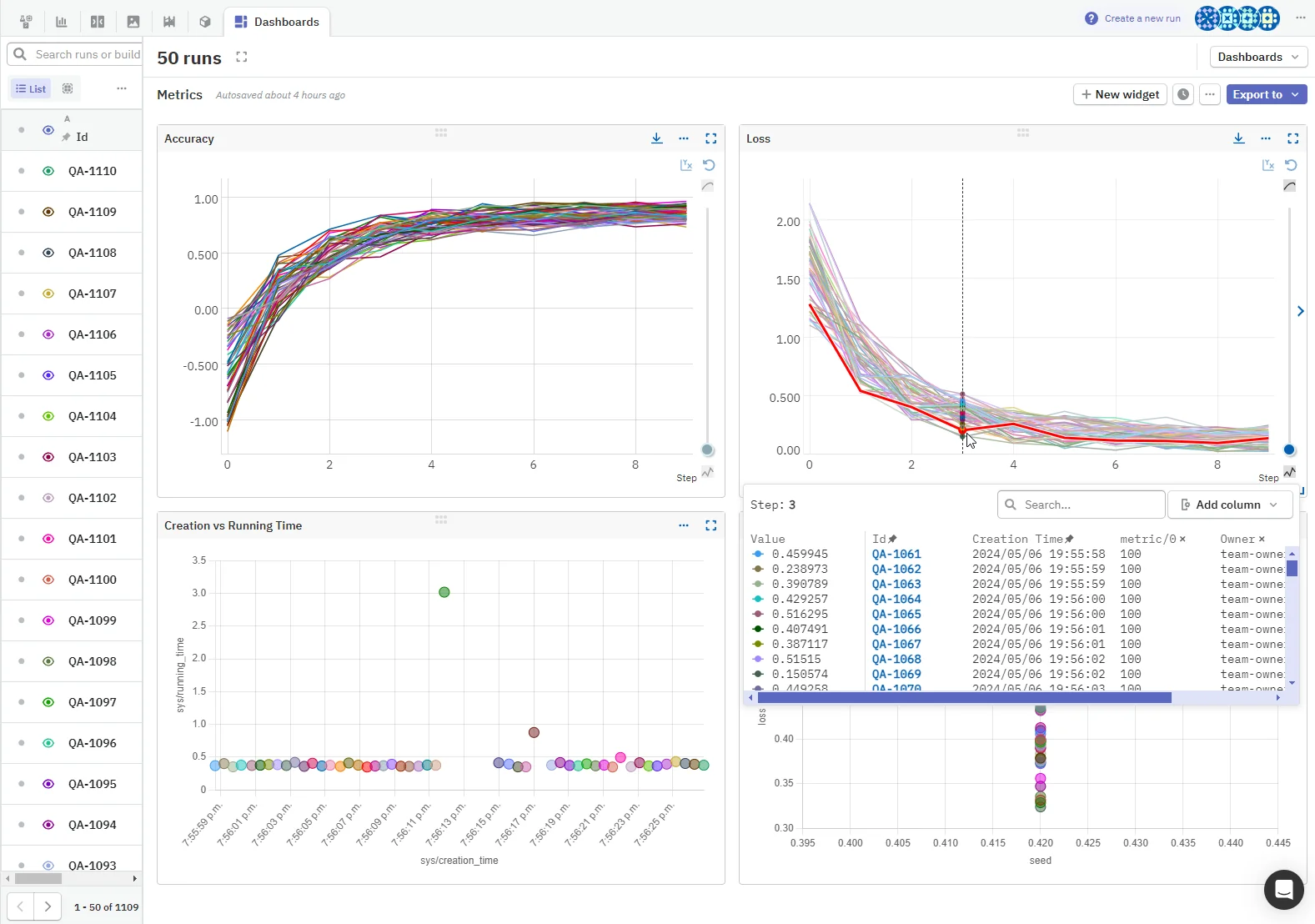
Neptune.ai is an experiment tracking and metadata logging platform purpose-built for large-scale foundation model training. It captures and visualizes thousands of per-layer metrics (losses, gradients, activations) with high frequency and low latency, enabling engineers to spot spikes and diagnose training issues quickly. Neptune provides client libraries (Python, R) and integrations (TensorBoard, MLflow) to centralize logs, artifacts, hyperparameters, and model versions, supporting collaboration, reproducibility, and smoother handovers between data scientists and ML engineers.
Screenshots
Key Features
Use Cases



Frequently asked questions about Neptune.ai
What is the pricing for Neptune.ai and are there any free options?
Neptune.ai offers a Free tier for individual users at $0/month, a Teams plan beginning at $79/month, and customizable Enterprise solutions. The Free plan includes essential features for experiment tracking and logging, making it suitable for beginners in machine learning.
Key Points
- Free Tier: Available at $0/month, ideal for individual users.
- Teams Plan: Starts at $79/month, designed for collaborative teams.
- Enterprise Solutions: Custom pricing for large organizations with tailored needs.
Detailed Explanation
Neptune.ai provides a range of pricing plans to meet various user requirements. The Free tier allows individual users to access basic features such as experiment tracking, logging, and a limited data storage capacity. This is perfect for hobbyists or those just starting in machine learning who want to experiment without financial commitments.
The Teams plan, starting at $79/month, is designed for small to medium-sized teams. It includes enhanced features such as advanced collaboration tools, increased storage, and additional integrations with popular frameworks and libraries. This plan is beneficial for teams that need to track multiple experiments simultaneously and share insights efficiently.
For larger organizations, Neptune.ai offers custom Enterprise solutions. These plans are tailored to fit specific business needs and often include extensive support, additional security features, and advanced analytics capabilities. Pricing for these plans varies based on the organization's size and requirements.
Best Practices / Tips
- Start with the Free Tier: If you're new to machine learning or data tracking, begin with the Free plan to familiarize yourself with the platform's features.
- Assess Team Needs: Before upgrading to the Teams plan, evaluate your team’s collaboration requirements and storage needs to select the most appropriate plan.
- Contact Sales for Enterprise: If you represent a larger organization, reach out directly to Neptune.ai's sales team to discuss custom pricing and features that best align with your company's objectives.
Additional Resources
How can I get started with Neptune.ai for tracking AI experiments?
To get started with Neptune.ai for tracking AI experiments, visit their official website to sign up and select a suitable plan. The Free tier is ideal for personal projects and offers essential logging features. For in-depth setup guidance, refer to their comprehensive documentation.
Key Points
- Sign Up: Create an account on Neptune.ai.
- Choose a Plan: Select between Free and paid tiers based on your requirements.
- Documentation: Utilize Neptune's documentation for detailed setup instructions.
Detailed Explanation
Neptune.ai is a powerful tool designed for managing and tracking AI experiments. Here’s how to get started:
-
Create an Account:
- Go to Neptune.ai.
- Click on the "Sign Up" button and fill in your details to create an account.
-
Select Your Plan:
- Neptune.ai offers various pricing tiers, including a Free plan that is perfect for individuals starting with personal projects. The Free tier provides basic logging capabilities to help you track metrics and visualize your experiments.
- Paid plans include additional features such as team collaboration, enhanced storage, and advanced logging options, which are beneficial for larger projects and teams.
-
Set Up Your Environment:
- Install the Neptune client library using pip:
pip install neptune-client - Follow the setup instructions in the documentation to integrate Neptune with your preferred machine learning framework, such as TensorFlow or PyTorch.
- Install the Neptune client library using pip:
-
Log Your Experiments:
- Begin logging parameters, metrics, and artifacts in your experiments. Use the simple API provided by Neptune to log data easily:
import neptune.new as neptune
run = neptune.init(project='your_workspace/your_project')
run['parameters'] = {'learning_rate': 0.01, 'batch_size': 32}
- Begin logging parameters, metrics, and artifacts in your experiments. Use the simple API provided by Neptune to log data easily:
-
Visualize and Analyze Results:
- Utilize the Neptune dashboard to visualize your logged experiments, compare different runs, and analyze performance metrics. This will help you make informed decisions to improve your model.
Best Practices / Tips
- Explore Features: Familiarize yourself with Neptune's features like experiment comparison, team collaboration, and model versioning to maximize its potential.
- Consistent Logging: Ensure you log all relevant metrics and parameters consistently across experiments for accurate comparisons.
- Documentation Review: Regularly check Neptune's official documentation and community forums for updates, new features, and troubleshooting tips.
Additional Resources
By following these steps and tips, you can effectively leverage Neptune.ai to enhance your AI experiment tracking and management.
What are the key features of Neptune.ai that set it apart from other tools?
Neptune.ai distinguishes itself with features like per-layer metric streaming, low-latency visualization, rich logging integrations, and advanced collaboration tools. These functionalities streamline the debugging process and enhance the comparison of AI experiments, making it an essential tool for data scientists and machine learning engineers.
Key Points
- Per-layer Metric Streaming: Offers insights at a granular level.
- Low-latency Visualization: Enables real-time monitoring of experiments.
- Rich Logging Integrations: Supports multiple logging frameworks for seamless data tracking.
Detailed Explanation
Neptune.ai provides a comprehensive suite of features designed to enhance the machine learning lifecycle.
-
Per-layer Metric Streaming: This feature allows users to monitor performance metrics for individual layers of neural networks. For example, if you’re training a complex model, you can identify which layer might be underperforming and adjust your approach in real-time.
-
Low-latency Visualization: Neptune.ai’s visualization tools deliver real-time insights into ongoing experiments. This capability is crucial for data scientists who need to track performance metrics as they adjust hyperparameters. The quick feedback loop enables faster iteration and optimization.
-
Rich Logging Integrations: Neptune.ai supports various logging frameworks such as TensorBoard and MLflow, allowing for versatile data tracking. This integration means you can log metrics from different sources in one place, making it easier to compare and analyze results.
-
Advanced Collaboration Tools: Neptune.ai enhances team collaboration with features that allow multiple users to share insights, annotate results, and track experiment history. This is particularly beneficial for teams working in distributed environments, ensuring everyone stays aligned on project objectives.
Best Practices / Tips
- Utilize Per-layer Metrics: To fully leverage per-layer metric streaming, ensure you define clear metrics for each layer before starting your experiments. This will aid in pinpointing issues faster.
- Set Up Dashboards: Use Neptune.ai's visualization capabilities to create dashboards tailored to your project. This will centralize important metrics and streamline monitoring.
- Integrate Early: Start integrating logging frameworks early in your project workflow. This practice will simplify data management and improve the quality of your logging.
Additional Resources
Does Neptune.ai have an API for integrations with other tools?
Yes, Neptune.ai provides an API for integrations with other tools, including official client libraries for Python and R. It also supports integrations with TensorBoard and MLflow, enabling centralized logging and monitoring across various machine learning workflows for enhanced collaboration and efficiency.
Key Points
- Neptune.ai offers official Python and R client libraries.
- Integrations with popular tools like TensorBoard and MLflow are available.
- Centralized logging and monitoring improve workflow efficiency.
Detailed Explanation
Neptune.ai is a powerful tool designed for managing machine learning experiments. Its API facilitates seamless integration with various data science tools, enhancing your workflow.
-
Client Libraries: Neptune.ai provides official client libraries for both Python and R, making it easier to log metrics, visualize results, and manage experiment metadata directly from your code. For example, using the Python library, you can log hyperparameters and compare model performances with just a few lines of code.
-
Integrations: The platform integrates effectively with TensorBoard and MLflow. This means you can use Neptune.ai alongside your preferred tools for model tracking and visualization. For instance, if you're already using TensorBoard for visualizing your training process, you can log additional metadata to Neptune.ai without changing your existing workflow.
-
Centralized Logging: With Neptune.ai, you can centralize all your experiment logs in one place. This helps in collaborating with team members by providing a single source of truth for experiment results. Teams can easily share findings and insights, leading to better decision-making.
Best Practices / Tips
- Use Environment Variables: Store sensitive configuration details like API keys in environment variables to enhance security.
- Regularly Update Libraries: Ensure you are using the latest versions of Neptune.ai client libraries to take advantage of new features and performance enhancements.
- Leverage Tags: Utilize tagging functionality within Neptune.ai to categorize experiments for easier retrieval and analysis.
Additional Resources
How does Neptune.ai compare to other experiment tracking tools?
Neptune.ai stands out among experiment tracking tools due to its real-time monitoring capabilities and detailed metrics at a per-layer level, making it particularly effective for debugging complex machine learning models. It also features robust collaboration tools and a user-friendly interface, although its pricing can vary based on usage.
Key Points
- Real-time Monitoring: Neptune.ai provides instant feedback on model performance.
- Detailed Metrics: Offers insights at a granular level, ideal for complex models.
- Collaboration Features: Enhances teamwork with shared dashboards and reports.
Detailed Explanation
Neptune.ai is designed for machine learning practitioners who require an efficient way to track experiments, model metrics, and collaborate with teams. Its real-time monitoring system allows users to visualize performance metrics as they run, ensuring immediate feedback. This is particularly useful for debugging complex models where understanding individual layer performance can lead to quicker adjustments and improved outcomes.
In comparison to other experiment tracking tools like MLflow or Weights & Biases, Neptune.ai excels in its user-friendly interface, which simplifies navigation and setup. The advanced collaboration features enable teams to share insights and progress seamlessly, making it easier to align on project goals.
For example, data scientists can create shared dashboards within Neptune.ai to visualize key performance indicators (KPIs) and track changes over time. This capability is essential for projects involving multiple stakeholders, ensuring everyone is on the same page regarding model performance and development.
Best Practices / Tips
- Utilize Real-Time Features: Regularly monitor your models in real-time to catch issues early.
- Collaborate Effectively: Use Neptune.ai's collaboration tools to share findings with your team for faster decision-making.
- Customize Dashboards: Tailor your dashboards to highlight the most relevant metrics for your specific projects.
Common pitfalls include neglecting to utilize the detailed metrics feature, which could lead to missed insights during the debugging process. Make sure to fully explore the capabilities of Neptune.ai to maximize its benefits.
Additional Resources
Explore more AI Ai Tools tools
Browse all Ai Tools tools →Compare Neptune.ai: vs CleanSlop · vs Kalender Sync · vs UseIt Studio · vs Woven Video