

Nano Banana Playground
AIWeb-based multi-model image playground for text-to-image generation and image editing with 30+ models via Vercel AI Gateway.
Nano Banana Playground
Web-based multi-model image playground for text-to-image generation and image editing with 30+ models via Vercel AI Gateway.
About Nano Banana Playground
Img Gen Playground is a web-based image generation and editing playground that unifies access to more than 30 text-to-image and image-editing models from providers such as Google Gemini, Imagen, OpenAI GPT Image, FLUX, Recraft, Seedream, xAI, and ByteDance. Built on the Vercel AI Gateway and AI SDK, it provides a single interface to run different model backends, compare outputs, and iterate on prompts and edits without switching platforms. Its value lies in model diversity, rapid experimentation, and simplified integration of multiple leading image models in one accessible playground.
Screenshots
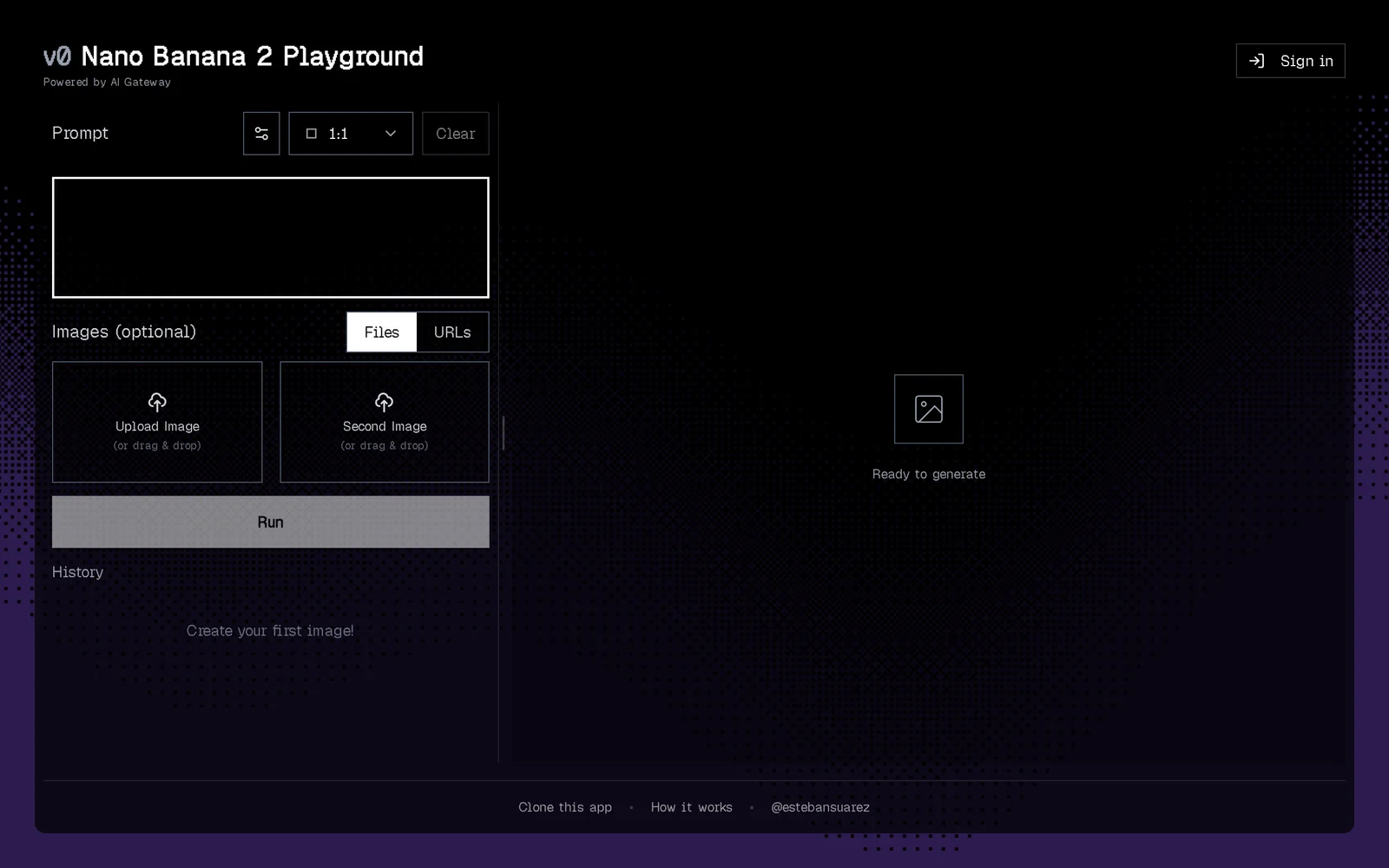
Key Features
Use Cases



Frequently asked questions about Nano Banana Playground
What is Nano Banana Playground?
Nano Banana Playground is an AI-powered tool that allows users to generate images from text prompts or edit existing images. It features three models: Nano Banana 2 (Gemini 3.1 Flash with thinking and 4K), Pro (Gemini 3 Pro), and Classic (Gemini 2.5 Flash), offering ten aspect ratios and Google Search grounding without watermarks.
Key Points
- AI Generation and Editing: Create or modify images using intuitive text prompts.
- Three Powerful Models: Choose from Nano Banana 2, Pro, and Classic for diverse capabilities.
- High Customization: Utilize ten aspect ratios and Google Search integration for enhanced results.
Detailed Explanation
Nano Banana Playground harnesses advanced AI technology to facilitate image creation and editing. Users can input descriptive text prompts to generate unique images or make alterations to existing ones, offering flexibility in visuals for personal or professional use.
Models Overview:
- Nano Banana 2: Powered by Gemini 3.1 Flash, this model excels in image generation with enhanced thinking capabilities and 4K resolution, ideal for high-quality outputs.
- Pro Model: Utilizing Gemini 3 Pro, this version provides advanced features suitable for professional artists and designers, focusing on intricate details and customization.
- Classic Model: Based on Gemini 2.5 Flash, it serves as a reliable option for users who need straightforward image generation without the latest enhancements.
Aspect Ratios and Features:
Users can select from ten different aspect ratios to match their project requirements. The integration of Google Search grounding allows for real-time image adjustments based on current trends and visual references.
Best Practices / Tips
- Clear Prompts: Provide detailed and specific text prompts for better image generation results.
- Experiment with Models: Try different models to find the one that best suits your creative needs.
- Utilize Aspect Ratios: Choose the appropriate aspect ratio according to the platform (e.g., social media, print) to ensure optimal presentation.
Additional Resources
How does Nano Banana Playground work?
Nano Banana Playground operates by integrating advanced AI technologies to streamline and enhance everyday workflows for users. By leveraging machine learning and automation, it simplifies tasks, boosts productivity, and fosters creative solutions across various applications.
Key Points
- AI Integration: Combines advanced AI technologies for seamless workflow.
- User-Centric Design: Tailored for enhancing daily tasks and productivity.
- Versatile Applications: Supports a wide range of use cases from data analysis to content creation.
Detailed Explanation
Nano Banana Playground is designed for users seeking to harness the power of artificial intelligence in their daily tasks. At its core, it utilizes machine learning algorithms to automate repetitive processes, analyze data, and generate insights.
How It Works:
- User Input: Users input their specific tasks or goals into the platform.
- AI Processing: The AI analyzes the input, drawing on vast datasets to generate relevant responses or actions.
- Output Delivery: Results are presented in an easy-to-understand format, allowing users to take action quickly.
Use Cases:
- Content Creation: Generates blog posts, social media updates, and marketing materials based on minimal user input.
- Data Analysis: Automates the collection and analysis of data trends, producing reports that inform business decisions.
- Task Automation: Streamlines routine tasks like scheduling and email responses, freeing up time for strategic activities.
Best Practices / Tips
- Experiment with Features: Explore various tools within Nano Banana Playground to discover which combinations work best for your specific needs.
- Provide Clear Inputs: The clearer your initial input is, the more accurate and useful the AI-generated output will be.
- Stay Updated: Regularly check for updates to the platform that may introduce new features or enhancements.
Additional Resources
- Official Nano Banana Playground Documentation
- Beginner's Guide to AI Workflows
- Exploring AI Tools for Productivity
By utilizing Nano Banana Playground effectively, users can significantly enhance their productivity and creativity, making it an invaluable tool in the modern workspace.
What are the main features of Nano Banana Playground?
Nano Banana Playground offers advanced AI capabilities, including machine learning algorithms, real-time data processing, and intuitive user interfaces. It is designed for developers and businesses seeking to create interactive and responsive applications efficiently.
Key Points
- Core AI Capabilities: Utilizes machine learning and deep learning.
- User-Friendly Interface: Simplifies interactions for users and developers.
- Real-Time Data Processing: Processes data instantly for immediate feedback.
Detailed Explanation
Nano Banana Playground stands out with its core AI capabilities that include sophisticated machine learning and predictive analytics. These features allow developers to train models efficiently for various tasks, such as natural language processing and image recognition. The platform supports popular programming languages like Python and R, ensuring accessibility for a wide range of users.
The user-friendly interface is designed to enhance the development experience, providing an intuitive dashboard that simplifies navigation. This feature is critical for both novices and experienced developers, facilitating quicker project initiation and management. The drag-and-drop functionalities make it easy to create workflows without extensive coding knowledge.
Another significant feature is real-time data processing, which allows applications to analyze and respond to data inputs instantly. This is particularly valuable for industries like finance, healthcare, and e-commerce, where timely data insights can drive critical decision-making.
Best Practices / Tips
- Leverage Documentation: Always refer to the official Nano Banana Playground documentation for best practices.
- Start Small: Begin with smaller projects to familiarize yourself with the platform’s capabilities before scaling up.
- Test Regularly: Implement a routine of continuous testing during development to identify and resolve issues quickly.
- Utilize Community Resources: Engage with online forums and community groups for tips and troubleshooting.
Additional Resources
Who is Nano Banana Playground for?
Nano Banana Playground is designed for a diverse audience, including educators, students, developers, and professionals interested in enhancing their daily AI workflows. It empowers users to create, test, and optimize AI applications easily, making it suitable for anyone looking to integrate AI into their routine effectively.
Key Points
- Target Audience: Educators, students, developers, and professionals.
- Use Cases: Enhancing learning, streamlining workflows, and prototyping AI applications.
- Accessibility: User-friendly interface that requires minimal technical expertise.
Detailed Explanation
Nano Banana Playground offers a versatile platform for various users looking to leverage AI in their daily tasks. Here are some specific groups and how they can benefit:
-
Educators: Teachers can use Nano Banana Playground to demonstrate AI concepts in real-time, creating interactive lessons that engage students. For example, an educator can build a simple chatbot to teach students about natural language processing.
-
Students: Learners from various disciplines can experiment with AI tools, fostering creativity and problem-solving skills. A computer science student might use the platform to develop a small AI project, such as an image recognition application, without needing extensive coding knowledge.
-
Developers: Software developers can utilize Nano Banana Playground for rapid prototyping. They can test algorithms, visualize data, and streamline their coding processes, significantly speeding up development timelines.
-
Professionals: Business professionals can automate mundane tasks and improve productivity. For instance, a marketing manager could create an AI-driven tool to analyze customer data and generate insights, thereby enhancing decision-making.
Best Practices / Tips
- Explore Tutorials: Utilize the tutorials provided on the platform to familiarize yourself with its features and capabilities.
- Experiment with Projects: Start with simple projects to build confidence before tackling more complex applications.
- Collaborate: Engage with community forums and groups to share insights and gain feedback on your AI projects.
- Stay Updated: Regularly check for updates to the platform, as new features and tools can enhance your AI productivity.
Additional Resources
By leveraging these insights and utilizing Nano Banana Playground, anyone can effectively integrate AI into their daily workflows, enhancing productivity and creativity.
How much does Nano Banana Playground cost?
Nano Banana Playground offers a free tier for users to explore its basic features, while paid plans start at $10 per month for access to advanced functionalities. This flexible pricing structure allows users to choose a plan that best suits their needs.
Key Points
- Free Tier Availability: Access basic features at no cost.
- Affordable Paid Plans: Plans begin at $10 per month.
- Advanced Features: Paid options unlock premium tools and functionalities.
Detailed Explanation
Nano Banana Playground is designed to cater to a diverse range of users, from beginners to advanced developers. The free tier provides a perfect entry point, allowing users to familiarize themselves with its interface and core functionalities without any financial commitment.
For those who require more sophisticated tools, Nano Banana Playground offers several paid plans. The entry-level plan starts at $10 per month, which grants access to advanced features like enhanced collaboration tools, increased storage capacity, and priority customer support.
In addition, there are higher-tier plans that offer even more robust features, such as team management tools and API integrations, tailored for businesses and organizations looking to scale their use of the platform. Users can easily upgrade or downgrade their plans based on their evolving needs.
Use Cases
- Individual Users: Great for hobbyists or students who want to learn and experiment without spending money.
- Small Teams: The entry-level paid plan is perfect for small teams needing collaboration features.
- Businesses: Larger organizations can benefit from the comprehensive tools available in the higher-tier plans.
Best Practices / Tips
- Start with the Free Tier: Leverage the free version to determine if the platform meets your needs before committing financially.
- Evaluate Your Needs: Consider your usage and team size to choose the most cost-effective plan.
- Monitor Usage: Keep an eye on your feature usage to ensure you’re not paying for features you don’t need.
Additional Resources
This comprehensive approach ensures you make an informed decision about which plan to choose based on your specific requirements and budget.
How do I get started with Nano Banana Playground?
To get started with Nano Banana Playground, visit https://v0nanobananapro.vercel.app/ to sign up for an account. Once registered, you can explore the platform's features, tools, and community resources for an engaging experience in AI development.
Key Points
- User Registration: Create an account to access features.
- Explore Tools: Familiarize yourself with the various tools available.
- Community Interaction: Engage with other users for support and ideas.
Detailed Explanation
User Registration
To begin, navigate to the Nano Banana Playground website and click on the "Sign Up" button. You’ll need to enter your email address, create a password, and agree to the terms of service. After confirming your email, you’ll have full access to the platform.
Explore Tools
Once logged in, take time to explore the intuitive interface. Nano Banana Playground provides various AI tools, including a code editor, model training environments, and deployment options. Familiarize yourself with features like:
- Real-time Collaboration: Work with others on projects in real-time.
- Pre-built Models: Use available models for quick deployment.
- Custom Integrations: Connect your applications seamlessly with APIs.
Community Interaction
Engaging with the community is essential. Join forums and discussions within the platform to ask questions, share your projects, and learn from others. Participating in community events can also enhance your skills and networking opportunities.
Best Practices / Tips
- Start Small: Begin with simple projects to understand the platform’s capabilities before tackling complex tasks.
- Leverage Tutorials: Utilize the tutorials available on the Nano Banana Playground to build foundational knowledge.
- Stay Updated: Follow the platform's updates and community announcements to keep abreast of new features and tools.
- Backup Your Work: Regularly save and backup your projects to avoid data loss.
Additional Resources
By following these steps and utilizing the available resources, you can effectively get started with Nano Banana Playground and enhance your experience in AI development.
Explore more AI Ai Tools tools
Browse all Ai Tools tools →Browse by use case: Image Generation
Compare Nano Banana Playground: vs CleanSlop · vs Kalender Sync · vs UseIt Studio · vs Woven Video