

moar
AIPrivacy-first Chrome extension that converts documents to AI-ready Markdown, reducing size up to 95% for more conversations across major chat models.
moar
Privacy-first Chrome extension that converts documents to AI-ready Markdown, reducing size up to 95% for more conversations across major chat models.
About moar
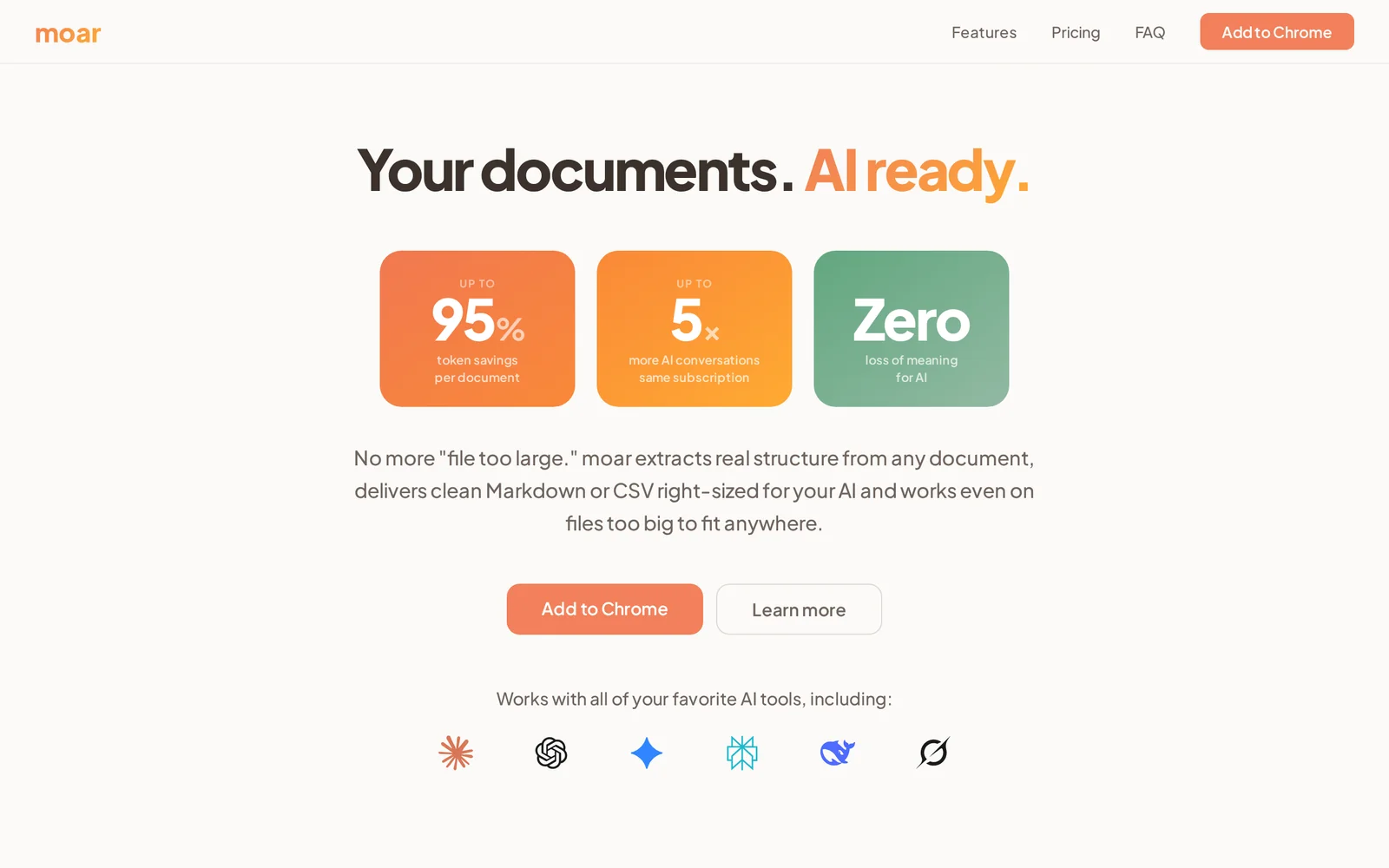
moar builds a context layer between your documents and large language models by converting any document into compact, AI-ready Markdown. The extension shrinks documents up to 95% while preserving meaning, enabling up to 5× more conversational interactions without hitting context limits. It works directly in the browser with ChatGPT, Claude, Gemini and other chat models, requires zero setup, and is designed with privacy-first principles so users can optimize content for AI comprehension without exposing unnecessary data.
Screenshots
Key Features
Use Cases



Frequently asked questions about moar
What is moar?
moar is an AI document optimization tool that compresses files by up to 95%, enabling users to engage in five times more AI conversations from a single subscription, all without losing meaning. It functions seamlessly with ChatGPT, Claude, Gemini, Perplexity, DeepSeek, and Grok, and is a 100% private Chrome extension.
Key Points
- Document Compression: Reduces file size by up to 95%.
- Increased Engagement: Facilitates five times more AI interactions per subscription.
- Compatibility: Works with multiple AI platforms and maintains user privacy.
Detailed Explanation
moar leverages advanced algorithms to optimize documents for artificial intelligence comprehension, significantly enhancing the efficiency of interactions with AI models. For instance, when a document is compressed, the core ideas and meanings are preserved, allowing users to utilize the same content across various AI platforms without compromising context.
Use Cases
- Student Research: Students can use moar to condense lengthy academic papers into shorter summaries, making it easier to engage with AI tools for discussions or study aids.
- Business Reports: Companies can optimize reports, allowing for quicker analysis and decision-making by AI systems, which can interpret the content more effectively.
- Content Creation: Writers can streamline drafts for AI-assisted writing tools, enhancing productivity while maintaining their original intent.
Best Practices / Tips
- Maximize Compression: Use moar on documents that are dense with information for the best results.
- Test Different Formats: Experiment with different file types to see which formats benefit the most from moar's optimization.
- Regular Updates: Keep the Chrome extension updated for the latest features and improvements.
Additional Resources
By utilizing moar, users can significantly enhance their productivity and communication with AI, ultimately transforming how they interact with technology while ensuring privacy and efficiency.
How does moar work?
moar operates by integrating advanced AI functionalities to streamline everyday workflows for users. By harnessing machine learning, natural language processing, and automation, moar assists in tasks like data analysis, content creation, and project management, making AI accessible and efficient for daily use.
Key Points
- Integration of AI Technologies: Combines machine learning and natural language processing.
- Workflow Automation: Streamlines repetitive tasks to improve productivity.
- User-Friendly Interface: Designed for ease of use, allowing non-experts to leverage AI.
Detailed Explanation
moar utilizes sophisticated AI technologies to optimize workflows across various tasks. For instance, it can automate data analysis, allowing users to input raw data and receive actionable insights without needing in-depth technical expertise. This is particularly advantageous for businesses seeking to enhance their decision-making processes.
Use Cases:
- Content Creation: Users can generate high-quality written content quickly, enabling marketers and writers to focus on strategy rather than drafting.
- Customer Support: moar can analyze customer inquiries and generate responses, helping businesses maintain high service levels while reducing response times.
- Project Management: Automating task assignments and tracking progress, moar helps teams stay organized and efficient.
Best Practices / Tips
- Define Clear Goals: Identify specific tasks that can benefit from automation to maximize the effectiveness of moar.
- Regularly Update Data: Ensure that the data input into moar is current to enhance the accuracy of AI-driven insights.
- Train on Use Cases: Familiarize yourself with various use cases to fully exploit moar's capabilities and improve workflow efficiency.
Additional Resources
What are the main features of moar?
Moar offers a range of essential features, including advanced AI capabilities, seamless integration options, and user-friendly interfaces. These features empower users to leverage artificial intelligence effectively, enhancing productivity and decision-making processes across various applications.
Key Points
- Advanced AI Capabilities: Harness machine learning for predictive analytics.
- Seamless Integration: Connect effortlessly with existing tools and platforms.
- User-Friendly Interface: Designed for ease of use, minimizing the learning curve.
Detailed Explanation
Moar is designed to simplify and enhance the user experience in various fields by providing powerful AI tools.
-
Advanced AI Capabilities: Moar utilizes sophisticated machine learning algorithms that allow users to perform predictive analytics. For instance, businesses can analyze customer data to forecast purchasing behaviors, enabling targeted marketing strategies that increase conversion rates.
-
Seamless Integration: With its robust API, Moar can be integrated into a myriad of platforms, from CRM systems to e-commerce solutions. This means businesses can leverage Moar's capabilities without overhauling their existing software infrastructure, saving time and resources.
-
User-Friendly Interface: Moar's intuitive design ensures that even users with minimal technical skills can navigate the platform effectively. The straightforward dashboard allows users to access various features quickly, promoting efficiency and productivity.
Best Practices / Tips
To maximize the benefits of Moar, consider the following tips:
- Explore Use Cases: Familiarize yourself with specific use cases relevant to your industry to get the most out of Moar's features.
- Regular Training: Invest time in training sessions to ensure your team is up-to-date with the latest features and updates.
- Leverage Data Security: Always prioritize data security when integrating Moar with other systems, ensuring compliance with regulations and protecting sensitive information.
Additional Resources
Who is moar for?
moar is a versatile AI tool designed for professionals, businesses, and enthusiasts who want to streamline their daily AI workflows. It caters to individuals from various industries, including marketing, content creation, data analysis, and software development, seeking efficiency and improved productivity through AI integration.
Key Points
- Target Audience: Professionals, businesses, and AI enthusiasts.
- Industry Applications: Marketing, content creation, data analysis, and software development.
- Efficiency Gains: Streamlined workflows and enhanced productivity.
Detailed Explanation
moar serves a wide range of users looking to optimize their daily tasks through AI. Here are some specific groups that can benefit from it:
-
Marketing Professionals: Marketers can utilize moar to automate social media posts, analyze audience engagement, and generate content ideas. With features like predictive analytics, they can tailor campaigns based on data insights.
-
Content Creators: Writers and bloggers can enhance their productivity by using moar for brainstorming topics, generating outlines, and even drafting articles. The AI can assist in editing and optimizing content for SEO, ensuring better visibility.
-
Data Analysts: Those in data-heavy roles can leverage moar's capabilities for automating data collection, visualization, and reporting. The tool can help in identifying patterns and trends, making data-driven decisions faster and more effectively.
-
Software Developers: Developers can streamline coding tasks by using moar for code generation, debugging, and documentation. This can significantly reduce development time and improve code quality.
For example, a marketing team can implement moar to manage their social media schedules, analyze performance metrics, and develop targeted ads, thereby increasing their return on investment (ROI).
Best Practices / Tips
- Identify Your Needs: Before using moar, clearly define what tasks you want to automate or improve. This ensures you maximize the tool’s potential.
- Start Small: Begin with one or two workflows to test the effectiveness of moar in your processes. Gradually expand its use as you become more comfortable.
- Regularly Update: AI tools evolve, so keep your moar application updated with the latest features and improvements to leverage its full capabilities.
- Monitor Performance: Continuously assess the impact of moar on your workflows. Use metrics to gauge improvements in efficiency and productivity.
Additional Resources
- moar Official Website - For in-depth features and user guides.
- AI Workflow Automation Guide - Explore how to effectively integrate AI into your daily tasks.
- SEO Best Practices for Content Creation - Learn how to optimize your content using AI tools like moar.
How much does moar cost?
Moar's pricing varies depending on the specific plan and features you choose. For accurate and up-to-date pricing details, visit the official Moar website, where you can find information on different subscription options and any promotions currently available.
Key Points
- Moar offers various subscription plans tailored to different user needs.
- Pricing may include monthly or annual payment options.
- Check for any ongoing promotions or discounts on the official website.
Detailed Explanation
Moar provides several subscription tiers, each designed to cater to various user requirements. Typically, you will find options such as:
-
Basic Plan: This plan usually offers essential features suitable for individual users or small teams. Expect to pay around $10 per month, which includes access to basic functionalities and customer support.
-
Pro Plan: Aimed at professionals and larger teams, this plan might start at approximately $30 per month. It includes advanced features, increased storage, and enhanced analytics tools, which are valuable for businesses looking to leverage AI tools effectively.
-
Enterprise Plan: For large organizations with extensive needs, the Enterprise plan is customizable and may vary in pricing based on the specific requirements. Organizations typically need to contact Moar directly for a quote.
When exploring pricing, it's essential to consider whether you prefer a monthly or annual payment structure, as many platforms offer discounts for annual subscriptions. Additionally, keep an eye out for seasonal promotions or trials that can provide significant savings or extended access to premium features.
Best Practices / Tips
- Evaluate your Needs: Before selecting a plan, assess your requirements. Determine which features are essential for your use case to avoid overspending.
- Utilize Free Trials: If available, take advantage of free trials to explore the features and functionalities before committing to a paid plan.
- Stay Updated: Regularly check Moar's official website for updates on pricing and any promotional offers that may be beneficial.
Additional Resources
- Moar Official Pricing Page - Find the latest pricing details and subscription options.
- Moar Features Overview - Learn more about what each plan includes.
- Moar Customer Support - Access support for any inquiries regarding features or billing.
How do I get started with moar?
To get started with moar, visit getmoar.ai to sign up for an account. After registration, you can explore the platform's features, tools, and capabilities designed to enhance your productivity and creativity.
Key Points
- Easy Sign-Up: Registration is straightforward and quick.
- User-Friendly Interface: The platform offers an intuitive design for seamless navigation.
- Explore Features: You can access various tools tailored for your needs.
Detailed Explanation
To begin using moar, follow these detailed steps:
-
Sign Up: Go to getmoar.ai and click on the “Sign Up” button. Fill in your details, including your email and password. A confirmation email will be sent to verify your account.
-
Explore the Dashboard: After logging in, familiarize yourself with the user-friendly dashboard. You will find different sections for various features such as project management, content creation, and analytics.
-
Utilize Built-in Tools: Moar provides several AI-driven tools. For instance, if you're working on content creation, you can use the AI writing assistant that helps generate ideas, outlines, and even full drafts based on your input.
-
Join the Community: Engage with other users through forums and community features within the app. This can provide valuable insights and tips on maximizing the platform’s potential.
-
Integrate with Other Tools: If you use other software for your projects, check if moar offers integrations. This can streamline your workflow and enhance productivity.
Best Practices / Tips
- Regularly Update Your Profile: Keeping your profile updated helps the AI provide more tailored suggestions.
- Experiment with Features: Take time to explore various tools within the platform. Different features may significantly benefit your specific use case.
- Utilize Tutorials: Moar often provides tutorials and guides. Make sure to utilize these resources to enhance your understanding and efficiency.
Additional Resources
Explore more AI Ai Tools tools
Browse all Ai Tools tools →Browse by use case: Chatbots & Assistants
Compare moar: vs CleanSlop · vs Kalender Sync · vs UseIt Studio · vs Woven Video