

Local
AIA macOS app that runs chat, coding and meeting AI entirely on your own Mac, with no cloud, no account and no per-token cost.
Local
A macOS app that runs chat, coding and meeting AI entirely on your own Mac, with no cloud, no account and no per-token cost.
About Local
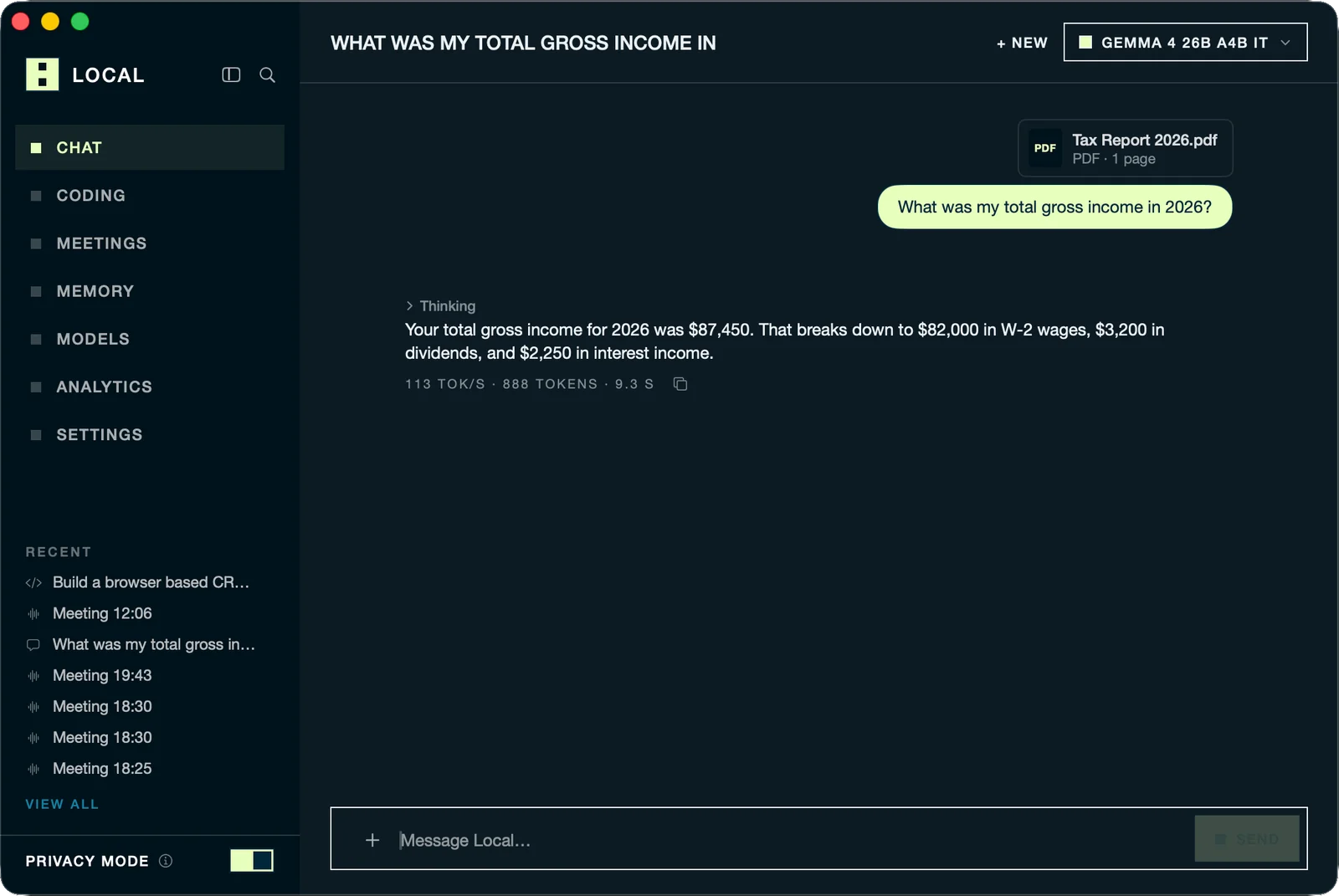
Local is a desktop app for Apple silicon Macs that keeps an entire AI workspace on the machine itself — chat over your files, agentic coding inside a project folder, and on-device meeting transcription with speaker labels. On first launch it ships BaseRT, Base Compute's own inference engine, compiled for your specific chip, and it reads your memory configuration to recommend open models that actually fit (Qwen, Llama, Gemma, Mistral, Phi, DeepSeek and Whisper). Nothing leaves the device: memories live in a database on the Mac, there is no account and no telemetry, and after the initial app and model download it works fully offline. An Office Mode lets the most capable machine in a room serve the big model to every other laptop running Local, and a built-in analytics view reports tokens, per-model speed, and what the same work would have cost through a cloud API. Frontier models remain optional — bring your own OpenAI, Anthropic or OpenRouter key, or route to a regional neocloud, and they appear in the picker beside the local ones.
Screenshots
Key Features
Use Cases



Frequently asked questions about Local
What is Local?
A macOS app that runs chat, coding and meeting AI entirely on your own Mac, with no cloud, no account and no per-token cost.
How does Local work?
Local works by combining BaseRT Chip-Tuned Engine: Base Compute's inference runtime compiles for your specific Apple silicon on first launch, claiming up to 5.4x more tokens per second than engines other local apps ship., Privacy Mode: Every request runs on the Mac and no data leaves the device — memories are stored locally, and facts marked sensitive are pinned to the machine permanently., In-Folder Agentic Coding: Point Local at a project and it reads, edits and runs code in place without ever uploading the codebase., On-Device Meeting Transcription: Meetings are transcribed locally with speakers labelled, so recordings and transcripts never reach a third-party service., Memory You Can Edit: A short, fully visible list of lasting facts about you that you can review, edit or delete, rather than an opaque profile. to help users with Confidential Document Review: Drop a contract or PDF into chat and get a summary without the file ever touching a cloud provider., Regulated-Industry Coding: Work agentically inside a proprietary codebase at a firm whose policy forbids uploading source to external AI services., Private Meeting Notes: Transcribe internal calls with speaker attribution while keeping the audio on the laptop., Zero-Marginal-Cost Experimentation: Run heavy prompt iteration without watching a per-token meter, since inference happens on hardware you already own., Small-Office AI Server: Host a large open model on the one powerful Mac in the office and let the whole team query it from their own laptops..
What are the main features of Local?
Key features include BaseRT Chip-Tuned Engine: Base Compute's inference runtime compiles for your specific Apple silicon on first launch, claiming up to 5.4x more tokens per second than engines other local apps ship., Privacy Mode: Every request runs on the Mac and no data leaves the device — memories are stored locally, and facts marked sensitive are pinned to the machine permanently., In-Folder Agentic Coding: Point Local at a project and it reads, edits and runs code in place without ever uploading the codebase., On-Device Meeting Transcription: Meetings are transcribed locally with speakers labelled, so recordings and transcripts never reach a third-party service., Memory You Can Edit: A short, fully visible list of lasting facts about you that you can review, edit or delete, rather than an opaque profile..
Who is Local for?
Local is useful for anyone interested in Confidential Document Review: Drop a contract or PDF into chat and get a summary without the file ever touching a cloud provider., Regulated-Industry Coding: Work agentically inside a proprietary codebase at a firm whose policy forbids uploading source to external AI services., Private Meeting Notes: Transcribe internal calls with speaker attribution while keeping the audio on the laptop., Zero-Marginal-Cost Experimentation: Run heavy prompt iteration without watching a per-token meter, since inference happens on hardware you already own., Small-Office AI Server: Host a large open model on the one powerful Mac in the office and let the whole team query it from their own laptops..
How much does Local cost?
Local is free to use.
How do I get started with Local?
Visit https://www.basecompute.co/local to sign up and explore Local.
Explore more AI Ai Tools tools
Browse all Ai Tools tools →Browse by use case: Code Generation
Compare Local: vs CleanSlop · vs Kalender Sync · vs UseIt Studio · vs Woven Video