

Lightning AI
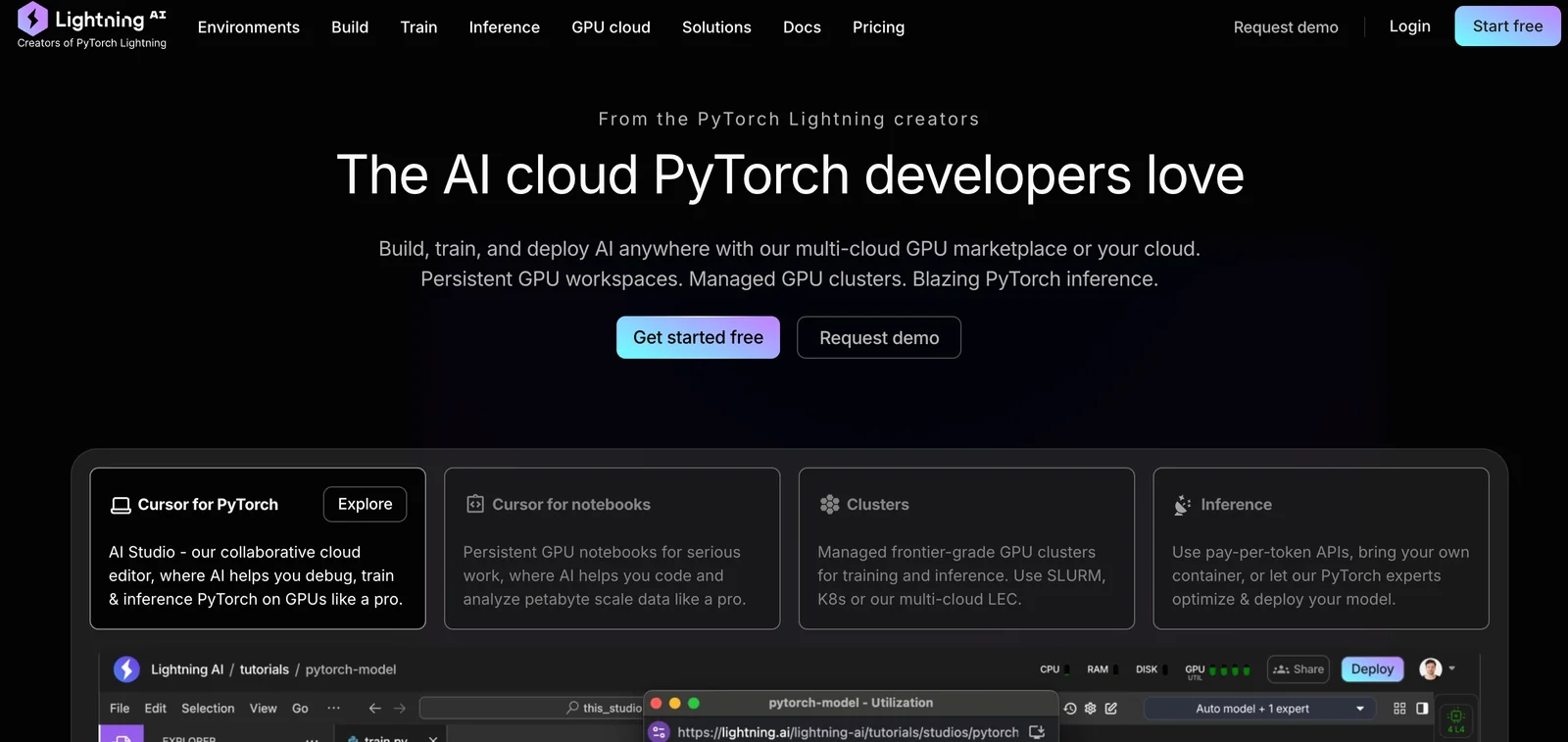
AIAll-in-one platform to prototype, train, scale, and serve ML models from the browser with zero setup, from the creators of PyTorch Lightning.
Lightning AI
All-in-one platform to prototype, train, scale, and serve ML models from the browser with zero setup, from the creators of PyTorch Lightning.
About Lightning AI
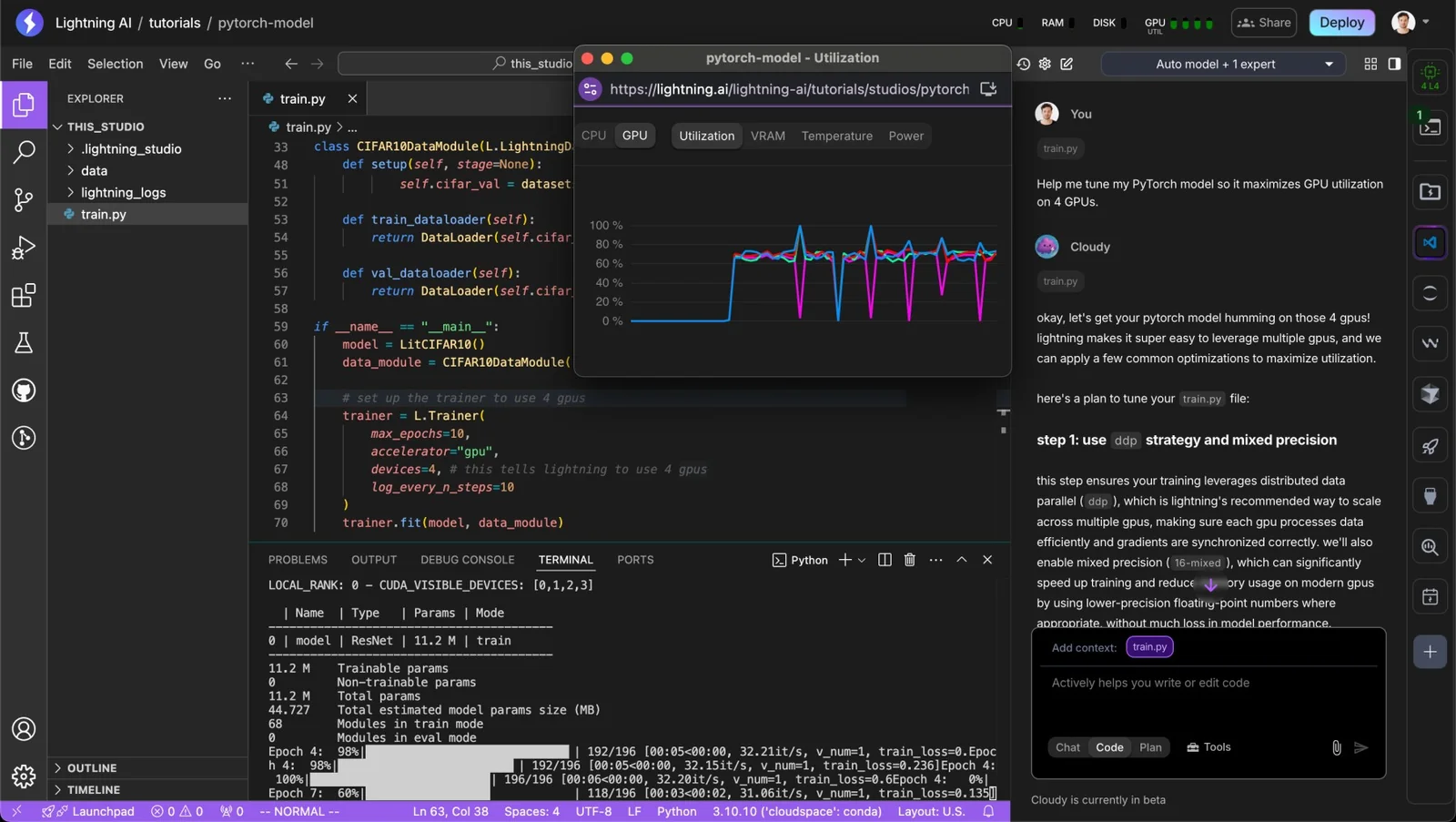
Lightning AI is a unified platform for AI development that enables teams to prototype, train, deploy, and serve models with minimal setup. It integrates the PyTorch Lightning ecosystem (Fabric, TorchMetrics, LitServe, LitModels, Lightning Thunder) to provide browser-based collaboration, autoscaling cloud deployment, and production-grade serving for models, agents, and retrieval-augmented pipelines. The platform emphasizes developer productivity (zero local setup, reusable templates), scalable inference (multi-GPU batching, streaming, multi-model support), and flexible hosting (self-host or deploy to Lightning AI cloud with built-in autoscaling and access controls).
Screenshots
Key Features
Use Cases



Frequently asked questions about Lightning AI
What are the pricing options for Lightning AI?
Lightning AI offers various pricing plans, including a free tier with monthly credits, a Starter/Pro plan at $50/month, a Teams plan at $140/user/month, and custom enterprise solutions tailored to specific business needs. Each tier provides different features suitable for diverse users and organizations.
Key Points
- Free Tier: Monthly credits and access to community templates.
- Starter/Pro Plan: Priced at $50 per month with advanced features.
- Teams Plan: Costing $140 per user per month, designed for collaborative use.
Detailed Explanation
Lightning AI provides a flexible range of pricing options to accommodate different user needs.
-
Free Tier: This plan is perfect for individuals or small businesses starting with AI tools. Users receive monthly credits to experiment with various features without any financial commitment. Additionally, access to community templates allows users to leverage existing designs and models to jumpstart their projects.
-
Starter/Pro Plan: At $50 per month, this plan is ideal for freelancers and small teams looking for more robust functionalities. Users can access advanced features like enhanced AI capabilities, additional storage, and priority support. This plan is suitable for individuals aiming to increase productivity and streamline workflows.
-
Teams Plan: Priced at $140 per user per month, this option is tailored for collaborative teams within organizations. It includes comprehensive features such as real-time collaboration, team management tools, and priority customer support. This plan is ideal for larger teams that require more coordination and resource sharing.
-
Custom Enterprise Plans: For larger organizations, Lightning AI offers tailored enterprise solutions. These plans are customizable based on specific business requirements, providing extensive features, dedicated support, and scalable options to fit any organization's size and complexity.
Best Practices / Tips
- Choose the Right Plan: Evaluate your needs carefully. If you’re just starting, the free tier is a great way to explore. For growing teams, consider the Teams plan for enhanced collaboration.
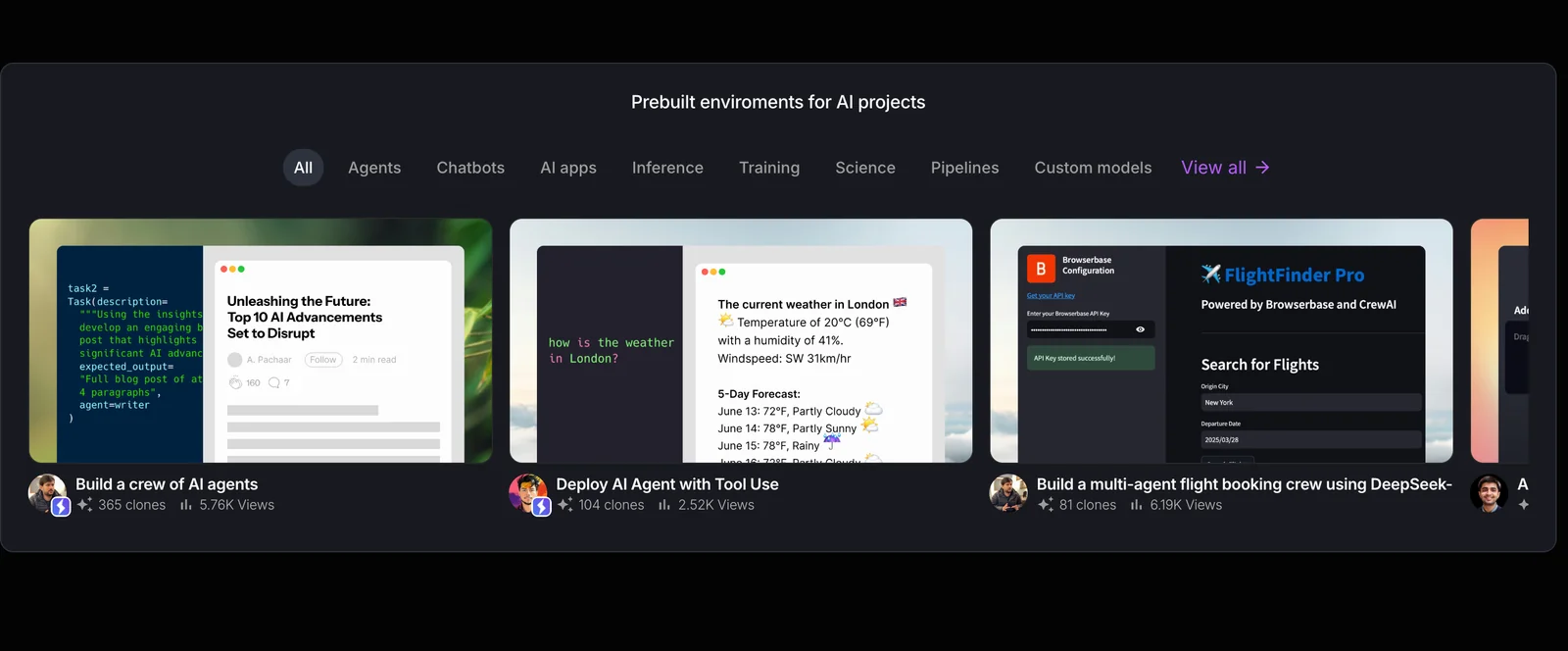
- Utilize Community Templates: Leverage available templates in the free tier to save time and effort in building your AI projects.
- Monitor Usage: Keep track of your monthly credits to avoid unexpected charges, particularly if you opt for the paid plans.
Additional Resources
How do I get started with Lightning AI?
To get started with Lightning AI, visit their official website, create an account, and use the browser-based studio. The free tier allows you to prototype and experiment without any complex setup, making it an ideal option for beginners and developers alike.
Key Points
- Create an Account: Signing up is simple and free.
- Explore the Browser-Based Studio: No downloads or installations required.
- Utilize the Free Tier: Perfect for prototyping and experimentation.
Detailed Explanation
Starting with Lightning AI is straightforward and user-friendly. First, navigate to Lightning AI's official website where you can easily find the "Sign Up" button. Fill in the required information, such as your email and a password, or use a social login option if available.
Once your account is created and verified, log in to access the browser-based studio. This platform is designed to simplify the development process, allowing you to focus on building and testing your AI models without needing to install complex software.
The free tier of Lightning AI is particularly beneficial for newcomers. It provides access to essential features for prototyping and experimentation, allowing you to test out various machine learning models and workflows without incurring costs. This tier typically includes limited compute resources, which are suitable for small projects and learning.
Best Practices / Tips
- Start with Tutorials: Take advantage of available tutorials on the platform to familiarize yourself with its features.
- Focus on Small Projects: Begin with small, manageable projects to build your confidence and understanding of AI tools.
- Collaborate: Leverage community forums or collaboration tools within Lightning AI to exchange ideas and solutions with other users.
- Monitor Resource Usage: Keep an eye on your resource consumption if you decide to upgrade from the free tier, as charges may apply based on usage.
Additional Resources
These resources will provide further insights and support as you embark on your journey with Lightning AI.
What are the key features of Lightning AI?
Lightning AI offers browser-based development, seamless integration with PyTorch Lightning for training, an efficient inference engine for model deployment, autoscaling cloud services, and tools to optimize datasets. These features collectively enhance the efficiency and scalability of AI projects.
Key Points
- Browser-Based Development: Access and manage projects from anywhere.
- Integrated Training with PyTorch Lightning: Streamlined training processes for AI models.
- Inference Engine and Autoscaling: Efficient deployment and resource management.
Detailed Explanation
Lightning AI revolutionizes AI project management by providing a browser-based development platform. This allows users to access their models and datasets from any device without the need for extensive local installations. The cloud-based nature of Lightning AI promotes collaboration among teams dispersed across different locations.
One of the standout features is its integration with PyTorch Lightning. This powerful combination simplifies the model training process, enabling users to focus on building models without getting bogged down by intricate coding requirements. With built-in tools for hyperparameter tuning and model versioning, developers can easily iterate and improve their AI models.
The inference engine included in Lightning AI facilitates smooth model deployment. Users can deploy their models with minimal friction, ensuring that predictions are made quickly and efficiently. Coupled with autoscaling cloud services, Lightning AI automatically adjusts resources based on demand, making it ideal for projects with fluctuating workloads. This means businesses only pay for what they use, optimizing operational costs.
Additionally, Lightning AI provides advanced tools for dataset optimization. This includes functionalities to preprocess data, augment datasets, and manage data pipelines effectively. By ensuring that datasets are well-structured and optimized, users can significantly enhance the performance of their machine learning models.
Best Practices / Tips
- Utilize Browser-Based Access: Regularly check and update your projects using the browser interface for real-time collaboration.
- Leverage Integrated Training: Take full advantage of PyTorch Lightning's capabilities to reduce training times and improve model performance.
- Monitor Autoscaling: Keep an eye on the autoscaling feature to ensure that your cloud resources are being utilized efficiently, adjusting settings as necessary to avoid unnecessary costs.
Additional Resources
- Lightning AI Official Documentation
- PyTorch Lightning Resources
- Best Practices for Dataset Management
By harnessing these features and best practices, users can maximize the potential of Lightning AI for their AI-driven projects, ensuring both efficiency and effectiveness.
How does Lightning AI compare to other AI platforms?
Lightning AI is distinguished from other AI platforms by its zero-setup browser studio, integrated PyTorch support, and flexible deployment options. Its unique freemium model and advanced collaboration tools also set it apart, making it an excellent choice for both individual developers and teams looking for efficient AI solutions.
Key Points
- Zero-Setup Browser Studio: Easily accessible and user-friendly interface.
- Integrated PyTorch Support: Seamless integration allows for efficient model building.
- Freemium Model: Cost-effective options for both beginners and advanced users.
Detailed Explanation
Lightning AI provides a robust platform that simplifies the development and deployment of AI models. Its zero-setup browser studio allows users to start working immediately without complex installations. This feature is particularly useful for beginners or teams that want to quickly prototype ideas.
The platform supports integrated PyTorch, one of the most popular deep learning frameworks, enabling users to leverage its powerful capabilities without needing to switch between tools. This integration allows for streamlined workflows and faster iteration on models.
Moreover, Lightning AI's flexible deployment options cater to various environments, whether you prefer cloud solutions or on-premises installations. This adaptability is crucial for teams working on diverse projects, allowing them to choose the most appropriate deployment for their needs.
The freemium model is another significant advantage, providing users with access to essential features at no cost. This model allows individuals and small teams to explore the platform's capabilities before committing to paid plans, making it accessible to a broader audience.
Use Cases
- For Developers: Quickly prototype and test machine learning models.
- For Teams: Collaborate efficiently on projects with built-in tools that enhance communication and project management.
- For Enterprises: Scale solutions with customizable deployment options tailored to specific business needs.
Best Practices / Tips
- Start with the Freemium Version: Explore features without financial commitment; upgrade as your needs grow.
- Utilize Collaboration Tools: Take advantage of Lightning AI's shared workspaces to enhance team collaboration.
- Regularly Update Your Knowledge: Stay informed about the latest updates and features by engaging with community forums and official documentation.
Additional Resources
Does Lightning AI provide an API for integration?
Yes, Lightning AI provides a robust API for integration, enabling seamless connections with large language models (LLMs) and other services. This API facilitates efficient model deployment and management, making it easier for developers to enhance their applications. More details are available in their official documentation.
Key Points
- Robust API Features: Lightning AI offers a comprehensive API for smooth integration.
- Seamless Model Deployment: The API supports easy deployment of various models.
- Extensive Documentation: Detailed guidance is provided in the official documentation.
Detailed Explanation
Lightning AI's API is designed to help developers integrate advanced AI capabilities into their applications efficiently. It supports a variety of large language models (LLMs) and additional services, allowing for flexible deployments tailored to specific needs.
Key Features of the Lightning AI API:
-
Integration with LLMs: The API allows developers to tap into powerful LLMs, enabling natural language understanding and generation features within their applications. This can enhance user interaction, provide intelligent responses, and automate content generation.
-
Deployment Flexibility: Users can deploy models in various environments, whether on-premises or in the cloud. This flexibility allows businesses to choose a deployment strategy that aligns with their operational requirements and security protocols.
-
Management Tools: Lightning AI provides tools through its API to monitor and manage models. This includes version control, performance tracking, and easy updates, ensuring that applications stay current and efficient.
Use Cases:
- Chatbots: Companies can integrate the API to develop sophisticated chatbots that understand and respond to customer inquiries in real time.
- Content Creation: Marketers can utilize the API for generating blog posts, articles, or social media content using advanced AI models.
- Data Analysis: Businesses can deploy models that analyze large datasets and provide insights, enhancing decision-making processes.
Best Practices / Tips
- Thoroughly Read Documentation: Before starting integration, review the official documentation to fully understand the available endpoints and functionalities.
- Test in Staging Environments: Always test API integrations in a staging environment before rolling them out to production to ensure everything functions as expected.
- Monitor Performance: Use the API's management tools to regularly monitor model performance and make adjustments as necessary for optimal results.
Additional Resources
Explore more AI Ai Tools tools
Browse all Ai Tools tools →Compare Lightning AI: vs CleanSlop · vs Kalender Sync · vs UseIt Studio · vs Woven Video