

Layrr
AIA browser-based visual editor for real code that lets you design UIs visually, edit any stack, and retain full code ownership.
Layrr
A browser-based visual editor for real code that lets you design UIs visually, edit any stack, and retain full code ownership.
About Layrr
Layrr is a visual code editor that provides a drag-and-drop interface for editing real application code and live UIs. It enables selection, dragging, resizing and direct editing of UI elements with live preview, working across different stacks so designers and developers can collaborate on the actual codebase. Layrr also integrates with coding-agent workflows (community repos reference integrations with Claude Code) to augment visual edits with AI-assisted code generation and modification. Its core value is combining the familiarity of visual builders (like Elementor or Framer) with direct manipulation of production code while preserving developer ownership and exportable source.
Screenshots
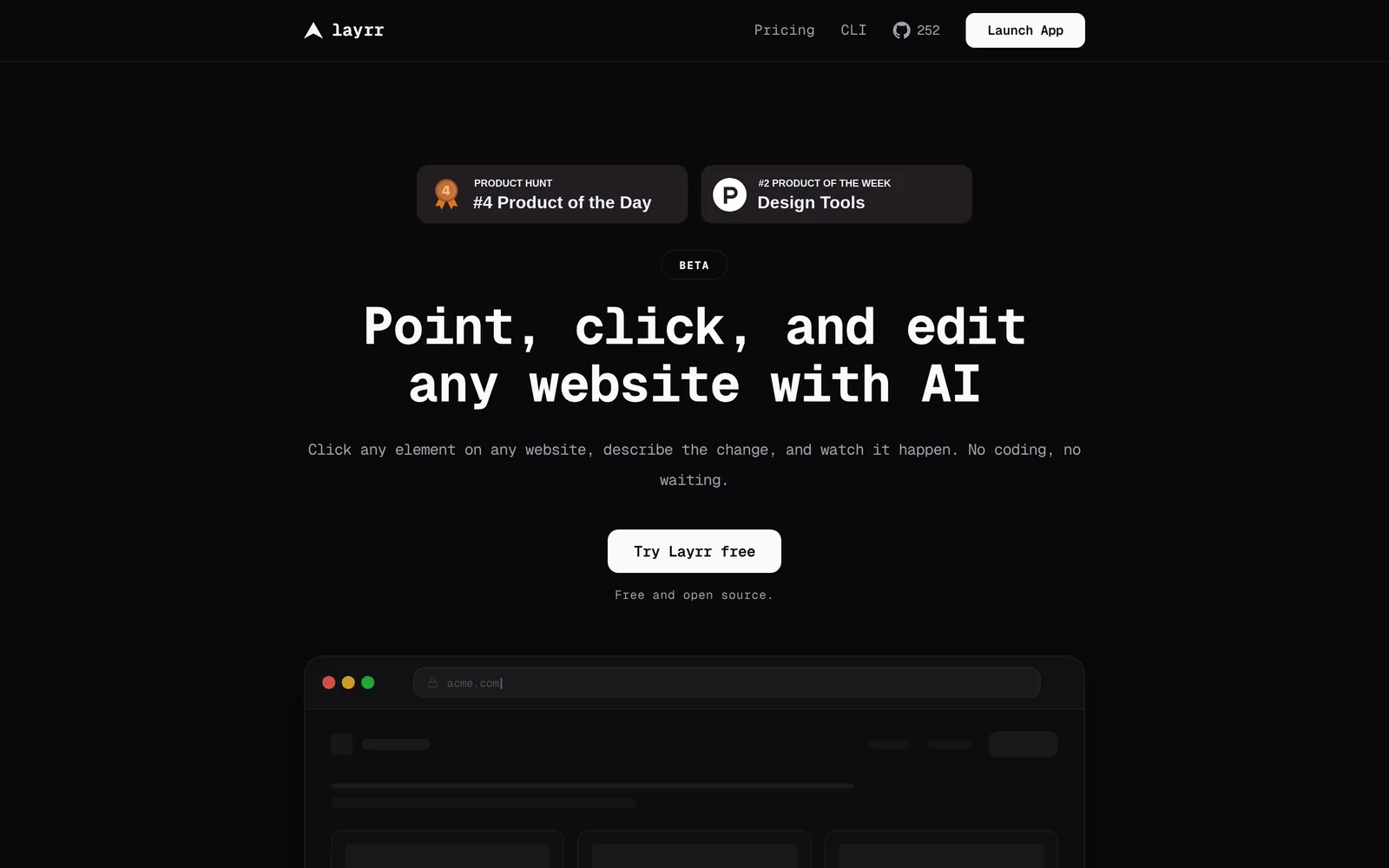
Key Features
Use Cases


Frequently asked questions about Layrr
What is Layrr?
Layrr is a browser-based visual editor that enables developers to design user interfaces (UIs) visually while editing any tech stack. It offers full ownership of the code, making it an ideal tool for both developers and designers seeking to streamline their workflow and enhance collaboration.
Key Points
- Visual Design Capabilities: Create UIs without extensive coding.
- Multi-Stack Support: Compatible with various programming languages and frameworks.
- Code Ownership: Users retain complete rights to their generated code.
Detailed Explanation
Layrr stands out as an innovative solution in the realm of web development. With its intuitive drag-and-drop interface, it allows users to design visually appealing UIs without needing to write extensive code. This feature is particularly beneficial for designers who may not have a deep technical background but want to create functional prototypes or final products.
Visual Design Capabilities
The visual editor simplifies UI creation by enabling users to see changes in real time. For example, a user can drag components like buttons, forms, and menus onto the canvas, customize their properties, and instantly view the results. This capability accelerates the design process and fosters creativity without the need for a coding environment.
Multi-Stack Support
Layrr supports multiple programming languages and frameworks, including HTML, CSS, JavaScript, React, and more. This flexibility means that developers can integrate Layrr into their existing tech stack without needing to overhaul their current processes. For instance, if a team is using React for a project, they can seamlessly incorporate Layrr to enhance their UI design workflow.
Code Ownership
One of the standout features of Layrr is that users maintain full ownership of the code generated through the platform. This is crucial for developers and companies concerned about intellectual property. By allowing users to export the code and modify it as needed, Layrr empowers teams to innovate while safeguarding their work.
Best Practices / Tips
- Leverage Templates: Utilize built-in templates to jumpstart your projects and save time.
- Collaborate Effectively: Use Layrr’s sharing features to collaborate with team members or stakeholders for faster feedback.
- Regularly Export Code: To ensure you always have the latest version of your work, regularly export your code and back it up.
Additional Resources
- Layrr Official Documentation - Comprehensive guides and tutorials.
- Layrr Community Forum - Connect with other users for tips and support.
- YouTube Tutorials - Video demonstrations on using Layrr for various projects.
How does Layrr work?
Layrr operates by integrating advanced AI functionalities to streamline users' daily workflows. It automates tasks, enhances productivity, and simplifies processes through features like natural language processing and machine learning, making it an essential tool for both individuals and businesses seeking efficiency in their operations.
Key Points
- AI Integration: Combines various AI technologies for seamless functionality.
- Workflow Automation: Streamlines repetitive tasks to save time and reduce errors.
- User-Friendly Interface: Designed for ease of use, catering to both tech-savvy and novice users.
Detailed Explanation
Layrr leverages artificial intelligence to create a versatile platform that simplifies everyday tasks. Here’s how it works:
-
AI Capabilities: Layrr uses natural language processing (NLP) to understand user commands in plain language. This allows users to interact with the software intuitively, whether they're drafting emails, scheduling meetings, or generating reports.
-
Workflow Automation: The platform automates routine tasks, such as data entry and file organization. For instance, if you need to compile data from various sources, Layrr can pull this information together automatically, reducing the time spent on manual processes.
-
Customizable Features: Users can customize Layrr according to their specific needs. This includes setting up workflows that are tailored to individual preferences or industry requirements. For example, a marketing professional could create a workflow that automatically schedules social media posts based on predetermined timelines.
-
Machine Learning: As users interact with Layrr, the system learns from their preferences and behaviors, allowing it to suggest improvements and optimize workflows over time. This adaptive learning capability enhances the overall experience.
Best Practices / Tips
- Define Clear Goals: Before implementing Layrr, identify specific tasks you want to automate to maximize its benefits.
- Regular Updates: Keep your version of Layrr updated to take advantage of new features and security enhancements.
- Training and Resources: Utilize available tutorials and resources to fully understand Layrr’s capabilities and features.
Additional Resources
What are the main features of Layrr?
Layrr offers a range of powerful features, including advanced AI capabilities for personalized content generation, seamless integration with various platforms, and an intuitive user interface. These features enable users to enhance their productivity and creativity while simplifying the content creation process.
Key Points
- Advanced AI Capabilities: Layrr utilizes state-of-the-art AI for content generation.
- Seamless Integration: It easily connects with popular platforms like WordPress and social media.
- User-Friendly Interface: Designed for ease of use, even for non-technical users.
Detailed Explanation
Layrr stands out with its advanced AI capabilities, which allow users to create high-quality, personalized content quickly. The AI can analyze user input and generate suggestions that align with specific audiences, making it ideal for marketers, bloggers, and businesses aiming to enhance engagement.
Seamless Integration
One of the key strengths of Layrr is its seamless integration with various platforms. Users can easily connect Layrr to their existing tools such as WordPress, HubSpot, or social media channels. This integration streamlines the workflow, allowing for direct publishing of content without the need to switch between multiple programs.
User-Friendly Interface
The user-friendly interface of Layrr is designed to cater to users of all skill levels. The dashboard is intuitive, featuring drag-and-drop functionality and straightforward navigation. This means even those without technical expertise can quickly learn how to use Layrr effectively, thus maximizing productivity.
Best Practices / Tips
- Leverage Templates: Use Layrr’s built-in templates to kickstart your content creation process.
- Experiment with AI Settings: Adjust the AI parameters to better match your tone and style for more tailored outputs.
- Regularly Update Integrations: Keep your integrations updated for optimal performance and new features.
- Utilize Analytics: Monitor the performance of your generated content to refine future outputs and strategies.
Additional Resources
By leveraging these features and best practices, users can maximize the benefits of Layrr, streamline their content creation processes, and improve overall engagement with their target audience.
Who is Layrr for?
Layrr is designed for anyone looking to streamline their daily workflows with AI, including professionals, students, and small business owners. It enhances productivity by automating repetitive tasks, offering AI-driven insights, and simplifying decision-making processes for various applications.
Key Points
- Target Audience: Professionals, students, and entrepreneurs.
- Workflow Automation: Streamlines repetitive tasks and saves time.
- Versatile Applications: Useful for project management, content creation, and data analysis.
Detailed Explanation
Layrr caters to a diverse audience by providing tools that facilitate everyday tasks through AI technology. Professionals can utilize Layrr for project management, where it helps in organizing tasks, setting deadlines, and tracking progress through intelligent reminders. For students, Layrr can enhance productivity by managing study schedules and automating research processes, allowing them to focus on learning rather than administrative tasks.
Entrepreneurs benefit from Layrr by automating customer interactions and generating insights from data analytics. For example, a small business owner can use Layrr to create marketing content, analyze customer feedback, and manage social media posts, thereby improving engagement without dedicating excessive time.
Use Cases:
- Content Creation: Generate blog posts or social media content automatically.
- Data Analysis: Quickly analyze large datasets to derive actionable insights.
- Scheduling: Automate appointments and reminders to stay organized.
Best Practices / Tips
- Integrate with Existing Tools: Connect Layrr with tools you already use, like Google Calendar or Trello, for seamless workflow.
- Start Small: Begin with automating one or two tasks to gauge effectiveness before scaling.
- Regularly Update: Keep your AI settings and integrations updated to leverage new features and improvements.
Additional Resources
How much does Layrr cost?
Layrr offers a free tier for users to explore its basic features, while advanced functionalities are available through paid plans starting at $10 per month. This pricing structure allows users to choose a plan that best fits their needs and unlocks additional capabilities.
Key Points
- Free Tier: Access basic features at no cost.
- Paid Plans: Starting at $10 per month for advanced features.
- Flexibility: Users can select plans based on their requirements.
Detailed Explanation
Layrr provides a free tier that allows users to test the platform's essential functionalities without any financial commitment. This is ideal for individuals or small businesses looking to understand how Layrr can benefit their operations.
For users seeking more robust capabilities, Layrr offers several paid plans. The basic paid plan starts at $10 per month, which includes features like enhanced analytics, priority customer support, and access to exclusive tools that can optimize user experience and engagement.
As users grow or their needs evolve, Layrr also provides tiered pricing options that allow for scalability. For example, business plans might include additional team members, advanced reporting tools, or integrations with other software, making it a versatile choice for organizations of various sizes.
Best Practices / Tips
- Start with the Free Tier: Before committing to a paid plan, utilize the free tier to familiarize yourself with Layrr’s features and interface.
- Evaluate Your Needs: Assess your requirements carefully to choose the most suitable paid plan. Consider factors like team size and the need for advanced tools.
- Stay Updated on Promotions: Occasionally, Layrr offers discounts or promotional rates for new users. Keep an eye on their website for special deals that can save you money.
Additional Resources
- Layrr Pricing Page - For the latest pricing information and plan comparisons.
- Layrr Features Overview - Detailed descriptions of features available in both free and paid plans.
- Layrr Support Center - Access to FAQs and customer support for any inquiries.
How do I get started with Layrr?
To get started with Layrr, visit https://layrr.dev/ to sign up for an account. Once registered, you can explore its features, such as creating and managing AI models, accessing tools for deployment, and utilizing community resources for support.
Key Points
- Sign up at the Layrr website.
- Explore various AI model creation tools.
- Access community resources and support.
Detailed Explanation
Layrr is a powerful platform designed to help users create, manage, and deploy AI models efficiently. To begin your journey, simply navigate to Layrr's official website and click on the "Sign Up" button. Here’s a step-by-step guide to help you get started:
-
Create an Account: Fill in your details, including your email and password. You may need to verify your email address before proceeding.
-
Explore the Dashboard: After logging in, familiarize yourself with the user-friendly dashboard. You'll find sections for model creation, deployment tools, and analytics.
-
Start Building Models: Layrr offers intuitive tools for building AI models. You can choose from various templates or start from scratch, depending on your requirements.
-
Utilize Resources: Access the community forums and documentation available on the site. These resources can provide tips, examples, and troubleshooting assistance.
-
Deploy Your Model: Once your model is created, explore deployment options to integrate it into your applications or share it with others.
Best Practices / Tips
- Utilize Tutorials: Take advantage of Layrr’s tutorials and documentation to understand best practices in model creation.
- Join the Community: Engage with the Layrr community for feedback and advice. This can enhance your learning and provide solutions to common challenges.
- Regular Updates: Keep your models updated and maintain version control to ensure optimal performance.
Additional Resources
- Layrr Documentation - Comprehensive guides on using Layrr's features.
- Community Forum - Connect with other users for support and sharing experiences.
- Tutorials and Webinars - Learn from step-by-step guides and expert sessions.
Explore more AI Ai Tools tools
Browse all Ai Tools tools →Browse by use case: Code Generation
Compare Layrr: vs Decode · vs LibreChat · vs AppGrowthKit · vs Humanizer