

Krea
AIA real-time creative suite to generate, edit, and enhance images, video, and 3D assets from text and visual prompts.
Krea
A real-time creative suite to generate, edit, and enhance images, video, and 3D assets from text and visual prompts.
About Krea
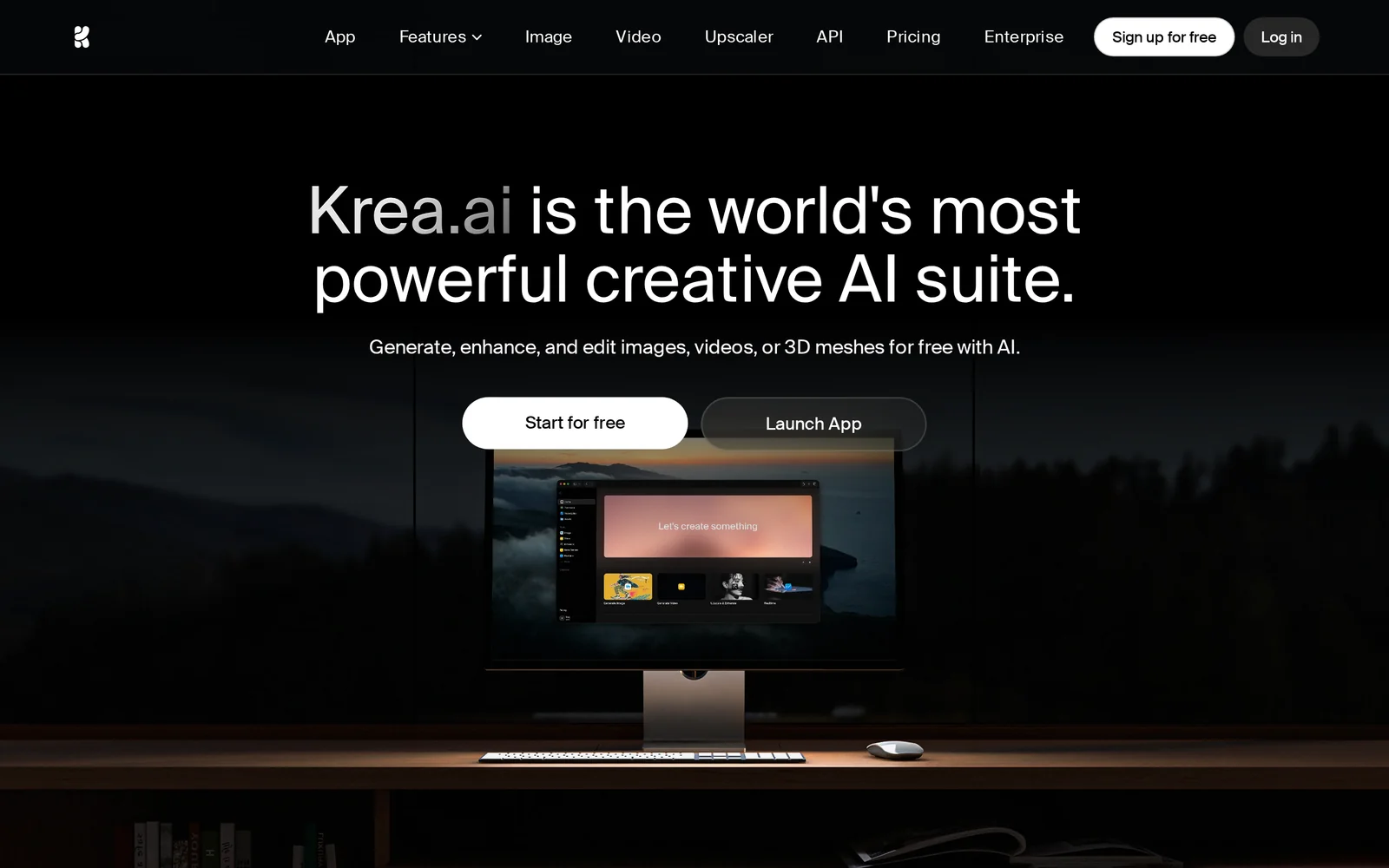
Krea is a multi-modal creative suite that enables designers and creators to generate, remix, and iteratively edit images, videos, and 3D assets using natural-language prompts and visual inputs. It provides real-time generation and editing tools, a chat-driven prompt assistant, and model/style controls to produce cinematic lighting, detailed textures, and varied camera angles. Krea is offered as web and mobile apps and emphasizes rapid visual iteration, remix workflows, and exportable creative assets for design, marketing, and production pipelines.
Screenshots
Key Features
Use Cases



Frequently asked questions about Krea
What is Krea?
Krea is an innovative creative AI suite designed to generate, edit, and enhance multimedia content, including images, videos, and 3D assets. Users can start for free and access real-time tools, powerful models, and collaborative workflows to streamline their creative processes.
Key Points
- Comprehensive Multimedia Creation: Krea supports various media formats.
- Real-Time Collaboration: Engage with team members seamlessly.
- User-Friendly Interface: Designed for both beginners and professionals.
Detailed Explanation
Krea empowers users with advanced AI capabilities that simplify the creative process. It allows you to generate high-quality images using AI-driven templates and tools, perfect for graphic designers, marketers, and content creators. With Krea, you can also edit existing media effortlessly, applying filters, adjustments, and enhancements in real time.
Use Cases
- Graphic Design: Create stunning visuals for social media or websites.
- Video Production: Edit videos with intuitive tools that enhance footage and sound.
- 3D Modeling: Generate and modify 3D assets for games or virtual environments.
Krea's collaborative workflows allow multiple users to work on projects simultaneously, making it ideal for teams. Changes are reflected in real-time, ensuring everyone is on the same page, which is crucial for efficient project management.
Best Practices / Tips
- Explore Templates: Use Krea's wide range of templates to jumpstart your projects.
- Leverage Collaboration Features: Take advantage of real-time edits and feedback from team members.
- Stay Updated: Regularly check for new features and improvements to maximize your use of the platform.
Additional Resources
How does Krea work?
Krea works by leveraging advanced AI technologies to streamline everyday workflows, making tasks more efficient for users. It integrates various AI features, enabling seamless automation, data analysis, and enhanced decision-making, thus simplifying complex processes in both personal and professional settings.
Key Points
- AI Integration: Krea combines multiple AI capabilities into one platform.
- Workflow Automation: It automates repetitive tasks to save time.
- User-Friendly Interface: Designed for ease of use, catering to all skill levels.
Detailed Explanation
Krea operates on a robust AI framework that encompasses several technologies, such as machine learning, natural language processing (NLP), and data analytics. This combination allows users to automate mundane tasks, analyze large datasets quickly, and derive insights that support decision-making.
For example, a marketing team can use Krea to automate social media posting, analyze engagement metrics, and generate reports without manual intervention. Users simply input their requirements, and Krea's AI engine processes the information, providing tailored outputs that match their needs.
Use Cases:
- Content Creation: Krea can generate blog posts or marketing content, saving writers hours of brainstorming and drafting.
- Data Analysis: Businesses can input complex datasets, and Krea will provide insights, trends, and forecasts, helping teams make informed decisions.
- Project Management: Krea can help streamline project workflows by assigning tasks, tracking progress, and sending reminders to team members.
Best Practices / Tips
- Define Clear Objectives: Before using Krea, clearly define your goals to make the most of its features.
- Regularly Update Data: Ensure that the data you input into Krea is current for accurate analysis and insights.
- Utilize Tutorials: Take advantage of available tutorials and documentation to maximize your understanding of Krea’s capabilities.
Additional Resources
What are the main features of Krea?
Krea offers several key features, including advanced AI capabilities for content generation, collaborative tools for team projects, and extensive customization options. These features empower users to create high-quality, tailored content efficiently and effectively, making Krea a valuable tool for marketers, writers, and businesses alike.
Key Points
- Advanced AI Capabilities: Krea utilizes cutting-edge AI to generate relevant and engaging content.
- Collaborative Tools: Facilitate teamwork and streamline project management with real-time collaboration features.
- Customization Options: Tailor content outputs to meet specific brand guidelines and audience needs.
Detailed Explanation
Krea stands out in the rapidly evolving landscape of AI content generation tools due to its robust feature set:
-
Advanced AI Capabilities: Krea's AI engine is designed to understand context and generate coherent, relevant content. For example, it can assist in drafting blog posts, social media updates, and marketing copy, all tailored to your target audience.
-
Collaborative Tools: The platform is equipped with features that allow multiple users to work on projects simultaneously. This is particularly beneficial for teams, as it enables sharing ideas, editing content in real-time, and providing feedback instantly. This collaborative approach enhances productivity and ensures that all team members are aligned throughout the content creation process.
-
Customization Options: Users can customize their content outputs to align with specific brand voice and style guidelines. Krea allows adjustments in tone, language complexity, and formatting, ensuring that the generated content resonates with the intended audience. For instance, businesses can use these options to maintain consistency across all marketing materials.
Best Practices / Tips
- Utilize Templates: Take advantage of Krea's pre-designed templates to save time and ensure high-quality content creation.
- Leverage Real-Time Collaboration: Encourage team members to use the collaborative features for brainstorming sessions to maximize creativity.
- Adjust Settings for Customization: Regularly review and adjust the customization settings to align with evolving brand guidelines and audience preferences.
Additional Resources
Who is Krea for?
Krea is designed for anyone looking to streamline their daily AI workflows, including entrepreneurs, marketers, content creators, and teams who want to leverage artificial intelligence for improved productivity and efficiency. Whether you’re a beginner or an expert, Krea offers tools that cater to various skill levels.
Key Points
- Target Audience: Krea is beneficial for entrepreneurs, marketers, and content creators.
- Versatile Use Cases: It enhances productivity across various industries and sectors.
- Skill Level Adaptability: The platform accommodates both beginners and advanced users.
Detailed Explanation
Krea is an innovative AI tool that simplifies and enhances daily workflows for a diverse audience. It is particularly useful for:
-
Entrepreneurs: Krea enables entrepreneurs to automate repetitive tasks, freeing up time for strategic planning and innovation. For instance, using Krea's AI-driven analytics, entrepreneurs can assess market trends and consumer behavior to make informed decisions.
-
Marketers: Marketers can leverage Krea for content generation, social media management, and data analysis. By utilizing AI-driven insights, they can optimize campaigns and track performance metrics efficiently, ensuring their marketing strategies are data-driven.
-
Content Creators: Writers, designers, and video producers can benefit from Krea’s tools for idea generation, content creation, and workflow management. For example, Krea can assist in generating blog post outlines or suggest design elements based on current trends.
The adaptability of Krea makes it suitable for both beginners, who may need guided workflows, and advanced users, who can customize the platform to fit their complex needs.
Best Practices / Tips
- Start with Templates: Beginners should utilize Krea’s pre-built templates to get acquainted with the platform's features quickly.
- Utilize AI Insights: Regularly use the analytics features to gain insights on your performance and adjust your strategies accordingly.
- Collaborate and Share: Take advantage of Krea’s collaborative tools to work with your team efficiently, ensuring everyone is aligned and informed.
- Stay Updated: Regularly check for updates and new features to maximize the effectiveness of the platform.
Additional Resources
By understanding who Krea is for and how to best utilize its features, users can significantly enhance their productivity and achieve their goals more effectively.
How much does Krea cost?
Krea offers flexible pricing options, which can vary based on the selected plan. For the most accurate and up-to-date pricing details, it's best to visit the official Krea website, where you can find information on subscriptions and features tailored to your needs.
Key Points
- Krea provides multiple pricing tiers.
- Plans may include free trials or limited features.
- Pricing is subject to change, so regular checks are recommended.
Detailed Explanation
Krea offers several pricing plans to accommodate different user needs, primarily focusing on features and usage levels. Typically, you can expect:
-
Free Plan: This plan often includes basic features, allowing users to test Krea without financial commitment. It's ideal for individuals or small teams exploring the platform.
-
Subscription Plans: Krea usually has tiered subscription plans, such as a basic, pro, and enterprise level. Each plan unlocks additional features like advanced analytics, enhanced collaboration tools, and priority support. For instance, the pro plan may start around $10 per month, while enterprise solutions can be customized based on specific business needs.
-
Add-Ons: Depending on your plan, you may have options for purchasing add-ons or additional services, like increased storage or premium integrations.
To ensure you choose the right plan, consider your usage patterns, the size of your team, and your specific project requirements.
Best Practices / Tips
- Evaluate Your Needs: Before committing to a plan, assess your workflow and the tools you require. This will help you select a plan that fits your usage without overspending.
- Utilize Free Trials: If available, take advantage of free trials to test features and functionality. This hands-on experience can inform your decision on which subscription plan to choose.
- Stay Updated: Pricing can change, and special promotions may arise. Regularly check the Krea website for the latest offers and features.
Additional Resources
- Krea Official Website - Visit for the latest pricing and plan details.
- Krea Support - For FAQs and customer support resources.
- Krea Blog - Insights and updates on features, use cases, and best practices.
How do I get started with Krea?
To get started with Krea, visit Krea.ai to sign up for an account. After creating your account, you can explore Krea's features, including AI-powered tools for content creation, design, and collaboration.
Key Points
- Easy signup process through the Krea website.
- Access to innovative AI tools tailored for various creative tasks.
- User-friendly interface to streamline your workflow.
Detailed Explanation
Krea is a cutting-edge platform designed to enhance creativity through AI technology. To begin your journey with Krea, follow these steps:
-
Sign Up: Click on the link Krea.ai and fill out the signup form. You may need to provide your email address and create a password.
-
Explore Features: Once registered, navigate the dashboard to familiarize yourself with Krea's tools. Key features include:
- Content Creation: Use AI to generate articles, blogs, and marketing copy efficiently.
- Design Tools: Access templates and design elements to create visually appealing graphics and presentations.
- Collaboration: Invite team members to collaborate on projects in real-time, making it easier to gather feedback and improve your ideas.
-
Start a Project: Choose a specific type of project—whether it’s content writing or graphic design—and utilize the AI suggestions to kickstart your work.
-
Utilize Resources: Krea often offers tutorials and guides to help you maximize the platform's potential.
Best Practices / Tips
- Explore Tutorials: Take advantage of Krea's tutorials and community forums to enhance your skills and understand best practices.
- Stay Updated: Regularly check for updates and new features, as Krea frequently rolls out improvements based on user feedback.
- Experiment with Tools: Don’t hesitate to experiment with different tools within Krea to find what best suits your workflow. This can lead to discovering new efficiencies in your creative process.
Additional Resources
Getting started with Krea is straightforward and offers a wealth of resources to help you make the most out of its innovative features.
Explore more AI Ai Tools tools
Browse all Ai Tools tools →Browse by use case: Image Generation · Video Generation
Compare Krea: vs CleanSlop · vs Kalender Sync · vs UseIt Studio · vs Woven Video