

knooth
AImacOS screen recorder with built-in editing, AI captions, timeline animations, and media layering for polished exported videos.
knooth
macOS screen recorder with built-in editing, AI captions, timeline animations, and media layering for polished exported videos.
About knooth
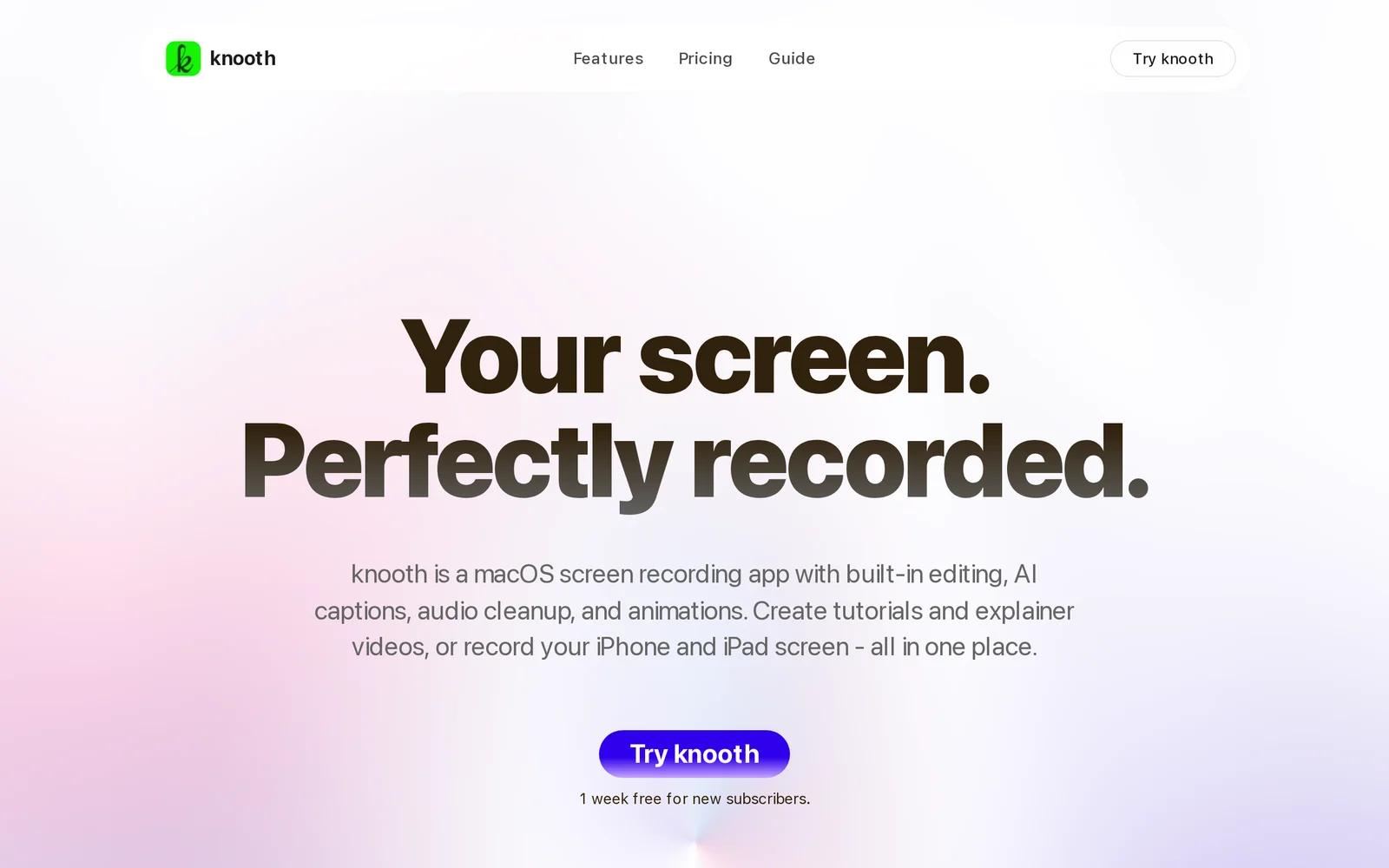
knooth is a macOS-first screen recording application that captures screen activity and helps users quickly produce polished videos. It combines timeline-based editing, media layering, and timeline animations so users can highlight key moments and structure recordings without leaving the app. AI-powered captioning automatically generates captions to speed post-production and improve accessibility. The app focuses on rapid export and clean, presentation-ready outputs for tutorials, demos, and feedback videos.
Screenshots
Key Features
Use Cases



Frequently asked questions about knooth
What is knooth?
knooth is a macOS screen recording application designed to simplify the process of capturing your screen. It allows users to record high-quality videos, highlight important moments, and edit their footage easily with features like AI-generated captions and timeline animations, making it ideal for tutorials, presentations, and content creation.
Key Points
- User-Friendly Interface: Knooth offers a simple and intuitive design that makes screen recording accessible to everyone.
- Editing Features: It includes built-in editing tools such as AI captions and timeline animations for enhanced video quality.
- Versatility: Perfect for creating tutorials, webinars, and presentations, catering to various content creators.
Detailed Explanation
Knooth stands out in the crowded screen recording software market due to its robust functionality tailored for macOS users. Here’s what you can expect when using knooth:
-
Screen Recording: Capture your entire screen or specific windows with a single click. Users can choose between recording audio from their microphone, system audio, or both, ensuring clarity in voiceovers or background sounds.
-
Highlight Key Moments: The app allows you to highlight crucial segments during the recording process. Whether you're showcasing a software feature or demonstrating a process, this functionality ensures that your audience pays attention to the essential parts of your video.
-
Built-in Editing Tools: After recording, you can edit your video directly within the app. Knooth features timeline animations that allow you to create engaging transitions. AI-generated captions can be added automatically, saving time and improving accessibility for viewers.
-
Export Options: Once your video is polished, knooth provides various export options, including different file formats and resolutions. This flexibility allows you to share your content on platforms like YouTube, Vimeo, or social media seamlessly.
Best Practices / Tips
- Plan Your Recording: Prepare a script or outline beforehand to streamline the recording process and keep your video focused.
- Use High-Quality Audio: Invest in a good microphone to enhance the audio quality of your recordings. Clear audio is just as crucial as high-quality visuals.
- Leverage Captions: Always use AI captions for accessibility and to cater to a broader audience. This feature can significantly improve viewer engagement.
- Edit for Brevity: Trim unnecessary footage during editing to maintain viewer interest. Aim for concise videos that deliver value quickly.
Additional Resources
- Knooth Official Website - Explore features and download the app.
- Screen Recording Best Practices - Learn more about effective screen recording techniques.
- Video Editing Tips - Enhance your editing skills with these helpful resources.
How does knooth work?
Knooth works by integrating advanced AI technologies to streamline and enhance everyday workflows for users. It efficiently automates tasks, improves productivity, and simplifies complex processes, making AI accessible for various applications in personal and professional settings.
Key Points
- AI Integration: Combines multiple AI technologies.
- Workflow Automation: Streamlines daily tasks.
- User Accessibility: Designed for both personal and professional use.
Detailed Explanation
Knooth utilizes a combination of artificial intelligence, machine learning, and natural language processing to assist users with their daily tasks. By analyzing user behavior and preferences, Knooth can recommend actions, automate repetitive tasks, and provide insights that aid decision-making.
Examples of Knooth in Action
- Task Management: Knooth can automatically prioritize tasks based on deadlines and importance, allowing users to focus on what matters most.
- Data Analysis: Users can leverage Knooth's capabilities to analyze large datasets quickly. For instance, marketers can use it to identify trends and optimize campaigns.
- Content Generation: Writers can utilize Knooth to generate content ideas, outlines, or even complete drafts based on given prompts, saving time and effort.
Knooth's user-friendly interface ensures that even those with minimal technical skills can benefit from its features. The platform can be integrated with existing tools like Google Workspace, Microsoft Office, or project management software, enhancing its utility across various domains.
Best Practices / Tips
- Define Clear Goals: Before using Knooth, identify specific tasks you want to automate or optimize. This clarity will help you maximize its benefits.
- Regular Updates: Ensure that you keep the software updated to leverage the latest features and improvements.
- Engage with the Community: Participate in forums or user groups to share experiences and learn new ways to use Knooth effectively.
Additional Resources
By understanding how Knooth works and implementing these practices, users can significantly enhance their productivity and streamline their workflows, making the most of AI technology in their daily lives.
What are the main features of knooth?
Knooth offers a range of advanced features, including powerful AI capabilities, seamless integration options, and customizable user interfaces. These features enable businesses to enhance productivity, streamline workflows, and leverage data more effectively, making Knooth an essential tool for organizations aiming to harness the power of artificial intelligence.
Key Points
- Core AI Capabilities: Advanced machine learning algorithms for data analysis and insights.
- Integration Options: Compatibility with various software and platforms for seamless workflows.
- Customization: User-friendly interface tailored to specific business needs.
Detailed Explanation
Knooth stands out with its core AI capabilities that include predictive analytics, natural language processing, and machine learning. For example, businesses can utilize Knooth’s predictive analytics to forecast trends and make informed decisions, enhancing strategic planning.
Additionally, Knooth's integration options allow users to connect with popular software such as CRM systems, data visualization tools, and project management platforms. This means teams can work within their existing workflows without having to adapt to a completely new system, thus increasing efficiency.
Customization is another critical feature; users can tailor the platform’s interface and functionalities to meet their specific operational requirements. For instance, businesses can set up dashboards that display only relevant metrics, ensuring that teams focus on the data that matters most.
Best Practices / Tips
- Explore All Features: Take time to understand all functionalities Knooth offers, as many users only scratch the surface.
- Regular Updates: Keep your integrations up to date to ensure maximum performance and security.
- Training and Support: Invest in training sessions for your team to fully leverage Knooth’s capabilities.
Additional Resources
Who is knooth for?
knooth is designed for professionals, businesses, and individuals interested in optimizing their daily AI workflows. It benefits anyone looking to enhance productivity through automated processes, from content creators to data analysts, making AI accessible and practical for everyday tasks.
Key Points
- Target Audience: Professionals, businesses, and individuals.
- Use Cases: Content creation, data analysis, and workflow automation.
- Accessibility: Simplifies AI tools for everyday applications.
Detailed Explanation
knooth serves a diverse audience, including marketers, educators, and entrepreneurs. For example, content creators can leverage knooth to generate ideas, draft blog posts, or even optimize social media content through AI-driven insights. Data analysts might use knooth for automating data collection and visualization, allowing for more efficient reporting and decision-making.
Use Cases:
- Content Creation: Automate drafting and editing tasks. For instance, bloggers can input topics and receive structured outlines or complete articles.
- Data Analysis: Streamline data processing. Users can set up workflows to automatically gather data from various sources, analyze it using AI algorithms, and generate visual reports.
- Customer Engagement: Businesses can use knooth to create personalized marketing messages based on customer data and behavior analysis.
With knooth's user-friendly interface, even those with minimal technical expertise can integrate AI into their daily routines, enhancing both productivity and creativity.
Best Practices / Tips
- Start Small: Begin with a single workflow to understand knooth's capabilities before expanding.
- Leverage Templates: Utilize pre-built templates for common tasks to save time and effort.
- Monitor Performance: Regularly assess the efficiency of your workflows and make adjustments for optimization.
Common Pitfalls:
- Overcomplicating Workflows: Keep processes simple to avoid confusion and inefficiency.
- Neglecting Training: Invest time in learning about knooth's features to maximize its potential.
Additional Resources
By understanding who knooth is for and how it can streamline daily workflows, users can effectively harness the power of AI to enhance their productivity and creativity.
How much does knooth cost?
Knooth pricing varies based on the plan you choose, with options available for individuals and businesses. For the most accurate and up-to-date information, visit the official Knooth website, where you can explore specific pricing tiers and features included in each plan.
Key Points
- Flexible Pricing Plans: Knooth offers multiple pricing tiers tailored for different users.
- Free Trial Availability: Many plans include a free trial period for new users.
- Discounts for Annual Subscriptions: Annual plans often come with significant savings compared to monthly subscriptions.
Detailed Explanation
Knooth provides various pricing options to cater to diverse needs. Here’s a breakdown of the typical plans you might find:
-
Individual Plan: This plan is designed for freelancers or solo entrepreneurs. It usually starts at around $10 per month, offering essential features like basic analytics and user support.
-
Business Plan: Aimed at small to medium enterprises, this plan typically costs between $30 to $50 per month. It includes advanced features like collaboration tools, in-depth analytics, and priority support.
-
Enterprise Plan: For larger organizations, Knooth often provides customized pricing based on specific requirements. This plan includes all features available in the Business Plan, plus dedicated account management and custom integrations.
Many users can take advantage of a free trial, allowing them to explore Knooth’s functionalities before committing financially. Additionally, opting for an annual subscription can lead to savings of up to 20% compared to monthly payments.
Best Practices / Tips
- Evaluate Your Needs: Before selecting a plan, assess your specific requirements to ensure you choose the most cost-effective option.
- Take Advantage of the Free Trial: Utilize the free trial period to understand the platform's features and how they align with your objectives.
- Consider Annual Payments: If you find value in Knooth, an annual subscription can save you money in the long run.
Additional Resources
These resources can provide further insights into Knooth's offerings and help you make an informed decision regarding your subscription.
How do I get started with knooth?
To get started with Knooth, simply visit knooth.com to create an account. Once registered, you can explore its features, including project management tools and collaborative functionalities, designed to enhance team productivity and streamline workflows.
Key Points
- Easy account creation process
- User-friendly interface for project management
- Collaboration tools to boost team efficiency
Detailed Explanation
Knooth is a versatile platform tailored for project management and team collaboration. To begin using Knooth, follow these steps:
-
Visit the Website: Go to knooth.com. The homepage provides an overview of features and user testimonials, helping you understand its benefits.
-
Create an Account: Click on the “Sign Up” button. You can register using your email address or through social media accounts for convenience. The registration process is quick and secure, usually taking less than five minutes.
-
Explore Features: After signing up, take a guided tour of Knooth’s functionalities. Familiarize yourself with its dashboard, where you can manage tasks, assign responsibilities, and track progress in real-time. The platform supports integrations with tools like Slack and Google Drive, enhancing your workflow.
-
Utilize Templates: Knooth offers various templates for different project types, such as marketing campaigns, product development, and event planning. Use these templates to kickstart your projects and save time.
-
Engage with Team Members: Invite your team to collaborate by sending them invites directly through the platform. Utilize features like comments, file sharing, and notifications to ensure everyone stays informed and engaged throughout the project lifecycle.
Best Practices / Tips
- Complete Your Profile: Fill in your profile details after signing up. A complete profile can enhance team collaboration and accountability.
- Set Clear Goals: Define clear project goals and tasks from the outset. This helps maintain focus and ensures everyone knows their responsibilities.
- Regular Check-ins: Schedule regular check-ins with your team to discuss progress and address any challenges. This fosters communication and helps keep projects on track.
- Utilize Analytics: Leverage the analytics features to track project performance and team productivity. This data can help you optimize workflows and improve future projects.
Additional Resources
- Knooth User Guide - Comprehensive documentation to help you navigate the platform.
- Knooth Blog - Tips and insights on project management best practices.
- Knooth Support - Access customer support for any technical issues or inquiries.
Explore more AI Ai Tools tools
Browse all Ai Tools tools →Browse by use case: Video Generation
Compare knooth: vs CleanSlop · vs Kalender Sync · vs UseIt Studio · vs Woven Video