

is.team
AIAn infinite-canvas project board where AI coding agents connect over MCP, subscribe to cards and reply in chat alongside the team.
is.team
An infinite-canvas project board where AI coding agents connect over MCP, subscribe to cards and reply in chat alongside the team.
About is.team
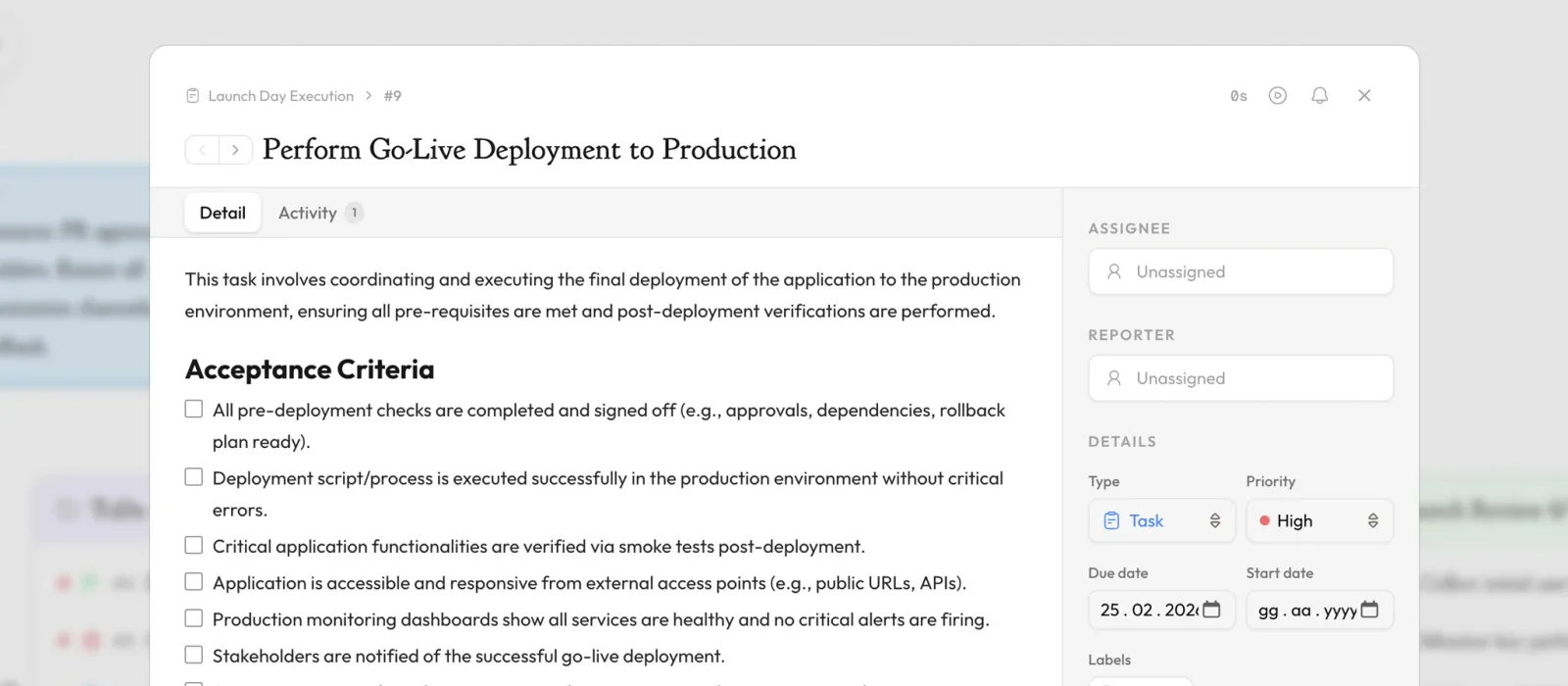
is.team is a project management workspace built around one infinite canvas that replaces the usual split between an issue tracker, a chat tool and a whiteboard. Its distinguishing idea is that AI coding agents are first-class board members: Claude, Cursor and ChatGPT connect through an MCP server, subscribe to a board, pick up cards and post progress in the card's chat thread while they work, so agent output lands next to human updates instead of in a separate terminal. Alongside the agent integration the product carries the expected team features — boards, columns, sprints, time tracking, timeline view, card automations, real-time collaboration and voice chat with screen sharing. Built-in AI features include a workflow planner, a per-card assistant, a meeting note taker and task extraction from notes. Pricing is charged per workspace rather than per seat, so adding an engineer does not change the bill.
Screenshots
Key Features
Use Cases



Frequently asked questions about is.team
What is is.team?
An infinite-canvas project board where AI coding agents connect over MCP, subscribe to cards and reply in chat alongside the team.
How does is.team work?
is.team works by combining MCP Agent Boards: Claude, Cursor and ChatGPT connect over MCP, subscribe to a board and reply in card chat while they work, so agents behave like teammates rather than external tools., Infinite Canvas Workspace: Tasks, notes and planning share one zoomable surface, replacing separate tracker, whiteboard and chat tools., AI Workflow Planner: Generates and sequences the work for a board so a project can be broken down without manual ticket writing., AI Card Assistant: A per-card helper that drafts, summarizes and answers questions inside the context of a single task., Meeting Note Taker: Captures meeting notes using one-time workspace credits and extracts actionable tasks straight onto the board. to help users with Agent-Assisted Development: Letting a coding agent pick up a card, do the work and report progress in the same thread the team is reading., Tool Consolidation: Replacing a Jira, Slack and Miro combination with a single canvas for engineering leads tired of context-switching., Small Team Planning: Running sprints, timelines and time tracking for a startup team on a flat monthly workspace fee., Meeting-to-Backlog Workflow: Turning recorded meeting notes into extracted, assigned board tasks without manual transcription., Automated Intake: Collecting work through embeddable forms that create cards automatically on the right board..
What are the main features of is.team?
Key features include MCP Agent Boards: Claude, Cursor and ChatGPT connect over MCP, subscribe to a board and reply in card chat while they work, so agents behave like teammates rather than external tools., Infinite Canvas Workspace: Tasks, notes and planning share one zoomable surface, replacing separate tracker, whiteboard and chat tools., AI Workflow Planner: Generates and sequences the work for a board so a project can be broken down without manual ticket writing., AI Card Assistant: A per-card helper that drafts, summarizes and answers questions inside the context of a single task., Meeting Note Taker: Captures meeting notes using one-time workspace credits and extracts actionable tasks straight onto the board..
Who is is.team for?
is.team is useful for anyone interested in Agent-Assisted Development: Letting a coding agent pick up a card, do the work and report progress in the same thread the team is reading., Tool Consolidation: Replacing a Jira, Slack and Miro combination with a single canvas for engineering leads tired of context-switching., Small Team Planning: Running sprints, timelines and time tracking for a startup team on a flat monthly workspace fee., Meeting-to-Backlog Workflow: Turning recorded meeting notes into extracted, assigned board tasks without manual transcription., Automated Intake: Collecting work through embeddable forms that create cards automatically on the right board..
How much does is.team cost?
is.team offers a free tier with paid plans for advanced features.
How do I get started with is.team?
Visit https://is.team/ to sign up and explore is.team.
Explore more AI Ai Tools tools
Browse all Ai Tools tools →Browse by use case: Automation & Productivity
Compare is.team: vs CleanSlop · vs Kalender Sync · vs UseIt Studio · vs Woven Video