
InsForge
AIBackend platform built for AI-assisted development, providing auth, database, storage, functions, and agent-focused AI integrations.
InsForge
Backend platform built for AI-assisted development, providing auth, database, storage, functions, and agent-focused AI integrations.
About InsForge
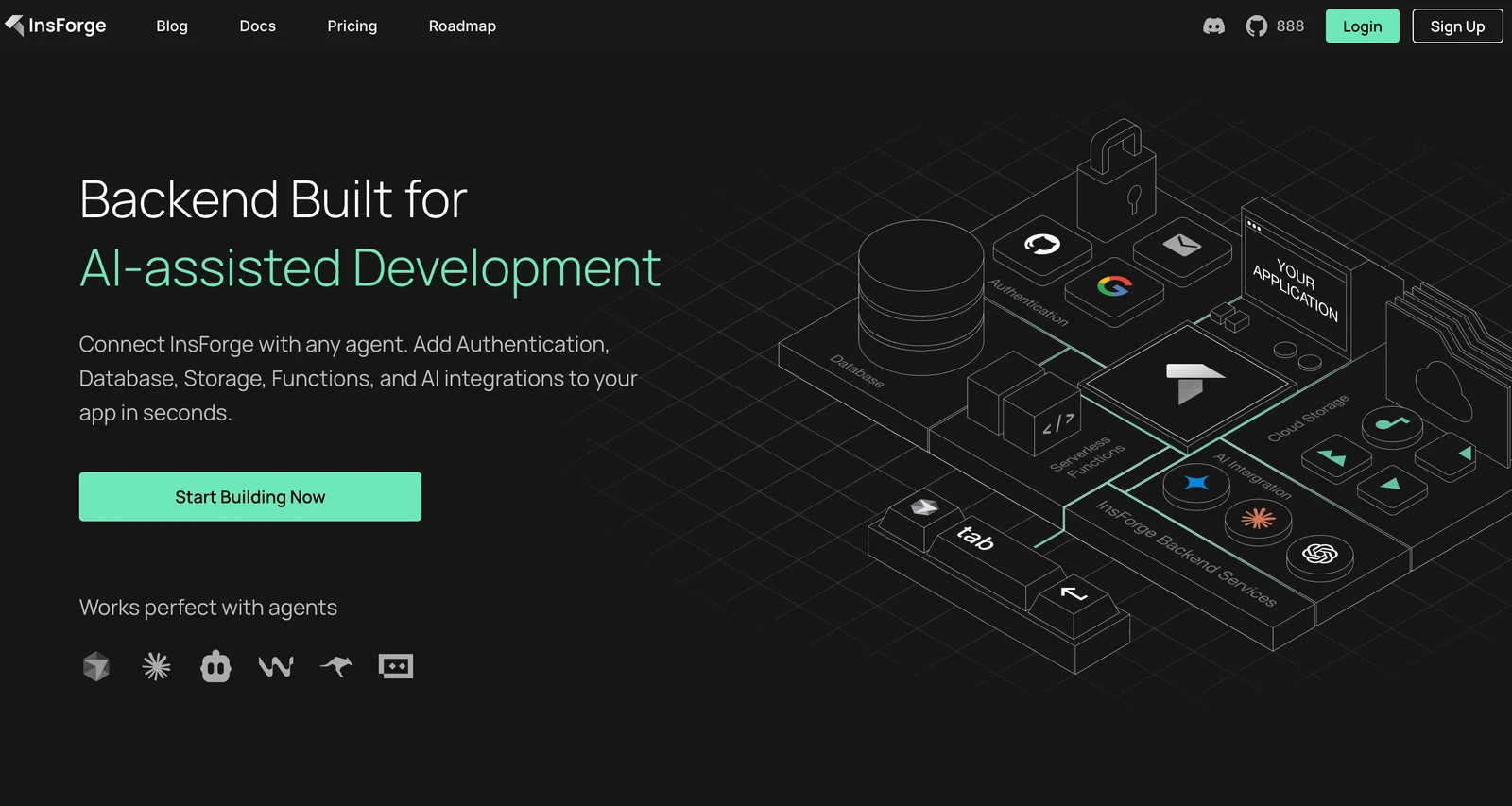
InsForge is a backend platform designed specifically for AI-assisted and agent-driven development. It provides managed backend services — authentication, databases, object storage, serverless functions, and AI integration hooks — that can be connected to any agent. InsForge positions itself as an "Agent-Native Supabase Alternative," enabling AI agents to build, manage, and operate full-stack applications autonomously. Its value lies in streamlined integration with agent workflows, rapid provisioning of backend capabilities, and tooling tailored for agent orchestration and AI-assisted development.
Screenshots
Key Features
Use Cases



Frequently asked questions about InsForge
What is the pricing structure for InsForge?
InsForge employs a freemium pricing model, including a free open-source self-hosting option, a custom-priced hosted plan, and tailored enterprise solutions. Additionally, the alpha plan is available at $0/month, providing access to basic features for users looking to explore the platform.
Key Points
- Freemium Model: Offers both free and paid options.
- Self-Hosting Option: Users can utilize open-source software for free.
- Custom and Enterprise Solutions: Tailored pricing available based on specific needs.
Detailed Explanation
InsForge's pricing structure is designed to accommodate a variety of users, from individual developers to large enterprises. Here's a closer look at each option:
-
Freemium Model: The freemium approach allows users to start with a free version, ensuring they can explore basic functionalities without committing financially. This model promotes user acquisition and engagement.
-
Self-Hosting Option: The open-source version can be self-hosted at no cost. This is ideal for tech-savvy users or organizations with the infrastructure to manage their deployments. It gives users full control over their environments and the ability to customize the software as needed.
-
Custom-Priced Hosted Plan: For those who prefer a managed solution, InsForge offers custom hosting plans. Pricing varies based on the features required, the number of users, and the level of support needed. This flexibility allows businesses to scale their usage based on growth and requirements.
-
Enterprise Solutions: Larger organizations can opt for enterprise plans, which include tailored pricing and advanced features. These solutions are designed to meet the specific needs of businesses, including enhanced security, compliance, and dedicated support.
-
Alpha Plan: The alpha plan is a great entry point for users who want to test the platform without financial investment. At $0/month, it provides basic features, allowing users to assess InsForge's capabilities before deciding on a more comprehensive plan.
Best Practices / Tips
- Evaluate Needs: Before selecting a plan, assess your specific needs, usage, and budget to choose the best option.
- Utilize Free Resources: Take full advantage of the free self-hosting option to understand the platform's capabilities.
- Contact Sales for Custom Quotes: If your organization requires specific features or support, reach out to InsForge's sales team for a custom quote that fits your needs.
Additional Resources
What features does InsForge provide for AI development?
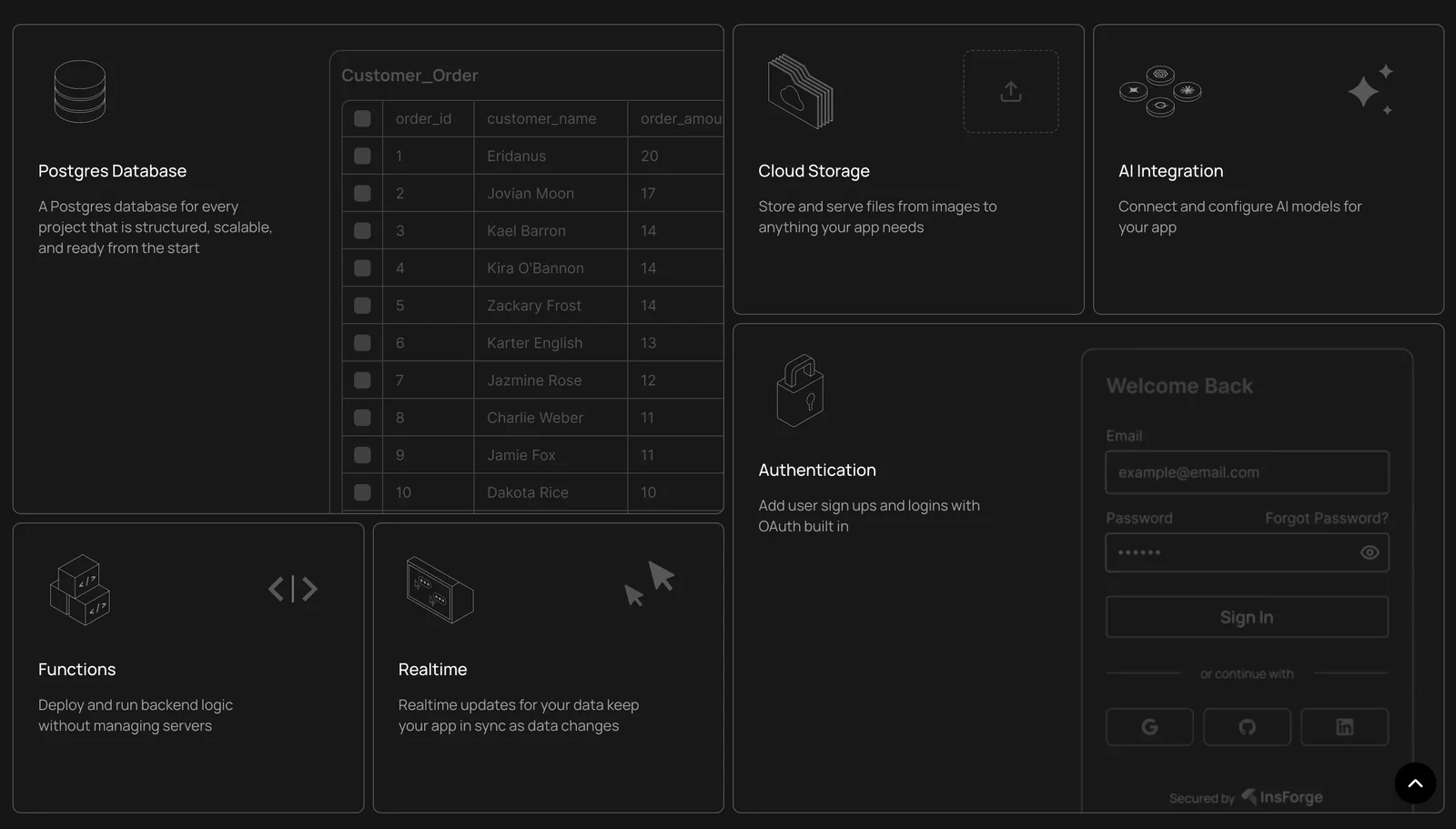
InsForge offers a comprehensive suite of features for AI development, including managed authentication, scalable databases, cloud storage, serverless functions, and seamless integrations with native AI agents. These tools empower developers to create, prototype, and deploy AI applications efficiently, enhancing productivity and innovation.
Key Points
- Managed Authentication: Simplifies user management and security.
- Scalable Database Solutions: Supports dynamic data needs.
- Serverless Functions: Reduces infrastructure overhead.
Detailed Explanation
InsForge provides a robust platform for AI development, equipping developers with essential tools to streamline their workflow.
-
Managed Authentication: This feature allows developers to implement secure user authentication effortlessly. InsForge supports various authentication methods, including OAuth and JWT, ensuring that applications are secure and compliant with industry standards. This is crucial for applications requiring user data protection.
-
Scalable Database Solutions: InsForge offers flexible database options that adapt to varying workloads. Developers can choose from SQL or NoSQL databases, allowing them to handle different data structures effectively. For instance, a project that requires real-time data processing can benefit from NoSQL databases like MongoDB, which are optimized for such tasks.
-
Cloud Storage: Users can store and retrieve data securely in the cloud, facilitating easy access and management. InsForge’s storage solutions are designed to scale with application needs, ensuring that performance remains optimal even as data volumes increase.
-
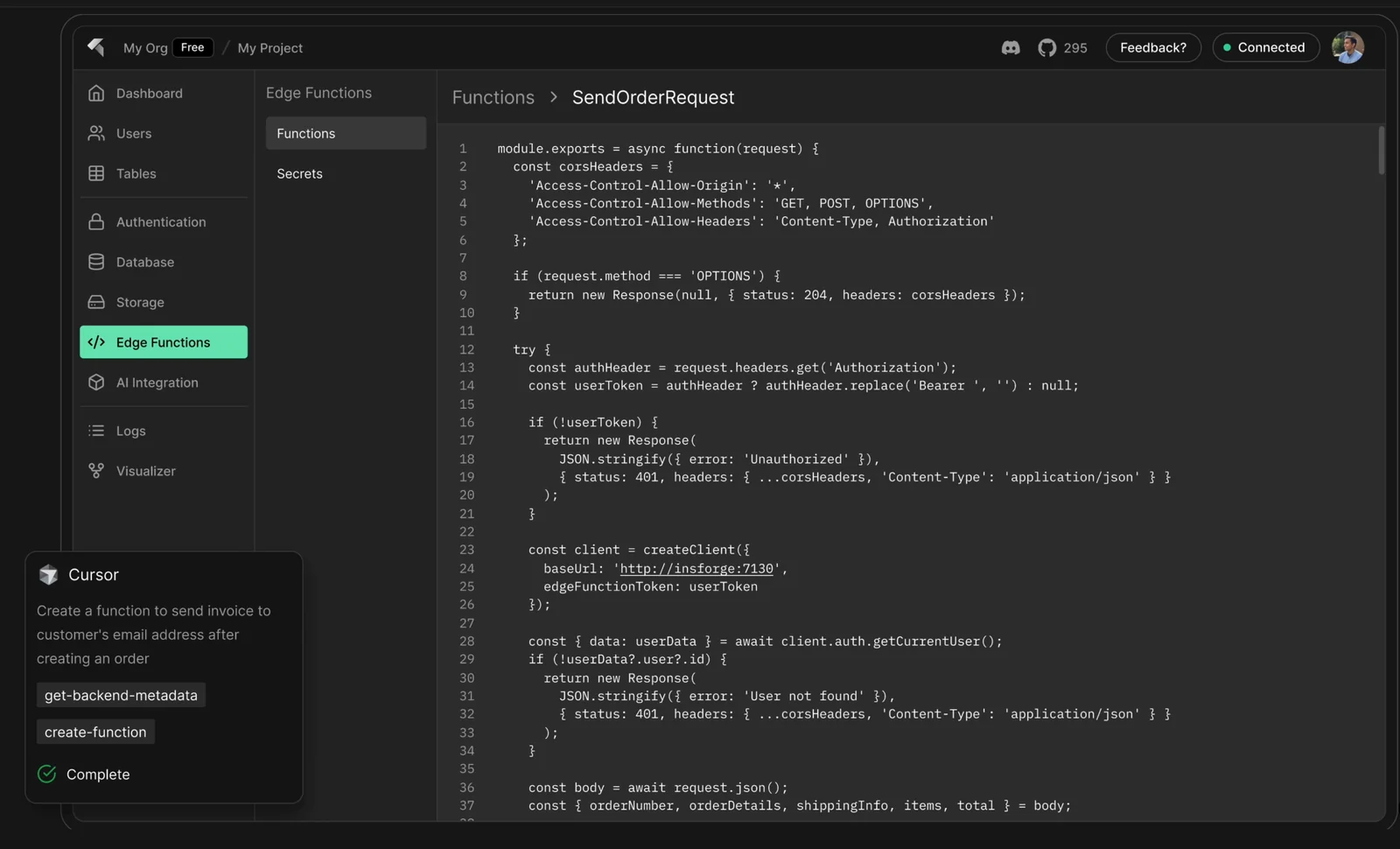
Serverless Functions: This feature enables developers to run code in response to events without managing server infrastructure. This not only reduces costs but also allows for rapid deployment and scaling of applications. For example, a developer can create a function that triggers when a new AI model is uploaded, automatically processing the data without manual intervention.
-
Native AI Agent Integrations: InsForge simplifies the integration of AI agents, enhancing the capability of applications. Developers can quickly implement machine learning models or natural language processing capabilities, allowing them to focus on innovation rather than integration challenges.
Best Practices / Tips
- Leverage Managed Authentication: Always implement strong authentication methods to protect user data.
- Choose the Right Database: Assess your project needs before selecting a database type. Use SQL for structured data and NoSQL for unstructured data.
- Optimize Serverless Functions: Monitor function execution times and optimize code to minimize latency and costs.
Additional Resources
How do I get started with InsForge?
To get started with InsForge, visit the official website, create an account, and review the comprehensive documentation. This will help you understand how to integrate its diverse features into your projects effectively and leverage the platform's capabilities for your applications.
Key Points
- Sign Up: Create a user account on the InsForge website.
- Documentation: Explore the available documentation for guidance.
- Integration: Learn how to implement various features in your projects.
Detailed Explanation
InsForge is a versatile platform designed to enhance your development projects with advanced features. To begin, follow these steps:
- Visit the Official Website: Go to InsForge's official site.
- Create an Account: Click on the "Sign Up" button. Fill in the required information, including your email and password. Confirm your email address to activate your account.
- Explore Documentation: After logging in, navigate to the documentation section. This area contains tutorials, API references, and implementation guides that are crucial for understanding how to use InsForge effectively.
Example Use Cases
- API Integration: Learn how to connect InsForge APIs with your applications to enhance features like user authentication and data management.
- Feature Implementation: Follow step-by-step guides to integrate specific functionalities, such as notifications or analytics, into your projects.
Best Practices / Tips
- Take Advantage of Tutorials: Utilize the tutorials available in the documentation to get hands-on experience with InsForge.
- Join Community Forums: Engage with other InsForge users through forums for support and insights.
- Regularly Check for Updates: Stay informed about updates and new features by subscribing to InsForge newsletters.
Additional Resources
By following these steps and utilizing the resources available, you can efficiently integrate InsForge into your projects and unlock its full potential.
Do I need technical skills to use InsForge effectively?
While a basic understanding of development concepts can enhance your experience, InsForge is designed for accessibility. Beginners can effectively utilize its AI-assisted features without needing extensive technical skills, making it an ideal choice for users at all skill levels.
Key Points
- User-Friendly Interface: InsForge is intuitive and easy to navigate.
- AI Assistance: Built-in AI tools help streamline workflows.
- Learning Resources: Abundant tutorials and documentation support beginners.
Detailed Explanation
InsForge is tailored to accommodate users with varying levels of technical expertise. The platform's user-friendly interface allows beginners to easily navigate its features, such as project templates and AI-driven suggestions. For instance, users can quickly create AI models by selecting pre-defined templates, which significantly reduces the complexity often associated with development tasks.
Moreover, InsForge provides a comprehensive library of tutorials and resources that guide users through the setup and implementation processes. Whether you are building a chatbot or an AI data analysis tool, these resources are invaluable in helping you understand the core concepts without requiring deep technical knowledge.
For example, a beginner can start with a simple project, such as creating a machine learning model for data classification. The platform guides users step-by-step, from data input to model training, empowering them to achieve results without extensive programming skills.
Best Practices / Tips
- Start with Tutorials: Begin with the provided tutorials to familiarize yourself with the platform.
- Utilize Community Forums: Engage with the InsForge community for tips and support.
- Experiment with Templates: Use project templates to simplify your workflow and learn through practical application.
- Stay Updated: Regularly check for updates and new features to maximize your use of InsForge.
Additional Resources
How does InsForge compare to Supabase for AI workloads?
InsForge excels in handling AI workloads through its agent-driven architectures and native AI integrations, making it more suitable for complex applications. In contrast, Supabase focuses on traditional database functionalities, offering less support for autonomous operations and AI-specific features.
Key Points
- Architecture: InsForge uses agent-driven architectures tailored for AI applications.
- AI Integrations: InsForge offers native AI features, enhancing operational efficiency.
- Functionality: Supabase is designed primarily for traditional database use cases, lacking focus on AI.
Detailed Explanation
InsForge is specifically engineered for AI workloads, leveraging agent-driven architectures that facilitate real-time data processing and decision-making. This architecture allows for greater adaptability and responsiveness in AI applications. For instance, an e-commerce platform using InsForge can quickly analyze user behavior and adjust marketing strategies dynamically.
On the other hand, Supabase serves as a backend-as-a-service (BaaS) platform, providing a robust SQL database with instant APIs, authentication, and storage. While it excels in traditional database scenarios—such as managing user data and transactions—it does not inherently support advanced AI functionalities. This limitation means that users looking to implement machine learning models or AI-driven analytics may need to integrate additional tools or platforms, which can complicate development.
For example, a startup leveraging Supabase might effectively manage their customer data, but they would require external AI tools to perform advanced predictive analytics, which could lead to potential integration challenges.
Best Practices / Tips
- Choose Based on Needs: If your project heavily relies on AI, InsForge is the better choice due to its specialized features.
- Consider Scalability: Evaluate how each platform handles scaling. InsForge is designed for dynamic AI environments, while Supabase is better for stable, traditional applications.
- Integration Awareness: If opting for Supabase, plan for additional integrations for AI functionalities, which may increase complexity and costs.
Additional Resources
Explore more AI Ai Tools tools
Browse all Ai Tools tools →Browse by use case: Automation & Productivity
Compare InsForge: vs nodeterm · vs A.I.G (AI Infra Guard) · vs Trama · vs Agents Never Sleep