
Helicone
AIOpen SourceOpen-source LLM observability platform and AI gateway for routing, monitoring, and optimizing LLM requests.
Helicone
Open-source LLM observability platform and AI gateway for routing, monitoring, and optimizing LLM requests.
About Helicone
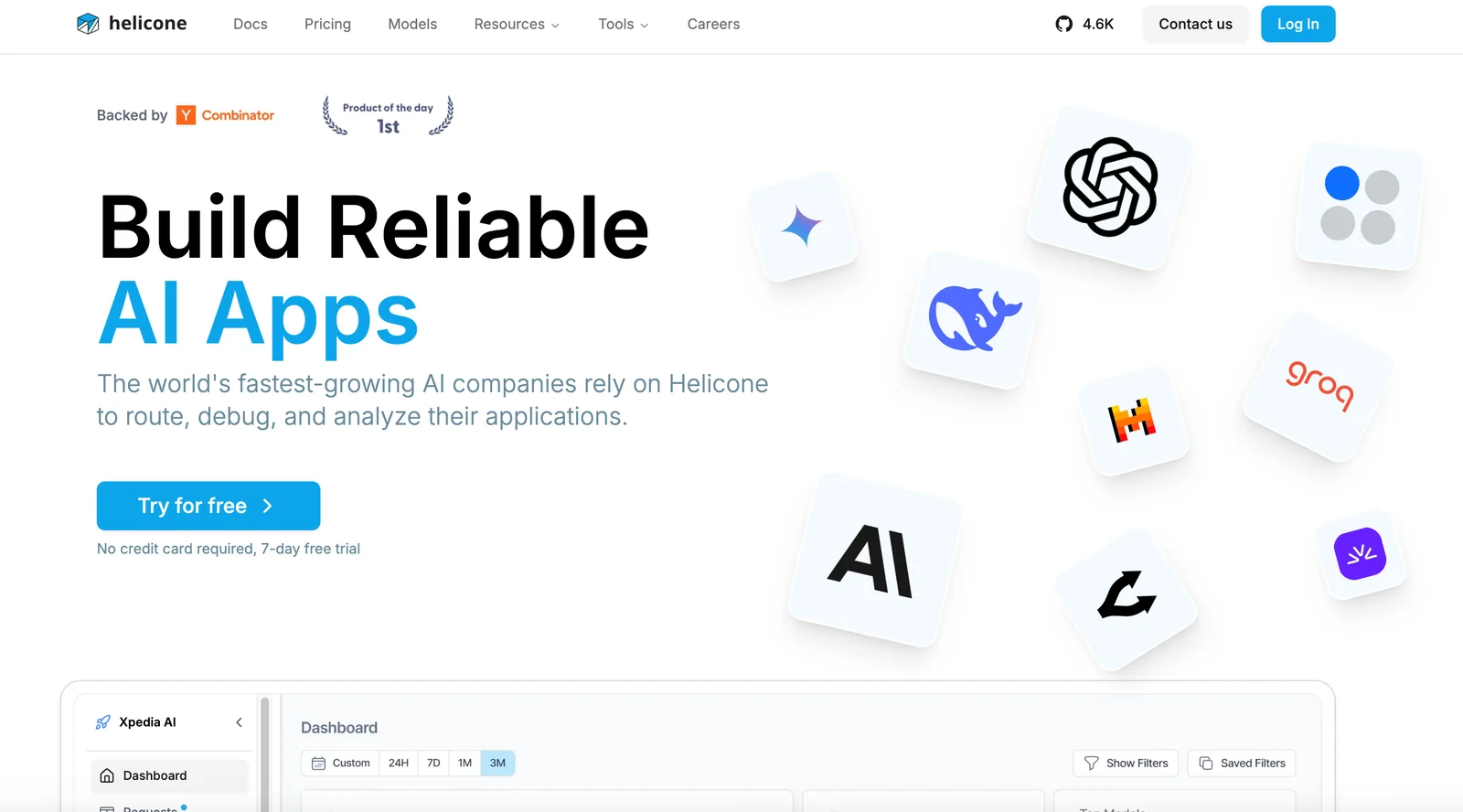
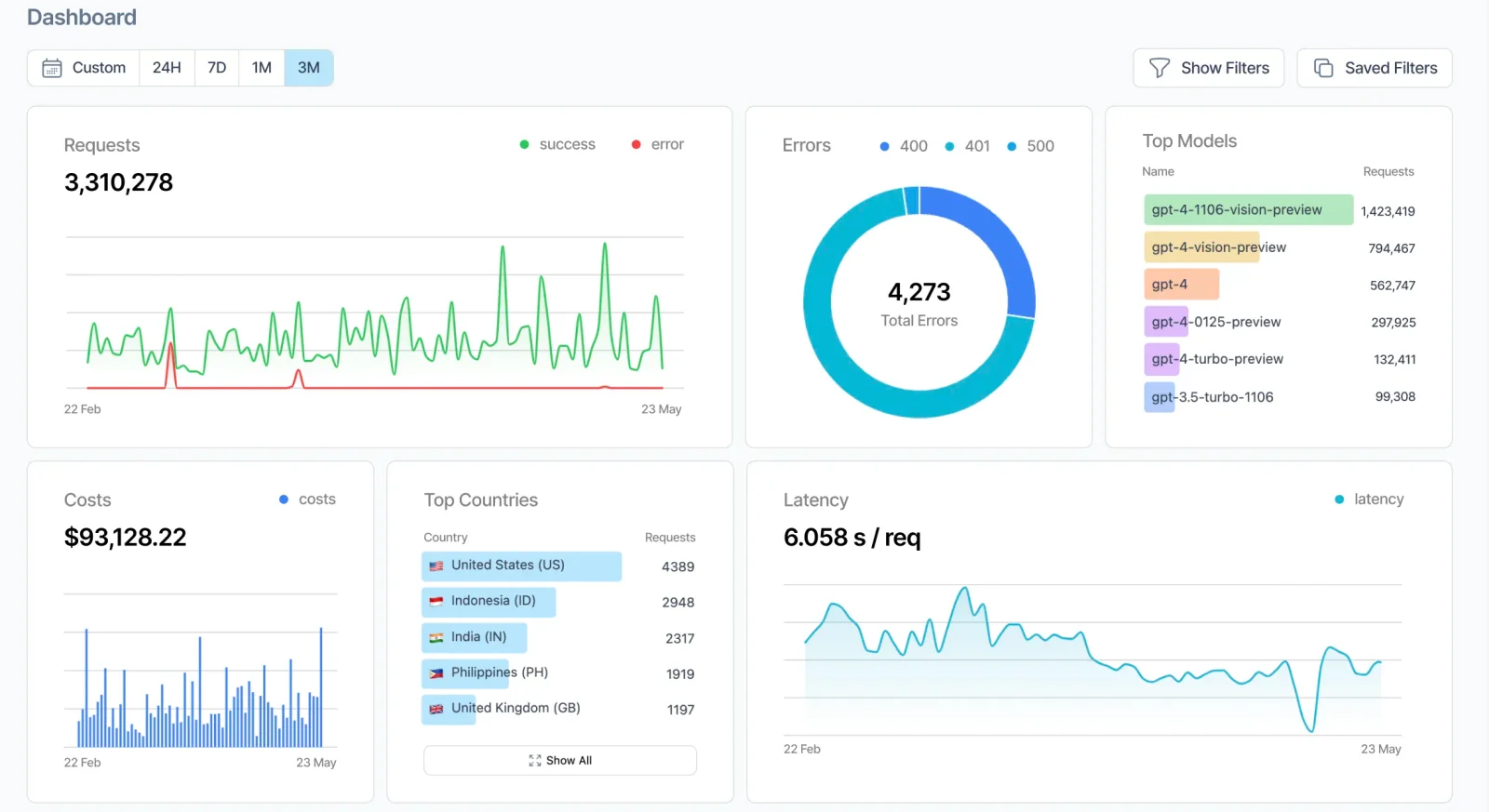
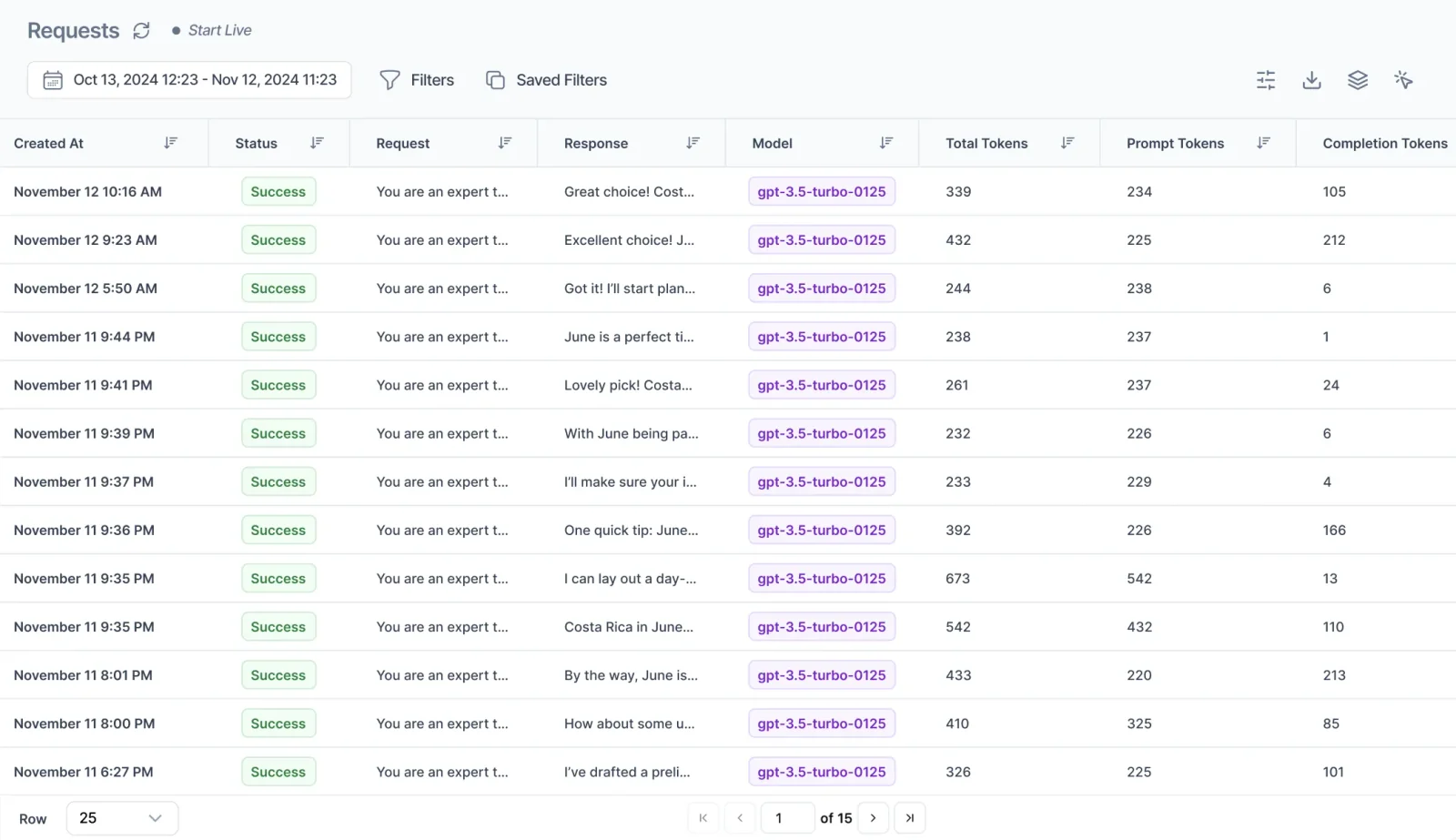
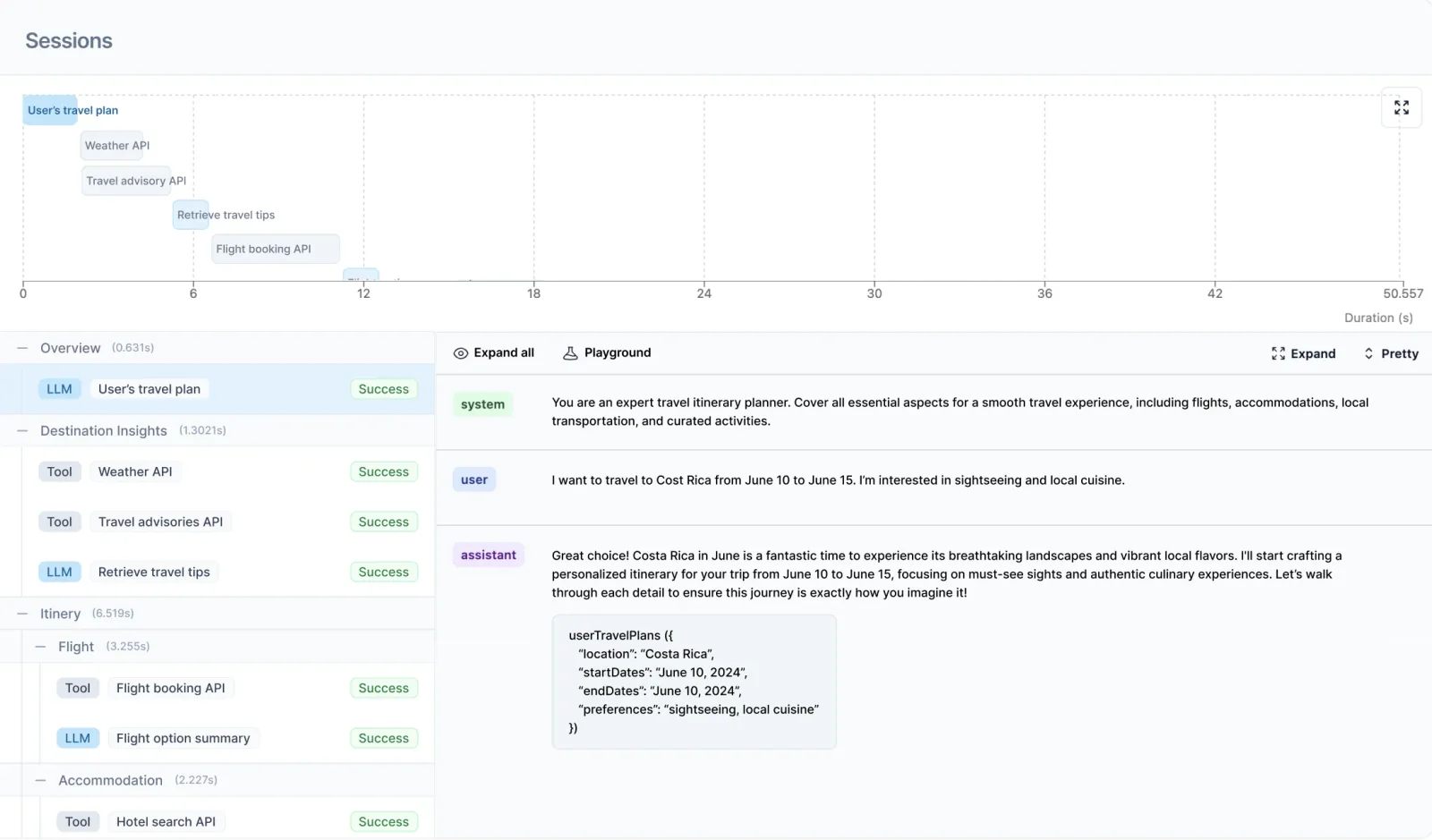
Helicone is an open-source LLM observability and AI gateway platform that centralizes logging, monitoring, and management of language model requests. It provides request-level telemetry, cost and latency tracking, prompt management, and evaluation tools alongside an AI Gateway that routes, caches, rate-limits, and load-balances requests across dozens of model providers. Helicone is designed for engineers building production AI applications, offering a lightweight gateway (Rust-based), dashboards for debugging and prompt iteration, and enterprise deployment options (Docker/Helm) for scale and compliance.
Screenshots
Key Features
Use Cases



Frequently asked questions about Helicone
What are the pricing options for Helicone?
Helicone offers a variety of pricing plans: a free open-source option, a hobby tier at no cost, a pro plan for $20 per seat per month, and custom enterprise packages tailored to specific organizational needs. For in-depth pricing details and features, visit the official Helicone website.
Key Points
- Free open-source option available.
- Hobby tier costs $0.
- Pro plan priced at $20 per seat per month.
- Custom enterprise packages for larger organizations.
Detailed Explanation
Helicone provides flexible pricing to accommodate users ranging from individual developers to large enterprises.
-
Free Open-Source Option: This plan allows users to access Helicone's core functionalities without any cost. It is ideal for developers looking to experiment or contribute to the project.
-
Hobby Tier: Available at no charge, the hobby tier is designed for casual users or small projects. It offers essential features suitable for personal use but may have restrictions on usage limits or support.
-
Pro Plan: For $20 per seat per month, the pro plan includes advanced features and priority support. This is perfect for small to medium-sized businesses that require more robust capabilities, such as enhanced collaboration tools and performance analytics.
-
Custom Enterprise Packages: Larger organizations can opt for tailored packages that suit their specific requirements. These packages often come with additional benefits, including dedicated support, advanced security features, and scalable solutions.
For example, a startup might begin with the free option to test Helicone's capabilities and later transition to the pro plan as their team grows.
Best Practices / Tips
- Evaluate Your Needs: Before selecting a plan, assess your project's scale and potential growth. Starting with the free option can provide valuable insights before committing financially.
- Consider Team Size: For businesses, calculate the total cost based on the number of users. The pro plan’s per-seat pricing can add up quickly.
- Inquire About Customization: If considering an enterprise package, discuss your needs with Helicone’s sales team to ensure you get the best value and features tailored for your organization.
Additional Resources
- Helicone Pricing Page
- Helicone Documentation
- Community Forum for user discussions and tips.
How do I start using Helicone?
To start using Helicone, download the open-source version or sign up for the hobby plan on the official Helicone website. The platform offers comprehensive documentation and active community support to assist you with setup and usage, ensuring a smooth onboarding experience.
Key Points
- Download the open-source version or sign up for a hobby plan.
- Access extensive documentation for guidance on setup and features.
- Join the community for support and troubleshooting assistance.
Detailed Explanation
Helicone is a versatile platform designed for developers and businesses looking to leverage AI tools effectively. To begin:
-
Choose Your Version:
- You can opt for the open-source version, which is freely available on platforms like GitHub. This option is ideal for developers who want to customize the tool according to their needs.
- Alternatively, sign up for the Hobby Plan on the official website. This plan typically offers basic features suitable for small projects or personal use, often starting at a low monthly fee (check the website for current pricing).
-
Installation:
- For the open-source version, follow the installation instructions provided in the repository. This usually involves cloning the repository, installing dependencies, and running the application locally.
- For the Hobby Plan, after signing up, you will receive access credentials and setup guides tailored to your plan.
-
Documentation:
- Access the Helicone documentation on their website, which includes tutorials, API references, and FAQs. This resource is invaluable for understanding how to effectively use Helicone's features.
-
Community Support:
- Engage with the Helicone community through forums, Discord servers, or social media groups. These platforms are excellent for getting help, sharing experiences, and learning best practices from other users.
Best Practices / Tips
- Explore Tutorials: Before diving deep, spend some time going through beginner tutorials available in the documentation to familiarize yourself with Helicone's functionality.
- Stay Updated: Follow Helicone’s official blog or release notes for updates on new features and improvements.
- Test Before Full Deployment: If you're using the open-source version, run tests in a controlled environment before deploying it in production to avoid unexpected issues.
Additional Resources
What are the key features of Helicone?
Helicone features request logging, an AI gateway for routing, caching, and rate limiting, as well as cost and latency tracking, and prompt management tools. These capabilities significantly enhance the observability and optimization of large language models (LLMs), improving their efficiency and responsiveness.
Key Points
- Request Logging: Track and analyze API requests for insights.
- AI Gateway: Manage routing, caching, and rate limiting effectively.
- Cost and Latency Tracking: Monitor expenses and response times for optimization.
Detailed Explanation
Helicone offers a suite of features designed to enhance the efficiency and performance of large language models (LLMs).
-
Request Logging: This feature allows users to log every API request made to the model. By analyzing these logs, developers can gain valuable insights into usage patterns, identify bottlenecks, and optimize the overall performance of their LLMs.
-
AI Gateway: The AI gateway serves as a central hub for managing requests to the LLM. It facilitates intelligent routing, ensuring that requests are directed to the appropriate model instance. Additionally, it implements caching strategies to reduce latency, thereby enhancing the user experience. Rate limiting is also managed here, preventing abuse and ensuring fair usage among users.
-
Cost and Latency Tracking: Helicone provides tools to track both the costs associated with model usage and the latency of responses. This is crucial for businesses that rely on LLMs, as it allows them to manage budgets effectively while ensuring that performance remains optimal.
-
Prompt Management Tools: These tools help users create, modify, and manage prompts efficiently. This can lead to better interactions with the LLM, making it easier to derive valuable outputs tailored to specific needs.
Best Practices / Tips
- Regularly Review Logs: Make it a habit to review request logs weekly. This practice can help identify trends and areas for improvement.
- Optimize Caching Strategies: Experiment with different caching techniques to reduce response times and improve user satisfaction.
- Monitor Costs Closely: Utilize the cost tracking feature to set budgets. Set alerts for when costs approach predefined limits.
- Test Prompt Variations: When working with prompt management, test various prompt structures to find what yields the best results for your specific use case.
Additional Resources
How does Helicone compare to other AI tools?
Helicone differentiates itself from other AI tools through its open-source model, robust observability features, and flexible multi-provider routing capabilities. This combination offers users unparalleled flexibility, enhanced community support, and the ability to tailor AI solutions more effectively than many competitors.
Key Points
- Open-Source Model: Helicone’s accessibility allows for community-driven enhancements.
- Observability Features: Users can monitor AI performance and outputs in real-time.
- Multi-Provider Routing: Seamless integration with various AI service providers ensures optimal resource utilization.
Detailed Explanation
Helicone's open-source architecture enables developers and businesses to modify and enhance the platform according to their specific needs. Unlike proprietary systems that restrict customization, Helicone fosters a collaborative environment where users contribute to its development. This not only accelerates innovation but also ensures that the tool evolves in response to community feedback.
Observability Features
Helicone includes advanced observability tools that allow users to monitor AI requests, responses, and performance metrics. This transparency is crucial for debugging issues and optimizing workflows. For instance, if a particular model underperforms, users can quickly analyze logs and metrics to identify and rectify the problem.
Multi-Provider Routing
Helicone’s multi-provider routing capability offers users the flexibility to switch between different AI service providers seamlessly. This ensures that users can always access the best-performing models based on their current needs. For example, if one provider's model is lagging, users can redirect their requests to another provider without significant downtime or reconfiguration.
Best Practices / Tips
- Leverage the Community: Engage with the Helicone community to share insights and gain access to resources that can enhance your implementation.
- Utilize Observability Tools: Regularly monitor your AI performance metrics to identify trends and potential issues early.
- Experiment with Providers: Test various AI providers through Helicone’s routing capabilities to find the best fit for your specific applications.
Additional Resources
Does Helicone support API integrations?
Yes, Helicone supports API integrations with various large language model (LLM) providers, including OpenAI and Google Vertex. This functionality allows users to efficiently route and manage requests through Helicone's gateway, enhancing their AI applications with seamless connectivity and flexibility.
Key Points
- Wide Compatibility: Integrates with major LLM providers.
- Seamless Request Management: Streamlines routing through a centralized gateway.
- Enhanced Flexibility: Adapts to various use cases in AI applications.
Detailed Explanation
Helicone is designed to facilitate API integrations, making it a versatile tool for developers and businesses looking to leverage AI capabilities. By supporting integrations with leading LLM providers such as OpenAI and Google Vertex, Helicone enables users to tap into advanced AI functionalities.
For instance, when you connect Helicone to OpenAI's API, you can easily access a wide range of natural language processing tasks, including text generation, summarization, and translation. Similarly, integrating with Google Vertex allows you to utilize Google’s powerful machine learning models for various applications, from sentiment analysis to image recognition.
Example Use Cases:
- Chatbots: By integrating Helicone with OpenAI, businesses can create intelligent chatbots that understand and respond to customer inquiries in real-time.
- Content Creation: Marketers can use Helicone to combine APIs from both OpenAI and Google Vertex, generating high-quality content while analyzing audience sentiment.
- Research Applications: Academics can use Helicone to fetch data from multiple LLMs, conducting comprehensive analyses of text and data patterns.
Best Practices / Tips
- Choose the Right API: Evaluate the specific capabilities of each LLM provider to determine which best meets your project needs.
- Optimize Request Management: Utilize Helicone's features to batch requests and minimize latency, ensuring a smooth user experience.
- Monitor Usage: Keep track of API quotas and usage limits to avoid unexpected costs or service interruptions.
Additional Resources
By leveraging these integrations effectively, you can maximize the potential of your AI applications while ensuring efficient management and routing through Helicone's advanced gateway system.
Explore more AI Ai Tools tools
Browse all Ai Tools tools →Compare Helicone: vs CleanSlop · vs Kalender Sync · vs UseIt Studio · vs Woven Video