

Google Stax
AIA complete toolkit from Google for evaluating, measuring, and comparing AI model performance with hard data and flexible tools.
Google Stax
A complete toolkit from Google for evaluating, measuring, and comparing AI model performance with hard data and flexible tools.
About Google Stax
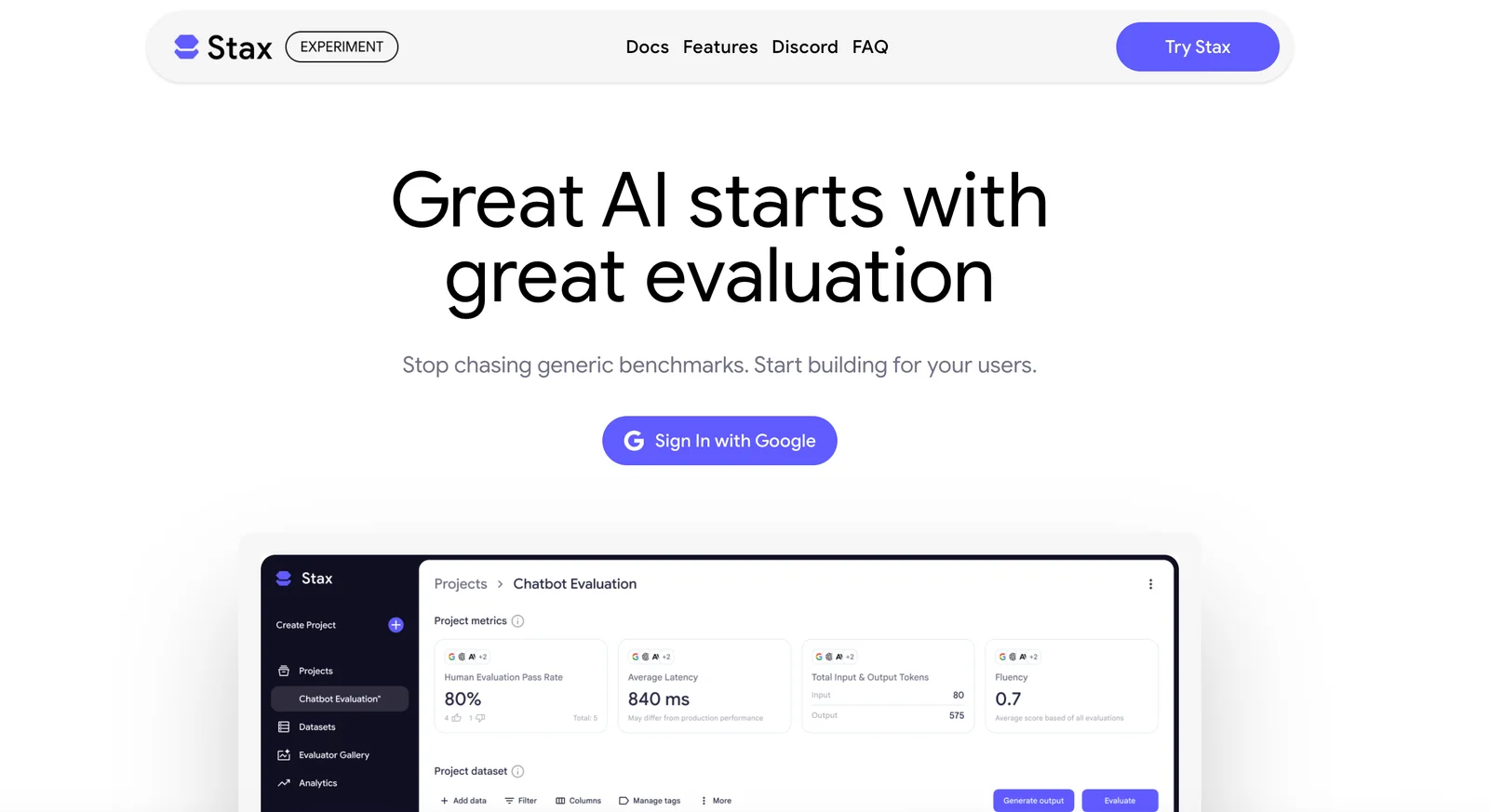
Stax is a Google-hosted toolkit focused on AI evaluation that provides teams with data-driven tools to understand what components of their models work in production. It centralizes evaluation workflows to generate objective, repeatable results and to surface strengths and weaknesses across datasets, slices, and model versions. By emphasizing hard data and flexible analysis, Stax helps product and ML teams iterate on models, validate changes, and make release decisions with greater confidence.
Screenshots
Key Features
Use Cases



Frequently asked questions about Google Stax
What is the pricing model for Google Stax?
Google Stax employs a custom pricing model tailored to individual business needs, meaning users must contact their sales team for specific pricing information. Currently, there are no publicly available self-service plan prices, ensuring a personalized approach to cost based on usage and requirements.
Key Points
- Google Stax offers custom pricing based on user needs.
- No public self-service pricing is available.
- Direct contact with the sales team is required for quotes.
Detailed Explanation
Google Stax is part of Google Cloud's suite of services, designed specifically for data processing and analytics. The custom pricing model reflects the diverse needs of organizations, which can vary significantly based on factors like usage volume, data complexity, and integration requirements.
-
Contacting Sales: To obtain a pricing estimate, businesses must engage with the Google Stax sales team. This process begins with understanding your organization's specific requirements, including data storage needs, processing capabilities, and any additional services that may be beneficial.
-
Factors Influencing Pricing: The pricing can be influenced by several factors:
- Data Volume: The amount of data processed will directly impact costs.
- Service Level Agreements (SLAs): Different levels of support and uptime guarantees can affect pricing.
- Integration Needs: Organizations using multiple Google services may benefit from bundled pricing.
-
Use Case Scenarios: For example, a small startup focusing on data analytics might require less capacity and support compared to a large enterprise dealing with massive datasets and requiring extensive integration with other cloud services.
Best Practices / Tips
- Assess Your Needs: Before reaching out to sales, conduct an internal assessment of your data storage and processing requirements. This will help facilitate a more productive conversation.
- Inquire About Discounts: Ask about potential discounts for long-term commitments or bundled services, as Google often provides pricing incentives for larger contracts.
- Compare Alternatives: Research other cloud service providers with transparent pricing models to ensure you're getting the best value for your needs.
Additional Resources
What are the key features of Google Stax?
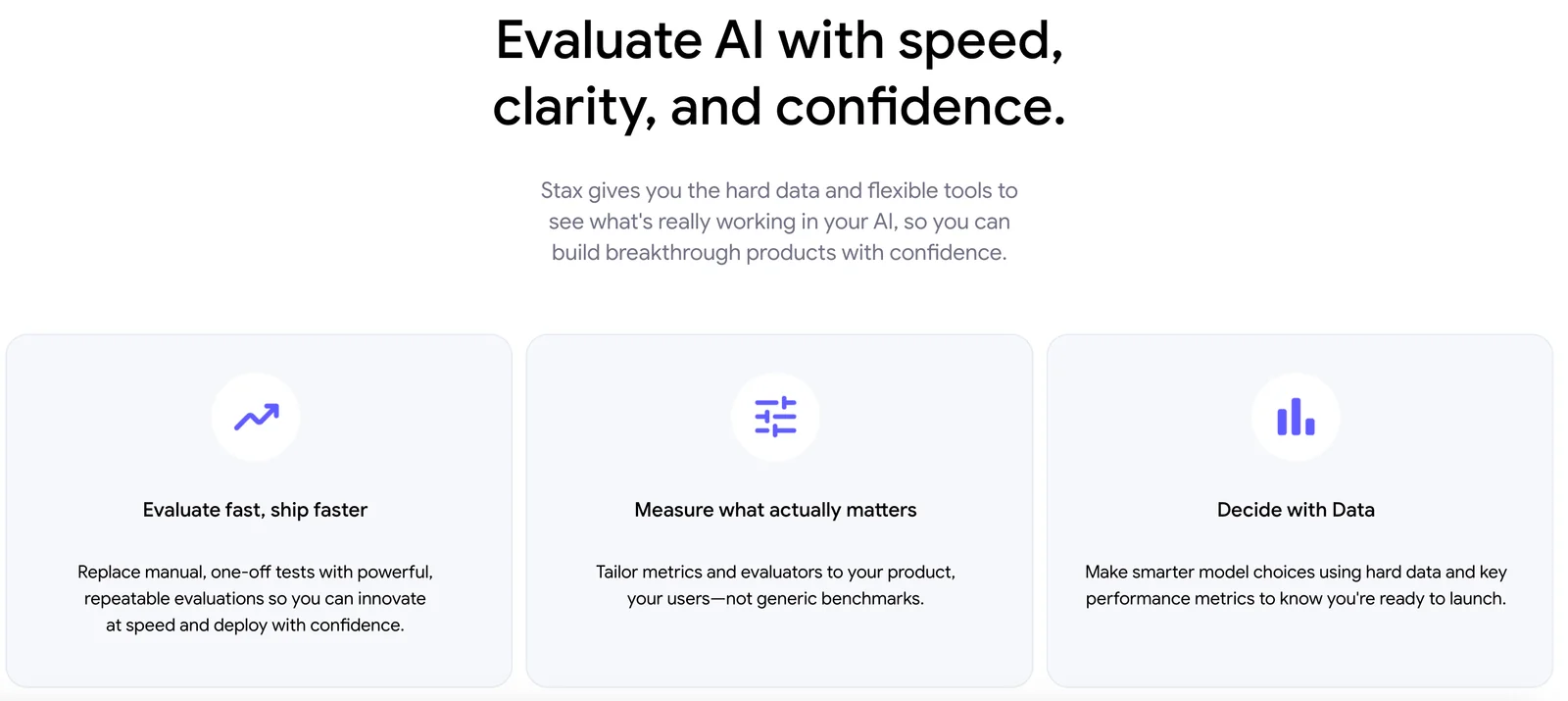
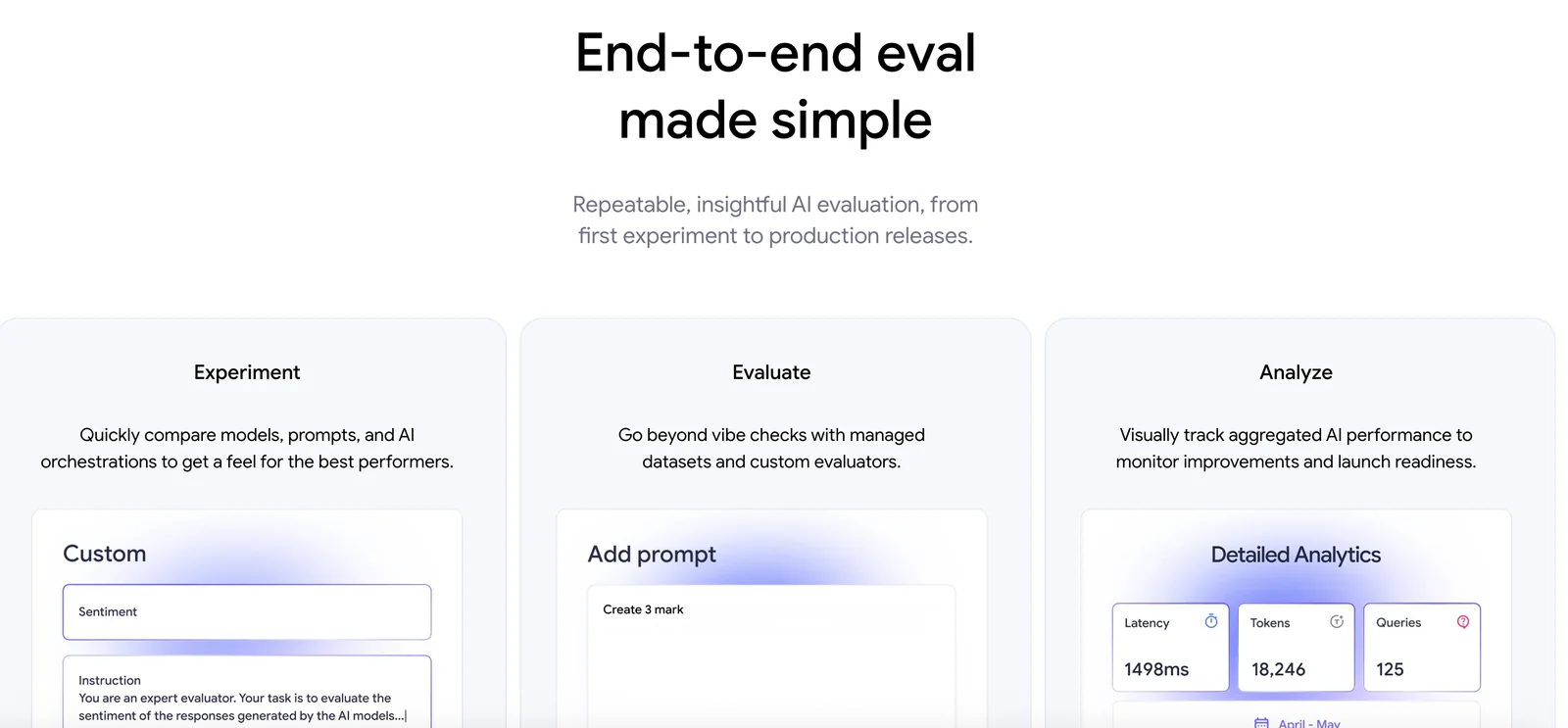
Google Stax offers a powerful suite of features, including a comprehensive evaluation toolkit, flexible analysis workflows, model comparison tools, and robust reporting capabilities. These tools are designed to help teams effectively assess and optimize AI model performance, ensuring improved outcomes and informed decision-making.
Key Points
- Comprehensive Evaluation Toolkit: Offers a variety of metrics and benchmarks.
- Flexible Analysis Workflows: Tailor workflows to specific project needs.
- Model Comparison Tools: Easily compare multiple AI models to find the best performer.
Detailed Explanation
Google Stax is a cutting-edge platform designed to enhance the evaluation and performance assessment of AI models. Its key features include:
-
Comprehensive Evaluation Toolkit: Stax provides an extensive range of evaluation metrics, such as accuracy, precision, recall, and F1 score. This toolkit allows users to conduct thorough assessments of AI models against industry standards, ensuring that models meet desired performance benchmarks.
-
Flexible Analysis Workflows: Users can create tailored workflows that adapt to various project requirements. This flexibility means that teams can streamline their processes, making it easier to incorporate new data, adjust parameters, or pivot strategies based on real-time insights.
-
Model Comparison Tools: One of the standout features of Google Stax is its ability to facilitate side-by-side comparisons of multiple AI models. By visualizing performance metrics and leveraging advanced analytics, teams can quickly identify which models are most effective for their specific use cases, enhancing their decision-making processes.
-
Robust Reporting Capabilities: Stax allows users to generate comprehensive reports that encapsulate findings, insights, and recommendations. These reports can be easily shared with stakeholders, aiding in transparency and collaborative efforts.
Best Practices / Tips
- Utilize the Evaluation Toolkit: Always start with a baseline evaluation of your models using the provided metrics to identify areas of improvement.
- Customize Workflows: Take advantage of workflow customization to better align with your team’s unique processes and project timelines.
- Regularly Compare Models: Make model comparison a routine part of your development cycle to stay ahead of performance issues and leverage advancements in AI technology.
- Leverage Reporting Features: Use the reporting capabilities to document changes and improvements over time, which can be crucial for audits and future planning.
Additional Resources
How do I get started with Google Stax?
To get started with Google Stax, visit the official website, explore its features, and reach out to the sales team for customized access to the toolkit that best fits your needs. This will ensure you have the right resources to leverage Google Stax effectively.
Key Points
- Explore features and benefits of Google Stax.
- Contact sales for tailored access to the toolkit.
- Understand pricing and support options available.
Detailed Explanation
Google Stax is a suite of tools designed to enhance cloud computing capabilities, data analytics, and AI solutions. To begin:
-
Visit the Official Website: Navigate to the Google Stax website to familiarize yourself with the platform's offerings.
-
Review Features: Take time to explore various features such as data processing, machine learning capabilities, and integration options. Analyze how these features align with your business needs.
-
Contact Sales: Reach out to Google Stax's sales team through the website. They can provide a personalized demo, discuss pricing plans, and advise on the best toolkit configuration for your organization.
-
Set Up an Account: Once you have determined your needs, you can set up an account either through the website or via the sales team. Ensure you have the necessary permissions and resources for implementation.
-
Utilize Documentation and Support: Google provides extensive documentation and support resources. This can help you maximize the benefits of Google Stax.
Best Practices / Tips
-
Understand Your Needs: Before diving in, clearly define your project requirements. This will ensure you choose the right features and avoid unnecessary costs.
-
Start with a Trial: If available, take advantage of trial periods to explore functionalities without commitments. This is a risk-free way to assess the tool's impact.
-
Engage in Training: Participate in training sessions offered by Google or third parties. This can enhance your team's proficiency with Google Stax, leading to better utilization of its features.
-
Monitor Usage and ROI: After implementation, regularly track usage metrics and return on investment. This will help you adjust your strategy and optimize the toolkit for greater efficiency.
Additional Resources
By following these steps and best practices, you can effectively get started with Google Stax and leverage its capabilities to boost your business operations.
Does Google Stax support API integration?
Yes, Google Stax supports API integration, enabling users to seamlessly connect to external model providers by utilizing their own API keys for evaluations. This feature enhances flexibility and allows for tailored workflows when deploying AI models.
Key Points
- Seamless API Integration: Connect to various external model providers.
- User-Controlled API Keys: Users can manage their own API keys for secure access.
- Enhanced Workflow Customization: Tailor evaluations based on specific project needs.
Detailed Explanation
Google Stax's API integration capability is a significant feature that empowers users to enhance their AI model evaluations. By allowing API connections, Stax enables users to leverage a wide range of external models, which can significantly improve their data processing and analytical capabilities.
How It Works
- Obtaining an API Key: Users first need to register with the external model provider to obtain a unique API key.
- Integration Steps:
- Navigate to the Google Stax dashboard.
- Locate the API integration settings.
- Enter the API key and configure any necessary settings to establish a connection.
- Running Evaluations: Once the integration is complete, users can initiate model evaluations directly through Google Stax, using the connected external models.
Use Cases
- Machine Learning Projects: Teams can connect to specialized machine learning models that offer advanced capabilities not available within Stax.
- Data Analysis: Integrating with external analytics models can enhance data insights and reporting functionalities.
Best Practices / Tips
- Choose Reputable Model Providers: Ensure that the external models are from reliable sources for optimal performance and security.
- Keep API Keys Secure: Treat your API keys like passwords; do not share them publicly to prevent unauthorized access.
- Monitor API Usage: Regularly check usage metrics to avoid hitting API rate limits or incurring unexpected costs.
Additional Resources
How does Google Stax compare to other AI evaluation tools?
Google Stax excels among AI evaluation tools due to its robust toolkit for structured evaluations, customizable workflows, and in-depth reporting capabilities. This makes it particularly well-suited for teams aiming to enhance model performance and streamline their evaluation processes effectively.
Key Points
- Comprehensive Toolset: Google Stax offers a wide array of functionalities for thorough evaluations.
- Customization: Users can tailor workflows to fit specific project needs and team dynamics.
- In-depth Reporting: The platform provides detailed insights to help teams make informed decisions about model performance.
Detailed Explanation
Google Stax distinguishes itself from other AI evaluation tools by integrating several advanced features that enhance the evaluation process.
-
Comprehensive Toolset: Unlike many competitors, Stax provides a complete suite of tools for structured evaluations. This includes functionalities for both quantitative and qualitative assessments, allowing users to comprehensively review model outputs.
-
Customization: Stax allows teams to customize their workflows to match their specific requirements. For example, users can define custom metrics, set evaluation criteria, and create tailored dashboards that reflect their unique needs. This flexibility is important for organizations that work on diverse AI projects with varying objectives.
-
In-depth Reporting: The reporting capabilities of Google Stax are among the most detailed in the market. Users can generate extensive reports that break down model performance across different parameters, such as accuracy, precision, and recall. These insights help teams identify strengths and weaknesses in their models, facilitating continuous improvement.
Best Practices / Tips
- Leverage Custom Metrics: Take advantage of Stax’s ability to create and implement custom metrics that align with your project goals.
- Regularly Update Workflows: Keep your evaluation workflows updated to reflect any changes in model objectives or team structure, ensuring maximum efficiency.
- Utilize Reporting Tools: Regularly review the reporting features to track performance trends over time, which can inform strategic decisions for future model iterations.
Additional Resources
Explore more AI Ai Tools tools
Browse all Ai Tools tools →Compare Google Stax: vs CleanSlop · vs Kalender Sync · vs UseIt Studio · vs Woven Video