

floor Plan ai
AIConverts sketches, images or PDFs into reviewable first floor plans with technical 2D, 2.5D and 3D-style outputs for fast layout exploration.
floor Plan ai
Converts sketches, images or PDFs into reviewable first floor plans with technical 2D, 2.5D and 3D-style outputs for fast layout exploration.
About floor Plan ai
BuildFloorPlan is an AI-driven floor plan generator that converts brief descriptions, hand sketches, images, or PDFs into reviewable first-floor layouts in minutes. It produces technical 2D, 2.5D and 3D-style outputs aimed at early layout exploration and stakeholder discussion. The service is subscription- and credit-based and supports multi-provider billing, enabling teams to manage usage and costs across providers. Its value lies in rapid concept generation and review-ready outputs that accelerate decision-making in design, real estate, and renovation workflows.
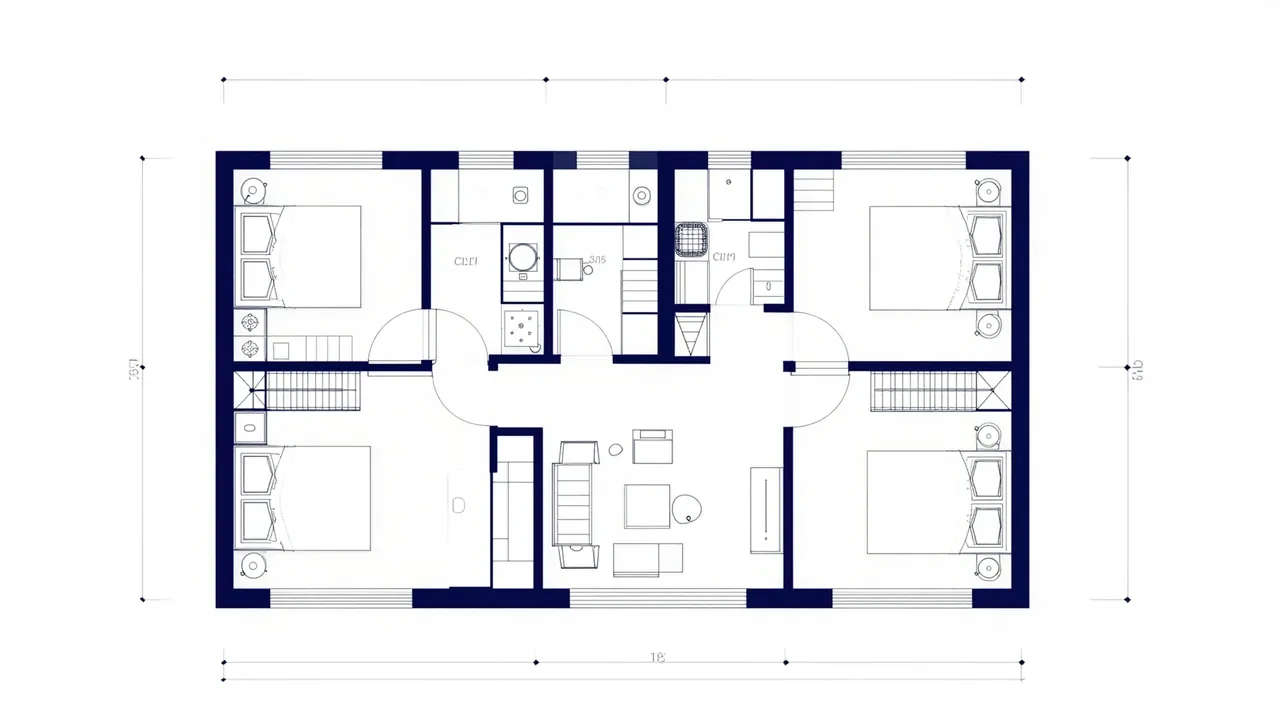
Screenshots
Key Features
Use Cases



Frequently asked questions about floor Plan ai
What is floor Plan ai?
Floor Plan AI is an innovative tool that transforms sketches, images, or PDFs into detailed and reviewable floor plans. It provides outputs in technical 2D, 2.5D, and 3D formats, facilitating quick layout exploration and design adjustments for architects, interior designers, and real estate professionals.
Key Points
- Versatile Input Options: Accepts sketches, images, and PDF files.
- Multiple Output Formats: Generates 2D, 2.5D, and 3D floor plans.
- User-Friendly Interface: Allows for quick modifications and layout exploration.
Detailed Explanation
Floor Plan AI revolutionizes the design process by converting various types of visual input into structured floor plans. Users can upload hand-drawn sketches or digital images, and the software employs advanced algorithms to interpret these visuals. This capability is particularly beneficial for professionals in architecture, interior design, and real estate, who often need to visualize concepts quickly.
Step-by-Step Process:
- Upload Input: Users can drag and drop their sketches, images, or PDFs into the application.
- Automatic Conversion: The AI analyzes the uploaded file and generates an initial floor plan.
- Customization: Users can modify dimensions, add rooms, and adjust layout elements in real-time.
- Export Options: The final designs can be exported in various formats (PDF, PNG) for presentations or further editing.
Use Cases:
- Real Estate Marketing: Create engaging floor plans to showcase properties.
- Interior Design: Visualize room layouts and furniture placements quickly.
- Architectural Drafting: Speed up the drafting process with precise digital plans.
Best Practices / Tips
- Use High-Quality Images: Ensure that the input sketches or images are clear and well-defined for optimal results.
- Familiarize with Tools: Spend time exploring the interface and available features to maximize efficiency.
- Iterate on Designs: Take advantage of the ability to make quick changes, exploring multiple layout options before finalizing.
- Save Frequently: Regularly save your work to avoid losing progress during complex design sessions.
Additional Resources
By utilizing Floor Plan AI, users can significantly enhance their design workflow, ultimately leading to more effective presentations and client communications.
How does floor Plan ai work?
Floor Plan AI utilizes advanced artificial intelligence algorithms to streamline and enhance everyday workflows for users. By automating tasks such as drafting, design analysis, and project management, it significantly boosts productivity and accuracy in architectural and interior design projects.
Key Points
- Automation of Design Tasks: Floor Plan AI automates routine design tasks, reducing manual effort.
- Enhanced Accuracy: The tool minimizes human errors by utilizing AI-driven analytics.
- User-Friendly Interface: Easy-to-navigate features cater to both professionals and beginners.
Detailed Explanation
Floor Plan AI operates by leveraging machine learning algorithms to analyze user inputs and generate accurate floor plans quickly. This process typically involves several steps:
- Input Gathering: Users provide dimensions, style preferences, and specific requirements.
- AI Processing: The AI analyzes these inputs against a vast database of design principles and real-world examples.
- Design Generation: Using this data, Floor Plan AI creates detailed and customizable floor plans in minutes.
- Feedback Loop: Users can adjust the designs, and the AI learns from these modifications to improve future suggestions.
Use Cases:
- Architects can quickly draft initial designs before refining them further.
- Interior Designers leverage the tool to visualize space arrangements and furniture placements.
- Real Estate Professionals benefit from rapid floor plan creation for property listings.
Best Practices / Tips
- Be Specific: When entering details, include as much information as possible to enhance the AI's output.
- Explore Templates: Utilize pre-existing templates to save time and inspire new ideas.
- Regular Updates: Keep the software updated to access the latest features and improvements.
- User Training: Familiarize yourself with the tool through tutorials to maximize its potential.
Additional Resources
What are the main features of floor Plan ai?
Floor Plan AI offers several key features, including advanced artificial intelligence for automated design generation, real-time collaboration tools, and customizable templates. These capabilities enhance the design process, making it more efficient and user-friendly for architects, real estate developers, and interior designers.
Key Points
- Automated Design Generation: Quickly creates floor plans based on user inputs.
- Real-Time Collaboration: Enables multiple users to work on designs simultaneously.
- Customizable Templates: Offers a variety of templates tailored to different needs.
Detailed Explanation
Floor Plan AI leverages cutting-edge AI technology to streamline the design process. The automated design generation feature allows users to input their requirements, such as room dimensions and preferred styles, and receive a complete floor plan in minutes. This reduces the need for manual drafting and speeds up project timelines.
The real-time collaboration tools are particularly beneficial for teams working on large projects. Multiple users can access and edit the same floor plan simultaneously, which facilitates immediate feedback and reduces errors. This feature is essential for coordinating efforts between architects, engineers, and clients.
Additionally, the customizable templates ensure that users can select designs that meet their specific requirements, whether for residential, commercial, or industrial spaces. These templates are professionally designed and can be modified to fit unique project needs.
Best Practices / Tips
- Define Clear Requirements: Before using Floor Plan AI, outline your design needs to maximize the tool's efficiency.
- Take Advantage of Templates: Use customizable templates as a starting point to save time and ensure accuracy.
- Collaborate Effectively: Utilize the real-time collaboration feature to gather input from team members and clients, ensuring everyone’s vision is considered.
Additional Resources
Who is floor Plan ai for?
Floor Plan AI is designed for a diverse audience, including real estate professionals, architects, interior designers, and DIY enthusiasts. It streamlines day-to-day AI workflows by automating the creation of floor plans and layouts, making it accessible for anyone looking to enhance their design projects efficiently.
Key Points
- Real Estate Professionals: Ideal for creating accurate property layouts.
- Architects and Designers: Useful for visualizing concepts quickly.
- Homeowners and DIYers: Empowers individuals to plan renovations or new builds.
Detailed Explanation
Floor Plan AI leverages advanced artificial intelligence to generate detailed floor plans from simple sketches or parameters. This tool is especially beneficial for:
-
Real Estate Agents: They can create visually appealing and precise property layouts to attract buyers. For instance, a real estate listing with a professional floor plan can increase engagement by up to 30%.
-
Architects and Interior Designers: By rapidly producing and modifying designs, professionals can save time during the planning phase. Imagine an architect using Floor Plan AI to quickly iterate on client feedback, reducing revisions and enhancing client satisfaction.
-
Homeowners and DIY Enthusiasts: This tool allows individuals to visualize their living spaces effectively. Homeowners planning a kitchen remodel can utilize the software to explore various layouts before committing to physical changes.
Users can input dimensions and desired features, and Floor Plan AI will generate comprehensive layouts, complete with furniture arrangements and room dimensions. This not only aids in visualizing space but also helps in budgeting and material selection.
Best Practices / Tips
- Start with Clear Dimensions: Ensure you have accurate measurements of your space to get the best results.
- Explore Different Layouts: Use the tool's flexibility to experiment with various designs before finalizing.
- Incorporate Feedback: Share generated plans with family or colleagues to gather input, which can lead to improved designs.
Common Pitfalls to Avoid
- Relying solely on AI-generated plans without personal input can lead to dissatisfaction. Always customize the output to meet your specific needs.
- Ignoring local building codes and regulations can result in non-compliance. Make sure to consult relevant guidelines when planning your designs.
Additional Resources
How much does floor Plan ai cost?
Floor Plan AI is a subscription-based service, with pricing starting at approximately $29 per month for basic features. For the most accurate and up-to-date pricing information, it’s best to visit the official Floor Plan AI website.
Key Points
- Subscription Model: Floor Plan AI operates on a monthly subscription basis.
- Pricing Tiers: Different pricing tiers are available based on features and usage.
- Trial Options: Free trials or demos may be offered to new users.
Detailed Explanation
Floor Plan AI provides various subscription plans tailored to different user needs. Generally, the basic plan starts at around $29 per month, which includes essential features for creating and editing floor plans. More advanced tiers may include additional functionalities, such as team collaboration tools or integrated AI features for enhanced design capabilities.
For instance, the premium plan might cost around $49 per month and offer advanced customization options, unlimited project storage, and priority customer support. Users can access a free trial to explore basic features before committing to a subscription.
When considering costs, users should also factor in any potential add-ons or features that may incur additional charges. It's advisable to check the official website frequently, as pricing structures can change, and promotional offers may be available.
Best Practices / Tips
- Evaluate Your Needs: Determine which features are essential for your projects before selecting a plan.
- Utilize Free Trials: Take advantage of any free trial offers to test the platform without initial investment.
- Stay Updated: Regularly check the official site for discounts or new features that may enhance your experience.
Additional Resources
- Floor Plan AI Official Website - For current pricing and feature details.
- User Reviews and Case Studies - To understand how others are using the tool effectively.
- Support and Documentation - For assistance with any technical issues or questions about using the platform.
How do I get started with floor Plan ai?
To get started with Floor Plan AI, visit buildfloorplan.com to create an account. Once registered, you can explore the platform's features, including designing floor plans, visualizing spaces, and utilizing AI tools to enhance your architectural projects.
Key Points
- Easy online signup process
- User-friendly interface for creating floor plans
- Advanced AI tools for design optimization
Detailed Explanation
Floor Plan AI is a powerful tool designed for architects, real estate professionals, and DIY enthusiasts who want to create accurate and aesthetically pleasing floor plans. To begin, follow these steps:
- Visit the Website: Go to buildfloorplan.com and click on the “Sign Up” button located prominently on the homepage.
- Create an Account: Fill in your details, including your email address and a secure password. You may also have the option to sign up using social media accounts for convenience.
- Explore Features: After logging in, take a tour of the dashboard. The interface is intuitive, allowing you to create new projects or edit existing ones easily.
- Designing: Use the drag-and-drop feature to add walls, doors, and furniture. The AI tools will assist you in optimizing the layout based on your specifications.
- Visualization: Once your floor plan is drafted, you can visualize it in 3D, helping you understand how spaces interact and flow.
For instance, if you’re designing a new home, you can create multiple layouts and use the AI suggestions for better space utilization.
Best Practices / Tips
- Start Simple: Begin with a basic floor plan to familiarize yourself with the tools. As you gain confidence, incorporate more complex designs.
- Utilize Templates: Take advantage of pre-designed templates available on the platform to speed up your design process.
- Save Regularly: Make sure to save your progress frequently to avoid losing any changes.
- Seek Feedback: If collaborating with others, share your designs for input. Use Floor Plan AI’s export features to share files in various formats.
Additional Resources
- Floor Plan AI User Guide
- Tutorial Videos
- Community Forum for tips and support
Explore more AI Ai Tools tools
Browse all Ai Tools tools →Compare floor Plan ai: vs CleanSlop · vs Kalender Sync · vs UseIt Studio · vs Woven Video