
Farol
AIA free, open source native macOS terminal for supervising Claude Code, Codex and other AI coding agents side by side.
Farol
A free, open source native macOS terminal for supervising Claude Code, Codex and other AI coding agents side by side.
About Farol
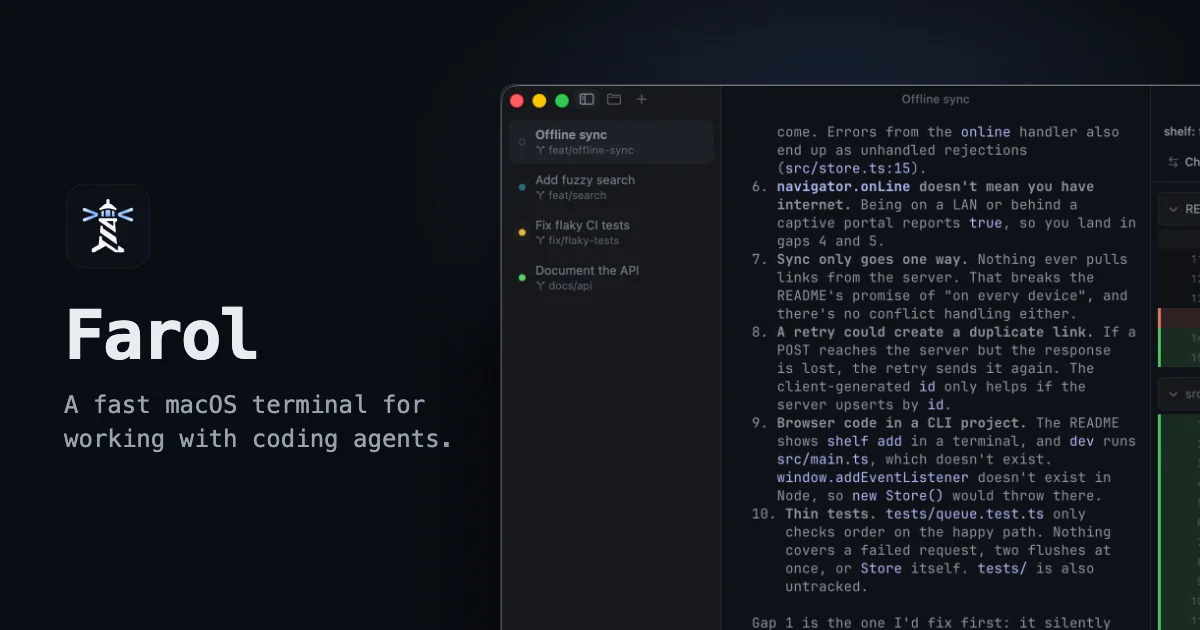
Farol is a free, open source terminal app for macOS built for agentic coding, where AI coding agents write the code and you supervise. Each agent runs in its own session, and a sidebar shows which one is working, which is waiting for you and which is done. It embeds libghostty, the engine behind Ghostty, so it keeps Ghostty's rendering speed and reads your existing Ghostty config and themes. Tasks start in isolated git worktrees on new branches, so parallel agents never touch each other's files, and changes can be reviewed as diffs and shipped as pull requests from within the app.
Screenshots
Key Features
Use Cases



Frequently asked questions about Farol
What is Farol?
A free, open source native macOS terminal for supervising Claude Code, Codex and other AI coding agents side by side.
How does Farol work?
Farol works by combining Agent Status Sidebar: Shows at a glance which coding agent is working, which needs your input and which has finished, with a colored status dot per session., Git Worktree Tasks: Describe a task, pick an agent, and Farol creates a git worktree on a new branch and starts the agent there so parallel agents never conflict., Menu Bar and Notch Panel: A lighthouse menu bar item or notch panel and macOS notifications keep you posted on agent state while you work in other apps., Diff Review and Shipping: View every changed file as a diff, then commit, push and open a pull request on GitHub or GitLab from the app., Files and Git Graph: Browse the project as a tree, make quick fixes in a light editor and inspect a graph of every branch and commit. to help users with Parallel Agent Development: Run several Claude Code or Codex agents on separate branches of the same repo without file conflicts., Agent Supervision: Monitor multiple long-running coding agents and respond only when one is waiting for you., Code Review Before Merge: Inspect agent-generated diffs and open pull requests directly from the terminal., Background Task Delegation: Kick off a task, switch to other apps and get notified through the notch or menu bar when it needs you., Ghostty Migration: Keep an existing Ghostty config and themes while gaining agent-aware session management..
What are the main features of Farol?
Key features include Agent Status Sidebar: Shows at a glance which coding agent is working, which needs your input and which has finished, with a colored status dot per session., Git Worktree Tasks: Describe a task, pick an agent, and Farol creates a git worktree on a new branch and starts the agent there so parallel agents never conflict., Menu Bar and Notch Panel: A lighthouse menu bar item or notch panel and macOS notifications keep you posted on agent state while you work in other apps., Diff Review and Shipping: View every changed file as a diff, then commit, push and open a pull request on GitHub or GitLab from the app., Files and Git Graph: Browse the project as a tree, make quick fixes in a light editor and inspect a graph of every branch and commit..
Who is Farol for?
Farol is useful for anyone interested in Parallel Agent Development: Run several Claude Code or Codex agents on separate branches of the same repo without file conflicts., Agent Supervision: Monitor multiple long-running coding agents and respond only when one is waiting for you., Code Review Before Merge: Inspect agent-generated diffs and open pull requests directly from the terminal., Background Task Delegation: Kick off a task, switch to other apps and get notified through the notch or menu bar when it needs you., Ghostty Migration: Keep an existing Ghostty config and themes while gaining agent-aware session management..
How much does Farol cost?
Farol is free to use.
How do I get started with Farol?
Visit https://farol.sh to sign up and explore Farol.
Explore more AI Ai Tools tools
Browse all Ai Tools tools →Browse by use case: Code Generation
Compare Farol: vs UseIt Studio · vs Woven Video · vs Sorcerer · vs Praex