

Dia-1.6B
AIOpen SourceFreeA text-to-speech model that generates ultra-realistic multi-speaker dialogue in a single forward pass.
Dia-1.6B
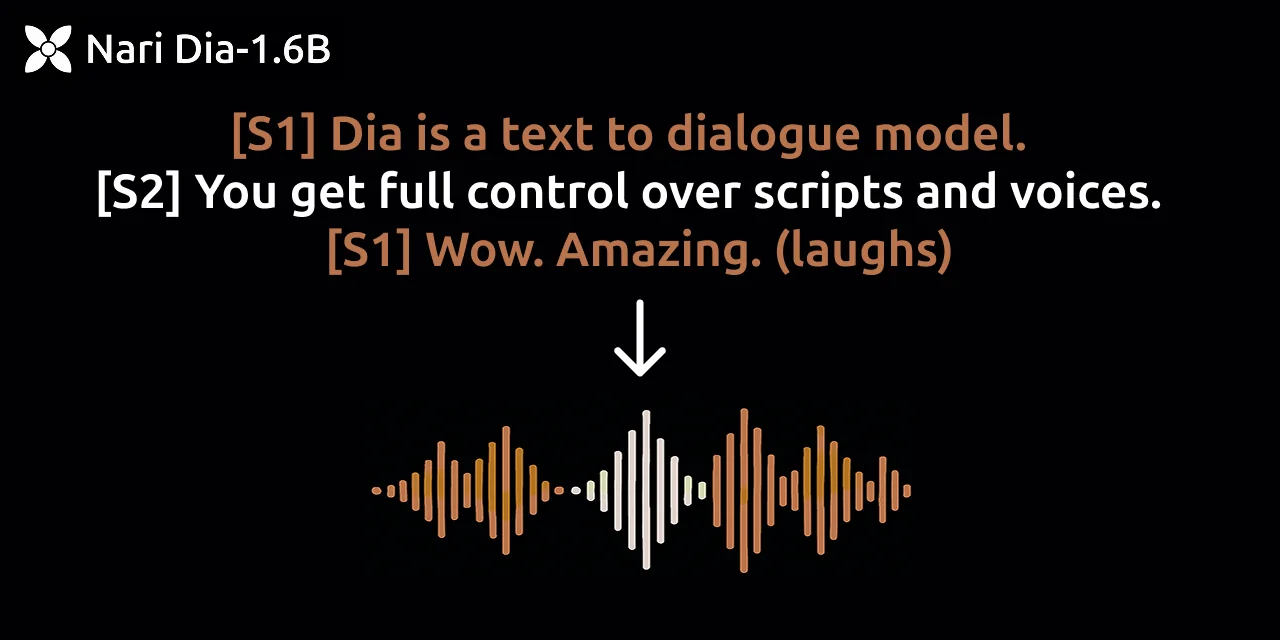
A text-to-speech model that generates ultra-realistic multi-speaker dialogue in a single forward pass.
About Dia-1.6B
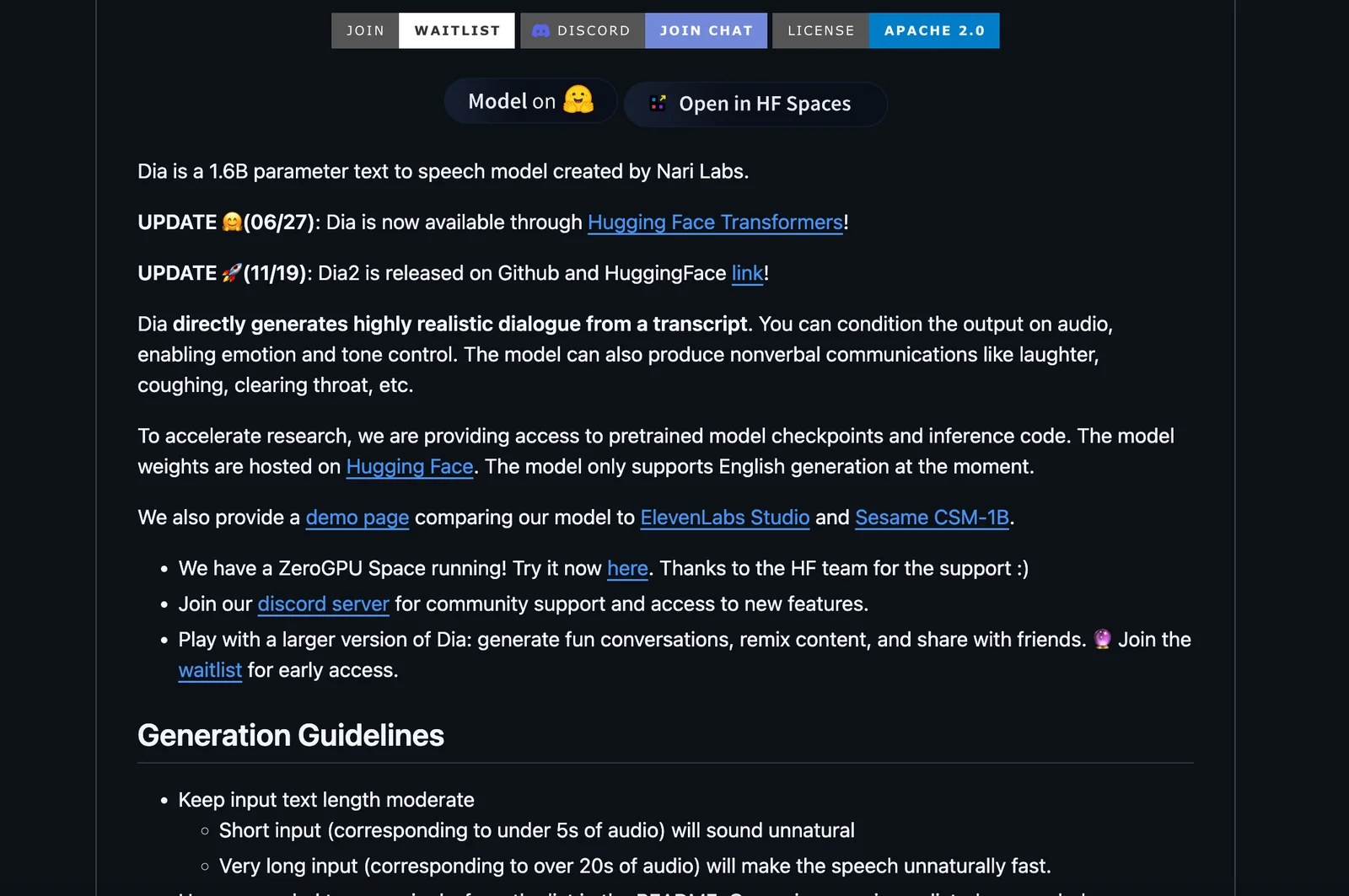
Dia is a text-to-speech (TTS) model designed to synthesize ultra-realistic dialogue in one pass. The project emphasizes efficient generation of conversational speech, enabling the model to produce coherent multi-turn or multi-speaker outputs with natural prosody and timing. Published as an open-source GitHub repository by nari-labs, Dia is intended for use by researchers and developers who need high-quality dialogue synthesis for applications such as conversational agents, media production, and speech research.
Screenshots
Key Features
Use Cases



Frequently asked questions about Dia-1.6B
Is Dia a free tool for text-to-speech synthesis?
Yes, Dia is a completely free tool for text-to-speech synthesis, as it is an open-source model. Users can access the source code and run it locally without incurring any licensing fees, making it an excellent choice for developers and hobbyists alike.
Key Points
- Open-source Model: Dia is available for anyone to use and modify.
- No Licensing Fees: There are no costs associated with using Dia.
- Community Support: Being open-source, Dia has a community of users contributing to its improvement.
Detailed Explanation
Dia is a state-of-the-art text-to-speech (TTS) synthesis tool designed for developers who require flexibility without financial constraints. As an open-source project, Dia encourages collaboration and innovation among users. It allows you to download the source code from repositories like GitHub, enabling you to customize features to suit specific needs.
To get started, you can follow these steps:
- Download the Code: Visit the official GitHub repository for Dia and clone or download the source files.
- Setup Environment: Install the necessary dependencies, often specified in a
requirements.txtfile, which typically includes Python libraries like TensorFlow or PyTorch. - Run Locally: Execute the model locally on your machine, providing the text input you wish to convert into speech.
- Customization: Modify parameters such as voice type, pitch, and speed to tailor the output to your requirements.
Use Cases
- Accessibility: Dia can be used to create audio versions of written content, aiding visually impaired individuals.
- Education: Educators can use Dia to generate spoken content from textbooks or study materials.
- Content Creation: Marketers can utilize TTS for creating voiceovers for videos or presentations without the need for professional voice talent.
Best Practices / Tips
- Test Various Voices: Experiment with different voice settings to find the best fit for your project.
- Optimize Text Input: Ensure your text is clear and well-structured to improve the quality of the synthesized speech.
- Stay Updated: Regularly check for updates in the Dia repository to benefit from community enhancements and bug fixes.
Additional Resources
- Dia GitHub Repository - Access the source code and documentation.
- Text-to-Speech Technology Overview - Learn more about TTS technologies.
- Open-source TTS Tools Comparison - Explore other free TTS options to complement Dia.
What are the key features of Dia's text-to-speech model?
Dia's text-to-speech model offers ultra-realistic multi-speaker dialogue generation in a single pass, distinct voice handling, and is tailored for applications in conversational agents, video games, and audiobooks. Its advanced capabilities make it an ideal choice for creating immersive audio experiences.
Key Points
- Ultra-Realistic Voice Generation: Produces lifelike dialogues.
- Multi-Speaker Capability: Supports multiple unique voices in a single session.
- Versatile Application: Suitable for various industries, including gaming and audiobooks.
Detailed Explanation
Dia's text-to-speech model stands out due to its ultra-realistic voice generation, which mimics human speech patterns and emotions closely. This is achieved using advanced neural network architectures that analyze vast datasets of human speech.
Key Features:
-
Ultra-Realistic Voice Generation:
- Dia uses deep learning techniques to generate voices that sound natural and engaging. This is particularly beneficial in applications where emotional tone and human-like interaction are essential.
-
Multi-Speaker Capability:
- A unique feature of Dia is its ability to create dialogues involving multiple speakers in one pass. This is highly advantageous for scenarios like interactive storytelling or gaming, where various characters interact seamlessly.
-
Versatile Applications:
- Dia is designed with flexibility in mind. It can be used in:
- Conversational Agents: Enhancing chatbots and virtual assistants with more dynamic interactions.
- Gaming: Providing character voices that add depth to gameplay and narratives.
- Audiobooks: Enriching storytelling experiences by offering distinct voices for different characters.
- Dia is designed with flexibility in mind. It can be used in:
Best Practices / Tips
- Choose Voices Wisely: When using Dia, select voices that match the personality and tone of your content to maximize engagement.
- Test for Clarity: Always test the generated audio for clarity and emotional accuracy, especially in complex dialogues.
- Leverage Multi-Speaker Features: Utilize the multi-speaker functionality to create rich, layered narratives that can enhance user experience in games or audiobooks.
Additional Resources
- Official Dia Documentation for detailed technical specifications and user guides.
- Text-to-Speech Comparison to explore how Dia stacks up against other models in the market.
- Use Cases of Text-to-Speech Technology for inspiration on how to implement Dia in your projects.
How can I get started using Dia for my projects?
To get started using Dia for your projects, visit the official Dia GitHub repository, download the source code, and follow the installation instructions provided in the documentation. This will enable you to seamlessly integrate Dia into your applications and utilize its features effectively.
Key Points
- Access the GitHub repository: Find the latest version and code.
- Download and install: Follow the clear installation guidelines.
- Integration into applications: Learn how to effectively utilize Dia's features.
Detailed Explanation
Dia is an open-source diagramming tool that allows you to create various types of diagrams like flowcharts, network diagrams, and UML diagrams. To start:
-
Visit the GitHub Repository: Go to Dia GitHub to find the latest version. Ensure you are downloading from the official source to avoid outdated versions or security issues.
-
Download the Code: Click on the “Code” button and choose to download the ZIP file or clone the repository using Git. For example, you can use the command:
git clone https://github.com/GNOME/dia.git -
Installation: Once downloaded, follow the installation guidelines provided in the repository. Typically, you may need to run commands in your terminal to compile the code. For instance:
./autogen.sh make sudo make install -
Integration: After installation, you can start integrating Dia into your applications. Familiarize yourself with its API and features. Documentation is available within the repository or on the official Dia website, which provides examples and tutorials.
Best Practices / Tips
-
Check System Requirements: Ensure your system meets the requirements for Dia to avoid compatibility issues. This includes having the necessary libraries and tools installed.
-
Explore Tutorials: Utilize online tutorials and community forums to learn best practices for using Dia effectively. Engaging with the community can provide insights into advanced features.
-
Version Control: If you're working on a larger project, consider using version control systems like Git to track changes in your diagrams and collaborate with others.
-
Regular Updates: Keep your Dia installation updated to access new features and security patches. Regularly check the GitHub repository for updates.
Additional Resources
- Dia Official Documentation
- GitHub Repository
- Community Forums for user support and discussions.
Does using Dia require any technical skills or programming knowledge?
Yes, using Dia does require some technical skills, as users need to download, install, and potentially modify the code for their specific needs. This tool is more suited for individuals with a development background or those comfortable with coding.
Key Points
- Technical Skills Required: Basic coding knowledge is beneficial.
- Installation Process: Users must understand how to download and install software.
- Customization Needs: Modifying code may be necessary for advanced features.
Detailed Explanation
Dia is a diagramming tool that is primarily targeted at developers and technical users. To get started with Dia, you must first download the software from its official website or a trusted repository. The installation process, while straightforward, may require navigating through system settings, especially on Linux or macOS platforms where package managers are involved.
Once installed, users might find themselves needing to modify the code to tailor Dia's functionality to their specific requirements. This could include creating custom shapes or integrating with other applications using APIs. For instance, if you want to design a UML diagram that includes unique elements, a basic understanding of the underlying scripting language is essential.
Additionally, for those who want to extend Dia's capabilities, familiarity with languages such as Python or C will be helpful. This enables users to write scripts that automate tasks or enhance the tool's features. Overall, while Dia offers a graphical interface, a certain level of comfort with technical aspects is crucial for maximizing its potential.
Best Practices / Tips
- Familiarize Yourself with Coding Basics: If you're new to programming, consider taking introductory courses in Python or C. Websites like Codecademy and freeCodeCamp can be helpful.
- Utilize Community Forums: Engage with Dia’s user community online for troubleshooting and tips. Platforms like GitHub or Stack Overflow often have discussions and solutions.
- Start Simple: Begin with basic shapes and diagrams before attempting complex modifications. This helps build your confidence and understanding of the tool's capabilities.
Additional Resources
How does Dia compare to other text-to-speech tools available?
Dia outperforms many text-to-speech (TTS) tools by generating ultra-realistic multi-speaker dialogue in a single pass, significantly reducing latency. This unique feature makes Dia particularly suitable for dynamic applications such as gaming, virtual reality, and interactive storytelling, where immediate and natural-sounding speech is crucial.
Key Points
- Ultra-Realistic Dialogue: Dia offers lifelike voice generation that mimics human conversation.
- Reduced Latency: Unlike traditional TTS systems, Dia processes speech quickly, enhancing user experience.
- Multi-Speaker Capability: Dia can produce dialogue from multiple characters in a single audio file, streamlining content creation.
Detailed Explanation
Dia distinguishes itself in the crowded text-to-speech market by focusing on realism and efficiency. Traditional TTS systems often produce robotic and monotonous speech, which can detract from user engagement. In contrast, Dia utilizes advanced AI algorithms to generate natural-sounding voices that convey emotion and context.
Example Use Cases:
- Gaming: Developers can use Dia for creating immersive narratives where characters interact in real-time, enhancing player engagement.
- Virtual Reality: In VR applications, Dia’s ability to create realistic dialogue can simulate human interaction, making experiences more lifelike.
- Interactive Storytelling: Authors can leverage Dia to generate diverse character voices, making audiobooks and interactive stories more engaging.
Best Practices / Tips
- Test Different Voices: Experiment with various voice options to find the one that best fits your application's tone and style.
- Optimize Dialogue Structure: Write scripts that leverage Dia’s strengths in multi-speaker dialogue for more dynamic interactions.
- Monitor Performance: Regularly assess the output quality and user feedback to refine your use of Dia for better results.
Additional Resources
Explore more AI Ai Models tools
Browse all Ai Models tools →Browse by use case: Voice & Audio
Compare Dia-1.6B: vs Mouse-1 · vs Milliseconds.ai · vs SWE-2 · vs Desert Ant Labs