

VibeVoice
AIMicrosoft's open-source frontier voice AI family with long-form multi-speaker TTS and 60-minute single-pass ASR with speaker diarization.
VibeVoice
Microsoft's open-source frontier voice AI family with long-form multi-speaker TTS and 60-minute single-pass ASR with speaker diarization.
About VibeVoice
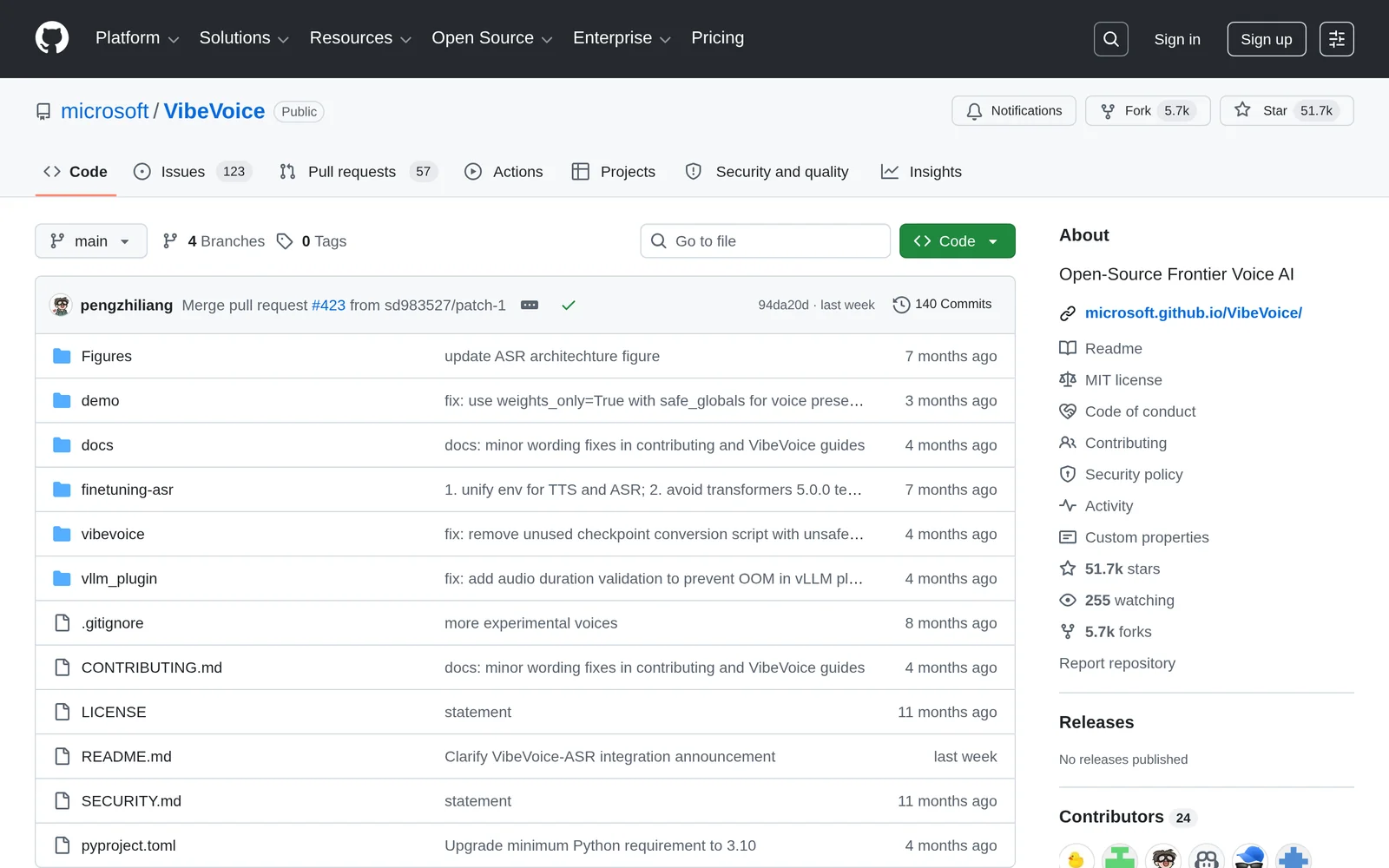
VibeVoice is Microsoft's open-source family of frontier voice AI models covering both Text-to-Speech (TTS) and Automatic Speech Recognition (ASR). A core innovation is its continuous acoustic and semantic speech tokenizers operating at an ultra-low 7.5 Hz frame rate, which preserve audio fidelity while making long-sequence processing computationally efficient. On the TTS side, VibeVoice can synthesize up to 90 minutes of long-form conversational or single-speaker audio with up to four distinct speakers, and was accepted as an Oral at ICLR 2026. VibeVoice-Realtime-0.5B adds streaming, real-time text-to-speech with multilingual voices in nine languages. On the ASR side, VibeVoice ASR is a unified 7B model that processes up to 60 minutes of audio in a single pass, producing rich transcriptions with speaker, timestamp, and content, and supports customized hotwords across 50+ languages. A BitNet variant compresses the ASR model from 4.62 GB to 1.58 GB for real-time inference on CPU with no GPU required.
Screenshots
Key Features
Use Cases



Frequently asked questions about VibeVoice
What is VibeVoice?
VibeVoice is Microsoft’s open-source voice AI framework designed for advanced text-to-speech (TTS) and automatic speech recognition (ASR). It features long-form multi-speaker TTS capabilities and enables 60-minute single-pass ASR with speaker diarization, making it ideal for a variety of applications in voice technology.
Key Points
- Open-Source Framework: VibeVoice is built on an open-source model, promoting community collaboration.
- Advanced Features: It includes long-form TTS and single-pass ASR with speaker diarization capabilities.
- Use Cases: Perfect for applications in podcasts, audiobooks, and voice assistants.
Detailed Explanation
VibeVoice is a part of Microsoft’s commitment to leveraging artificial intelligence for enhancing voice interaction. This powerful tool supports long-form multi-speaker text-to-speech (TTS), allowing users to convert extensive texts into natural-sounding speech. The TTS functionality is particularly useful in applications such as audiobooks, where clarity and naturalness are paramount.
In addition, VibeVoice features a robust automatic speech recognition (ASR) system capable of processing up to 60 minutes of audio in a single pass. This capability ensures efficient transcription and speaker diarization, which distinguishes between different speakers in a conversation. This is especially advantageous in environments such as meetings or interviews, where multiple speakers are present, providing a clearer understanding of dialogue.
Examples and Use Cases
- Podcast Production: Use VibeVoice to generate high-quality voiceovers for podcast episodes, enhancing listener engagement.
- Audiobook Creation: Authors and publishers can leverage VibeVoice to convert their written works into audiobooks seamlessly.
- Voice Assistants: Integrate VibeVoice into applications for responsive and interactive voice commands, improving user experience.
Best Practices / Tips
- Experiment with Voices: VibeVoice offers various voice options. Test different voices to find the one that best fits your application's tone and audience.
- Optimize Audio Quality: Ensure that the input audio is of high quality to improve the accuracy of ASR.
- Utilize Speaker Diarization: When working with multi-speaker content, make sure to implement speaker diarization for clearer transcriptions.
Additional Resources
How does VibeVoice work?
VibeVoice works by integrating advanced Long-Form Multi-Speaker Text-to-Speech (TTS) and Automatic Speech Recognition (ASR) technologies. It generates up to 90 minutes of natural conversational audio, accurately transcribes audio content, and supports multiple speakers with customizable hotwords for domain-specific accuracy.
Key Points
- Multi-Speaker TTS: Generates up to 90 minutes of speech with distinct voices.
- Efficient ASR: Processes 60 minutes of audio while maintaining speaker tracking.
- Structured Transcripts: Produces detailed transcripts with speaker identification and timestamps.
Detailed Explanation
VibeVoice is designed to enhance audio production and transcription processes. It combines several features that make it a powerful tool for content creators, businesses, and developers:
-
Long-Form Multi-Speaker TTS: VibeVoice can generate up to 90 minutes of seamless, conversational audio. This feature is particularly beneficial for podcast and audiobook production, as it eliminates the need for cutting and stitching multiple clips, allowing for a fluid listening experience.
-
60-Minute Single-Pass ASR: The system can transcribe up to 60 minutes of audio in a single pass, preserving the context and coherence of the conversation. This capability is essential for meetings, interviews, and lectures, enabling users to obtain structured transcripts that capture who spoke, when, and what was discussed.
-
Rich Transcription Output: VibeVoice simultaneously performs ASR, diarization, and timestamping. This results in structured transcripts that categorize content into "Who," "When," and "What," making it easier to review and understand complex discussions.
-
Customized Hotwords: Users can input specific names, technical terms, or other background information to enhance the recognition accuracy of domain-specific language. This is crucial for industries like healthcare, legal, or technical fields where precise terminology is vital.
-
Ultra Low-Frame-Rate Tokenizers: Operating at 7.5 Hz, these tokenizers maintain high fidelity while reducing computational load for handling long audio files. This ensures that users get accurate transcriptions without sacrificing performance.
-
Multilingual Voice Interfaces: VibeVoice supports real-time TTS in nine languages, making it suitable for diverse consumer and enterprise applications. This feature allows businesses to cater to global audiences more effectively.
-
Edge Speech Recognition: VibeVoice can be deployed on devices without GPUs using the BitNet CPU variant. This makes it accessible for a wide range of devices, ensuring accurate transcription even in resource-constrained environments.
Best Practices / Tips
- Utilize Customized Hotwords: Always input relevant terminology to improve transcription accuracy, especially in specialized fields.
- Test Multi-Speaker Settings: Experiment with different speaker settings to find the best configuration for your audio needs.
- Monitor Audio Quality: Ensure high-quality audio input for optimal ASR results; background noise can significantly impact transcription accuracy.
- Leverage Multilingual Capabilities: If targeting a global audience, use the multilingual features to enhance accessibility.
Additional Resources
What are the main features of VibeVoice?
VibeVoice boasts advanced features such as Long-Form Multi-Speaker Text-to-Speech (TTS), High-Capacity Automatic Speech Recognition (ASR), and customizable hotwords for enhanced accuracy. It generates structured transcripts with speaker tracking and semantic coherence, making it ideal for various applications like podcasts, meetings, and educational content.
Key Points
- Long-Form Multi-Speaker TTS: Generates up to 90 minutes of speech with 4 distinct voices.
- 60-Minute Single-Pass ASR: Processes 60 minutes of audio while maintaining speaker tracking.
- Rich Transcription Output: Creates structured transcripts with diarization and timestamping.
Detailed Explanation
VibeVoice is designed to meet the evolving needs of content creators, educators, and businesses. Here’s a breakdown of its key features:
-
Long-Form Multi-Speaker TTS: This feature allows users to generate up to 90 minutes of conversational speech in one go, accommodating up to four different speakers. This is particularly useful for creating engaging audio content like audiobooks and podcasts, where multiple voices enhance listener experience.
-
60-Minute Single-Pass ASR: VibeVoice's Automatic Speech Recognition (ASR) system can ingest up to 60 minutes of audio in a single pass. It uses a 64K context to ensure that the transcription retains speaker tracking and semantic coherence. This capability makes it suitable for transcribing long meetings or lectures without losing context.
-
Rich Transcription Output: The system performs ASR along with diarization (identifying different speakers) and timestamping, which results in structured transcripts. These transcripts clearly indicate who spoke when and what was said, making them invaluable for accurate record-keeping and content repurposing.
-
Customized Hotwords: Users can specify unique names, technical terms, or background information to improve the recognition accuracy for domain-specific language. This feature is particularly beneficial for industries with specialized vocabularies, such as healthcare or technology.
-
Ultra Low-Frame-Rate Tokenizers: VibeVoice employs continuous acoustic and semantic tokenizers operating at 7.5 Hz. This ensures high fidelity while reducing computational requirements for processing lengthy audio files, making it efficient and cost-effective.
Best Practices / Tips
- Leverage Multi-Speaker TTS: Use the multi-speaker feature to create dynamic audio content that engages listeners.
- Optimize ASR Settings: Ensure that your audio quality is high to maximize ASR performance. Clear audio leads to more accurate transcriptions.
- Utilize Customized Hotwords: Input relevant industry jargon or specific names to enhance recognition accuracy, especially in technical discussions.
Additional Resources
Who is VibeVoice for?
VibeVoice is designed for podcasters, audiobook producers, businesses requiring meeting transcriptions, and developers seeking multilingual voice interfaces. It excels in creating conversational audio, generating structured transcripts, and offering domain-specific speech recognition, making it an invaluable tool across various industries.
Key Points
- Podcast and Audiobook Production: Generate high-quality, multi-speaker audio effortlessly.
- Meeting Transcription: Obtain structured transcripts with speaker identification and insights.
- Multilingual Voice Interfaces: Enhance applications with real-time text-to-speech in multiple languages.
Detailed Explanation
VibeVoice is a versatile audio production tool catering to several audiences:
-
Podcast and Audiobook Production: For creators in the podcasting and audiobook space, VibeVoice allows the generation of up to 90-minute multi-speaker audio without the need for complex editing. This feature simplifies the production process, enabling creators to focus on content rather than technical hurdles. For instance, a podcast team can record a roundtable discussion and produce a cohesive audio file in one go.
-
Meeting Transcription: Businesses that conduct frequent meetings can benefit significantly from VibeVoice's transcription capabilities. It can produce structured transcripts that clearly outline who spoke, when they spoke, and what was discussed, all in a single pass. This is particularly useful for organizations that need to keep accurate records for compliance or training, ensuring that all important discussions are documented effectively.
-
Multilingual Voice Interfaces: For developers and businesses looking to enhance user experience, VibeVoice supports streaming real-time text-to-speech (TTS) in nine different languages. This feature is ideal for consumer applications like virtual assistants or enterprise applications requiring multilingual support. For example, a global app can provide localized voice interactions, making it accessible to diverse user bases.
-
Domain-Specific ASR: VibeVoice allows users to customize automatic speech recognition (ASR) by integrating specific hotwords relevant to industries such as medical, legal, or technical fields. This ensures higher accuracy in transcriptions, which is critical in sectors where precision is paramount.
-
Edge Speech Recognition: Utilizing the BitNet CPU variant, VibeVoice provides accurate transcription capabilities on devices that lack GPUs, making it a practical choice for on-the-go applications. This is particularly beneficial for mobile devices or IoT applications where power consumption and processing capability are limited.
Best Practices / Tips
- Test Different Settings: Experiment with various audio configurations in VibeVoice to find what best suits your production needs.
- Leverage Speaker Diarization: Use speaker diarization features to improve the clarity and utility of meeting transcripts.
- Customize ASR Hotwords: For specialized industries, define hotwords to enhance transcription accuracy.
- Regularly Update: Keep software updated to leverage the latest features and improvements VibeVoice offers.
Additional Resources
How much does VibeVoice cost?
VibeVoice is completely free to use, offering a wide range of features without any hidden costs. Users can access voice modulation, customization tools, and various voice options without incurring any fees, making it an ideal choice for those looking for quality voice services without a financial commitment.
Key Points
- VibeVoice is free to use with no hidden costs.
- It provides various features like voice modulation and customization.
- Ideal for users seeking an accessible voice service solution.
Detailed Explanation
VibeVoice stands out in the realm of voice services, primarily because it offers its full suite of features at no cost. Users can enjoy various functionalities, including:
- Voice Modulation: This feature allows you to change the pitch and tone of your voice, enabling a personalized touch for your projects.
- Customization Tools: Users can tailor the voice output to suit personal or project-specific needs, enhancing the overall user experience.
- Diverse Voice Options: VibeVoice includes multiple voice selections, catering to different preferences and styles.
Whether you need voiceovers for videos, podcasts, or presentations, VibeVoice provides a user-friendly platform without the burden of subscription fees.
Best Practices / Tips
- Explore All Features: Since VibeVoice is free, take advantage of all available tools to maximize your projects.
- Test Different Voices: Experiment with various voice options to find the one that best fits your content.
- Stay Updated: Keep an eye on any updates or new features to ensure you are getting the most out of the service.
Additional Resources
How do I get started with VibeVoice?
To get started with VibeVoice, visit the official GitHub page at https://github.com/microsoft/VibeVoice. There, you can sign up for the platform, access documentation, and explore various features designed to enhance your voice interactions using AI technology.
Key Points
- Sign Up: Create an account easily via GitHub.
- Documentation: Access comprehensive guides and resources.
- Explore Features: Familiarize yourself with VibeVoice's capabilities.
Detailed Explanation
VibeVoice is an AI-powered voice interaction platform developed by Microsoft. To begin, navigate to the VibeVoice GitHub page and click on the "Sign Up" button. You may need a GitHub account to access certain features.
Once registered, explore the extensive documentation available on the site. The documentation covers various aspects, including installation, setup, and integration with existing applications. You can also find tutorials that showcase specific features, such as voice synthesis and natural language processing capabilities.
Example Use Case
For instance, if you're developing a customer service application, VibeVoice can be integrated to enhance user experience by enabling voice commands. The platform supports multiple languages and dialects, making it suitable for diverse user bases.
Best Practices / Tips
- Start Small: Begin with basic voice functionalities before implementing advanced features.
- Utilize Documentation: Regularly refer to the documentation for troubleshooting and updates.
- Community Engagement: Participate in community discussions on GitHub for tips and shared experiences.
Additional Resources
By following these steps, you'll be well on your way to leveraging VibeVoice for innovative voice interactions in your projects.
Explore more AI Ai Models tools
Browse all Ai Models tools →Browse by use case: Voice & Audio
Compare VibeVoice: vs Mouse-1 · vs Milliseconds.ai · vs SWE-2 · vs Desert Ant Labs