

Cuey
AIBrowser extension that cross-checks your ChatGPT, Claude or Gemini answer against 30+ models side by side and carries your memory across AIs.
Cuey
Browser extension that cross-checks your ChatGPT, Claude or Gemini answer against 30+ models side by side and carries your memory across AIs.
About Cuey
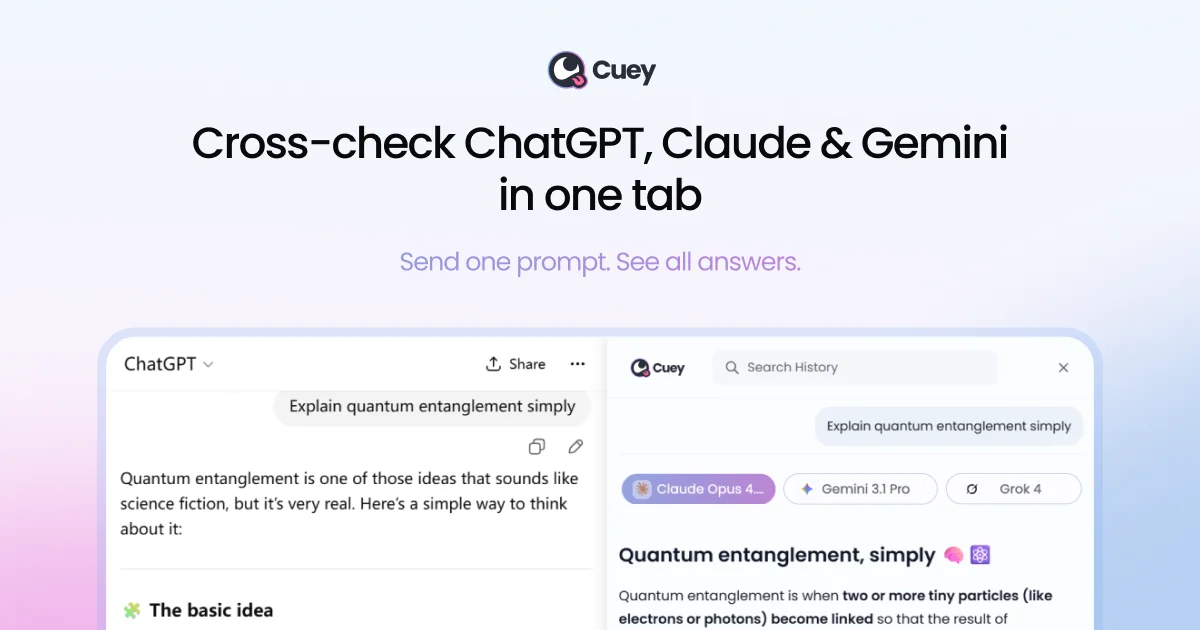
Cuey is a Chrome extension that runs alongside the AI chat tools you already use, such as ChatGPT, Claude and Gemini, and sends the same prompt to other leading models including Grok and DeepSeek. Results appear side by side in a sidebar that highlights where the models agree, where they disagree and what your primary model missed, helping catch confident-sounding wrong answers before you act on them. It also provides portable memory: you can import chat history and memories from ChatGPT, Claude and Gemini so your context and preferences follow you when switching models. No API keys or account are needed to start, all plans include access to the full model list, and the paid Pro plan adds more daily comparisons, priority access and 500MB of file storage.
Screenshots
Key Features
Use Cases



Frequently asked questions about Cuey
What is Cuey?
Browser extension that cross-checks your ChatGPT, Claude or Gemini answer against 30+ models side by side and carries your memory across AIs.
How does Cuey work?
Cuey works by combining Side-by-Side Model Comparison: Sends one prompt to ChatGPT, Claude, Gemini, Grok, DeepSeek and other models at once and shows the responses together in a sidebar., Agreement and Divergence Highlights: Shows what the models agree on, where they disagree and what your model missed, so you know when to look closer., Works Inside Your Existing AI Tool: Runs within ChatGPT, Claude, Gemini and other providers' interfaces, with no separate app, tab switching or copy-pasting., Portable Memory: Imports chat history and memories from ChatGPT, Claude and Gemini and carries context and preferences across models so you never start from zero., No Setup Required: No API keys to configure and no account needed to begin; free plan includes 30+ models with a daily limit. to help users with Fact-Checking AI Answers: Cross-checking research, advice or judgment-heavy responses against other models before relying on them., Picking the Best Output: Comparing ad copy, writing or reasoning from several models to choose the strongest answer., Getting a Second Opinion: Adding cross-model checks to an existing ChatGPT Plus or Claude subscription without paying for more AI plans., Switching Models Without Losing Context: Moving between AI providers while keeping your history and preferences intact., Reducing Hallucination Risk: Spotting disagreement among models as a signal that an answer needs verification..
What are the main features of Cuey?
Key features include Side-by-Side Model Comparison: Sends one prompt to ChatGPT, Claude, Gemini, Grok, DeepSeek and other models at once and shows the responses together in a sidebar., Agreement and Divergence Highlights: Shows what the models agree on, where they disagree and what your model missed, so you know when to look closer., Works Inside Your Existing AI Tool: Runs within ChatGPT, Claude, Gemini and other providers' interfaces, with no separate app, tab switching or copy-pasting., Portable Memory: Imports chat history and memories from ChatGPT, Claude and Gemini and carries context and preferences across models so you never start from zero., No Setup Required: No API keys to configure and no account needed to begin; free plan includes 30+ models with a daily limit..
Who is Cuey for?
Cuey is useful for anyone interested in Fact-Checking AI Answers: Cross-checking research, advice or judgment-heavy responses against other models before relying on them., Picking the Best Output: Comparing ad copy, writing or reasoning from several models to choose the strongest answer., Getting a Second Opinion: Adding cross-model checks to an existing ChatGPT Plus or Claude subscription without paying for more AI plans., Switching Models Without Losing Context: Moving between AI providers while keeping your history and preferences intact., Reducing Hallucination Risk: Spotting disagreement among models as a signal that an answer needs verification..
How much does Cuey cost?
Cuey offers a free tier with paid plans for advanced features.
How do I get started with Cuey?
Visit https://cuey.io/ to sign up and explore Cuey.
Explore more AI Ai Tools tools
Browse all Ai Tools tools →Compare Cuey: vs CleanSlop · vs Kalender Sync · vs UseIt Studio · vs Woven Video