

Copy.ai
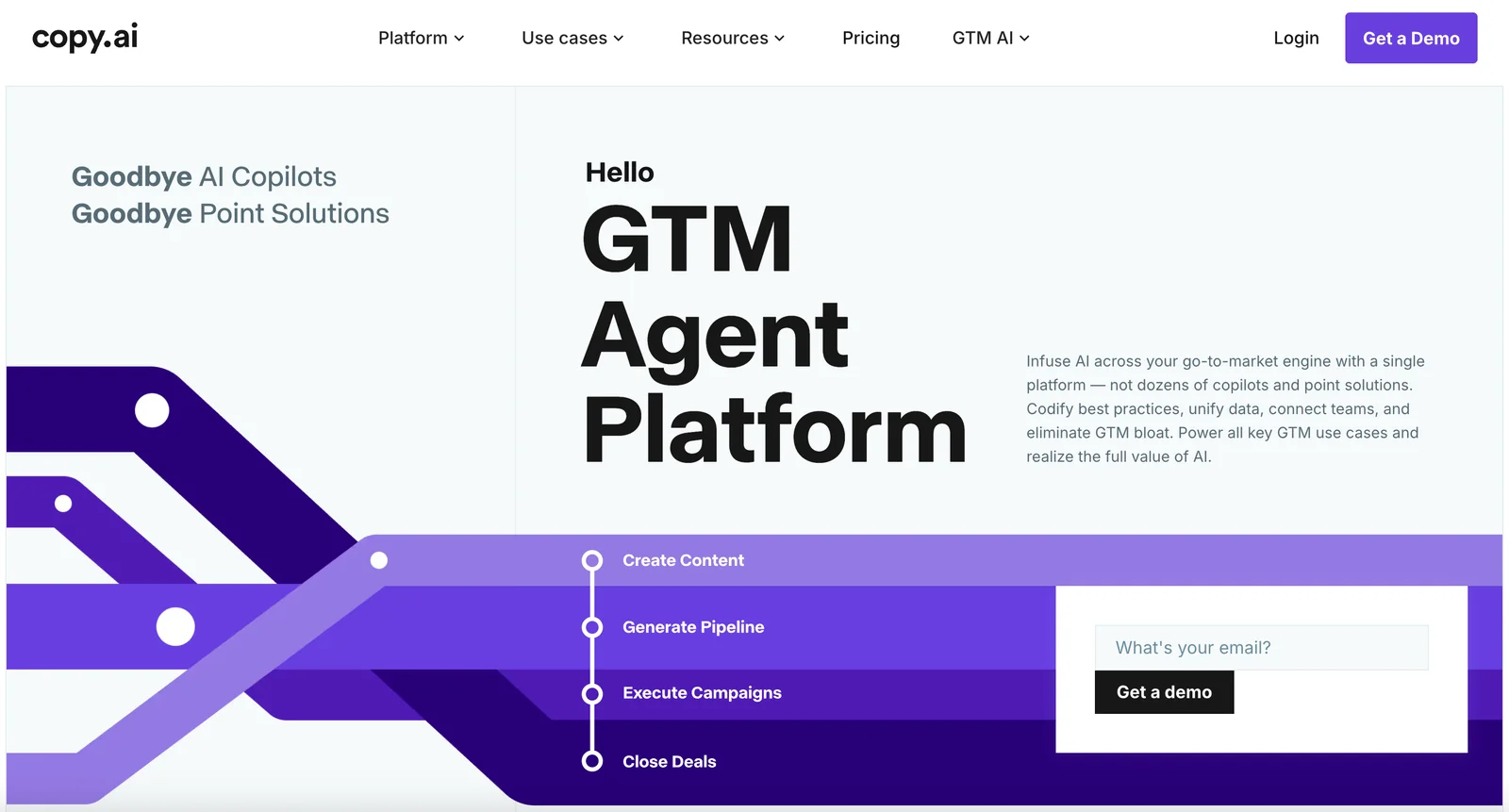
AIGTM AI platform that automates marketing, content creation, prospecting, and routine go-to-market tasks to scale teams and speed output.
Copy.ai
GTM AI platform that automates marketing, content creation, prospecting, and routine go-to-market tasks to scale teams and speed output.
About Copy.ai
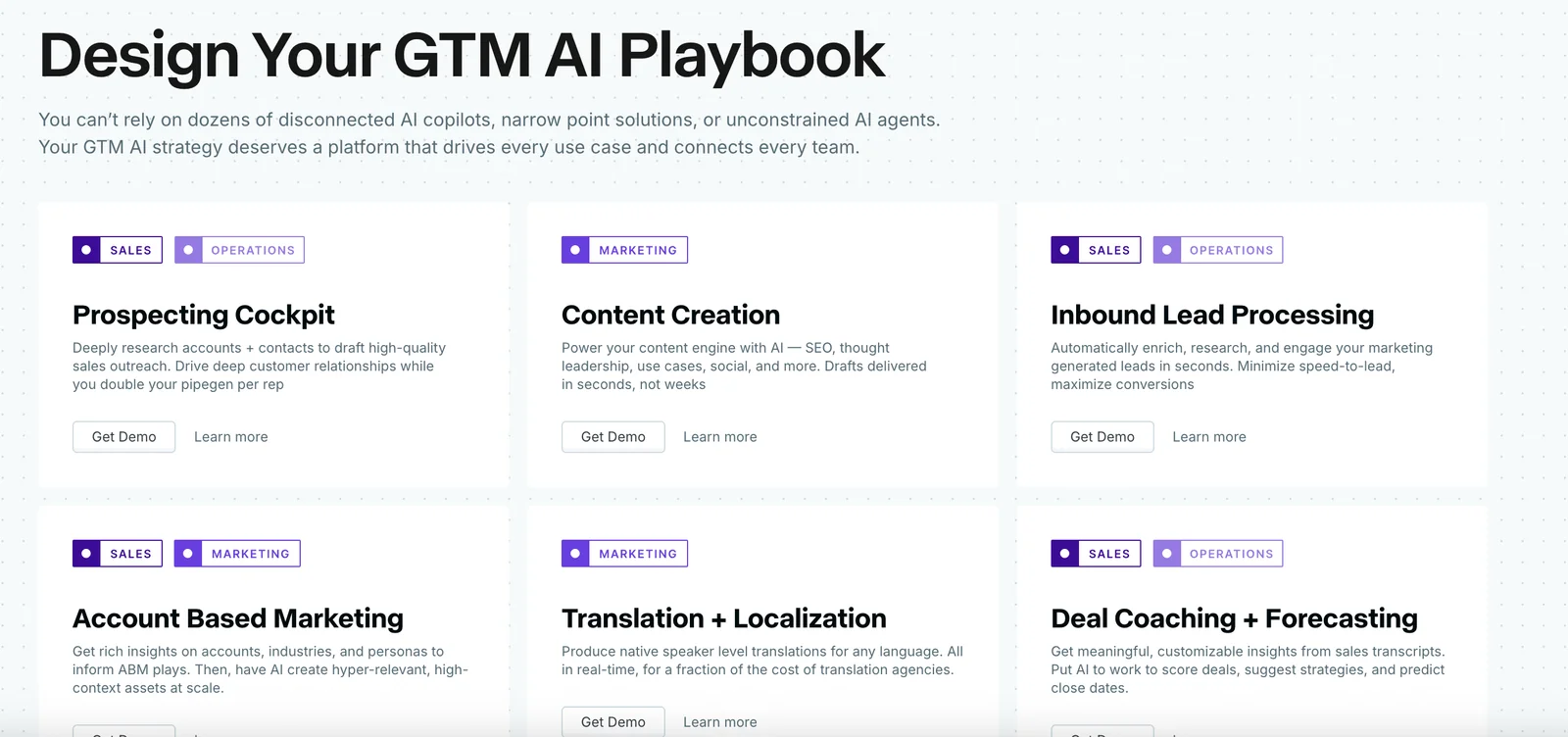
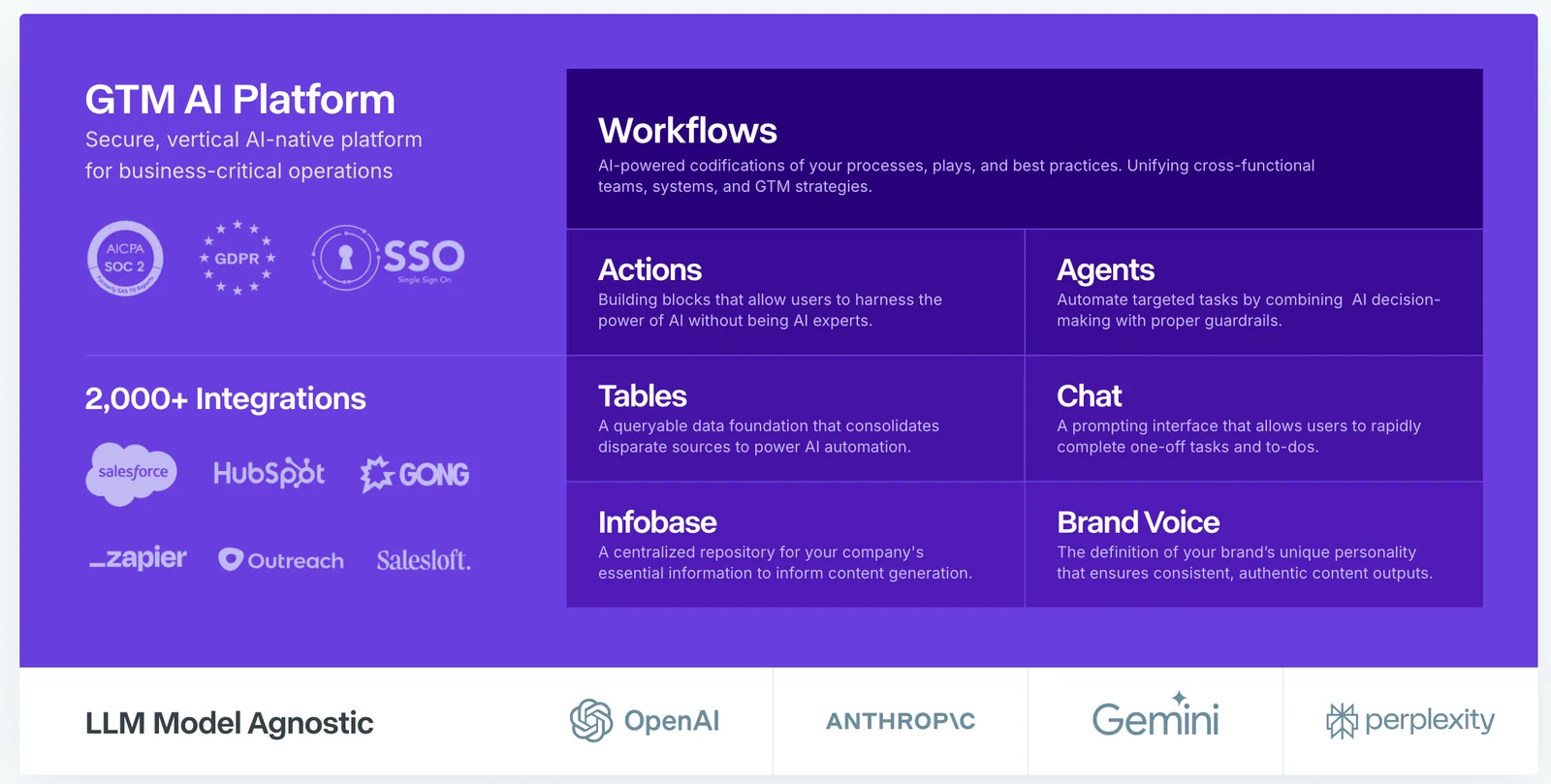
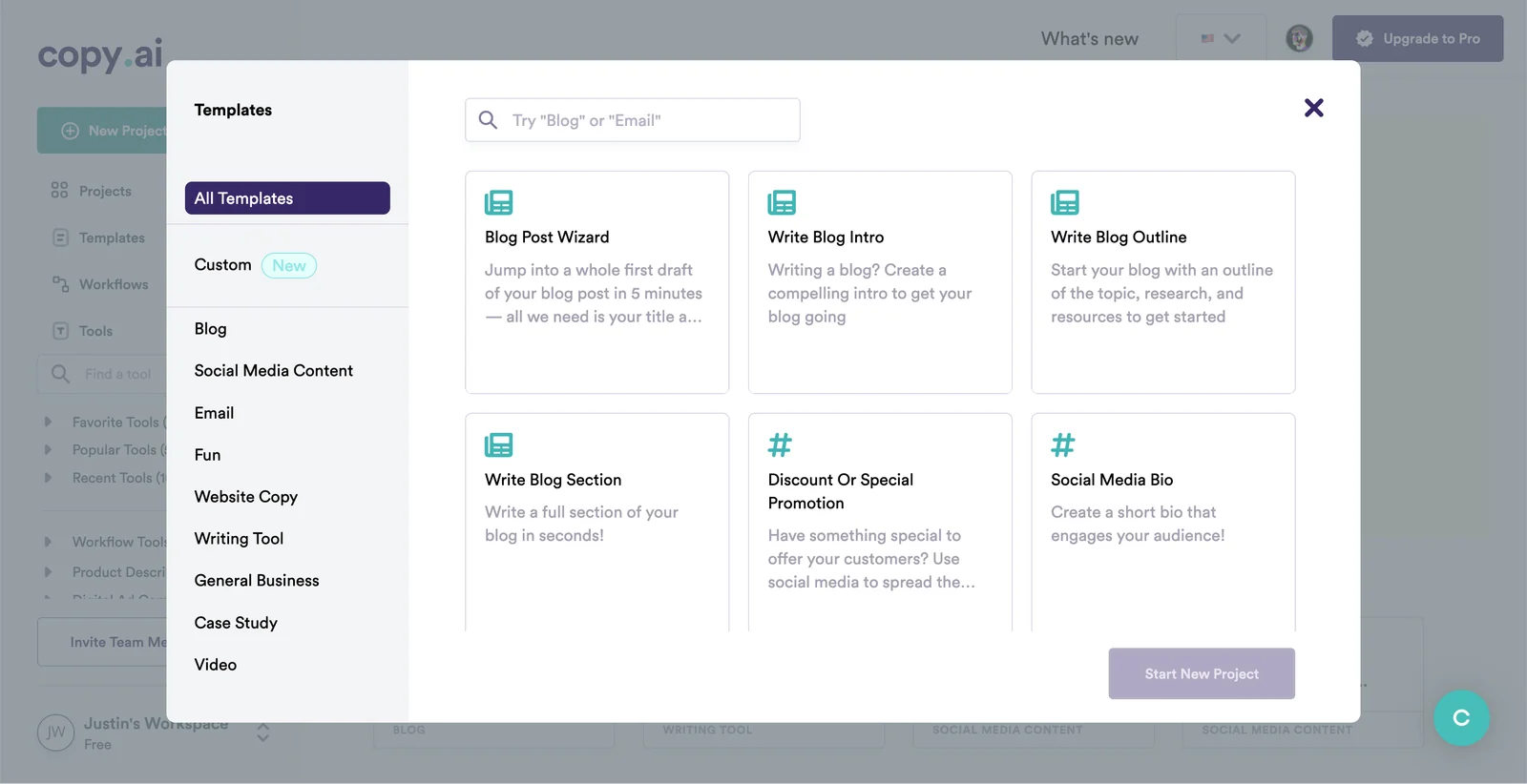
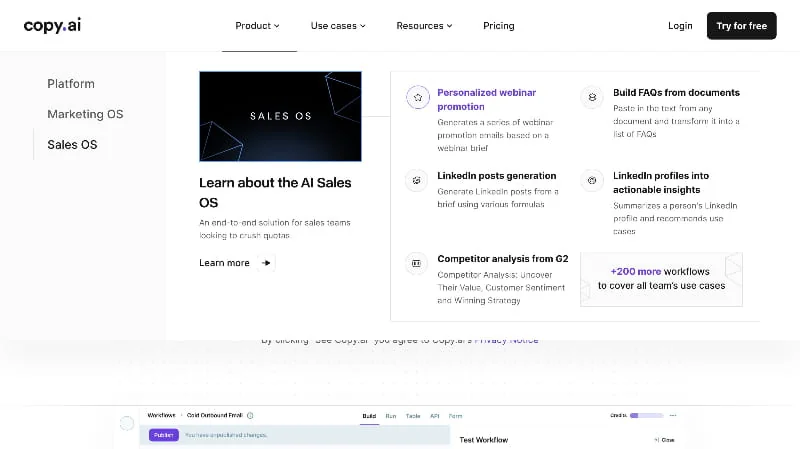
Copy.ai is a go-to-market (GTM) AI platform that automates repetitive marketing and content workflows to help teams produce more content faster and with greater consistency. It generates headlines, intros, paragraphs, bullet points, and full copy variations, and supports localization, outbound prospecting, and deal coaching to streamline GTM motions. The platform integrates advanced language models (including Anthropic's Claude for portions of content generation) to improve creativity, brand voice consistency, and reduce the need for external outsourced content. Copy.ai emphasizes bulk generation, templates, and workflow automation so marketing and sales teams can focus on strategy rather than routine tasks, delivering measurable improvements in output and cost efficiency.
Screenshots
Key Features
Use Cases


Frequently asked questions about Copy.ai
What are the pricing options for Copy.ai?
Copy.ai offers a FREEMIUM pricing model with several tiers to accommodate different needs. The free plan provides limited access to essential features, while paid subscriptions begin at $29/month for small teams and can exceed $1,000/month for enterprise solutions, depending on the features and support required.
Key Points
- FREEMIUM Pricing Model: Access a free plan with essential features.
- Affordable Plans: Paid options start at $29/month for small teams.
- Enterprise Solutions: Custom pricing for larger organizations can exceed $1,000/month.
Detailed Explanation
Copy.ai's pricing structure is designed to cater to a wide range of users, from individual freelancers to large enterprises.
-
Free Plan: This plan allows users to experience the core functionalities of Copy.ai without any financial commitment. Users can generate a limited number of copies, making it ideal for those wanting to test the tool's capabilities before upgrading.
-
Pro Plan: Starting at $29/month, this tier is perfect for small teams or solo entrepreneurs. It unlocks full access to the platform's features, including unlimited copy generation, advanced templates, and enhanced collaboration tools.
-
Custom Plans for Enterprises: For larger organizations, Copy.ai offers tailored pricing that can exceed $1,000/month. This option includes personalized onboarding, dedicated support, and additional features that meet the demands of high-volume content creation.
Use Cases:
- Freelancers can leverage the free plan to create marketing copy for clients without upfront costs.
- Small businesses can opt for the Pro Plan to enhance their marketing efforts with unlimited access to AI-generated content.
- Large corporations might choose the enterprise options for comprehensive support and advanced features, ensuring efficient and scalable content generation.
Best Practices / Tips
- Start with the Free Plan: If you’re new to AI writing tools, begin with the free version to familiarize yourself with Copy.ai's functionalities.
- Evaluate Your Needs: Assess the size of your team and the volume of content you require before committing to a paid plan.
- Utilize Customer Support: For enterprise users, take advantage of dedicated support for onboarding and troubleshooting to maximize your investment.
Additional Resources
How do I start using Copy.ai?
To start using Copy.ai, visit the official website, create an account, and select the free plan. You can begin generating content immediately without needing to provide a credit card. It's an intuitive platform designed for users looking to create high-quality copy efficiently.
Key Points
- Easy Sign-Up Process: Register quickly without credit card requirements.
- Free Plan Available: Explore features at no cost to start.
- User-Friendly Interface: Navigate the platform effortlessly for content generation.
Detailed Explanation
To begin your journey with Copy.ai, follow these steps:
- Visit the Official Website: Go to Copy.ai to access the platform.
- Create an Account: Click on the "Sign Up" button. You will need to provide your email address and create a password. Alternatively, you can sign up using your Google account for a faster process.
- Select Your Plan: Choose the free plan, which allows you to explore a limited range of features. This plan is perfect for beginners wanting to test the platform’s capabilities.
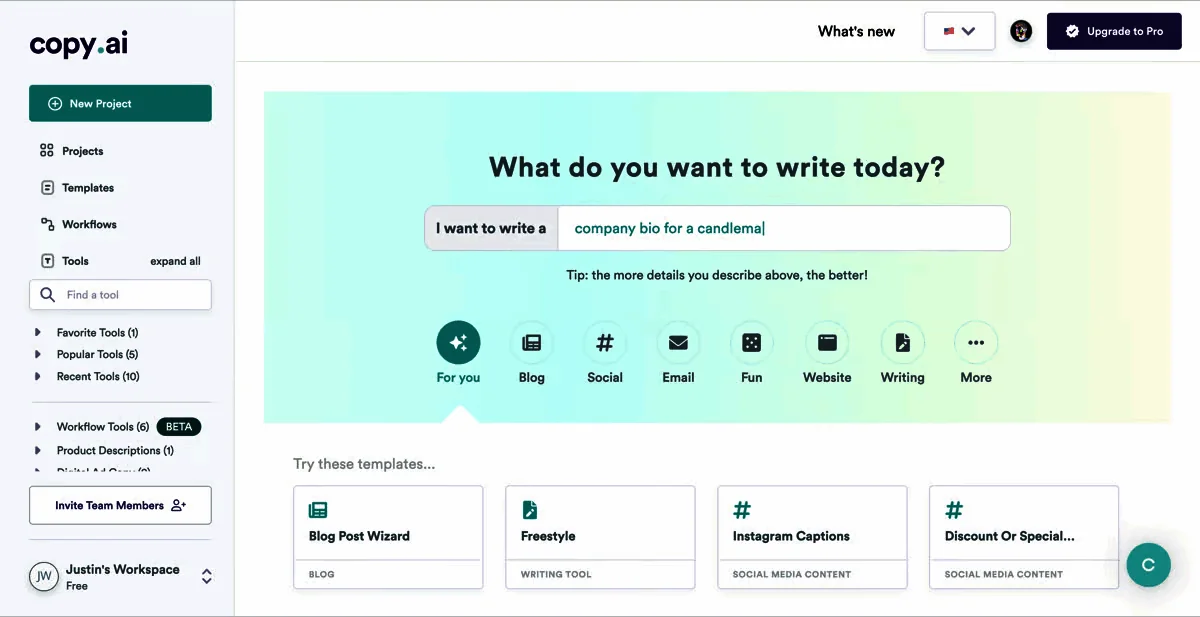
- Start Generating Content: Once your account is set up, you can access various tools such as blog post generators, social media copy creators, and more. Simply choose a template, enter your prompts, and let the AI generate your content.
For example, if you need a blog post, choose the blog post generator, input your topic, and the AI will provide you with a structured draft in seconds.
Best Practices / Tips
- Experiment with Prompts: Use specific keywords and details in your prompts to get the best results.
- Review and Edit: Always review the AI-generated content for accuracy and alignment with your brand voice.
- Utilize Templates: Familiarize yourself with the various templates available to maximize efficiency and creativity.
- Stay Updated: Copy.ai frequently updates its features, so keep an eye on new tools and enhancements that can benefit your content creation process.
Additional Resources
- Copy.ai Documentation for detailed user guides and tutorials.
- Copy.ai Blog for tips on maximizing AI content generation.
- Copy.ai YouTube Channel for video tutorials and user experiences.
What features does Copy.ai offer for content creation?
Copy.ai offers a range of features for content creation, including automated GPT-3 workflow, creative copy generation, localized content production in multiple languages, and bulk content creation using customizable templates. These tools empower users to streamline their writing processes and enhance productivity.
Key Points
- GTM Workflow Automation: Streamlines content planning and execution.
- Creative Copy Generation: Produces engaging marketing copy effortlessly.
- Localized Content Production: Generates content tailored to specific languages and regions.
Detailed Explanation
Copy.ai harnesses advanced AI technology to support content creators in various capacities.
-
GTM Workflow Automation: This feature allows users to automate their content marketing strategies, making it easier to manage multiple campaigns. For instance, marketers can create, schedule, and optimize posts across different platforms without manual intervention. This reduces time spent on repetitive tasks, allowing for more focus on strategy and creativity.
-
Creative Copy Generation: Copy.ai excels in generating compelling and engaging copy for ads, social media, and blogs. Users can input keywords or phrases, and the AI produces a variety of copy options that resonate with target audiences. For example, a user looking to promote a new product can quickly generate headlines, taglines, and product descriptions that are catchy and persuasive.
-
Localized Content Production: With support for multiple languages, Copy.ai enables businesses to expand their reach by creating localized content that speaks directly to diverse audiences. This feature is crucial for companies operating in global markets, ensuring their messaging is culturally relevant and linguistically accurate.
-
Bulk Production with Templates: Copy.ai offers a variety of customizable templates to help users create content in bulk efficiently. This is particularly beneficial for agencies or brands with extensive content calendars. Users can select a template based on their needs—whether for blog posts, social media updates, or email campaigns—and generate multiple pieces of content in a fraction of the time it would normally take.
Best Practices / Tips
- Experiment with Prompts: When using Copy.ai, try different prompts to see how the AI responds. This can help you discover unique angles and ideas you might not have considered.
- Review and Refine: Always review the generated content for tone, style, and accuracy. While AI can produce great drafts, human oversight ensures alignment with brand voice.
- Utilize Templates Effectively: Take full advantage of the template feature to maintain consistency across your content. Modify templates as necessary to fit specific campaigns or audience segments.
Additional Resources
Does Copy.ai have an API for integration?
Copy.ai does not currently offer a public API for integration. However, it does support advanced language model integrations to enhance content generation capabilities. For more specific inquiries regarding integrations or features, reach out to their customer support team for assistance.
Key Points
- Copy.ai lacks a public API.
- Integrations with advanced language models are supported.
- Customer support can provide specific information.
Detailed Explanation
Copy.ai, a popular AI-powered content generation tool, focuses on creating high-quality text for various applications such as marketing copy, blog posts, and more. While it does not offer a public API, it utilizes advanced language models internally, enabling enhanced content generation. This means that while developers cannot integrate directly via an API, they can still leverage the platform's capabilities through its user interface and existing integrations.
For businesses looking to implement AI-driven content solutions, understanding the integration possibilities within Copy.ai is crucial. The platform allows you to create, edit, and optimize content easily, but without a public API, third-party integrations may be limited. Users interested in automation or custom workflows should inquire directly through Copy.ai’s support channels to explore potential solutions tailored to their needs.
Use Cases
- Content Marketing: Businesses can use Copy.ai to generate engaging marketing copy without needing complex integrations.
- Social Media Management: Users can quickly create posts for various social media platforms, streamlining their content creation process.
- Blog Writing: Writers can draft blog articles efficiently, using Copy.ai’s suggestions to enhance their writing.
Best Practices / Tips
- Explore Existing Features: Familiarize yourself with the existing features and tools within Copy.ai to maximize its potential without needing an API.
- Contact Support for Custom Solutions: If you have specific integration needs, don’t hesitate to reach out to Copy.ai’s customer support for tailored guidance.
- Stay Updated: Follow Copy.ai's updates, as they may introduce new features or integrations in the future.
Additional Resources
How does Copy.ai compare to other content generation tools?
Copy.ai is notable for its user-friendly interface, a wide range of templates, and collaborative features. Compared to other content generation tools, it excels in automation and multilingual capabilities, though it may differ in pricing structures and usage limits, making it suitable for various user needs.
Key Points
- User-Friendly Interface: Intuitive design for easy navigation.
- Extensive Templates: A diverse selection to cater to multiple content types.
- Collaborative Features: Tools for teamwork and project management.
Detailed Explanation
Copy.ai sets itself apart from competitors like Jasper and Writesonic through its focus on user experience and adaptability.
-
User-Friendly Interface: The platform's clean layout allows users to quickly access tools and templates. This simplicity benefits both beginners and experienced content creators, making the creation process efficient.
-
Extensive Templates: Copy.ai offers over 90 templates for various needs, including blog posts, social media updates, ad copy, and more. This versatility helps users generate tailored content quickly. For instance, a digital marketer can use the ad copy template to create engaging advertisements in minutes.
-
Collaborative Features: Unlike many other tools, Copy.ai includes collaborative features that allow multiple users to edit and comment on projects simultaneously. This is particularly advantageous for teams working on content strategies, ensuring cohesive messaging across different platforms.
-
Multilingual Support: Copy.ai supports content generation in multiple languages, catering to a global audience. This feature is essential for businesses looking to expand their reach without hiring additional translators.
-
Pricing and Usage Limits: While Copy.ai offers a free trial, its subscription plans vary from $35 to $420 per month, depending on usage and features. It's essential to assess your content needs and budget before committing.
Best Practices / Tips
- Evaluate Your Needs: Assess what type of content you need most frequently to choose the right plan.
- Explore Templates: Take advantage of the extensive template library to save time and enhance creativity.
- Use Collaborative Features: Engage your team in the content creation process to improve quality and coherence.
- Monitor Usage: Regularly check your usage against the plan limits to avoid unexpected charges.
Additional Resources
Explore more AI Ai Agents tools
Browse all Ai Agents tools →Browse by use case: Automation & Productivity
Compare Copy.ai: vs jcode · vs HarnessRouter · vs AgentLoop · vs ACME.BOT