

HarnessRouter
AIOne API to run Codex, Claude Code, Hermes and other coding agents as your product backend — Y Combinator backed.
HarnessRouter
One API to run Codex, Claude Code, Hermes and other coding agents as your product backend — Y Combinator backed.
About HarnessRouter
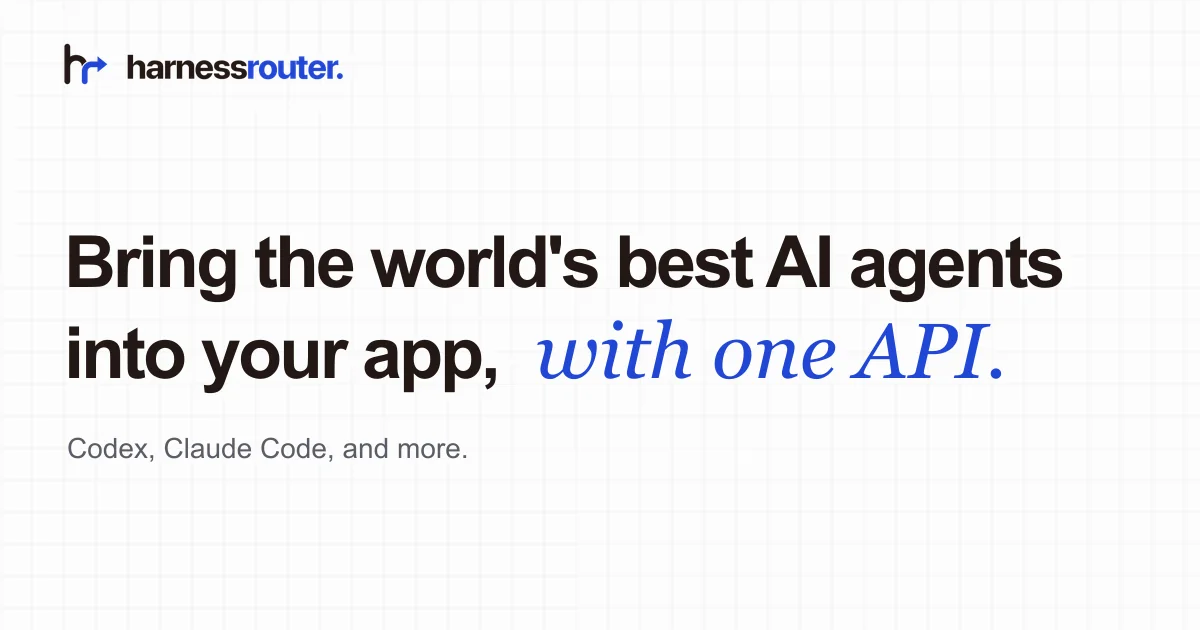
HarnessRouter is a Y Combinator-backed agent-backend platform that exposes the world's best coding and autonomous AI agents — Codex, Claude Code, Hermes, and more — behind a single API you drop into your product. It handles the entire execution layer around a model: sandboxes per run, agent runtime, tool orchestration, files and artifacts, sessions and streaming, retries and timeouts, permissions, and cost controls. Ship an AI feature in three steps: drop AGENTS.md into your coding agent, describe the idea, add your HarnessRouter API key. Every task is traceable step-by-step with an event timeline, per-harness settings, and hard budget caps. Launch partner Stanford Medicine uses the platform.
Screenshots
Key Features
Use Cases



Frequently asked questions about HarnessRouter
What is HarnessRouter?
HarnessRouter is a unified API designed to seamlessly integrate and operate coding agents like Codex, Claude Code, and Hermes as your product's backend. Backed by Y Combinator, it streamlines coding tasks, enhancing productivity and efficiency for developers and businesses.
Key Points
- Unified API: Simplifies access to multiple coding agents.
- Y Combinator Backed: Ensures reliability and innovation.
- Enhances Developer Productivity: Streamlines coding and backend processes.
Detailed Explanation
HarnessRouter provides a single API interface that developers can use to interact with various AI coding agents. This includes popular tools such as OpenAI's Codex, Anthropic's Claude Code, and others. By consolidating these functionalities, HarnessRouter allows developers to choose the best AI tool for specific tasks without needing to manage multiple integrations.
Use Cases
- Code Generation: Developers can quickly generate code snippets or full functions using Codex, leveraging its natural language processing capabilities.
- Debugging Assistance: Claude Code can analyze and suggest fixes for code errors, improving the debugging process significantly.
- Documentation Generation: Hermes can generate comprehensive documentation from code comments, saving time for developers.
Example Workflow
- Integrating HarnessRouter: Start by signing up for an API key on the HarnessRouter platform.
- Making API Calls: Use simple RESTful API calls to request functionalities from the desired coding agent.
- Receiving Responses: Handle the responses programmatically, integrating them into your application seamlessly.
Best Practices / Tips
- Select the Right Agent: Choose the coding agent based on the specific task to maximize efficiency. For code generation, Codex is ideal; for debugging, Claude Code excels.
- Monitor Usage: Keep track of API usage to manage costs effectively, especially if using these services extensively.
- Stay Updated: Regularly check for updates or new features from HarnessRouter to leverage enhancements that could improve your development processes.
Additional Resources
How does HarnessRouter work?
HarnessRouter integrates various AI coding agents through a single API endpoint, enabling seamless execution, artifact delivery, and customizable settings for distinct tasks. It simplifies complex processes like sandboxing and permissions management, allowing users to generate code, media, and other artifacts efficiently.
Key Points
- Unified Agent API: Connects multiple coding agents.
- Managed Runtime: Handles execution environment tasks.
- Artifact Delivery: Returns various digital outputs to users.
Detailed Explanation
HarnessRouter functions as a powerful middleware that streamlines interactions between various AI agents, such as Codex, Claude Code, and Hermes. By utilizing a Unified Agent API, developers can easily route requests to different coding or autonomous agents through a single endpoint. This simplifies integration and reduces the overhead of managing multiple APIs.
Features Explained:
-
Managed Runtime: This feature provides a secure execution environment for your tasks. It includes:
- Per-run Sandbox: Each task runs in an isolated environment, ensuring safety and stability.
- Session Management: Keeps track of user sessions efficiently.
- Streaming & Retries: Automatically handles data streaming and retries on failure, improving reliability.
- Timeouts & Permissions: Manages timeouts and user permissions without requiring additional setup.
-
Artifact Delivery: HarnessRouter allows agents to return a variety of outputs, including:
- Code and Documentation: Generate and deliver code snippets or complete documentation.
- Multimedia: Create videos and other media artifacts directly to end-users.
-
Execution Tracing: Users can monitor a detailed step-by-step event timeline that logs:
- Tool calls
- File changes
- Agent messages for every execution run, providing transparency and debugging capabilities.
-
Per-Harness Settings: Customize each harness to suit specific needs. Users can:
- Define models, tools, and skills for unique applications.
- Set guardrails to ensure safe and effective AI usage.
Use Cases:
- Website or App Builders: Users can describe a product and receive generated code and media.
- Digital Employees: Integrate an AI that performs long-running tasks within your SaaS applications.
- Model Evaluation Agents: Create agents that assess coding models for legal, operations, or planning tasks.
Best Practices / Tips
- Start Small: Begin with simpler harness configurations to understand the system before scaling.
- Monitor Performance: Use execution tracing to identify bottlenecks or errors.
- Stay Updated: Regularly check for updates on supported agents and protocols to leverage new features.
- Define Clear Permissions: Ensure that you configure permissions correctly for each harness to maintain security.
Additional Resources
What are the main features of HarnessRouter?
HarnessRouter features a Unified Agent API that allows users to route to various coding agents such as Codex and Claude Code through a single endpoint. Other key features include Managed Runtime, Artifact Delivery, Execution Tracing, and customizable per-harness settings for enhanced control and flexibility.
Key Points
- Unified Agent API: Route multiple coding agents through one endpoint.
- Managed Runtime: Automatically handles sandboxing, sessions, and permissions.
- Artifact Delivery: Returns various file types to end users.
Detailed Explanation
HarnessRouter is designed to streamline the interaction with multiple coding agents, providing developers with a cohesive platform.
Unified Agent API
With the Unified Agent API, users can connect to various AI models like Codex, Claude Code, Hermes, and Pi without needing multiple integrations. This simplifies the development process, allowing teams to focus on building innovative solutions rather than managing different endpoints.
Managed Runtime
HarnessRouter's Managed Runtime ensures that every run is executed in a secure, controlled environment. This feature includes:
- Per-run Sandbox: Each code execution is isolated, preventing interference.
- Session Management: Automatically maintains session states, ensuring consistency across runs.
- Streaming and Retries: Supports real-time data streaming and automatic retries in case of failure, enhancing reliability.
- Timeouts and Permissions: Easy configuration of execution time limits and access controls.
Artifact Delivery
Agents using HarnessRouter can return a variety of artifacts such as:
- Files: Code files and configuration documents.
- Videos: Recordings of execution for debugging or demonstration.
- Documents: Detailed reports and logs for analysis.
Execution Tracing
HarnessRouter provides comprehensive execution tracing, allowing developers to track:
- Step-by-step Events: A clear timeline of actions taken during execution.
- Tool Calls: Insight into which tools were invoked and why.
- File Changes: Visibility into how files were modified during each run.
Per-Harness Settings
This feature allows developers to tailor the behavior of each harness according to specific needs. You can configure:
- Model Selection: Choose which AI model to leverage.
- Tools and Skills: Specify additional tools and skills for the harness.
- Guardrails: Set constraints to prevent unintended actions during execution.
Best Practices / Tips
- Utilize Unified API: Always prefer the Unified Agent API for a streamlined experience.
- Monitor Execution Tracing: Regularly review execution traces for insights into performance and potential issues.
- Customize Settings: Take advantage of per-harness settings to optimize execution based on project requirements.
Additional Resources
- HarnessRouter Official Documentation
- Harness API Reference
- Harness Community Forum for support and discussion.
Who is HarnessRouter for?
HarnessRouter is designed for developers, product managers, and entrepreneurs who want to efficiently create websites or applications, integrate AI capabilities, and automate tasks. It assists in generating code, embedding digital employees for task management, and adding AI features like video generation, making it ideal for tech-savvy users.
Key Points
- Website and App Development: Create websites and applications effortlessly.
- AI Integration: Incorporate AI features to enhance user experience.
- Task Automation: Embed digital employees to manage long-running tasks.
Detailed Explanation
HarnessRouter serves a diverse audience, including web developers and startup founders, by simplifying complex processes in app and website development. It allows users to describe a product, which then generates the necessary code and media, streamlining the development workflow.
For instance, a product manager can use HarnessRouter to quickly prototype a new website. By simply entering product details, the tool produces the required HTML, CSS, and JavaScript. This reduces the time to market significantly, emphasizing rapid iteration and deployment.
Additionally, HarnessRouter provides the ability to embed a digital employee, which can handle long-running tasks within Software as a Service (SaaS) platforms. This feature is especially beneficial for businesses looking to automate customer interactions or data processing without dedicating extensive resources to backend infrastructure.
Moreover, users can build specialized agents for model evaluation, legal, operations, or planning tasks, utilizing frontier coding models. This functionality is particularly valuable in industries that require compliance and rigorous testing, such as finance and healthcare.
Lastly, HarnessRouter offers capabilities to add AI features that produce videos, games, documents, or entire codebases. This feature is beneficial for content creators and educators looking to generate engaging materials quickly and efficiently.
Best Practices / Tips
- Define Clear Objectives: Before using HarnessRouter, outline your project goals to maximize its capabilities.
- Leverage Templates: Utilize pre-built templates for faster development and less coding.
- Regular Updates: Keep your software and libraries updated to ensure compatibility and security.
- Test Extensively: Always run tests on generated code to optimize performance and fix potential bugs.
Additional Resources
How much does HarnessRouter cost?
HarnessRouter is a paid product, and pricing may vary based on your specific needs and usage. For the most accurate and up-to-date pricing information, visit the official HarnessRouter website.
Key Points
- Pricing varies based on features and usage.
- Plans may include different tiers for businesses of various sizes.
- Free trials or demos may be available.
Detailed Explanation
HarnessRouter offers a flexible pricing model tailored to different business needs. Typically, pricing is structured into several tiers, which may include Basic, Pro, and Enterprise plans.
- Basic Plan: Ideal for startups and smaller teams, this plan often includes essential functionalities such as basic routing and analytics.
- Pro Plan: Aimed at mid-sized businesses, this plan usually adds advanced features like enhanced security and customer support.
- Enterprise Plan: For large organizations, this plan may come with customizable features, dedicated account management, and comprehensive integration options.
It's also common for SaaS products like HarnessRouter to offer a free trial or demo period. This allows prospective users to experience the features before committing to a subscription.
Best Practices / Tips
- Evaluate Your Needs: Before choosing a plan, assess your organization’s size, expected traffic, and specific features you require.
- Leverage Free Trials: Take advantage of any free trial offers to test the platform’s capabilities and customer support.
- Stay Updated: Pricing and features may change, so regularly check the official website for the latest information.
Additional Resources
- HarnessRouter Official Website - For detailed pricing and plan comparisons.
- Harness Documentation - For comprehensive guides and user manuals.
- Customer Support - For assistance with specific pricing questions or concerns.
How do I get started with HarnessRouter?
To get started with HarnessRouter, visit harnessrouter.ai to sign up for an account. Once registered, you can explore its features, set up your routing preferences, and integrate it with your existing systems for optimized project management.
Key Points
- Sign up Process: Create an account easily online.
- Feature Exploration: Familiarize yourself with the tool’s capabilities.
- Integration Options: Connect with existing tools for enhanced functionality.
Detailed Explanation
HarnessRouter is an advanced routing solution designed to streamline project workflows. To begin using HarnessRouter, follow these steps:
- Visit the Official Site: Go to harnessrouter.ai.
- Create an Account: Click on the sign-up button and fill in your details. You may need to verify your email address.
- Explore Features: Once logged in, navigate through the dashboard to discover various features such as:
- Routing Configurations: Set up rules for task assignments based on team availability and project urgency.
- Analytics Dashboard: Monitor project performance and team productivity through detailed reports.
- Integrate with Tools: HarnessRouter can connect with tools like Slack, Jira, and Trello for seamless project management.
Use Cases
- Project Management: Teams can manage tasks more effectively by automating routing processes.
- Data-Driven Decisions: Utilize analytics to make informed decisions and optimize workflows.
Best Practices / Tips
- Regularly Update Your Preferences: Keep your routing rules current to reflect team changes or project shifts.
- Utilize Analytics: Regularly review the analytics dashboard to identify bottlenecks and optimize performance.
- Engage with Support Resources: Take advantage of customer support and community forums to address any challenges.
Additional Resources
- HarnessRouter Documentation for detailed guides and tutorials.
- HarnessRouter Community Forum for user discussions and best practices.
- Product Updates to stay informed about new features and improvements.
Explore more AI Ai Agents tools
Browse all Ai Agents tools →Compare HarnessRouter: vs TryCase · vs Aside · vs Wisry · vs Cline